

- This integration allows you to run experiments and address form-fill and checkout flow bottlenecks, resulting in improved conversion rates and a smoother customer journey.
- Leverage comprehensive analytics, optimize conversions, ensure seamless data flow, gain cross-platform insights, and make informed decisions for website optimization.
Setup
Prerequisites
To configure this integration, you must create a new form into Zuko and define the slug.Create a new custom analytics integration for Zuko
First, you must create a new custom analytics integration for Zuko. To do this:- Log in to your Kameleoon app.
- Click Admin > Integrations > New custom analytics.
- Name your custom integration and select the projects on which it will be active.
- Click Next.
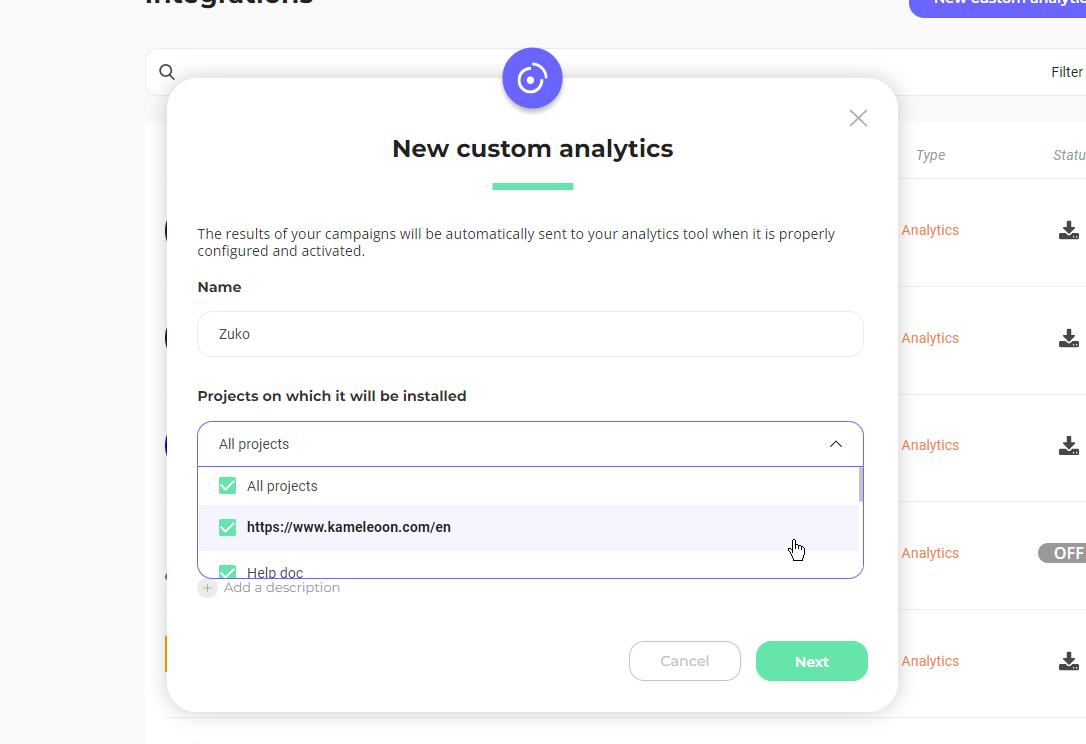
If you want to know more about custom analytics, read the dedicated documentation.
- From the dropdown list, choose the Zuko integration and click Add new script. The corresponding script will automatically populate the JavaScript code insert.
- You can adapt the sample code to your needs. Don’t forget to add your own slug in the code.
- Click Validate.
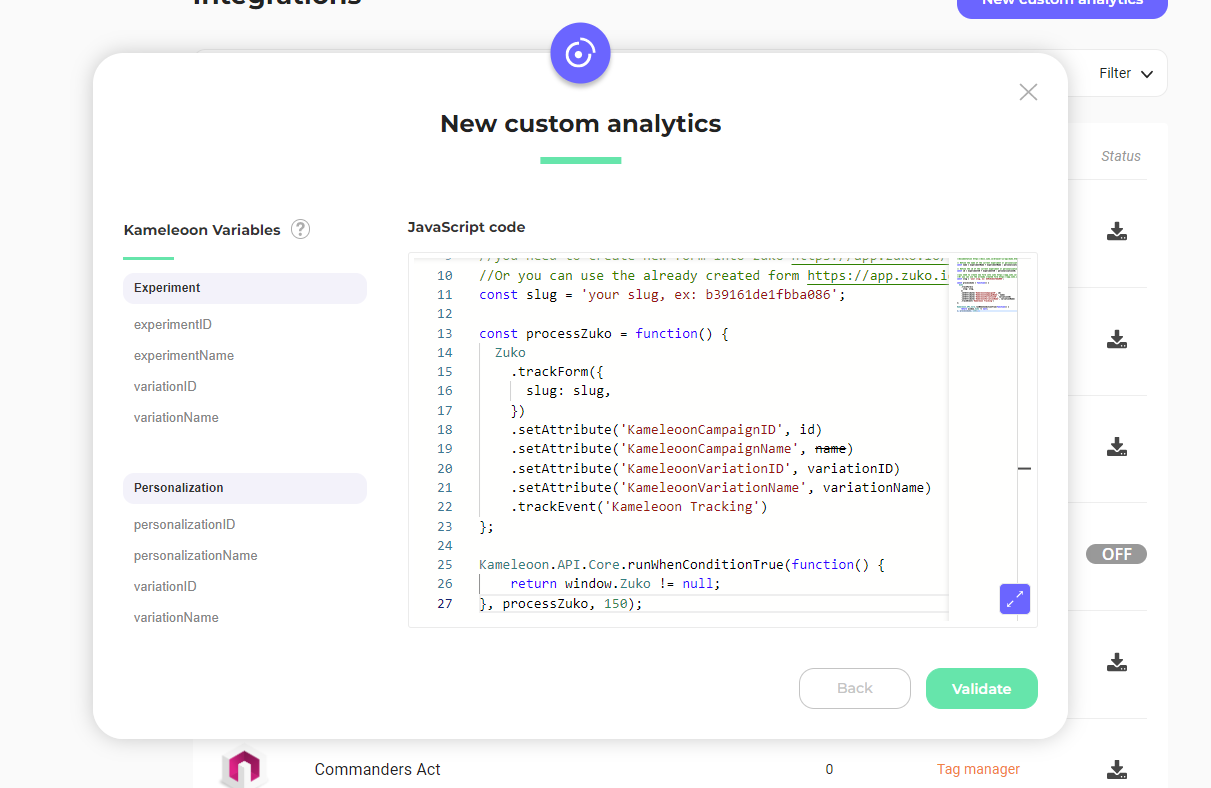
Associate your Zuko integration with a campaign
In the Graphic/Code editor
When finalizing your experiment:- Click Integrations > Zuko.
On the personalization creation page
You can select your custom analytics as a reporting tool for a personalization the same way you would in an A/B test.On the Results page
Once your custom analytics integration is defined as a reporting tool for a campaign, you can select (or unselect) it via the Results page. To do this:- Click Reporting Tools > Edit.
- Select or deselect the tool.
- Click Validate.