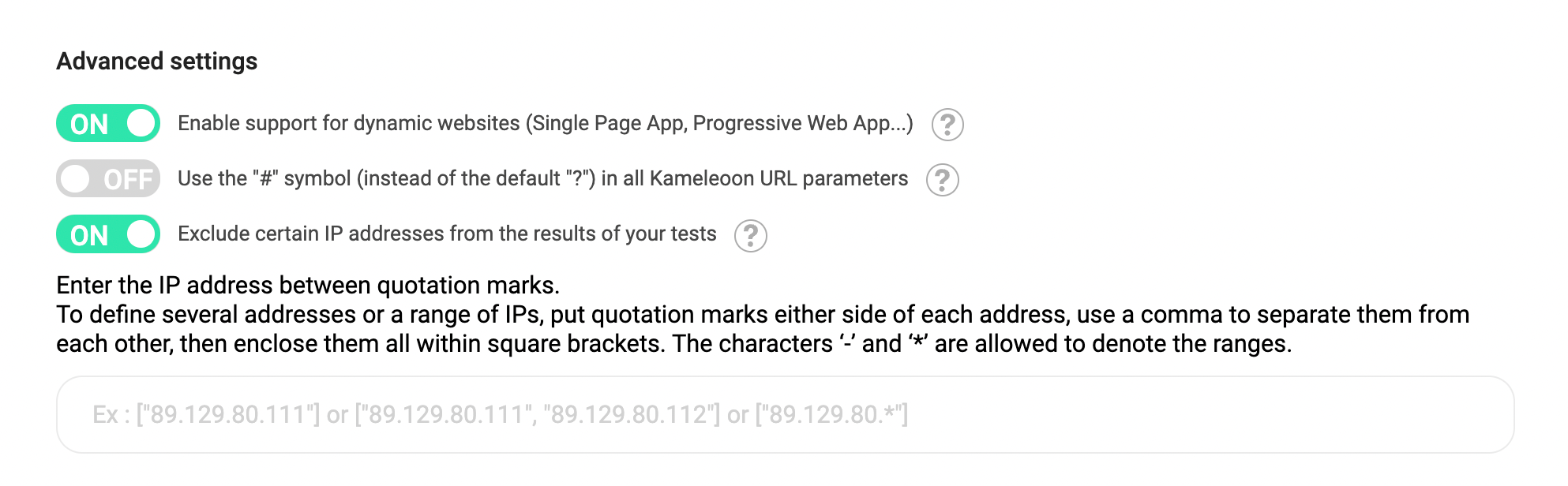
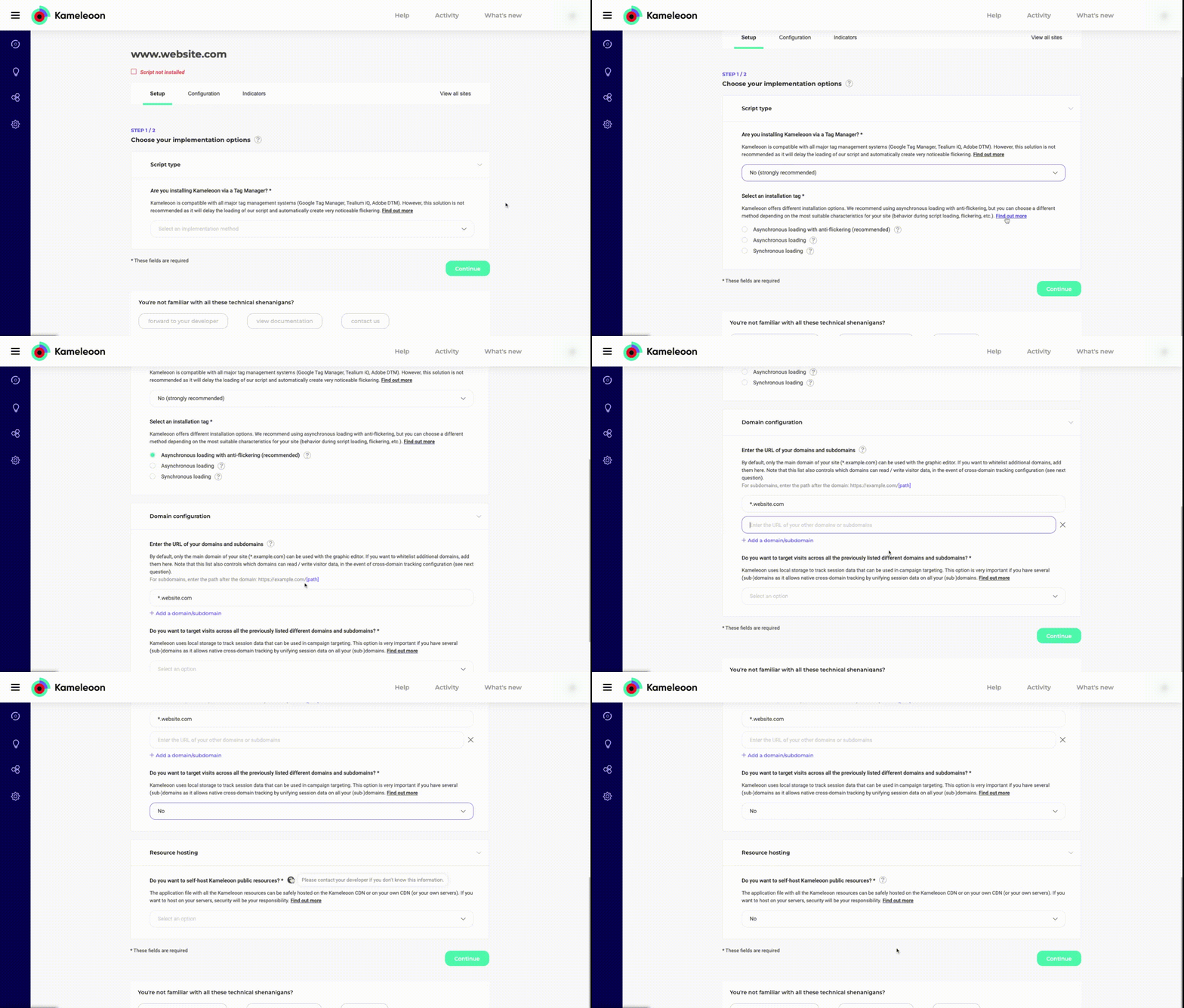
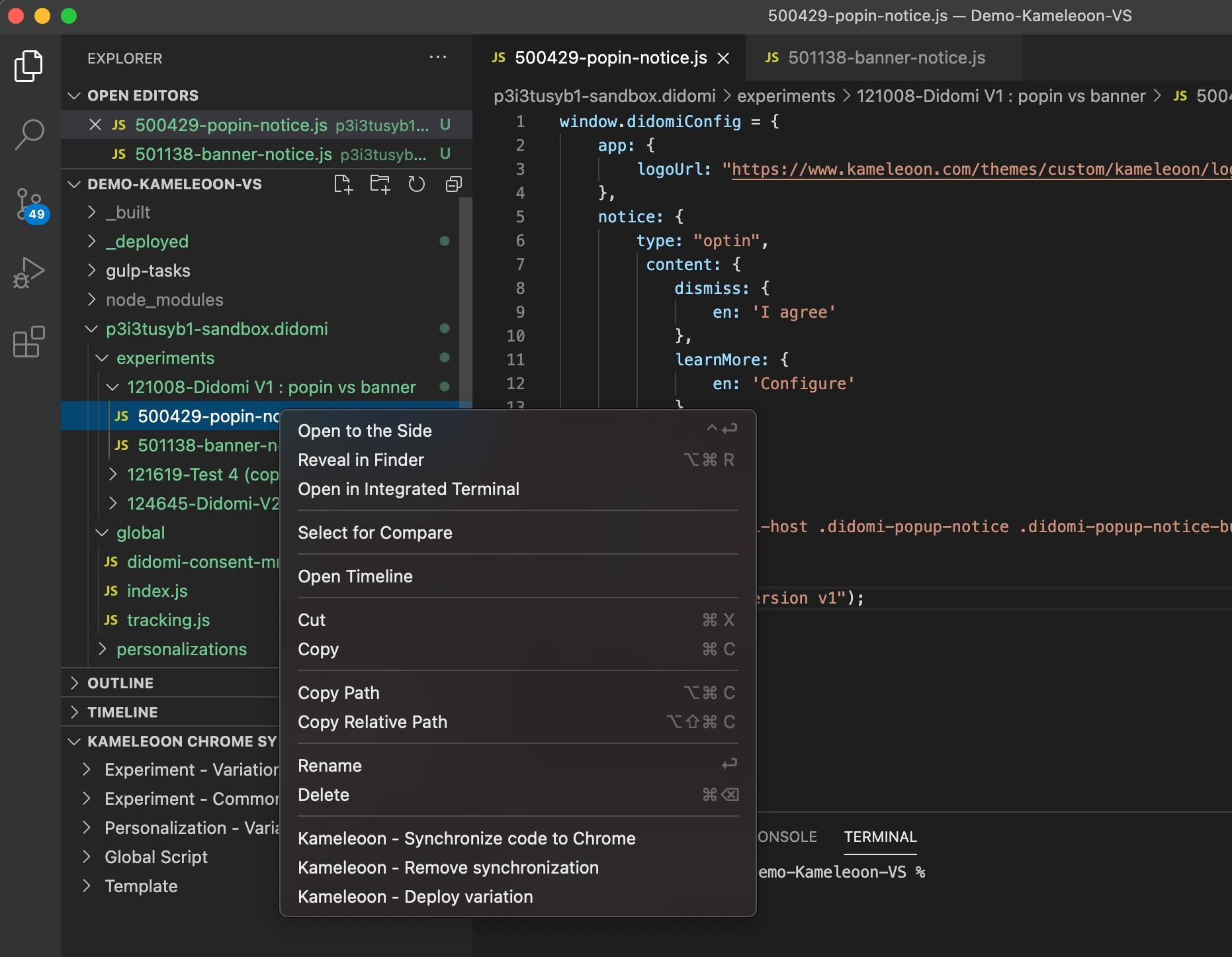
For SDK changelogs, see the Kameleoon GitHub organization.

November 13, 2026

You can now choose how the app displays dates and times. Pick a date format (MM/DD/YYYY, DD/MM/YYYY, DD.MM.YYYY, or YYYY-MM-DD) and a 24-hour or 12-hour time format. These settings apply to your user account only.Learn more in Change your language and date and time format.
Share a Kai chat with colleagues on your team so they can view or continue the conversation with Kai on their end.Learn more in Share a chat with coworkers.
Speak your message to Kai out loud and see your words appear live, with punctuation added and your language detected automatically.Learn more in Dictate your message.

November 5, 2026

Get answers about Kameleoon directly in Slack. The Kameleoon Slack agent searches the documentation or checks our codebase to answer your questions about the platform, right where you’re already working.Learn more about adding the Kameleoon Slack agent to your Slack channels.

October 28, 2026

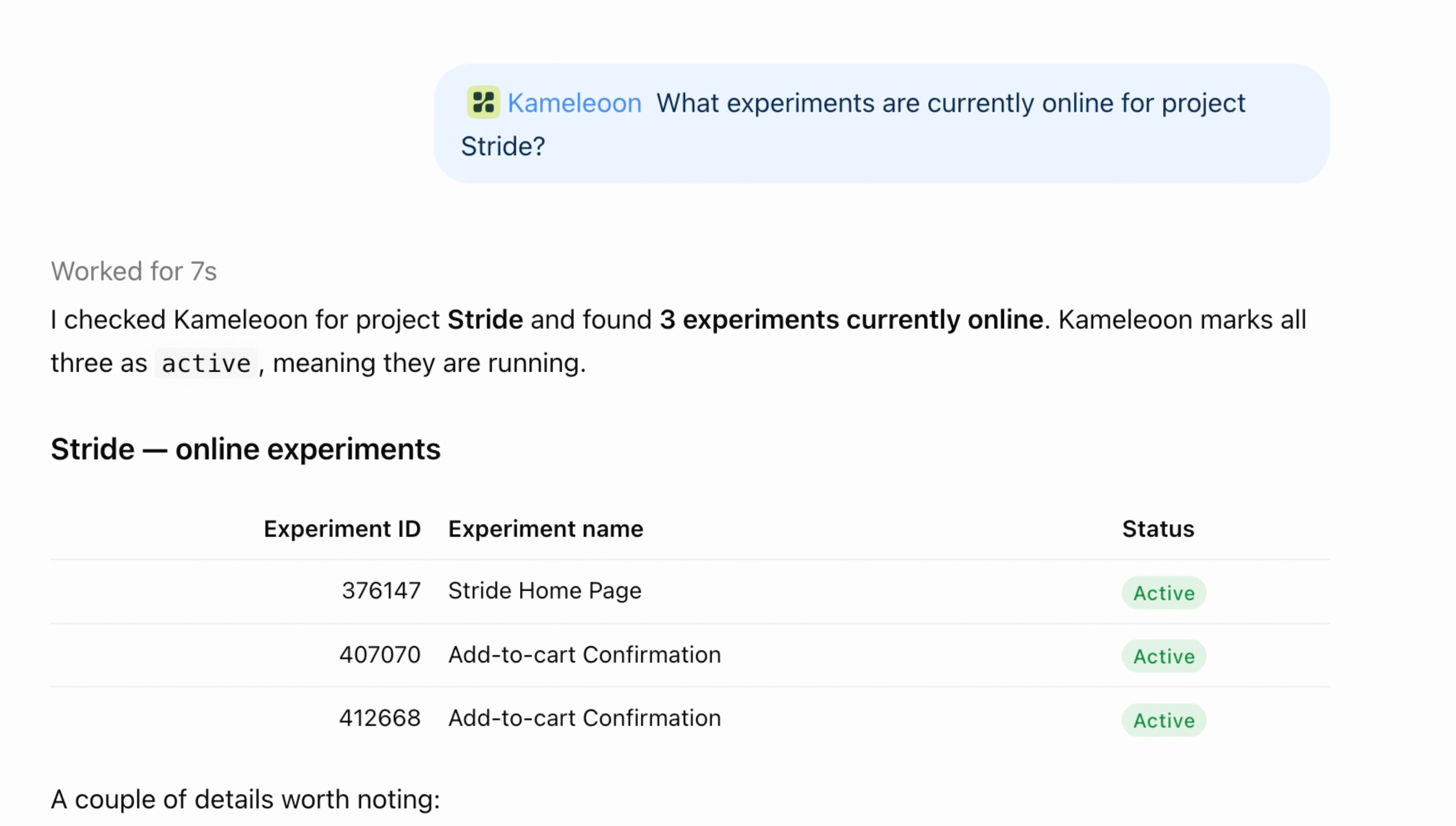
Your AI assistant can now analyze results through the Kameleoon MCP server. Five new tools check whether an experiment’s data is trustworthy, show how a goal is performing, list the experiments that moved a goal, recall what you learned from paused or stopped experiments, and read the ideas PBX Ideate generated for a page: experiment_health_check_get, goal_performance_get, goal_experiment_impacts_list, takeaway_list, and idea_list.Health checks and goal impacts depend on data that Kameleoon prepares in the background. If the assistant reports that the data is still preparing, ask again a minute later.To see the new tools, reconnect the Kameleoon MCP server in your AI client. Until you reconnect, the client keeps its old tool list.Learn more in Kameleoon MCP server.

October 23, 2026

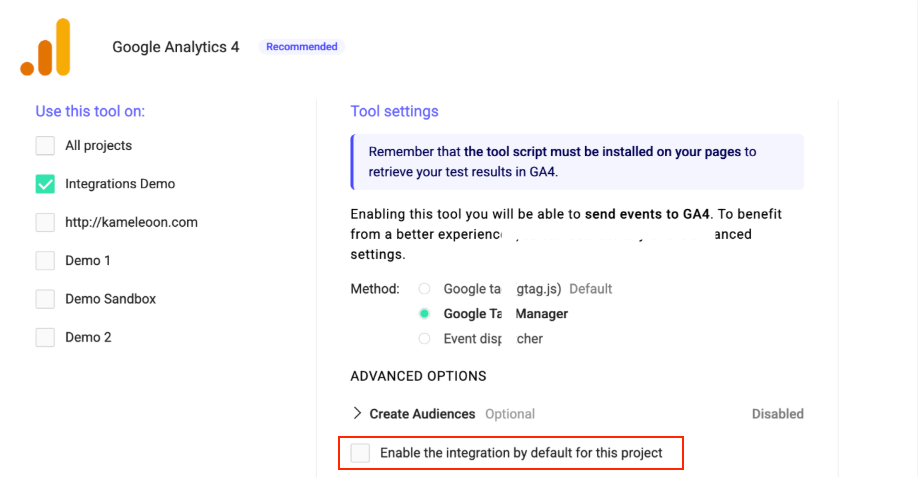
Make a custom integration the project’s default, and it’s already selected in every new A/B test, personalization campaign, and feature flag.Learn more in Set an integration as the default for a project.
With the AI Targeting add-on, you can now add an AI Targeting condition to Personalization campaigns. This allows you to use AI-powered predictions to target visitors based on their likelihood to convert.Learn more in Use AI Targeting in a segment.

October 22, 2026

Add Kameleoon to ChatGPT as a custom plugin to access Kameleoon tools directly from a ChatGPT conversation. Check experiment results, review feature flags, manage goals and segments, and more, all by chatting with ChatGPT.Learn more in Connect Kameleoon to Claude and ChatGPT.

October 21, 2026

Your AI assistant can now edit existing experiments, segments, and triggers through the Kameleoon MCP server. Nine tools are new: experiment_update and experiment_traffic_allocation_set change an experiment, targeting_rule_update switches the segment or trigger that targets it, segment_update edits a segment, and trigger_list, trigger_get, trigger_create, trigger_update, and trigger_delete manage triggers.Your assistant can attach the goal an experiment needs, set its traffic split, and target it to a segment or trigger, so the experiment is ready to start. Changes that affect live traffic show a preview first and apply only after you confirm. Segment and trigger conditions take at most two levels, and a deeper condition tree is refused with an explanation.Other changes: targeting_rule_create isn’t needed after experiment_create, because a new experiment already has a targeting rule. experiment_variation_update refuses stopped and feature-flag experiments. experiment_lifecycle_update can pause and stop deviated and scheduled experiments.To see the new tools, reconnect the Kameleoon MCP server in your AI client. Until you reconnect, the client keeps its old tool list.Learn more in Kameleoon MCP server.

October 20, 2026

Your AI assistant can now add variations with their own JavaScript, CSS, custom JSON, or redirect settings, through the Kameleoon MCP server. Two new tools, experiment_variation_create and experiment_variation_update, complete the flow without direct API calls: create the experiment, fill in its first variation, add more variations, and read the code back.To see the new tools, reconnect the Kameleoon MCP server in your AI client. Until you reconnect, the client keeps its old tool list.Learn more in Kameleoon MCP server.

October 14, 2026

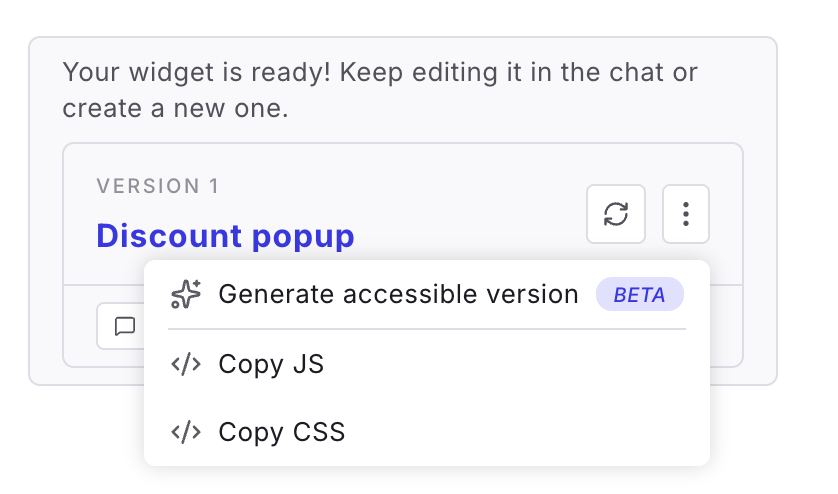
Choose Generate accessible version from the version menu, and PBX creates a new version to comply with WCAG 2.1 AA guidelines, listing every change it made. Your original version stays as a separate version for you to refer back to. Available now for Beta users.Learn more in Create an accessible widget.

October 9, 2026

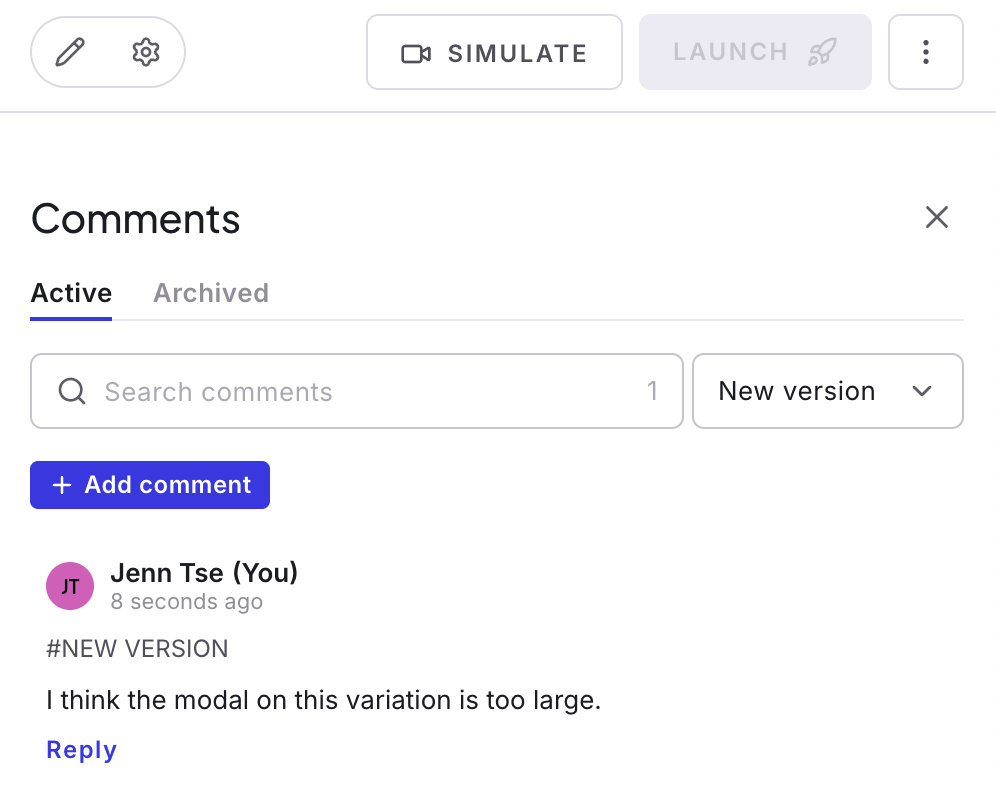
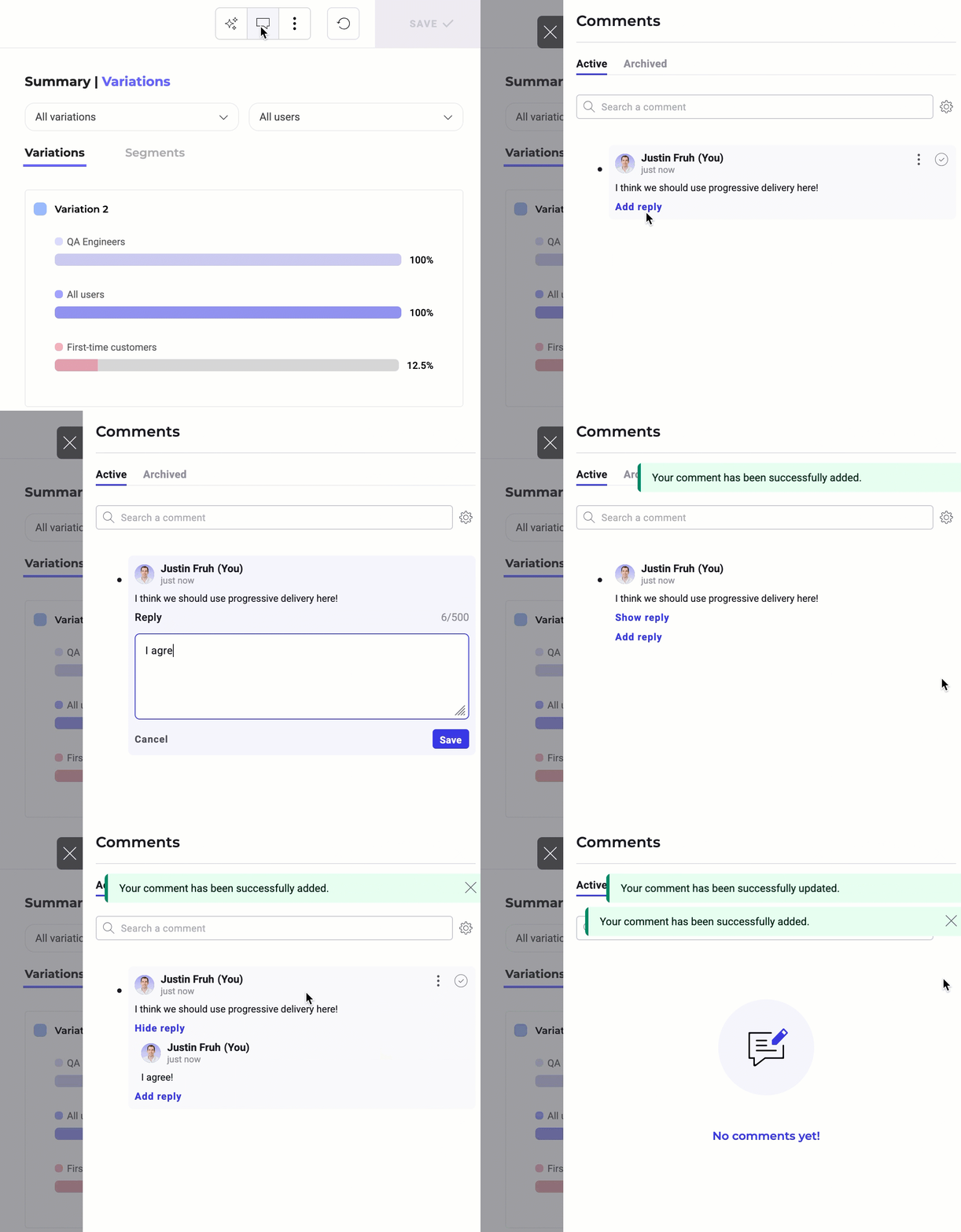
Leave threaded comments and @mentions on a specific version inside PBX. Each comment stays tagged to its version, and resolved threads move to the Archived tab.Learn more in Comment mode.
Track how many users saw and completed your survey widget, and get AI-generated learnings. Browse every response across all linked campaigns.Learn more in Analyze your widget results.
Kai now knows which page you’re on, so you can ask a question without pasting in an ID. You can also search past chats and start from suggested questions.See the Kai documentation for the full set of capabilities.
Takeaways now open with a short AI-written description of what changes visitors saw, shown in the What was tested section.Learn more in Takeaways.
Add, move, and resize blocks on your homepage, see several projects together, and compare audience segments on your main goal.Learn more in Using the Homepage.
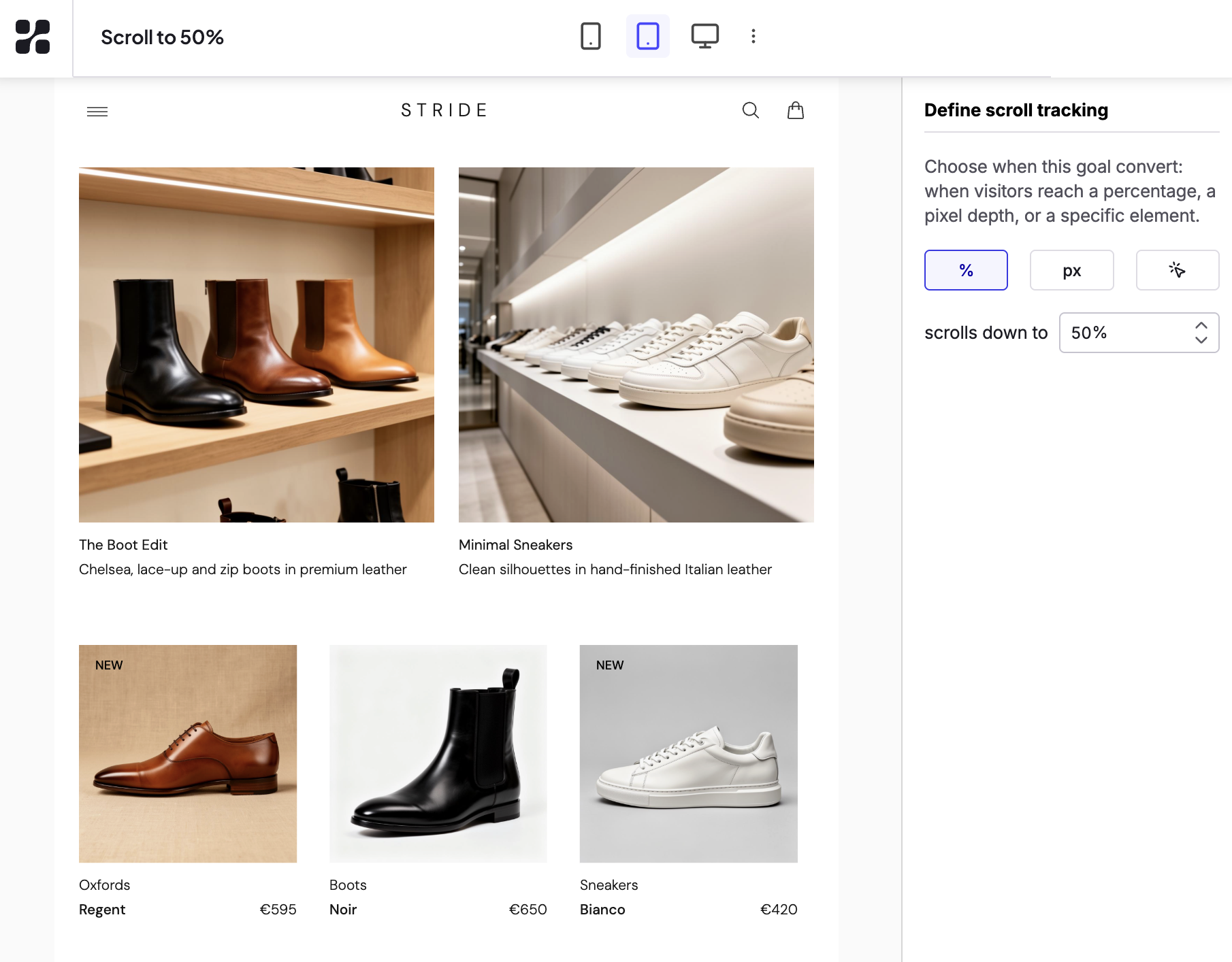
Set up a scroll tracking goal directly on your page in the Visual editor. Choose a trigger by percentage or pixel depth, or click an element on your page. Drag the trigger point to the exact position where a visitor needs to scroll for the goal to convert.Learn more in Create a goal.

September 24, 2026

Paste any PBX variation design into Figma to keep prototyping, update your design system, or hand off to developers.Open the options menu once your new variation is generated, select Copy to Figma, and paste the design into your Figma file.

September 23, 2026

See all widget results in one place. Track how many visitors saw and completed a widget, review AI-generated learnings, and browse every response across all linked campaigns. This feature is available now in beta.

September 2, 2026

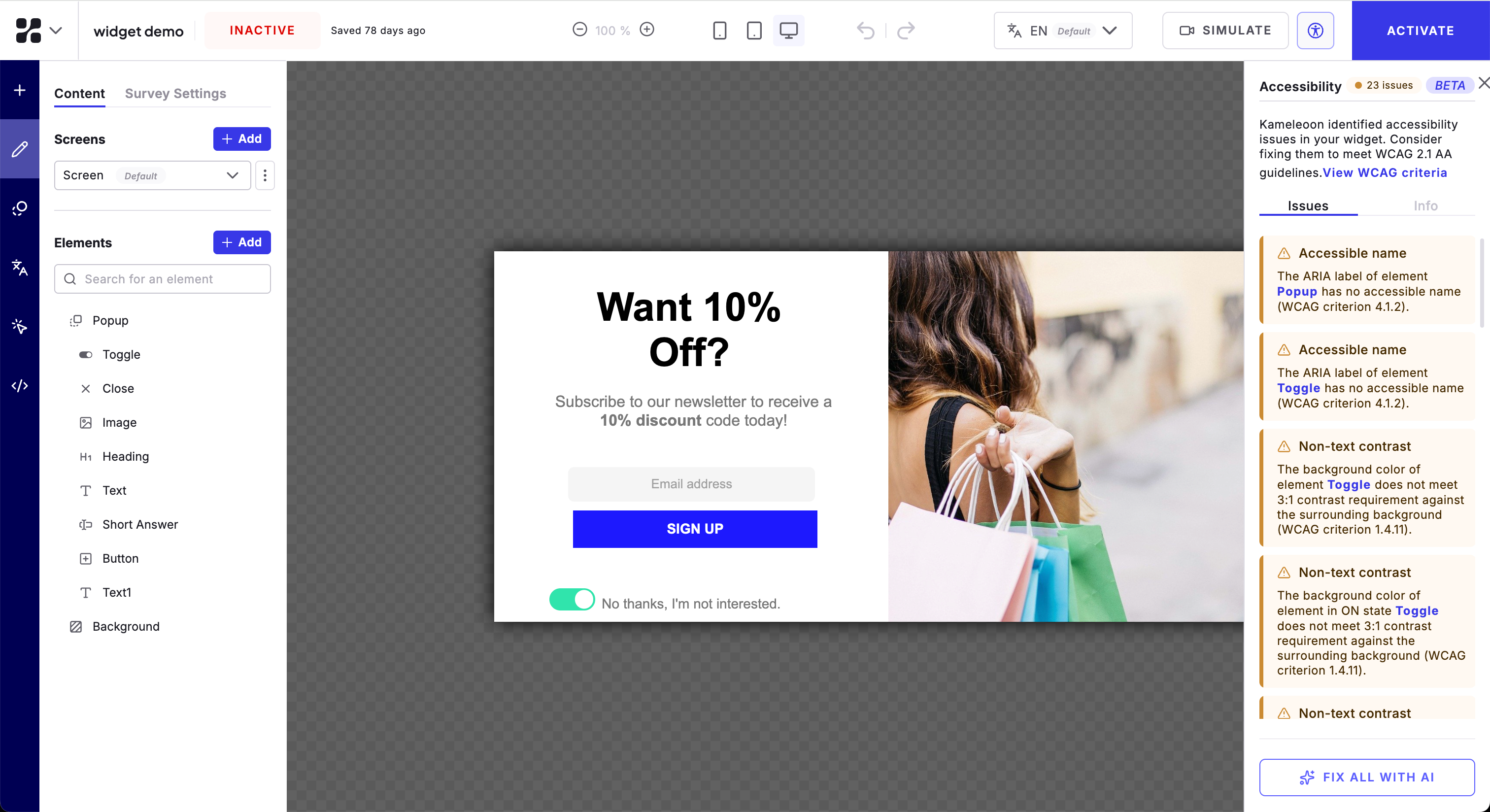
Kameleoon now detects accessibility issues in your widgets. Fix them with AI or edit each element manually, and use the new ARIA label field to help screen readers identify each element’s purpose. This feature is available now in beta.Learn more in Create an accessible widget.
Use custom data when creating quick custom segments and triggers as part of your targeting in Personalization campaigns.Learn more in Set up and launch a personalization.
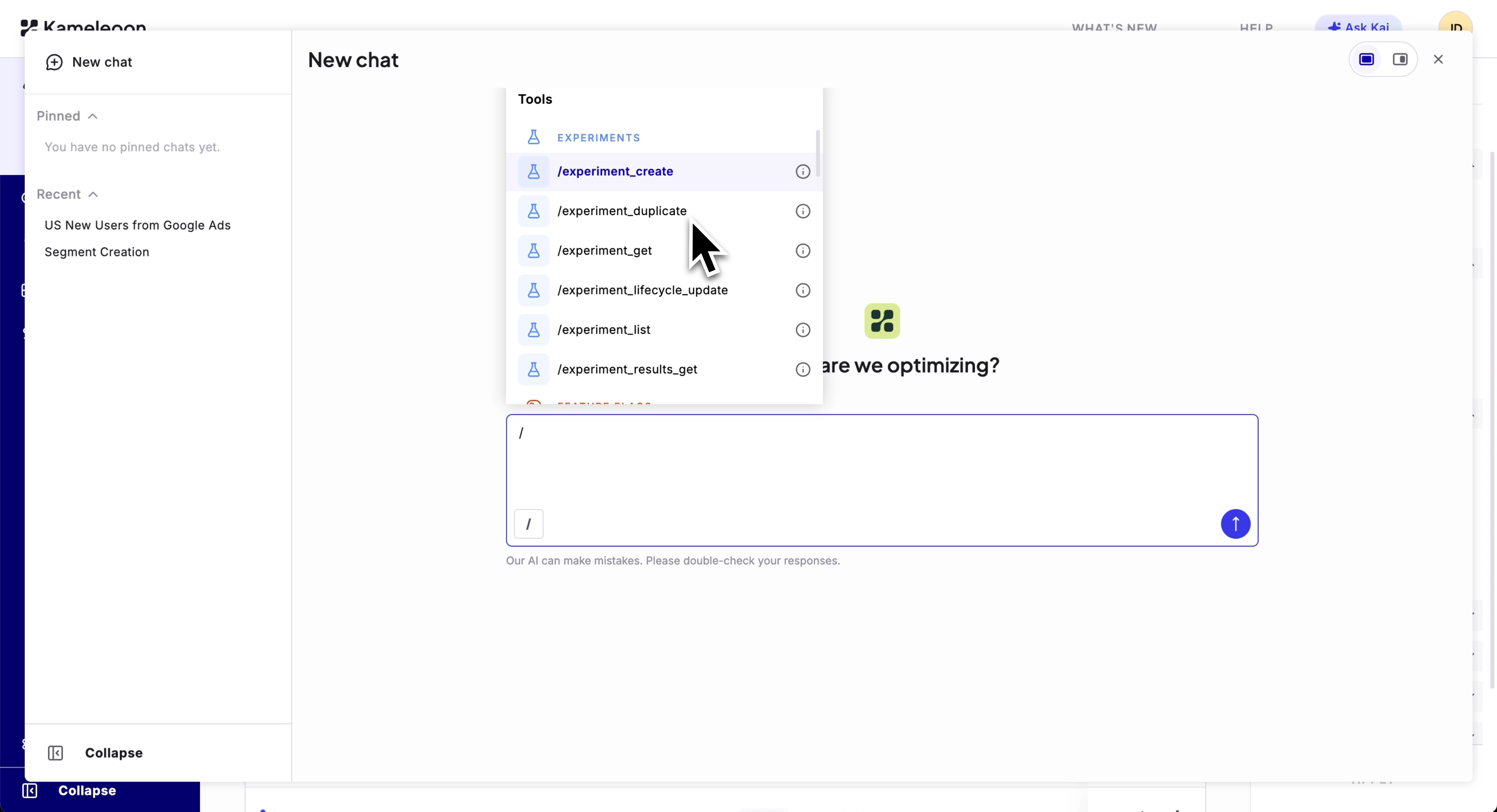
Kai, the built-in AI assistant, goes beyond providing guidance and querying experiment data. Kai can now act on your behalf to create experiments, targeting, goals, feature flags and targeting rules, and more. Kai also has improved context awareness, a full-page mode, and the ability to stay organized by pinning important chats.See the Kai documentation for the full set of capabilities.
Give PBX Ideate the context to make every analysis feel specific to your business:
  • Site context captures what defines your brand: your audience, voice, positioning, priorities, vocabulary, and constraints. Define it once, and every future analysis inherits it automatically.
  • Analysis context adds what matters for a specific analysis: the KPI, audience segment, page area, previous learnings, or direction you want to explore.
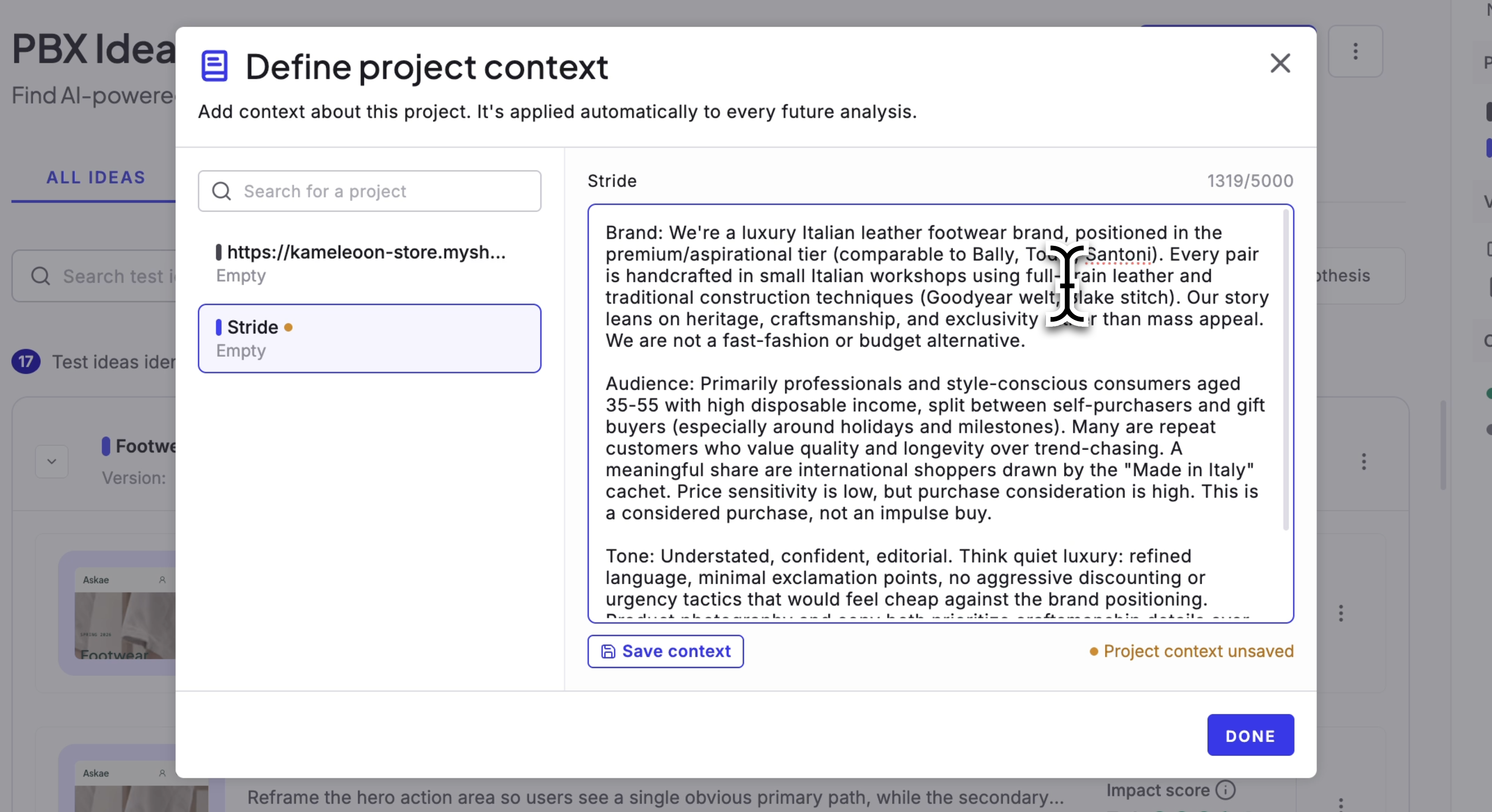
Learn more in What powers PBX Ideate?
Dictate your PBX prompt out loud instead of typing it, then edit before sending.See Create a prompt-based experiment for the full PBX Build workflow.

August 12, 2026

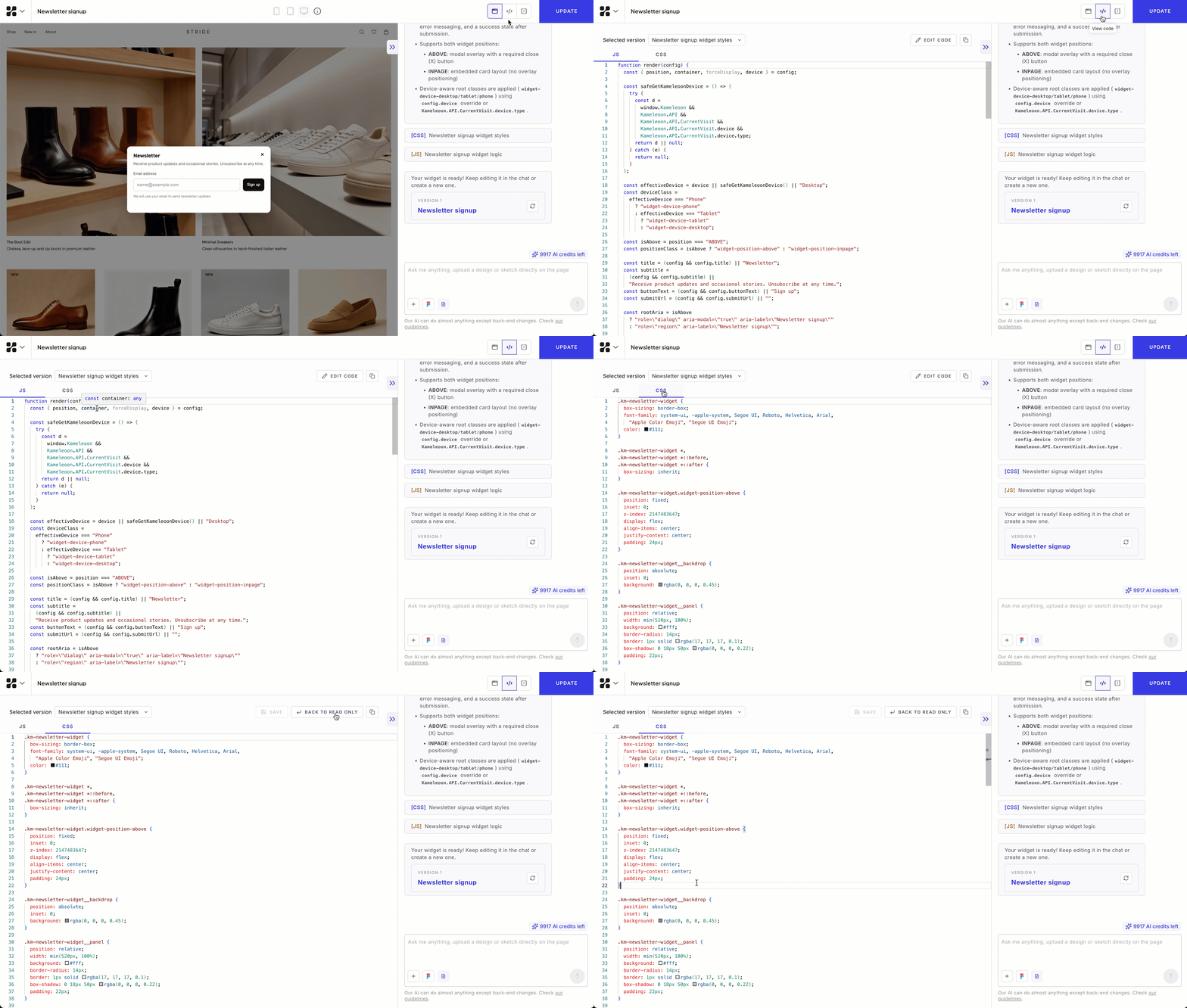
Edit your PBX widget’s JS and CSS directly from the PBX editor. Fine-tune its styling and behavior without leaving your workflow.Learn more in Create a widget with PBX.
Continue working on legacy Personalization campaigns in the new Personalization editor. The migration process is rolling out progressively this month, takes only a few seconds, and migrates all configuration settings, such as targeting and display rules, to the new campaign.Until you migrate, you can continue opening and editing your campaigns in the legacy editor until its sunset later this year. Once migrated, your campaigns are only available in the new editor.
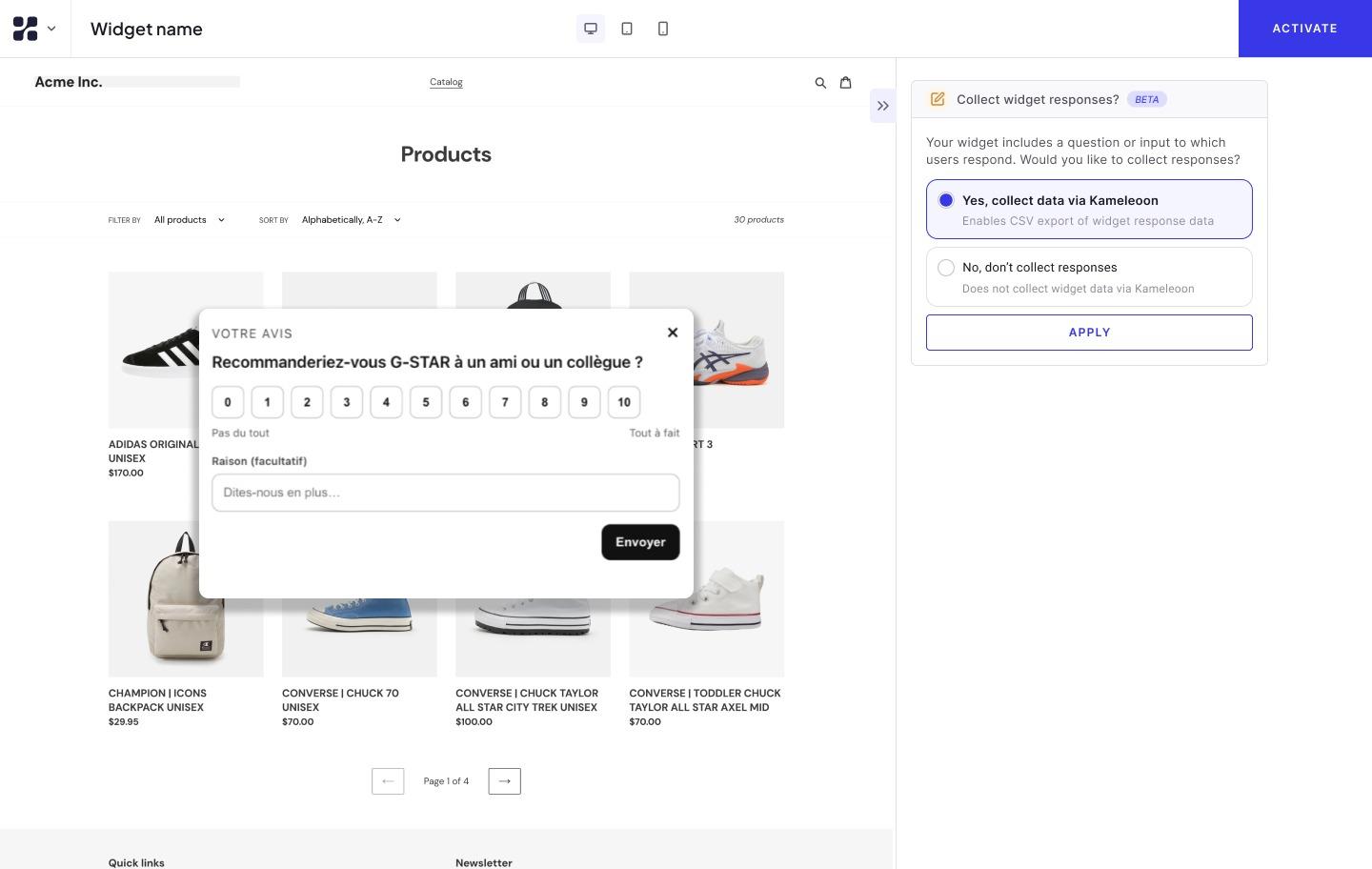
Store responses to PBX widgets, such as survey responses or email inputs for newsletter signups, directly in your Kameleoon account and export them to a CSV file for deeper analysis. This feature is available now in beta.Learn more in Create a widget with PBX.
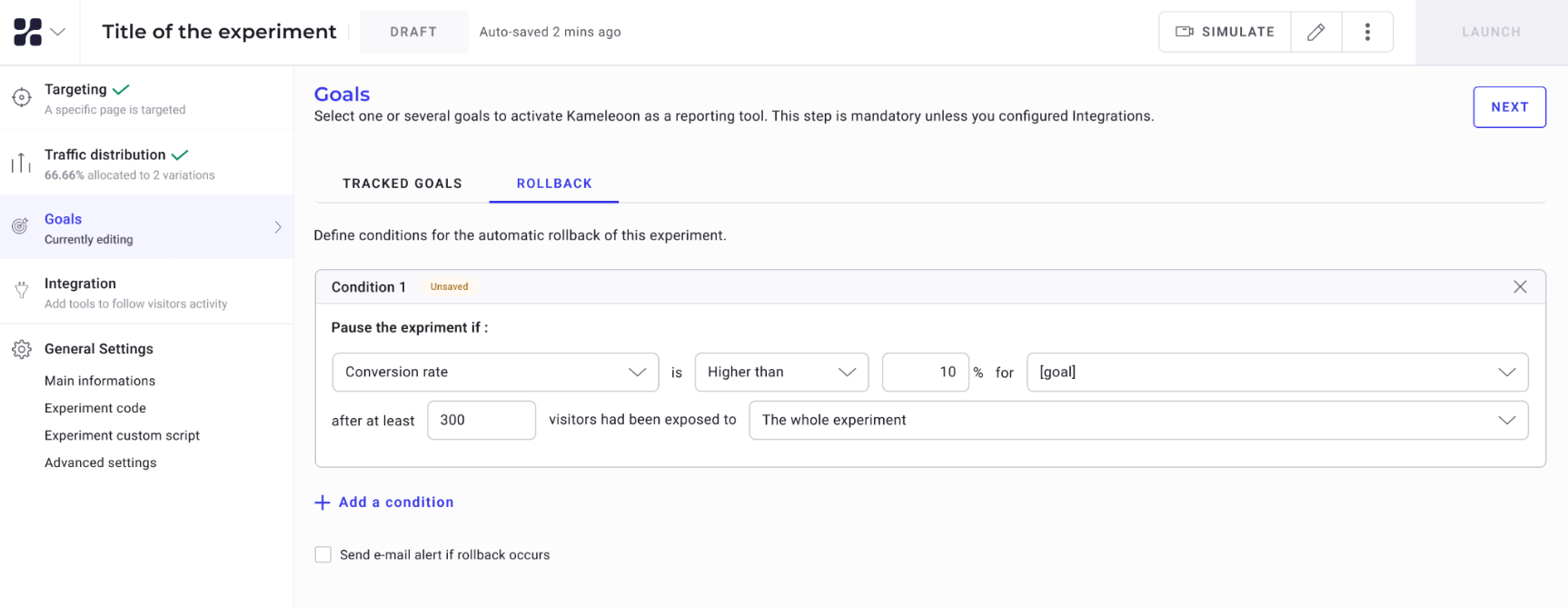
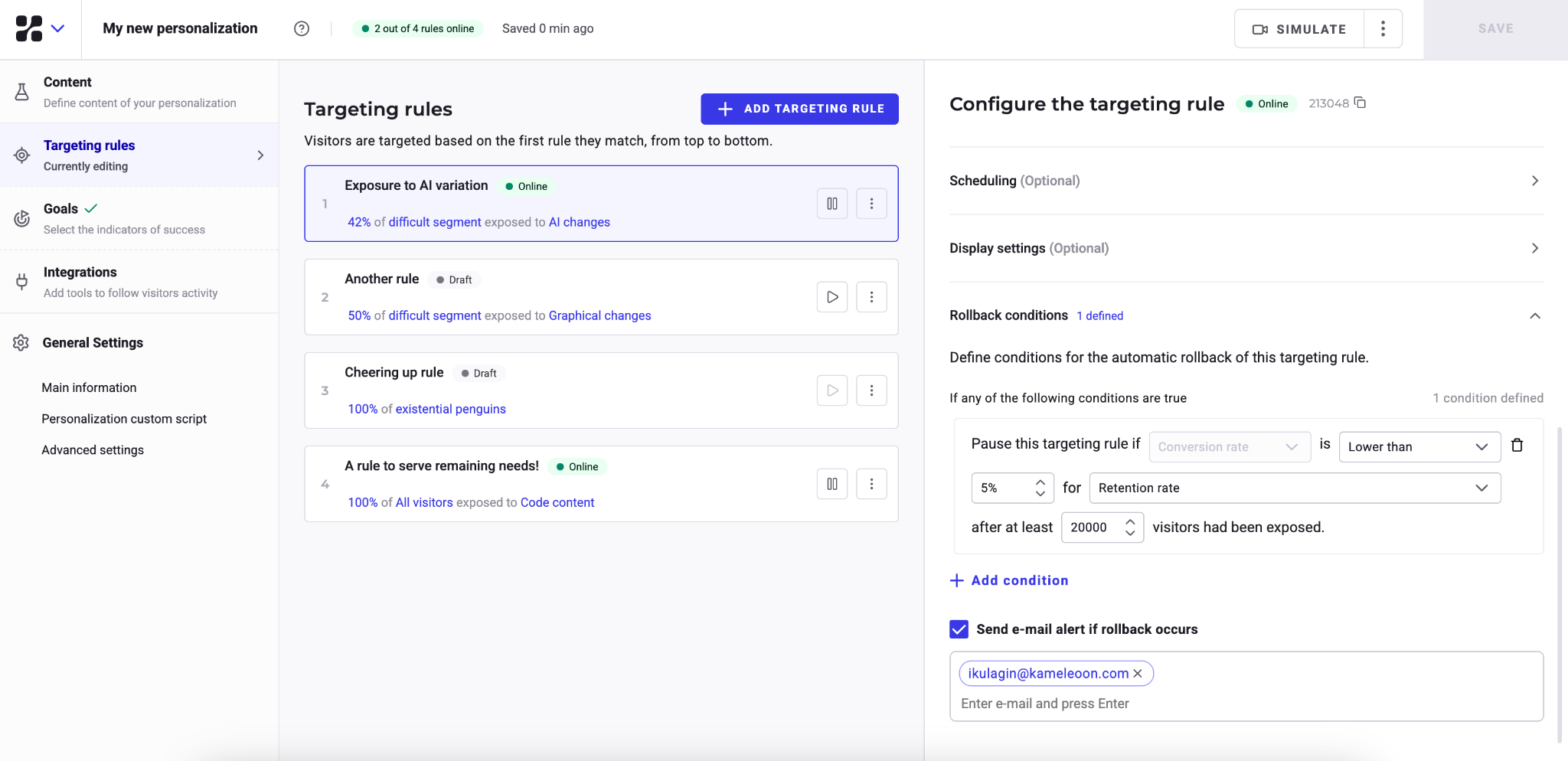
Launch web experiments with built-in guardrails by defining performance thresholds for your experiments in the Goals tab of your experiment configuration. Automated checks happen every 5 minutes, and experiments pause automatically if a threshold is crossed. This feature is rolling out progressively this month.See Automatically rollback an experiment to set this up.
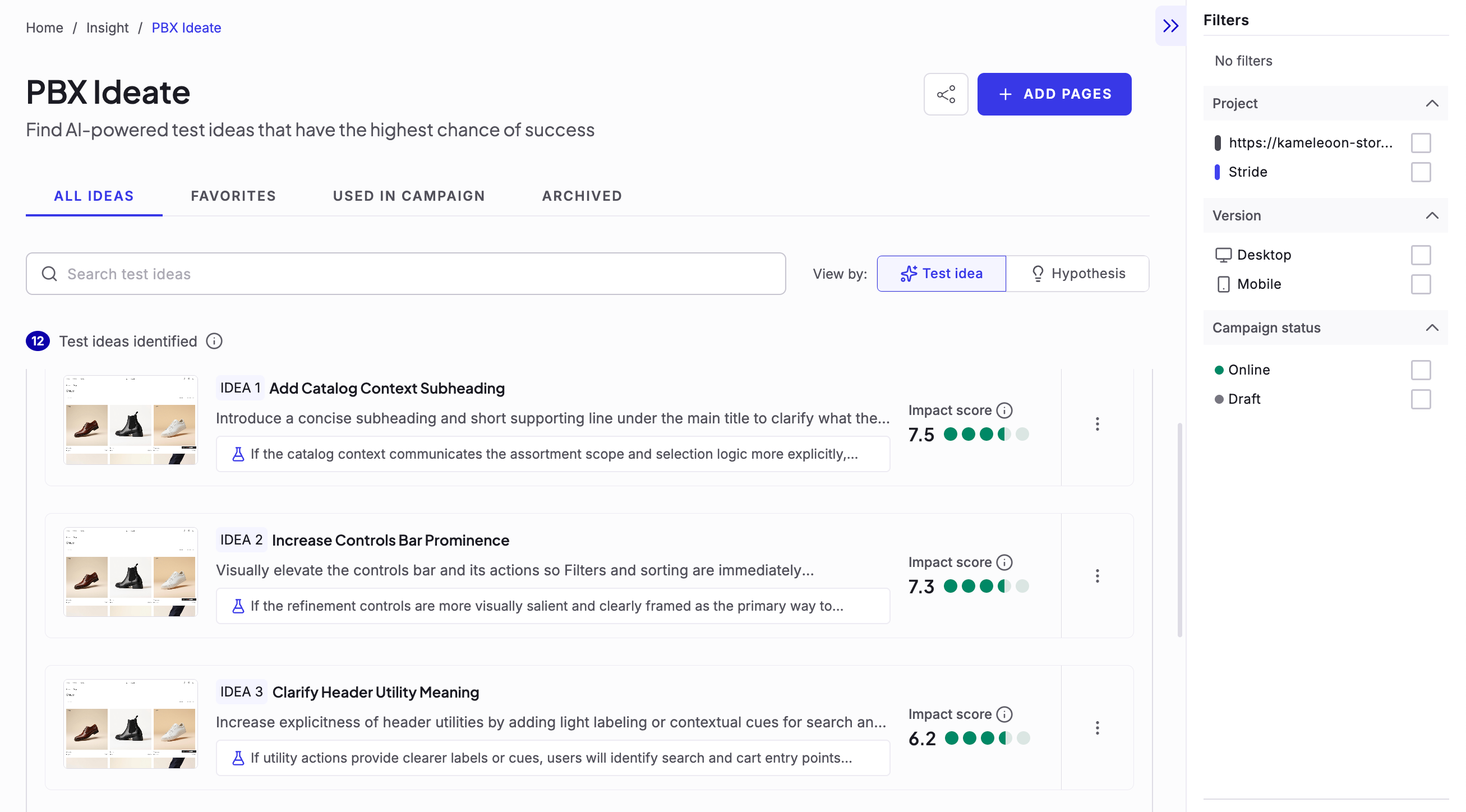
Move from insight to experiment creation with greater clarity and speed with an improved structured navigation, richer idea cards, advanced filtering, and a detailed side panel. You can also create each test idea as either a web experiment or a personalization campaign.Learn more in Generate test ideas.
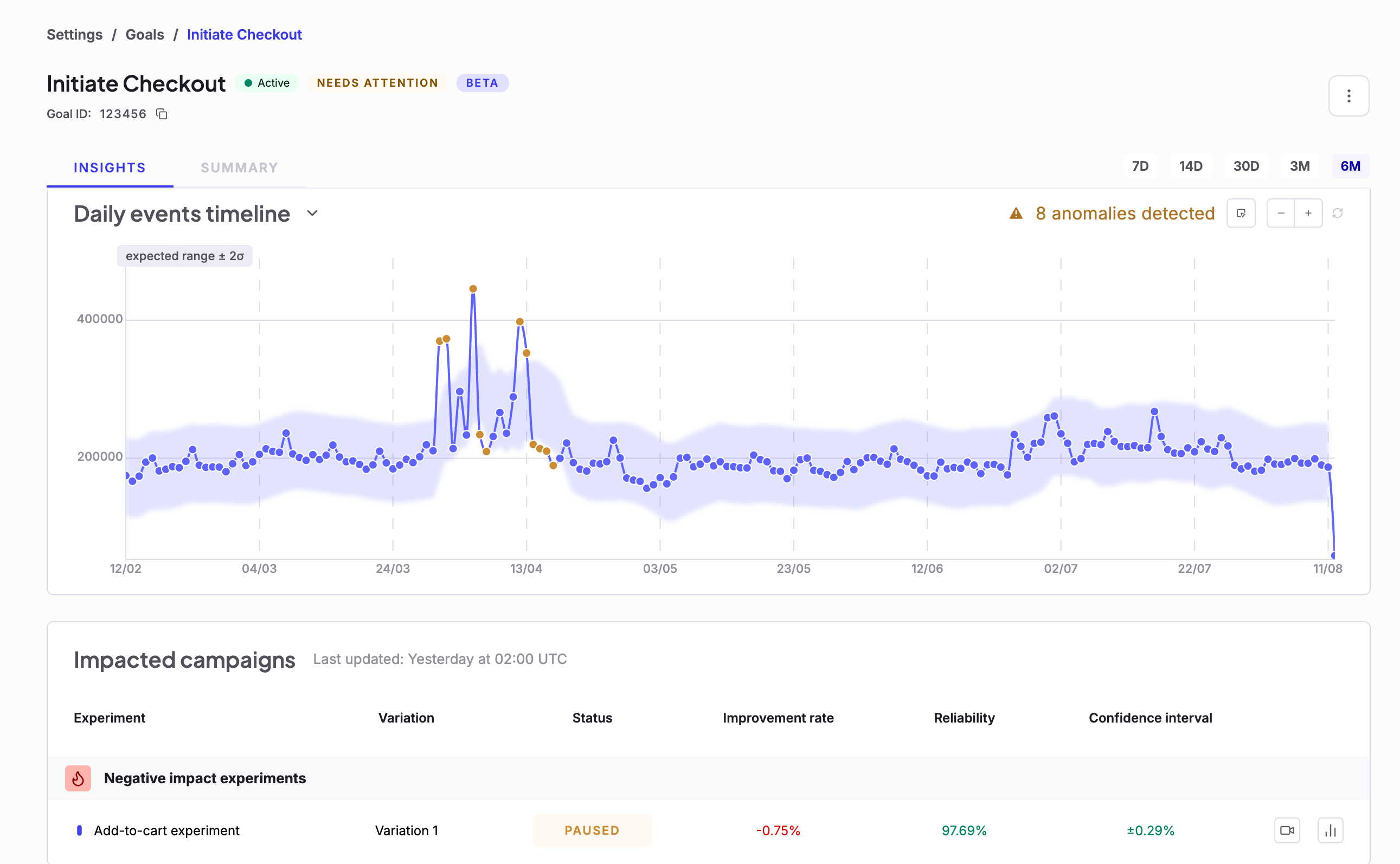
Understand your program’s business impact by viewing reporting for individual goals. See every experiment influencing each goal, identify which experiments are helping or hurting the metric, and track daily conversion behavior to surface meaningful changes over time. This feature is available now in beta.See Goal reporting for the full walkthrough.

August 5, 2026

Add the custom Kameleoon Claude connector to access Kameleoon tools directly from a Claude conversation. Check experiment results, review feature flags, manage goals and segments, and more, all by chatting with Claude.See the Kameleoon Claude Connector documentation to set it up.

July 10, 2026

PBX now navigates across domains, following requests that reference any URL.See Create a prompt-based experiment for the full PBX Build workflow.
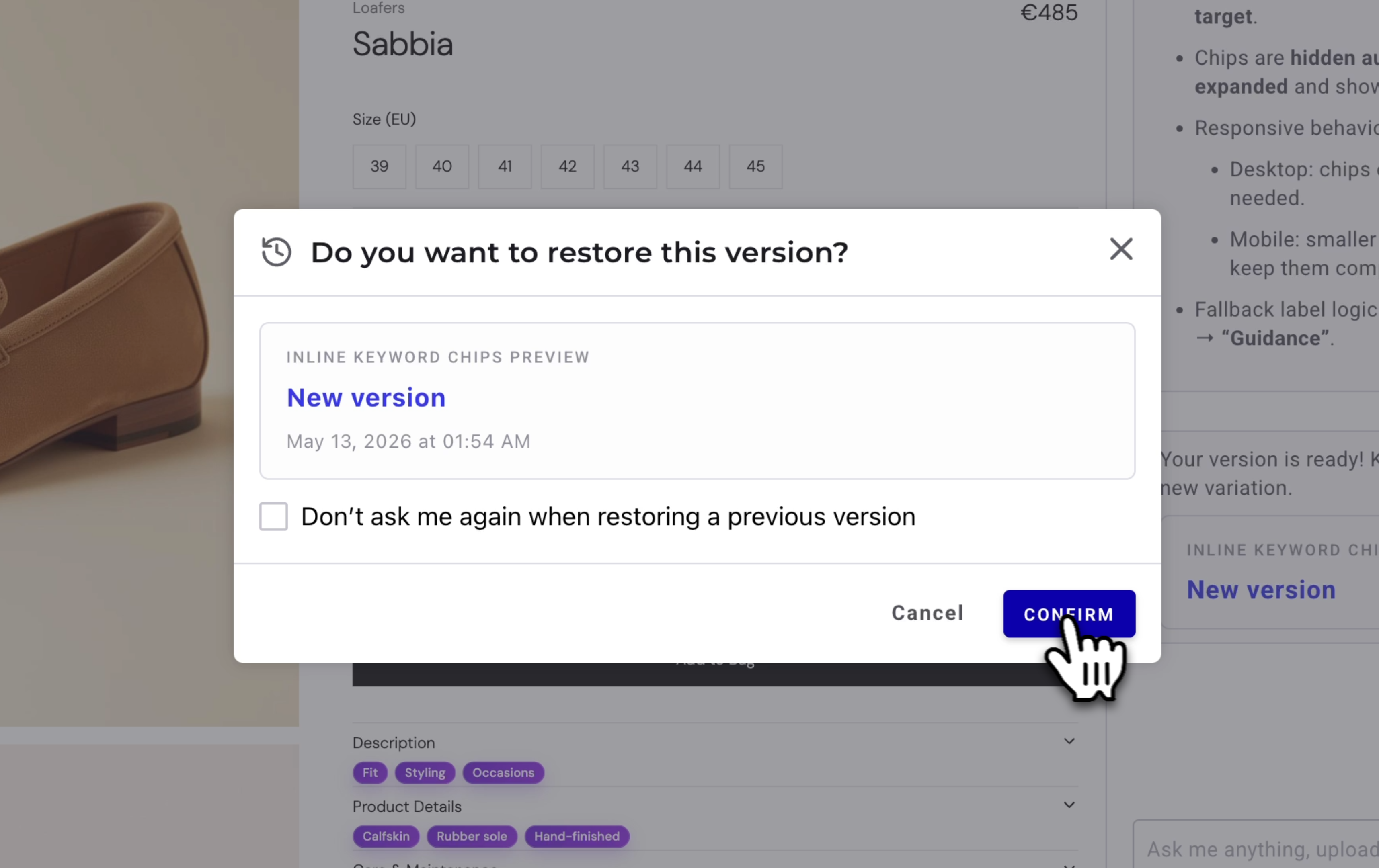
To return to an earlier version of your variation, use the new Rewind button to revert to the previous version and clear the latest prompts.See Create a prompt-based experiment for the full PBX Build workflow.

July 8, 2026

Kameleoon now offers more than 35 MCP tools you can use from your coding assistant or from Kai, the built-in AI assistant, to go beyond querying experiment data. Create experiments, targeting, feature flags and their targeting rules, and more directly from your coding assistant of choice. See the full list of MCP tools in the Kameleoon MCP server documentation.
  • Embedded views: Create and save a custom view of your dashboard, then add it directly to the home page to monitor experiments, campaigns, or feature flags right upon login, alongside other key metrics.
  • Health checks: Surface experiment health checks to spot failing or warning checks right away, not just when you look for them on results pages.
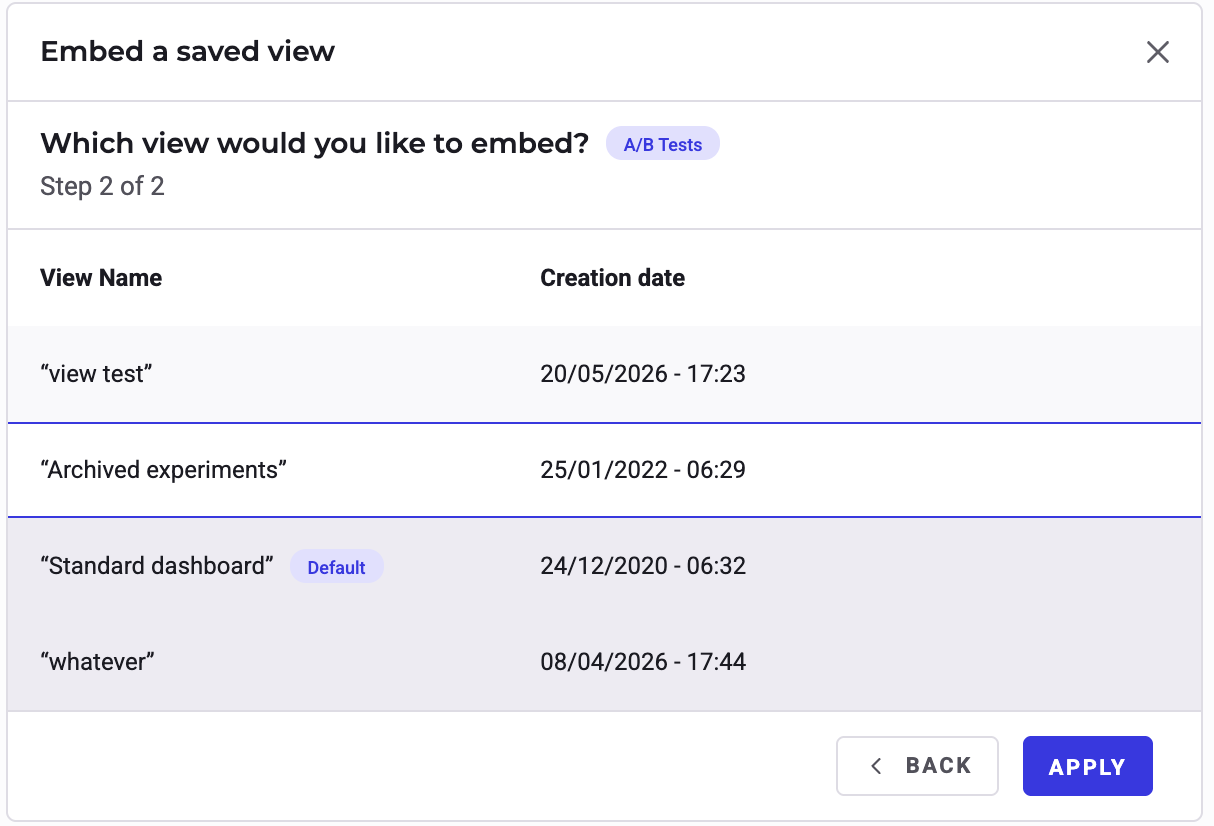
Learn more in Using the Homepage.
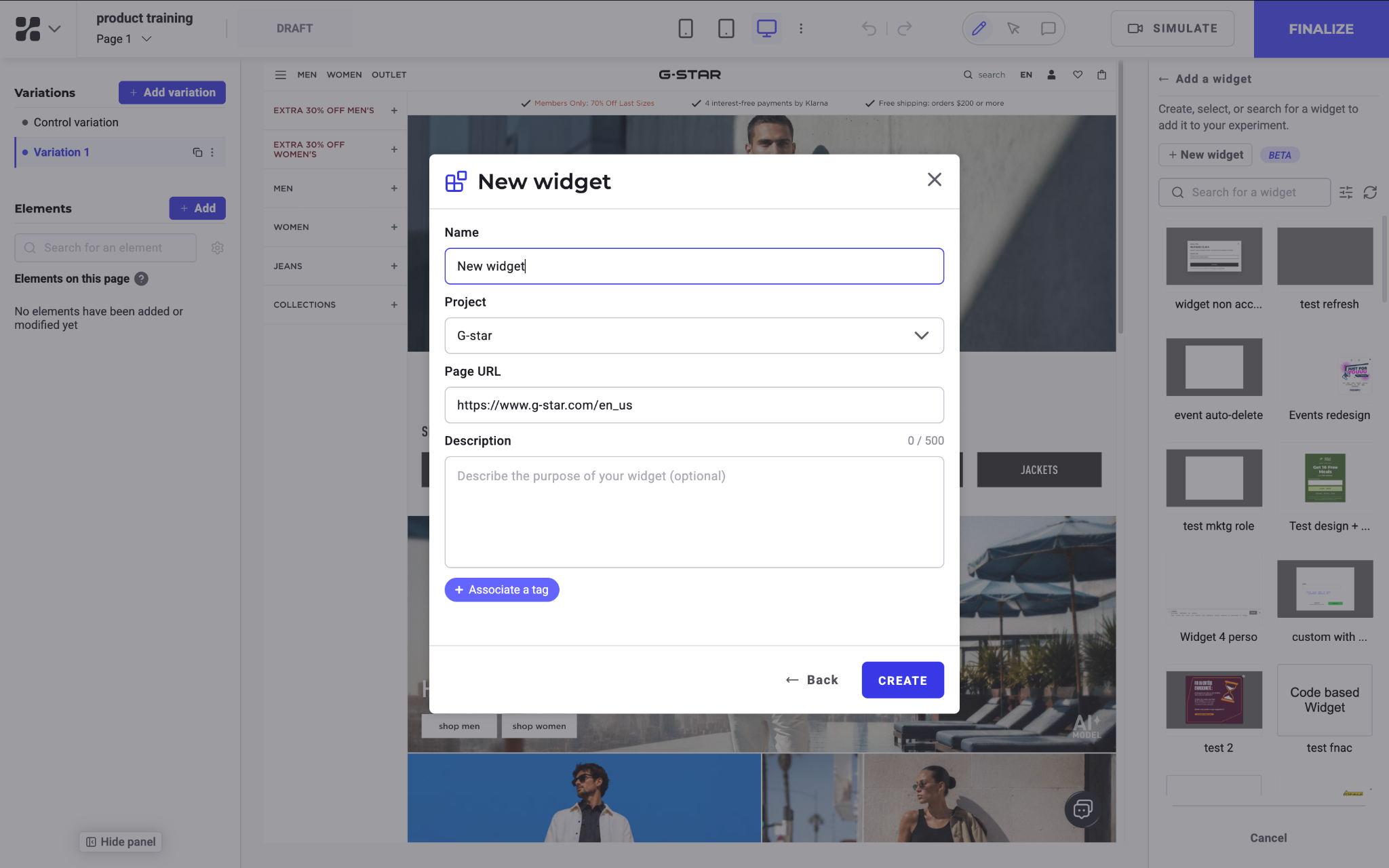
Create widgets on the fly using the Widget Studio, PBX, or the Code editor while building your variation in the Graphic editor. Search and filter your widget list to find what you need, and refresh it anytime without reloading the editor.Learn more in Create a new widget.
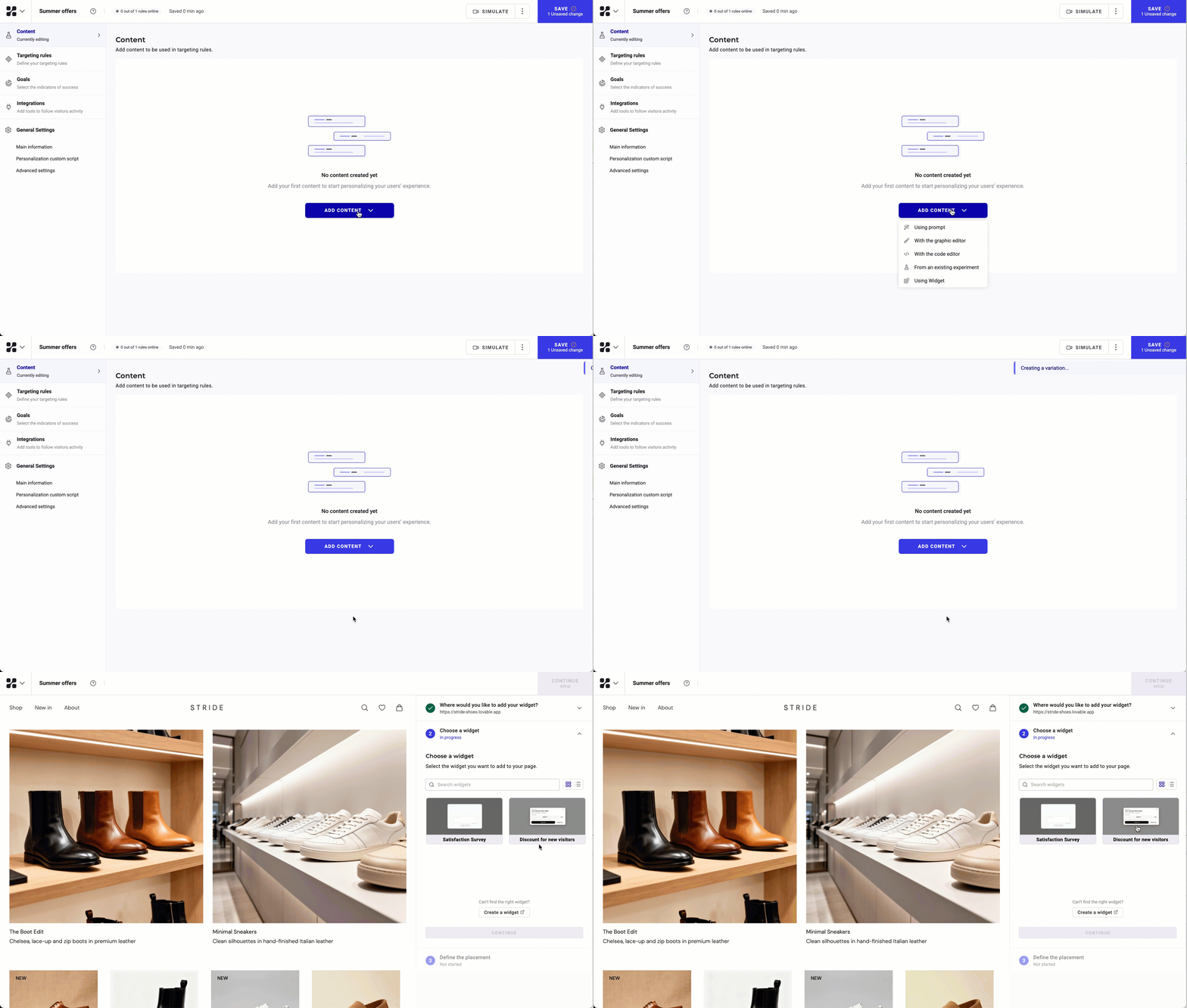
Add widgets directly to your personalization content. Select your widget, define its placement, and preview it, all from directly within the Personalization editor.Learn more in Set up and launch a personalization.

June 22, 2026

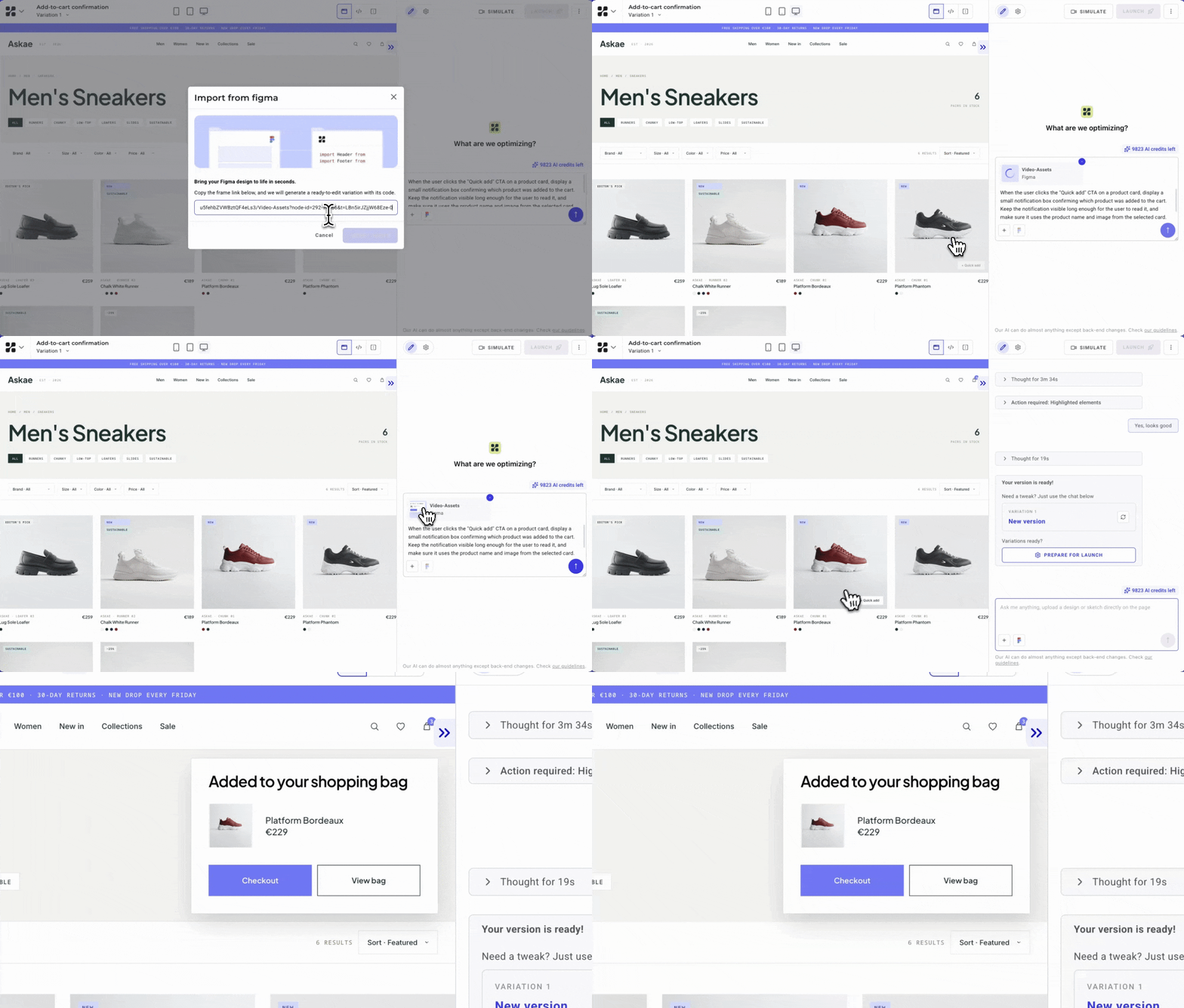
Kameleoon’s enhanced PBX x Figma integration now matches variation design much more closely to Figma designs.It also retrieves and uses assets such as images and icons directly from the Figma frame, and allows you to reference up to 10 Figma frames in one prompt for easier state management.

June 11, 2026

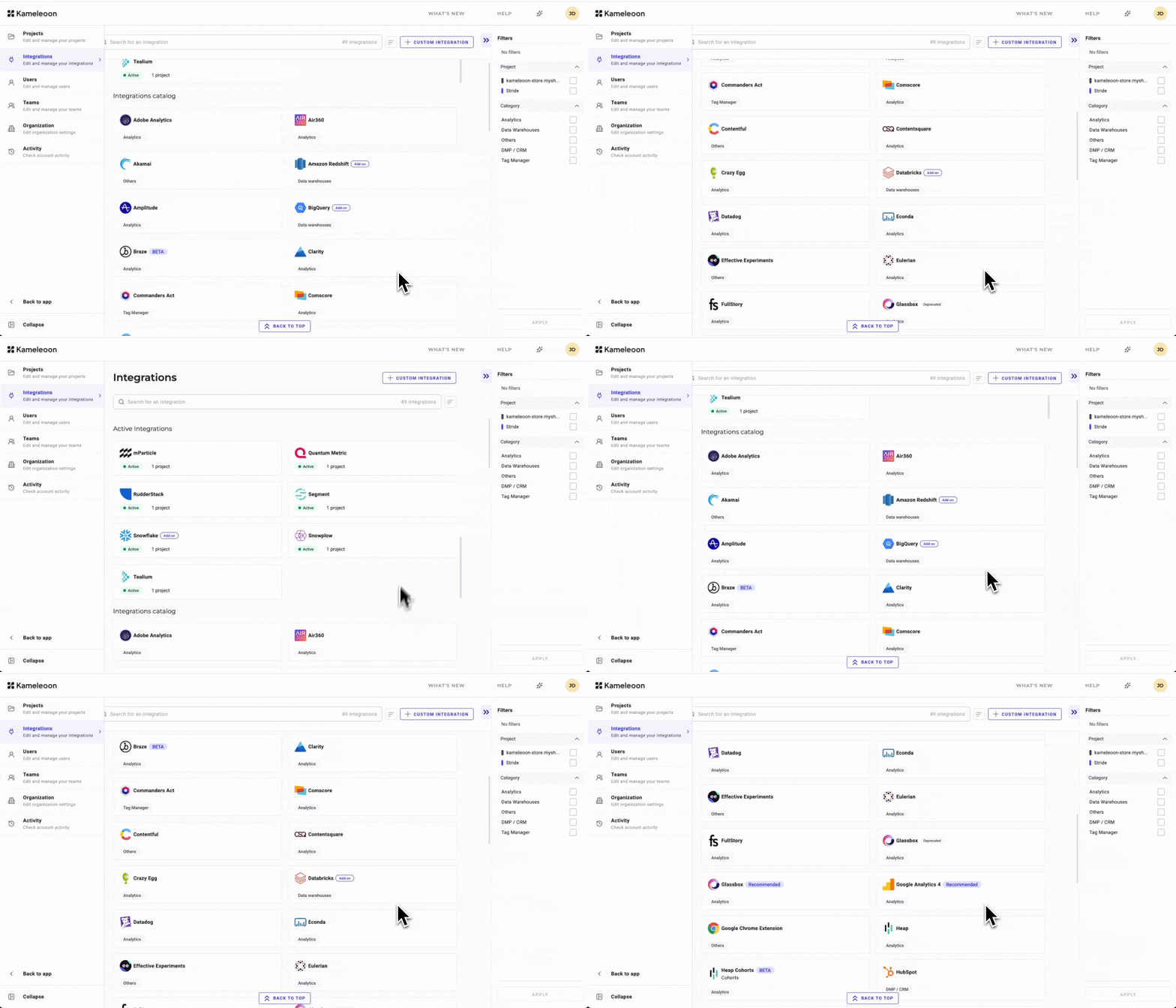
Explore the new centralized integrations catalog. Get clear overviews, guided setup, and integration management to browse, configure, and monitor integrations across your projects. Learn more about adding integrations here.
Sync Klaviyo audience segments to Kameleoon to use directly in targeting for experiments and personalization campaigns. Now available in Beta. Learn more about Kameleoon’s Klaviyo Cohorts integration here.
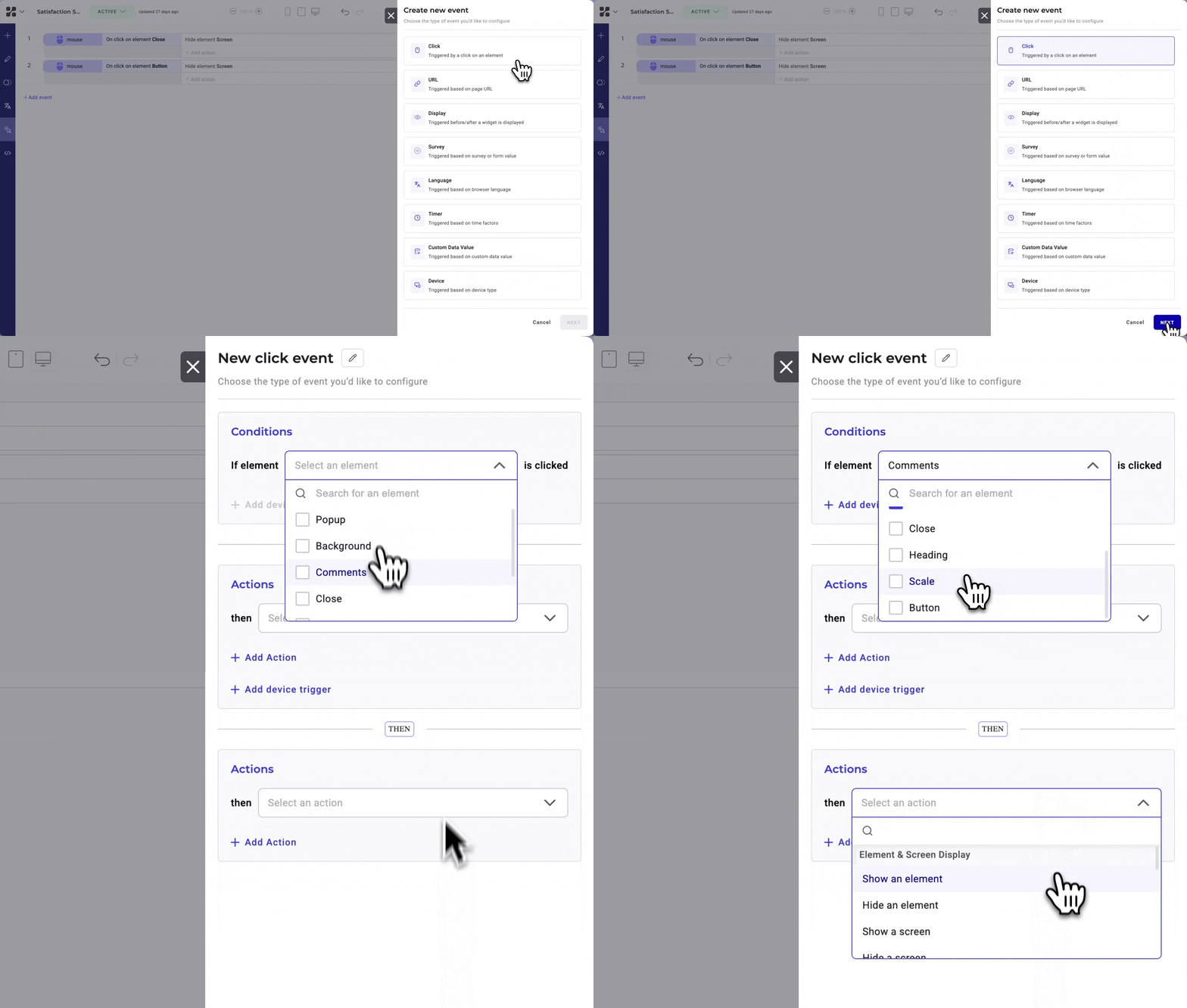
Widget event creation has been redesigned for easier configuration. In the updated 2-step flow, you can select multiple elements to apply your event or action to, and associate a Kameleoon goal directly without needing to manually enter its ID.
PBX 2.0 now gives you 5 AI agents across the entire experimentation lifecycle. Learn about the main updates below:
  • PBX Build now collaborates with you along the way before writing a single line of code. It can browse pages, interact with components and understand how they work, and reuse them.
  • PBX Configure, a new agent, guides you through targeting, traffic allocation, goals, and integrations. Plus, define segments, triggers, and goals using plain language.
  • Every experiment you’ve run is now automatically summarized in a searchable knowledge base, Takeaways. See experiment results, surface patterns, and share insights with your team, all from a central repository.

May 27, 2026

With built-in AI capabilities, Kameleoon’s documentation is now one unified interactive, intelligent resource for developers and non-technical users alike.
  • AI-first experience: Use the built-in AI assistants, either on the documentation site or in the app, to ask questions and get answers delivered right to you. No more sifting through dozens of docs to find the answer you need.
  • Developer velocity: Integrate Kameleoon’s product into your existing AI workflows in tools like Cursor and Claude, thanks to MCP servers.
  • Seamless feedback loop: Suggest documentation changes or report issues directly from your workflow whenever you need additional clarity.
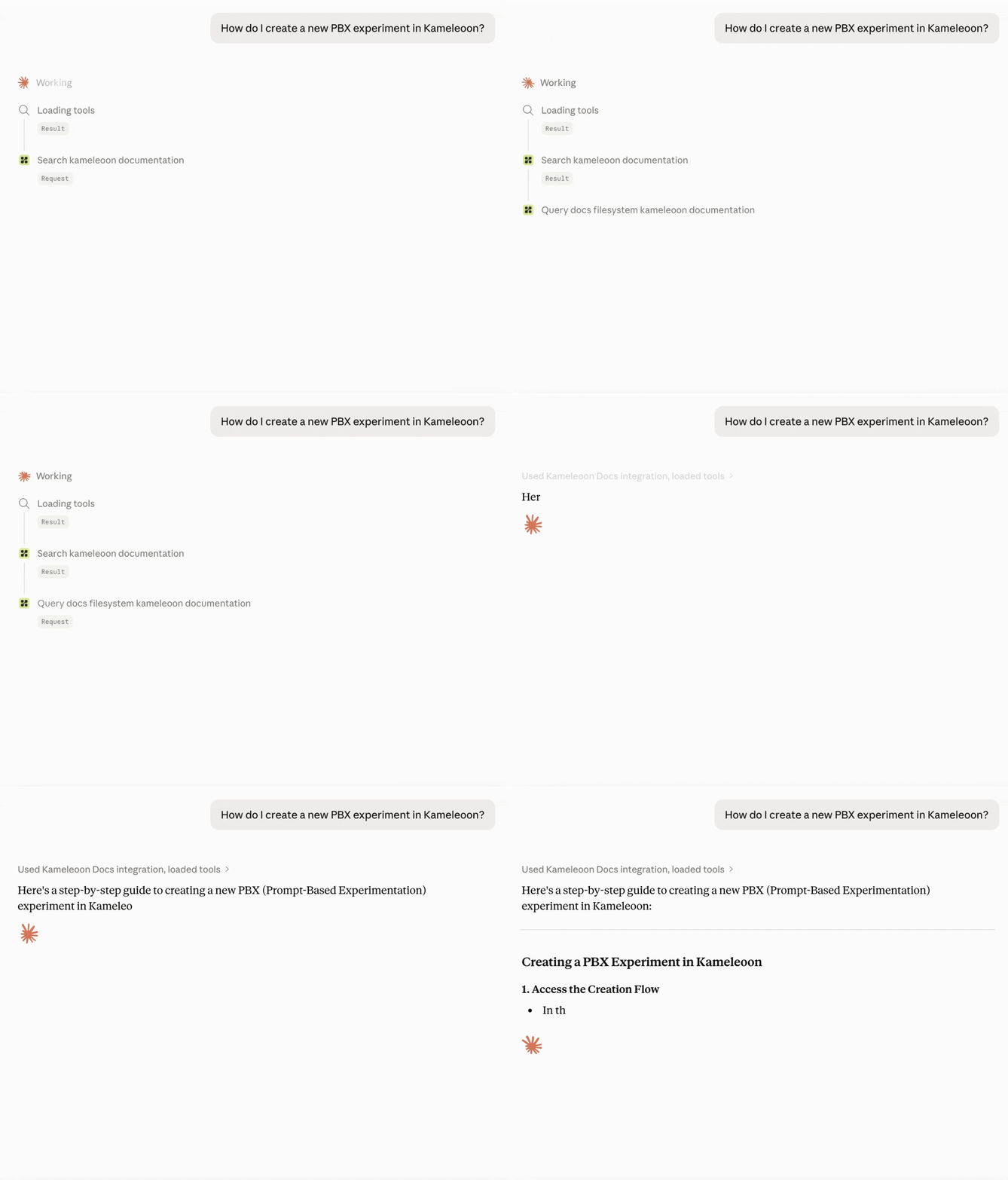
Check it out now!

May 7, 2026

Launch personalization campaigns with built-in guardrails. Define thresholds for your campaigns’ performance and automatically pause targeting rules when they’re crossed.
Turn winning variations into production-ready code with minimal effort. Retrieve experiment results, extract variation code, manage feature flags, and implement winning variations simply by interacting with your AI assistant. Learn about Kameleoon’s MCP server here.
Combine filters on the Results page using AND and OR logic, as well as nested filter conditions for more complex results analysis. Available now in Beta. Join Kameleoon’s Beta program today!
PBX Ideate is now available to PBX customers through two plans:
  • Included with PBX: 5 free analyses per year
  • PBX Ideate Premium: Unlimited analyses per year
Each analysis equals one URL scan. Use them flexibly across pages or revisit key pages monthly.If you’d like help choosing the right plan or maximizing your analyses, your CSM is happy to help.Learn more about Ideate here.

April 21, 2026

Kameleoon has redesigned widget event creation for easier configuration. In the updated 2-step flow, you can select multiple elements to apply your event or action to, and associate a Kameleoon goal directly without needing to manually enter its ID. Available now in Beta.

April 9, 2026

Kameleoon has made enhancements to the prompt area for a smoother PBX workflow.
  • Resize the prompt area by dragging the bottom right corner, giving you more space to compose and review longer prompts.
  • Paste an image directly into the prompt area using Cmd+V or Ctrl+V. You can use your image as part of the output or as a mockup for style or inspiration.

April 7, 2026

Use a “master prompt” in PBX to define global context that applies across all PBX experiments by default. Specify instructions related to styling, technical constraints, or brand voice to ensure that generated variations align with your site’s brand and standards. Learn more about PBX Master Prompts here.

April 2, 2026

You now have the option to limit feature flag approvals for changes to Production environments only , so that you can update staging and development freely with less roadblocks. Find this option within your Settings tab of your feature flag.
When creating survey widgets such as NPS surveys, you can now decide when user responses are recorded: either when the user closes the widget or when they select an answer. Now available as part of Widget Studio Premium plans.
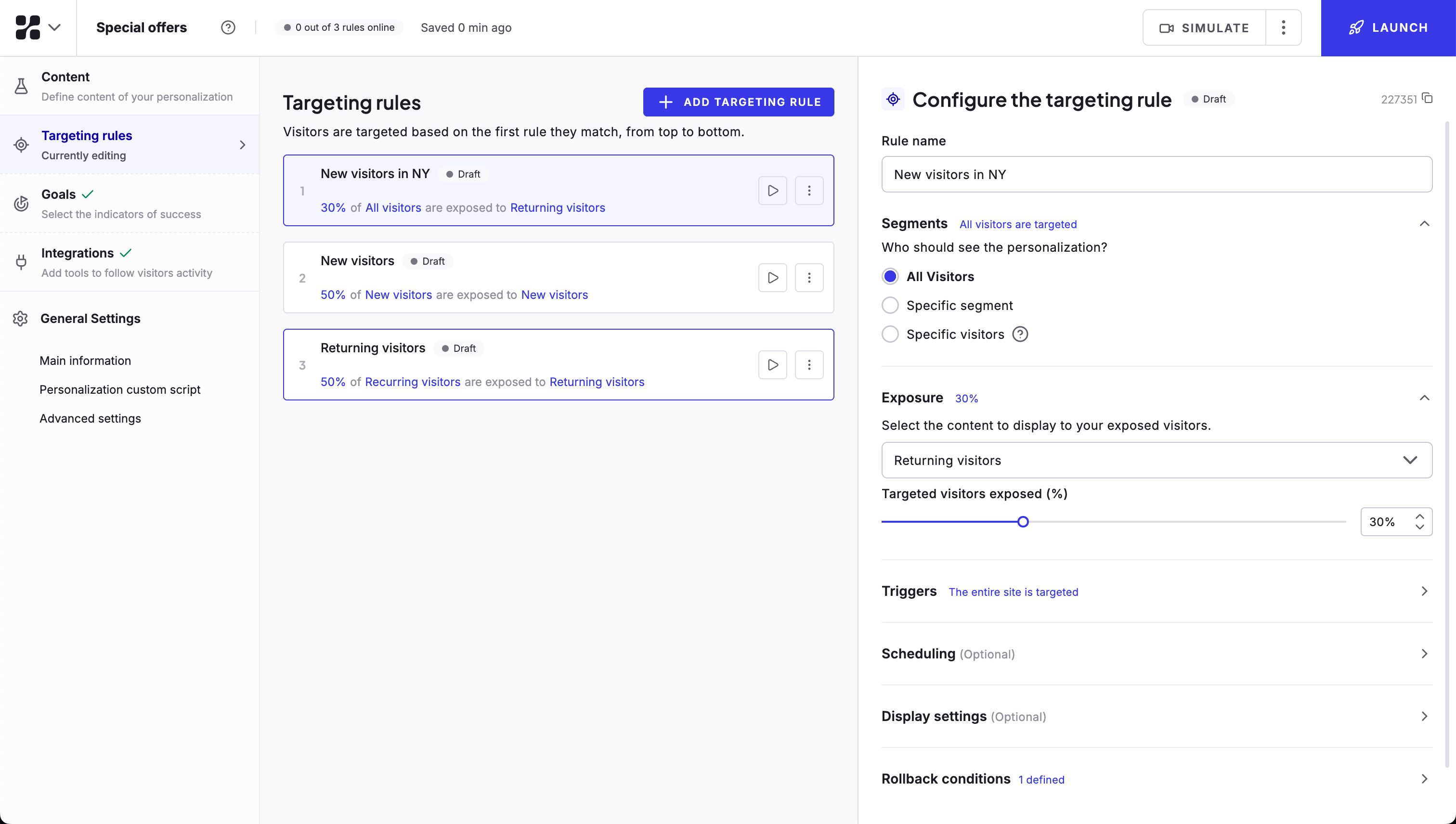
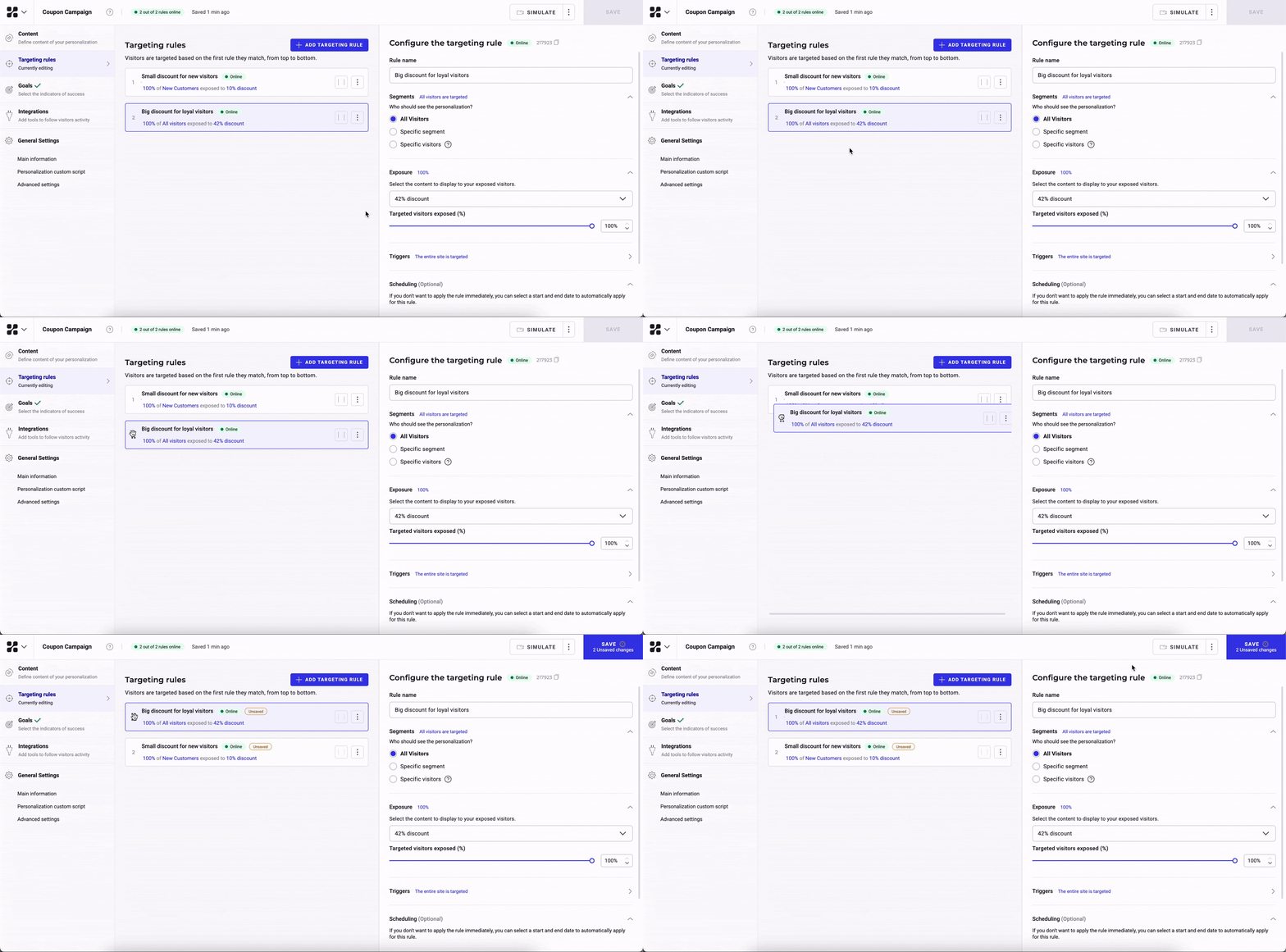
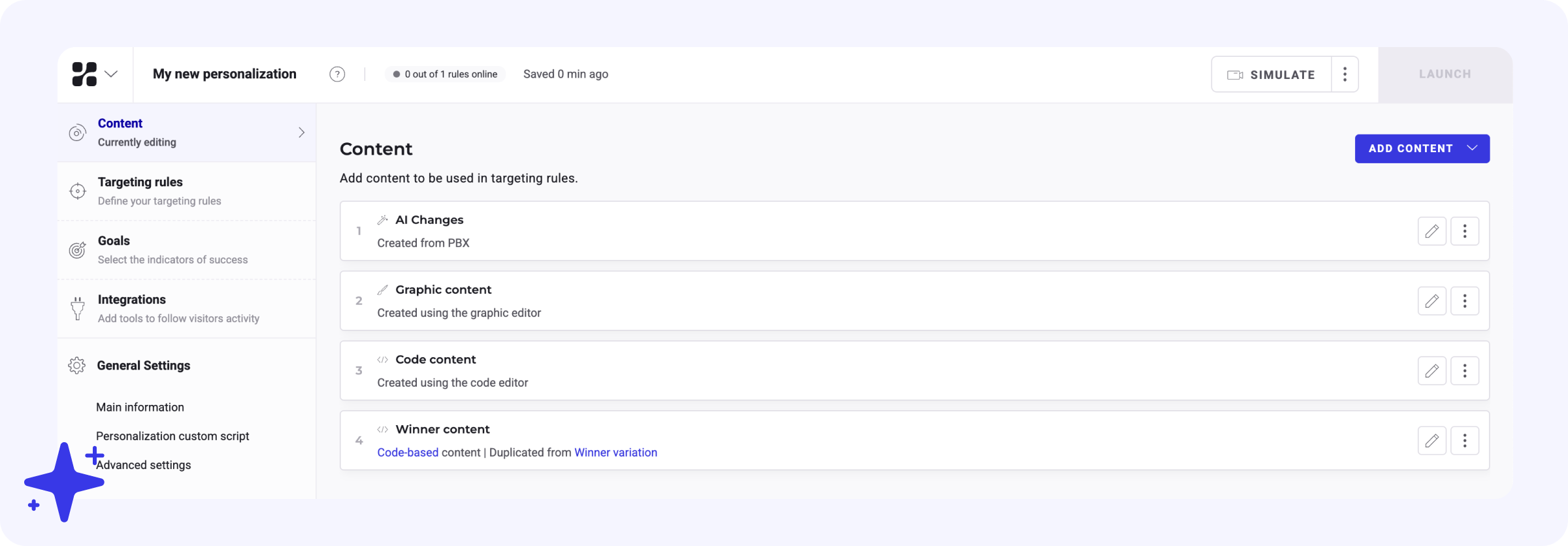
For more flexible management of personalization campaigns with several targeting rules, you can now modify the order in which the rules are evaluated. Update their order at any time for added control over the exposure of your content variants. Now available in Kameleoon’s new Personalization editor.
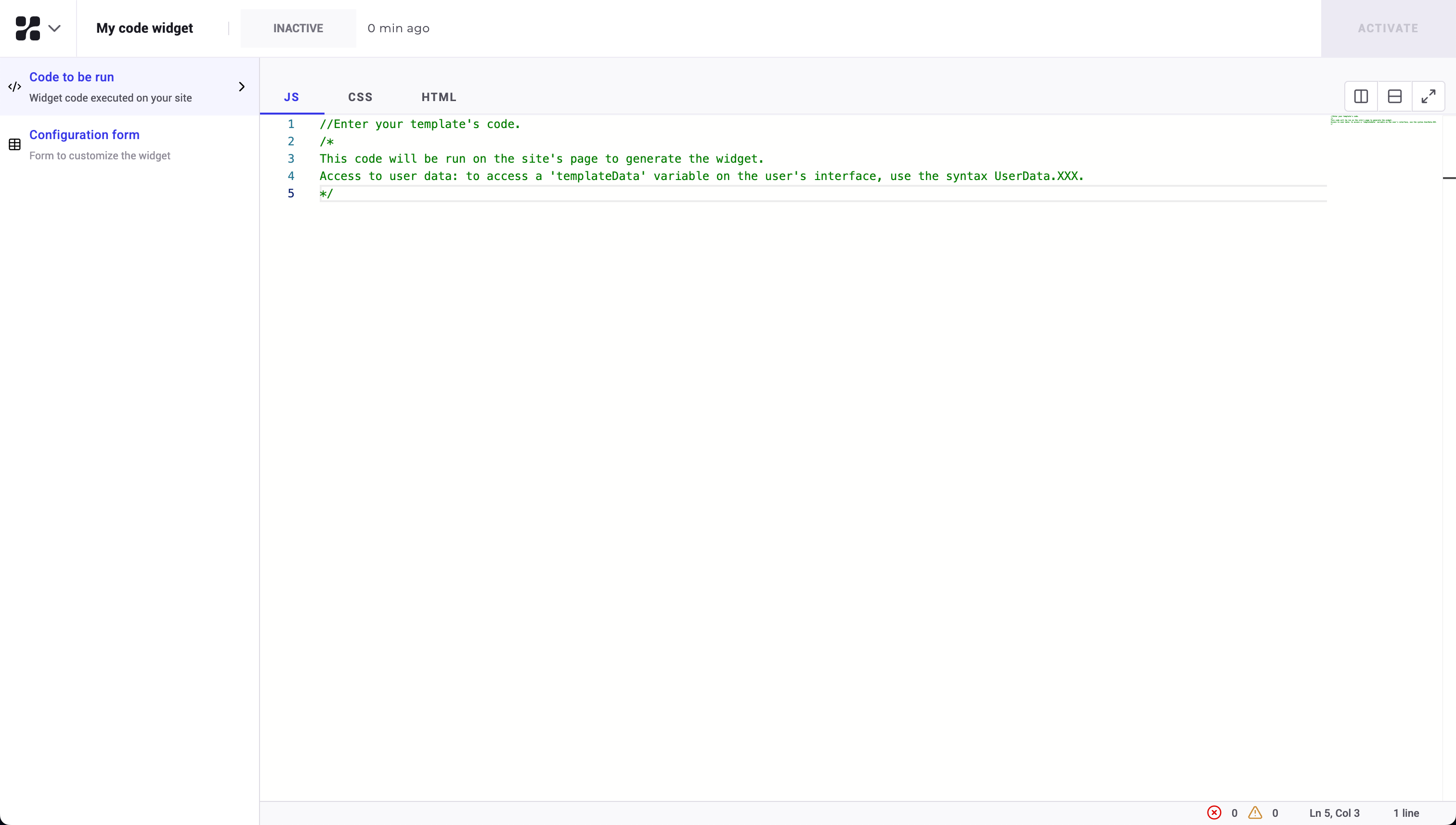
Build code widgets using the same modern Code editor that you use for code experiments. Switch between JS, CSS, and HTML, and toggle between full-screen or split-view options to find your optimal workflow.

March 23, 2026

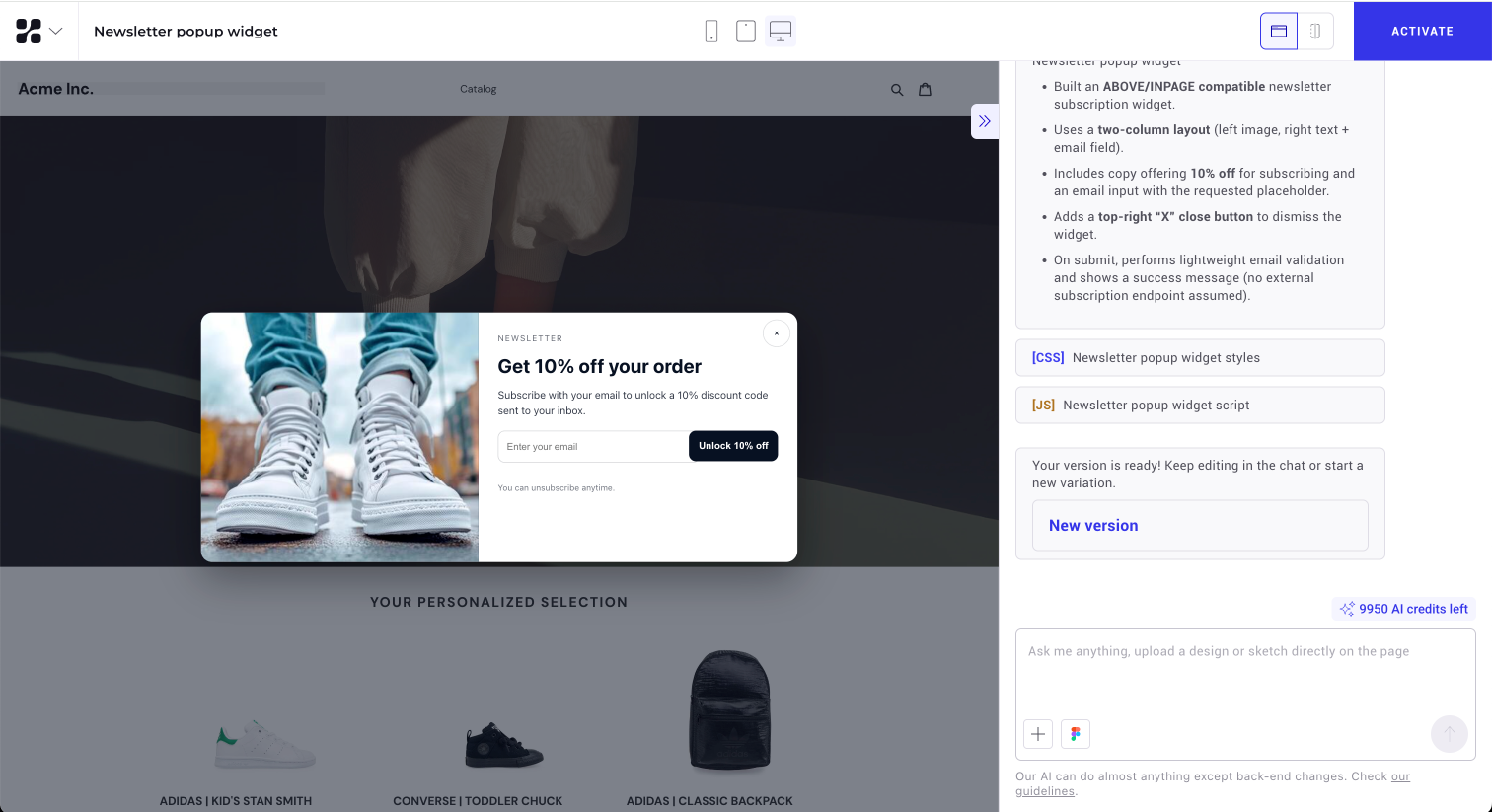
Kameleoon has expanded PBX capabilities to help you build widgets faster.Skip the manual work in the Widget Studio and Code editor: just type a prompt to generate your custom widget. Your prompt-built widgets can be immediately used in your web experiments and personalization campaigns.Learn more about creating PBX widgets.

March 17, 2026

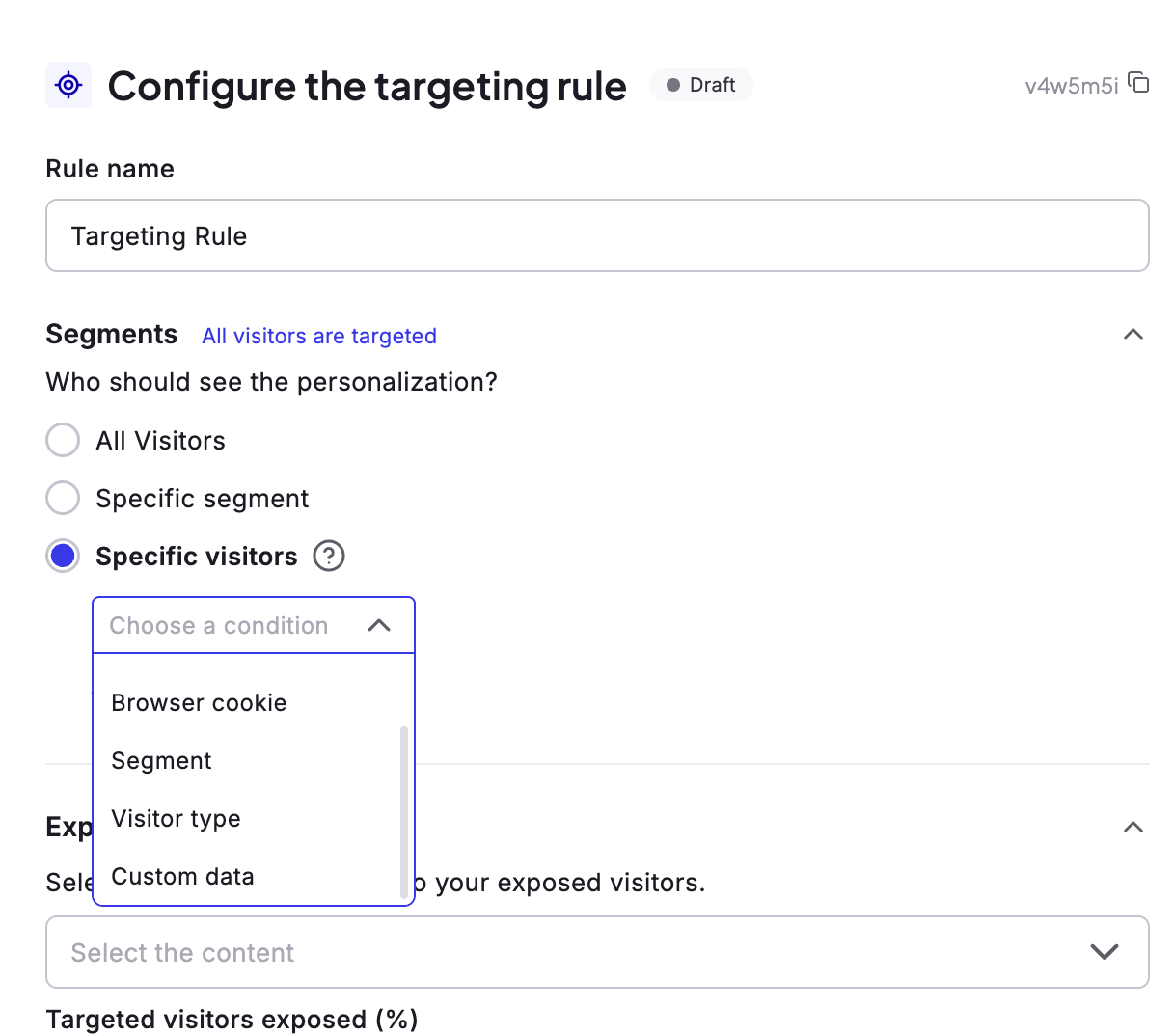
Introducing more precise targeting for web experiments and personalizations.Choose the evaluation scope for your targeting conditions to either target based on conditions met during the current active session, or consider the visitor’s complete history (up to the last 25 visits) to target based on past interactions.

March 13, 2026

Introducing more precise targeting for web experiments and personalizations.Choose the evaluation scope for your targeting conditions to either target based on conditions met during the current active session, or consider the visitor’s complete history to target based on past interactions.

February 24, 2026

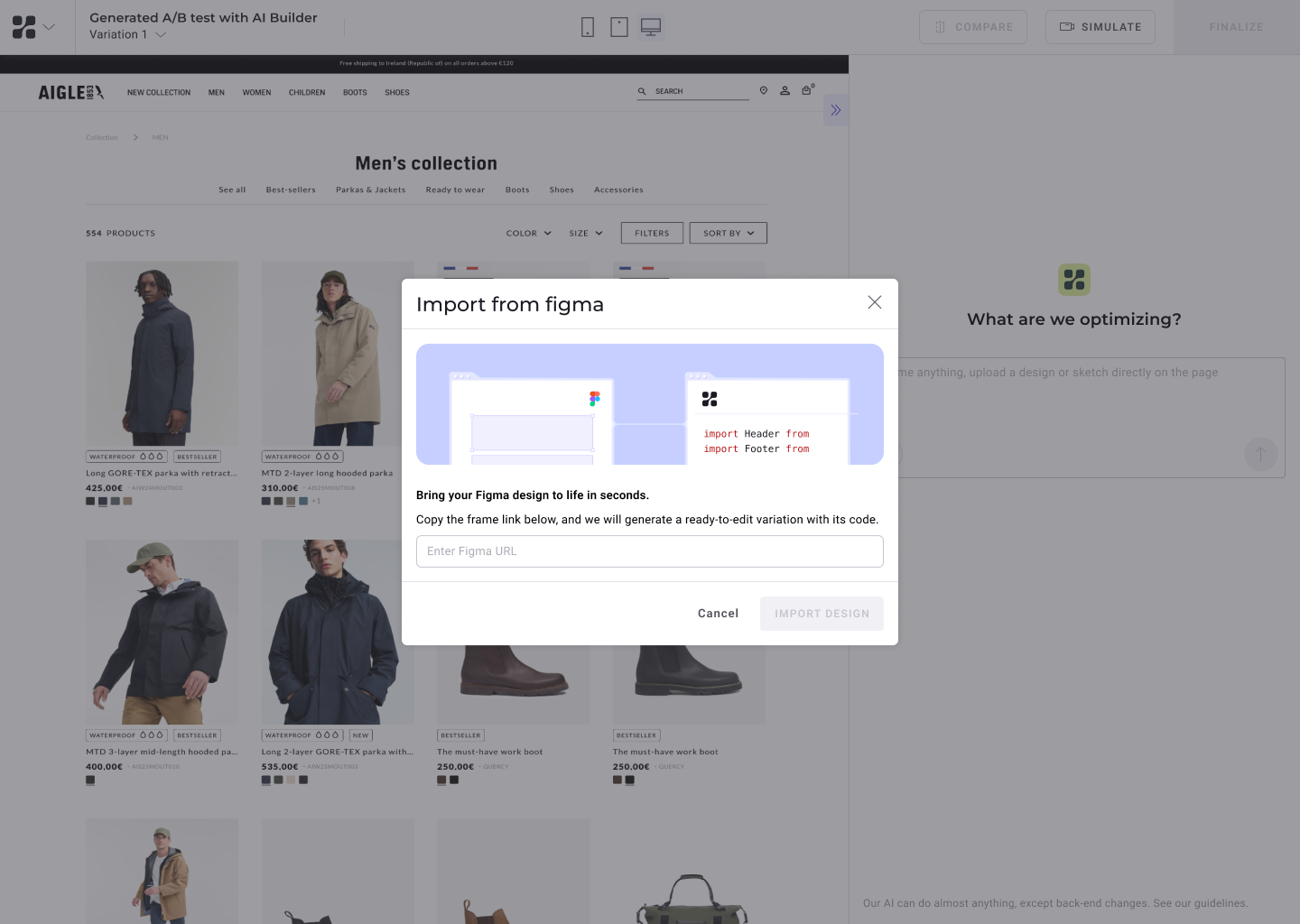
Use Figma designs as input in your PBX prompt. Just link your Figma account, import a node URL into PBX, and accompany it with some guidance for PBX like “Convert this Figma file into a variation of the page”.

February 20, 2026

PBX Ideate is now available for early access!PBX Ideate scans your webpage, surfaces the most promising test ideas, prioritizes them based on insights from more than 20,000 historical experiments, and converts them into precise prompts, enabling teams to launch the highest-impact tests directly through PBX in just a few clicks.Learn more and see a demo in Kameleoon’s latest blog post. Customers can request early access to PBX Ideate hereor through your CSM!

February 19, 2026

Sync Heap audience segments directly into Kameleoon to unlock precise retargeting, deliver personalized experiences, and turn insights into measurable impact. Available in Beta now. Learn more here.
Create and launch your personalization campaigns with a more intuitive flow and enhanced targeting capabilities to help you deliver unique experiences to your visitors. Learn more here.
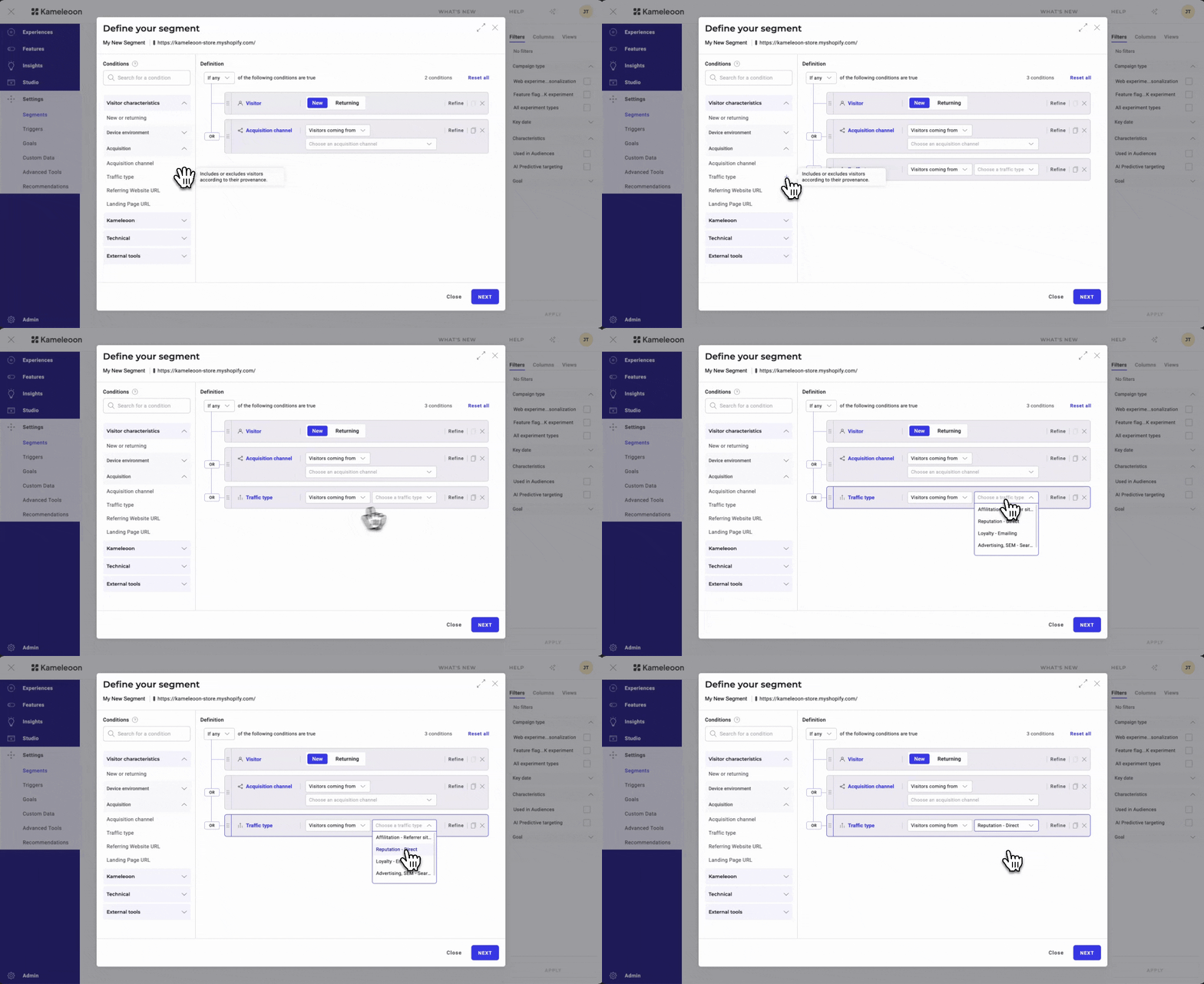
Segments and builders are now built separately.Build segments to target users based on attributes, and triggers to target users based on actions taken. Now made even easier with Kameleoon’s redesigned segment and trigger builders featuring a larger working space and double-click to select conditions. Learn more about building segments and building triggers in Kameleoon’s help documentation.

February 5, 2026

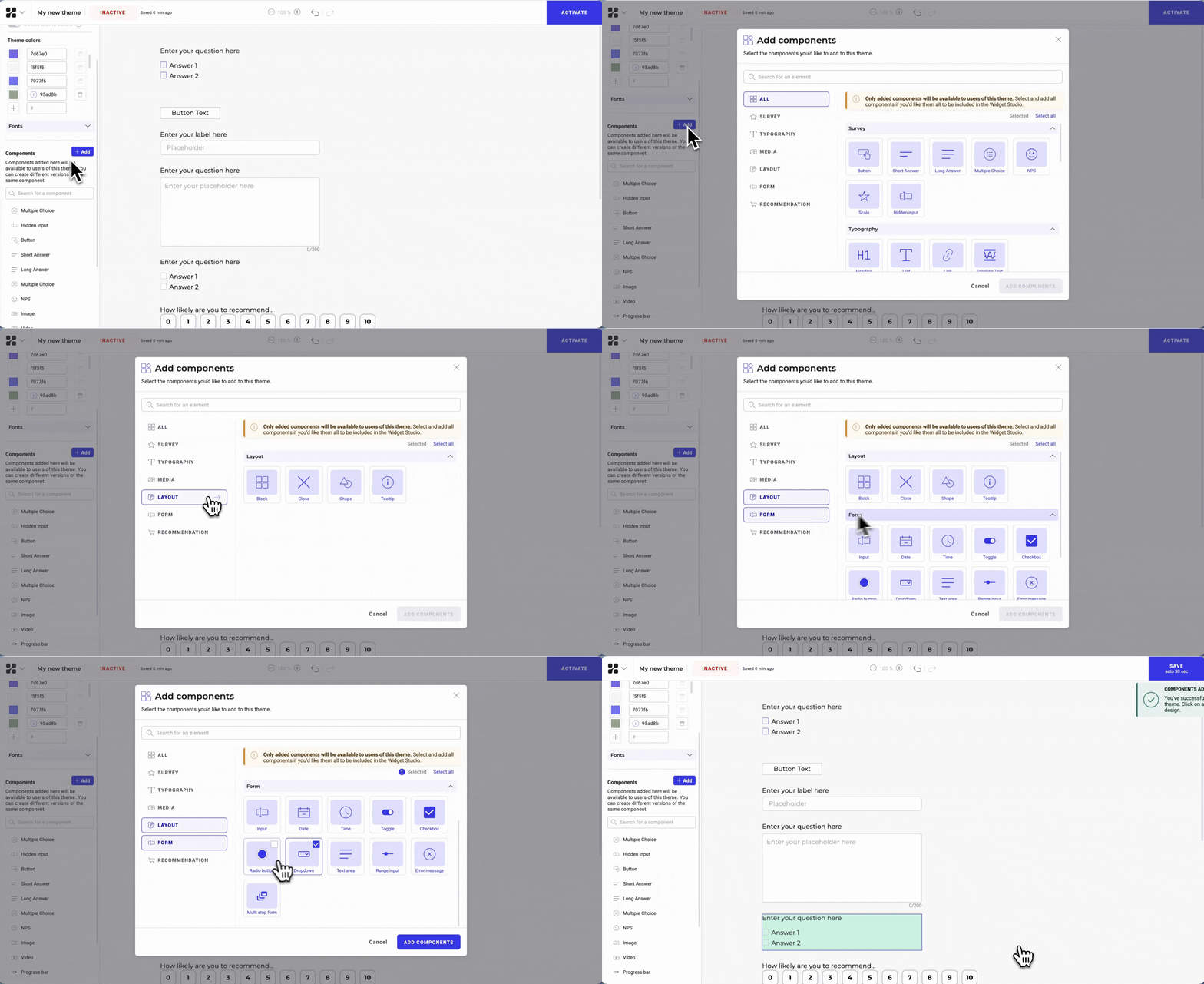
Create a default theme to use in the Widget Studio. Choose or limit the amount of flexibility with the theme to create consistency across all widgets. Head to Studio > Themes to get started with Themes. Learn more about creating a theme here.

January 29, 2026

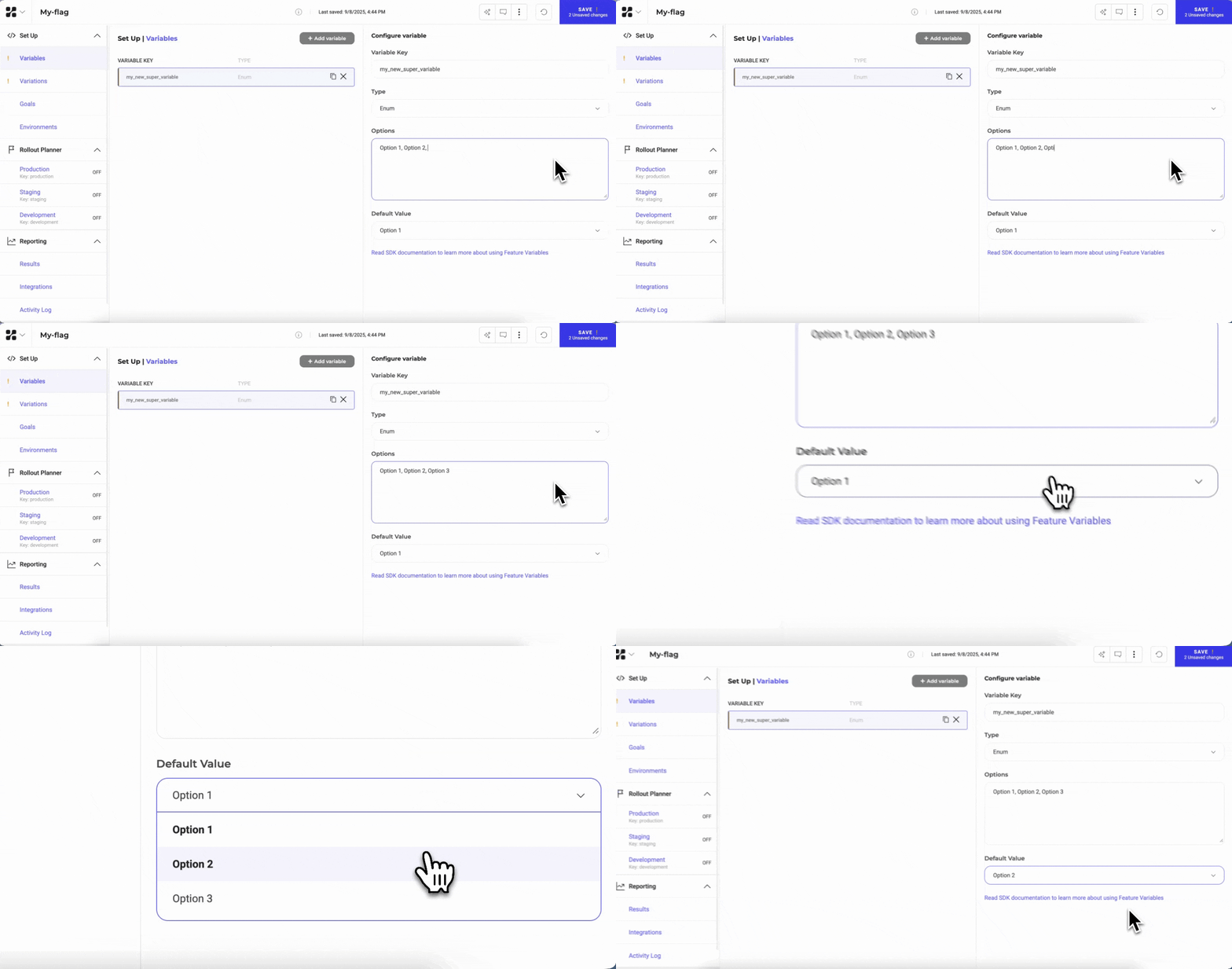
Create a predefined set of allowed values for a variable to better control what values it can take on in feature experiments. Just select “enum” as the variable type and define your options separated by a comma
Locate feature flags within your Approvals by filtering by requester or reviewer name.
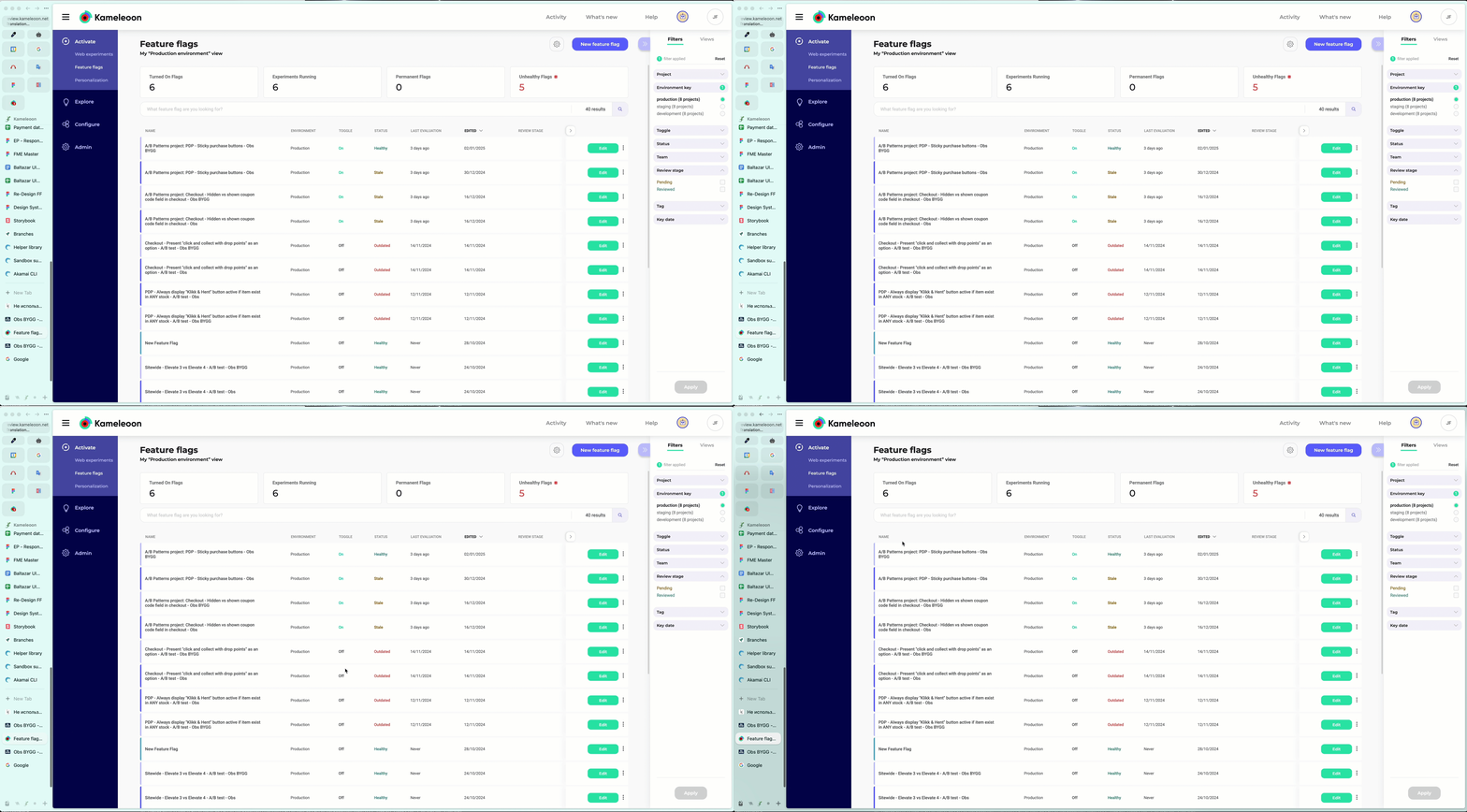
Multitask more efficiently by simultaneously turning multiple flags on or off directly from your feature flag dashboard.
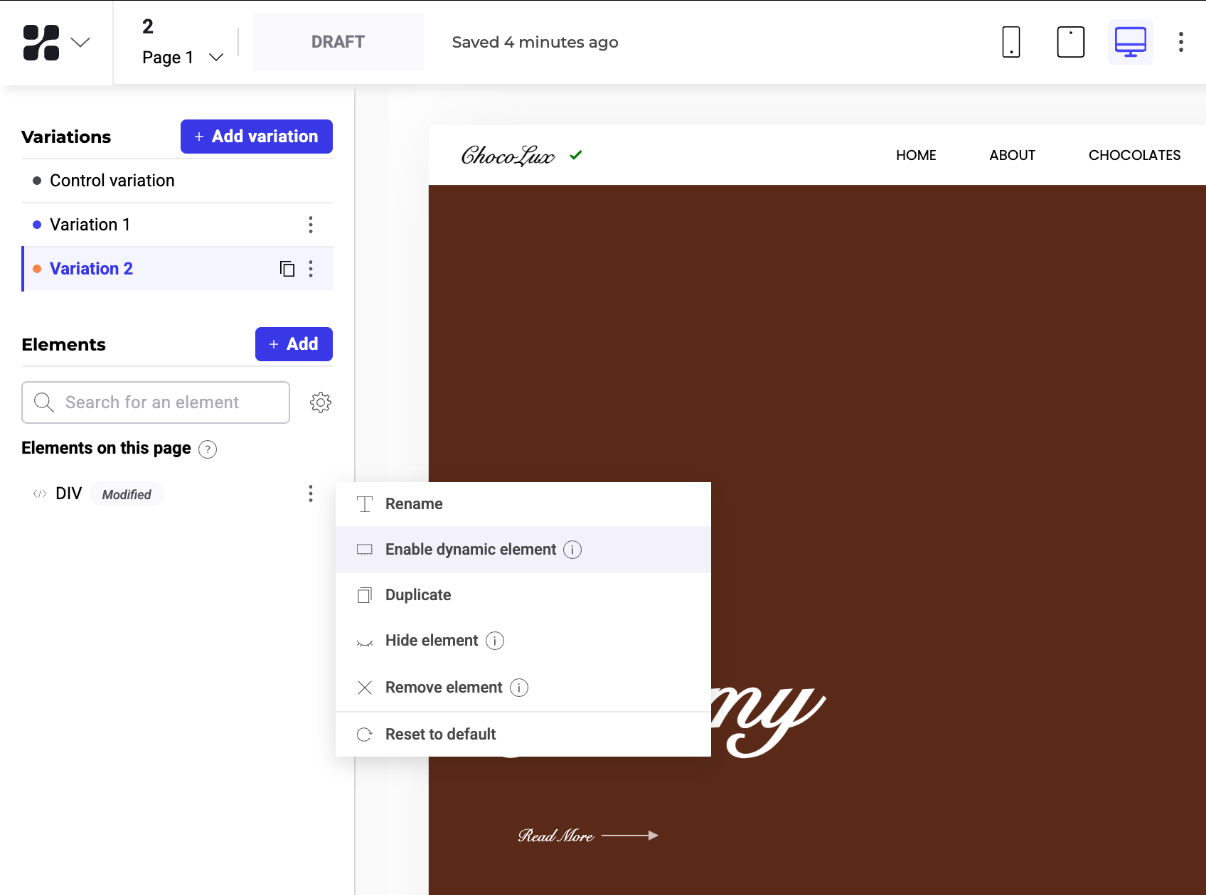
The Dynamic website option can now be enabled for specific elements only. When enabled, you can treat certain elements as dynamic in the Graphic editor.
With CUPED, you can use your existing data to accelerate reliable results for all metrics, including continuous metrics such as Revenue per visit. Learn more about CUPED here.
Indicate in your Project Settings if your mobile website is distinct from your desktop site. If it is, PBX will automatically load the mobile site when switching from desktop to mobile devices to accurately create and preview variations.
PBX is now faster, better, and smarter from the very first prompt. Variations are created up to 45% faster, and PBX has been enhanced with an expert knowledge database to better support common modifications such as infinite scroll, making blocks sticky on a page, modifying product display configurations, and more.Enterprise customers have 15 free credits to try PBX.

December 17, 2025

Improved support for dynamic websites now allow in-page widgets launched on dynamic sites to remain on the page, even if the page re-renders. Learn more about enabling support for dynamic websites here.
Coming soon: use custom counters in the Widget Studio to track the number of add-to-cart clicks, completed transactions, and number of views.Learn more about the counters here.
While PBX generates your variation, you can navigate to another page in Kameleoon, work on a different variation, or even leave PBX altogether. If you’re working on another variation, you’ll be notified when your original variation is ready for review.
When submitting a prompt to PBX, you’ll now see an estimated waiting time for your variation to be generated and receive real-time updates on the steps the AI is taking. You’ll receive a notification when your variation is ready for review.

November 6, 2025

Enable integrations by default for all experiments related to a given project. Configure them directly from the integrations page, so that there’s no need for manual set up for each individual experiment.
Add and edit comments directly on your feature flags for smoother collaboration. Reply in the thread to keep discussions centralized, and archive the comments once the discussion is resolved. Join Kameleoon’s Beta program now to be among the first to try it!
Available now in Beta, Health Checks includes four automatic and on-demand checks, helping you keep a pulse on your experiment’s tracking, conversions, and more. See detailed diagnostics and next-step guidance in the Health tab of the Results page so that you can quickly identify and resolve any issues. Learn more about Health Checks here, or join the beta program to give it a try!
Filter and break down converted visits by goal metadata in the Results page for more granular analysis. For example, break down and analyze your Transaction Goal by its Payment method. Available now in Beta. Join the beta program to be among the first to try it!

October 9, 2025

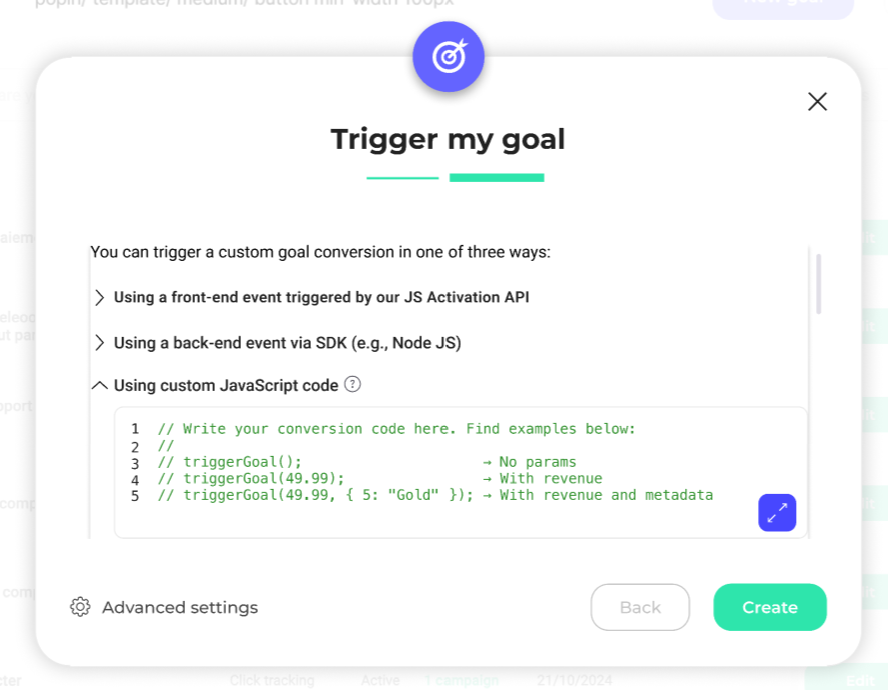
Define the JavaScript code that triggers a custom goal directly in the goal settings- no need to add it in the project’s Global Custom Script section anymore. You’ll find this option in the final step of goal creation. This change makes it easier to maintain a clean codebase in Kameleoon, since the goal keeps its custom code logic scoped to itself instead of burying it in global scripts.
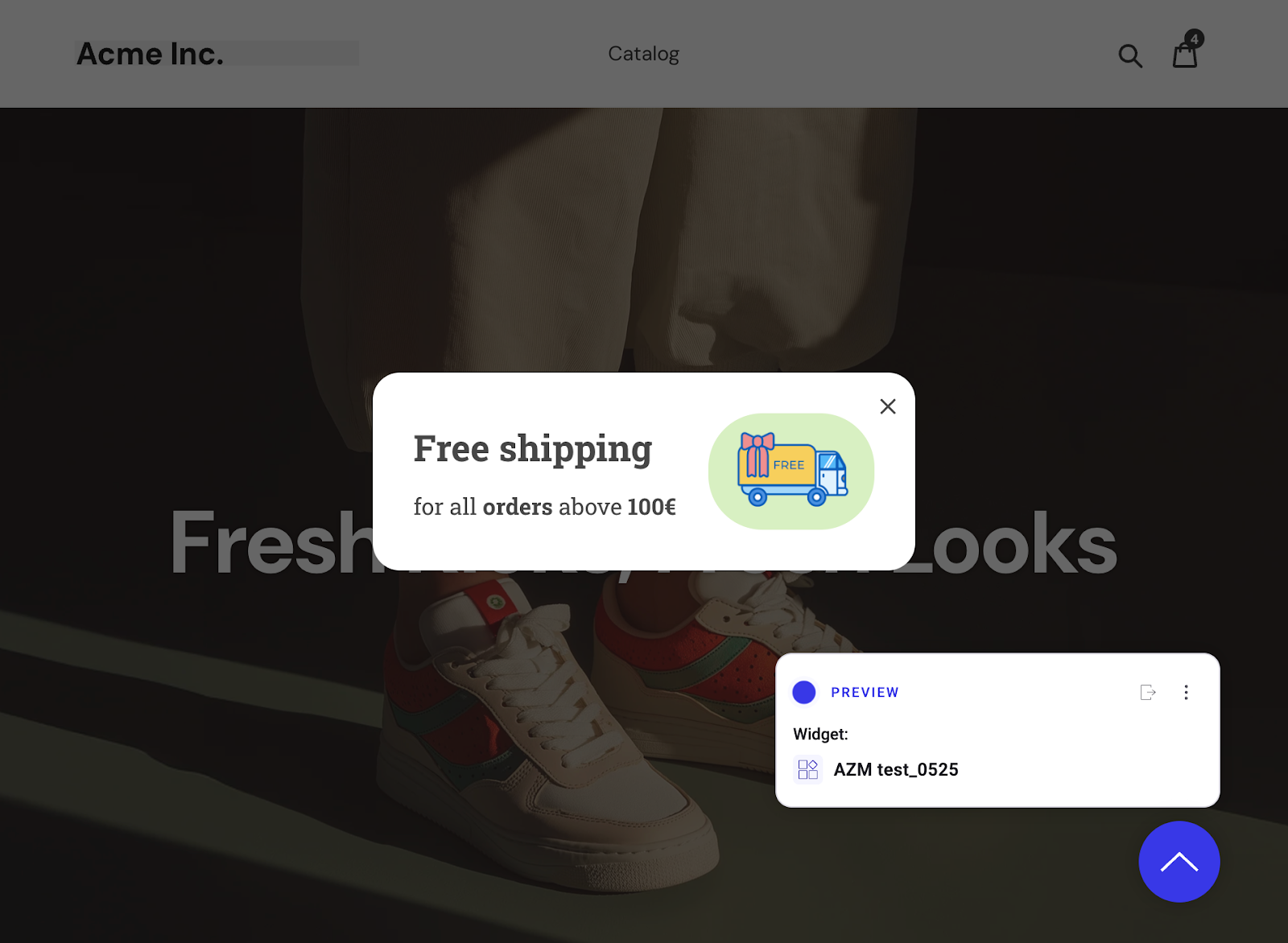
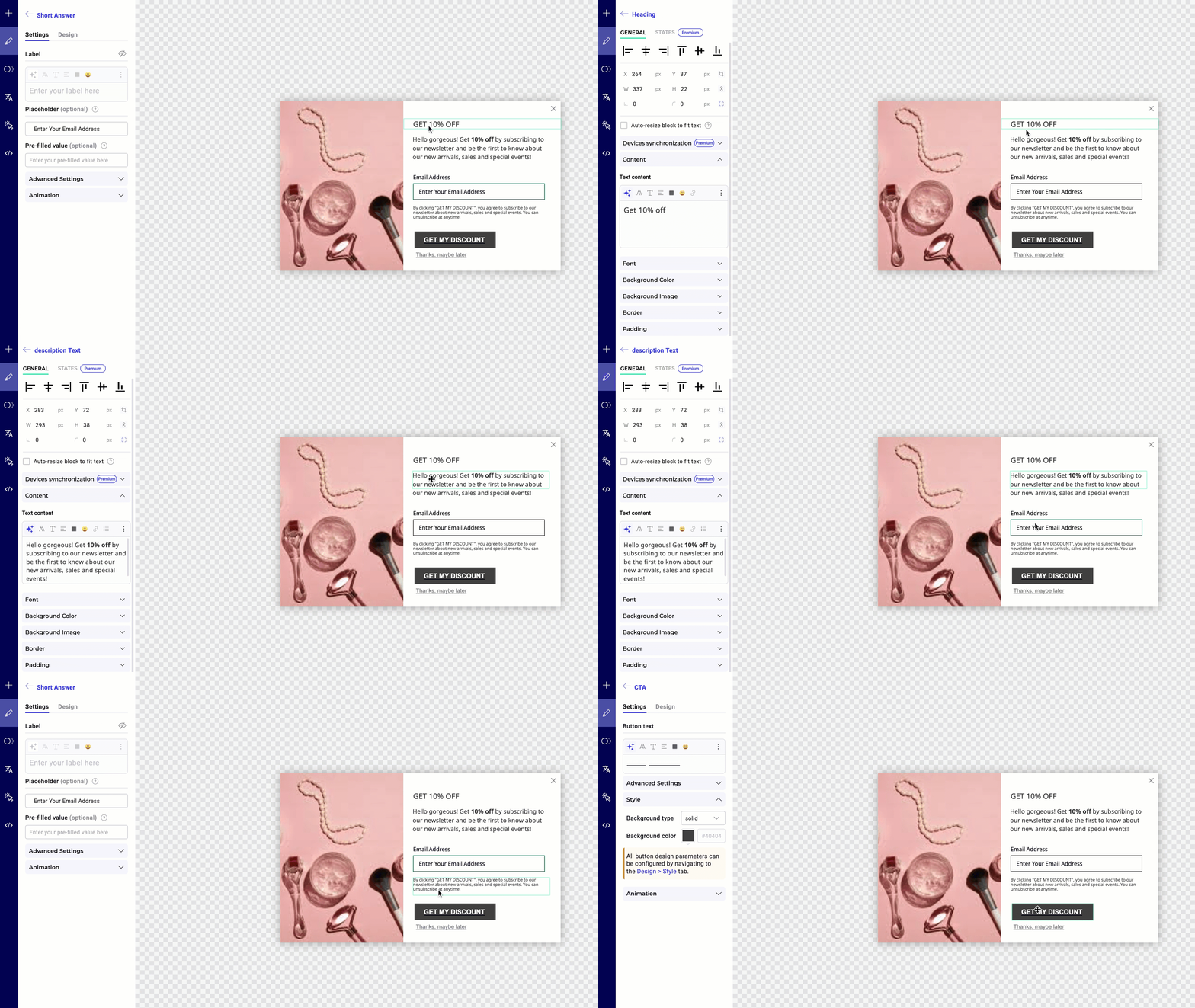
Simulate your widget directly on your site before associating it with an experiment. Choose the device type and define the exact placement on the page to ensure it matches your needs. No more guesswork! What you see is exactly what your users will experience. Learn more about widget simulation here.
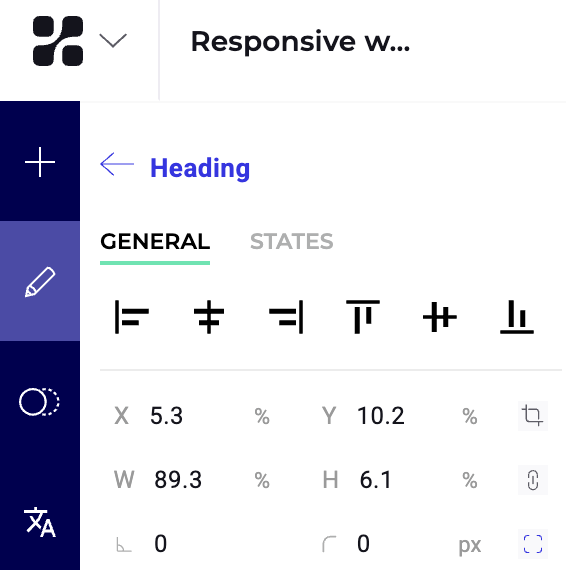
Adapting widgets to different devices just got more simple and precise. Elements and templates now default to percentages for more flexible layouts and sizing, and percentage sizing now supports decimal values. The main container also supports viewport width (vw) and viewport height (vh) units for true responsiveness. Learn more about responsive widgets here.
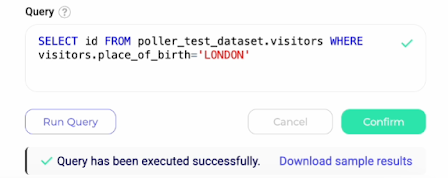
Before saving a new cohort or event ingestion task, test your query directly in Kameleoon. This allows you to receive real-time feedback to confirm the connection, ensure that queries return the correct results, confirm credentials and access rights, and validate your data’s structure and accessibility. You can validate your setup with confidence and quickly troubleshoot issues if they arise.Learn more about testing queries with Snowflake as an example. Query testing is available now for all data warehouse integrations.
Select elements in the Graphic editor and widget studio with a single click rather than a double-click, for a smoother and more intuitive workflow. Join Kameleoon’s beta program today to try it out!
Create ratio metrics to automatically measure in your experiments how two metrics (eg. number of completed orders / number of initiated checkouts) relate. These metrics will appear on your Results page alongside your other goals, so there’s no need for manual calculations anymore. To learn more, refer to Kameleoon’s help document on ratio metrics.
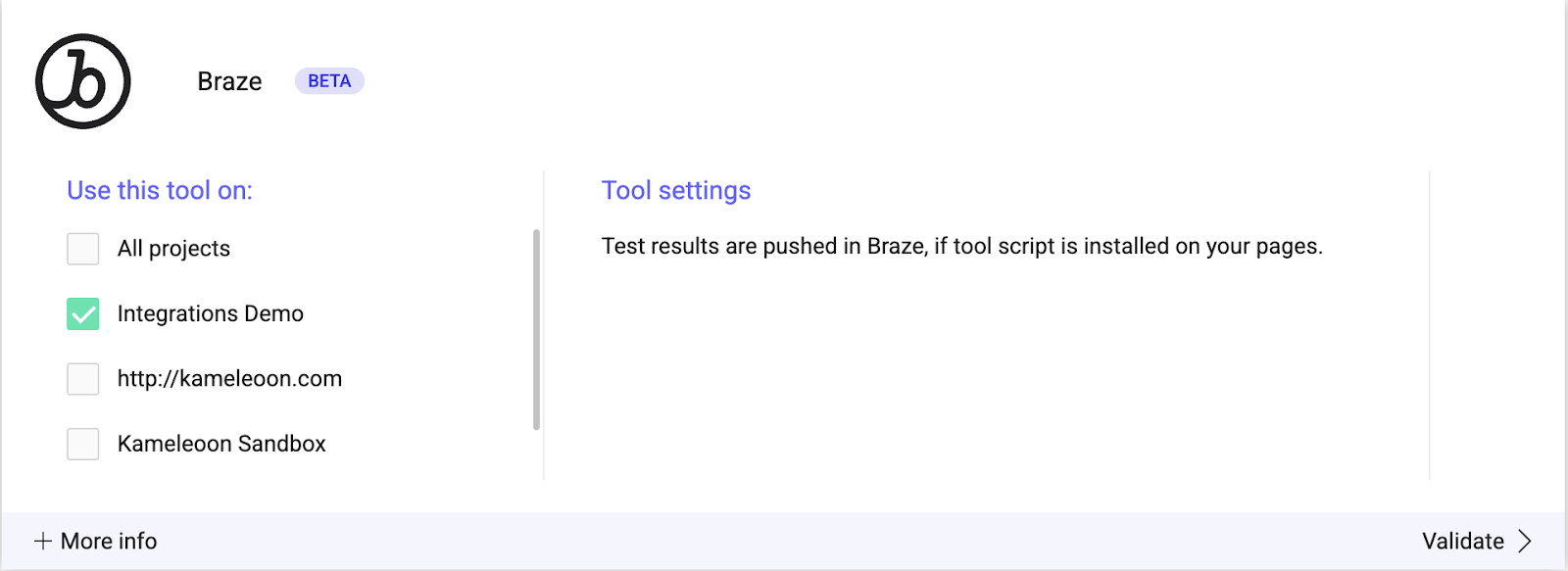
Leverage experiment and personalization data from Kameleoon to deliver highly targeted, personalized messaging through Braze. Kameleoon can send custom events, including experiment ID and variation ID, directly to Braze, enabling more relevant and effective user interactions. Learn more about the integration here, available in Beta now.
Segments and triggers are now created and managed separately. This update allows you to differentiate between a user’s inherent attributes (Segments) and their actions on your website (Triggers). This distinction enables more precise targeting, ensuring that your campaigns reach the right audience with tailored experiences. Learn more about the targeting step here.

September 22, 2025

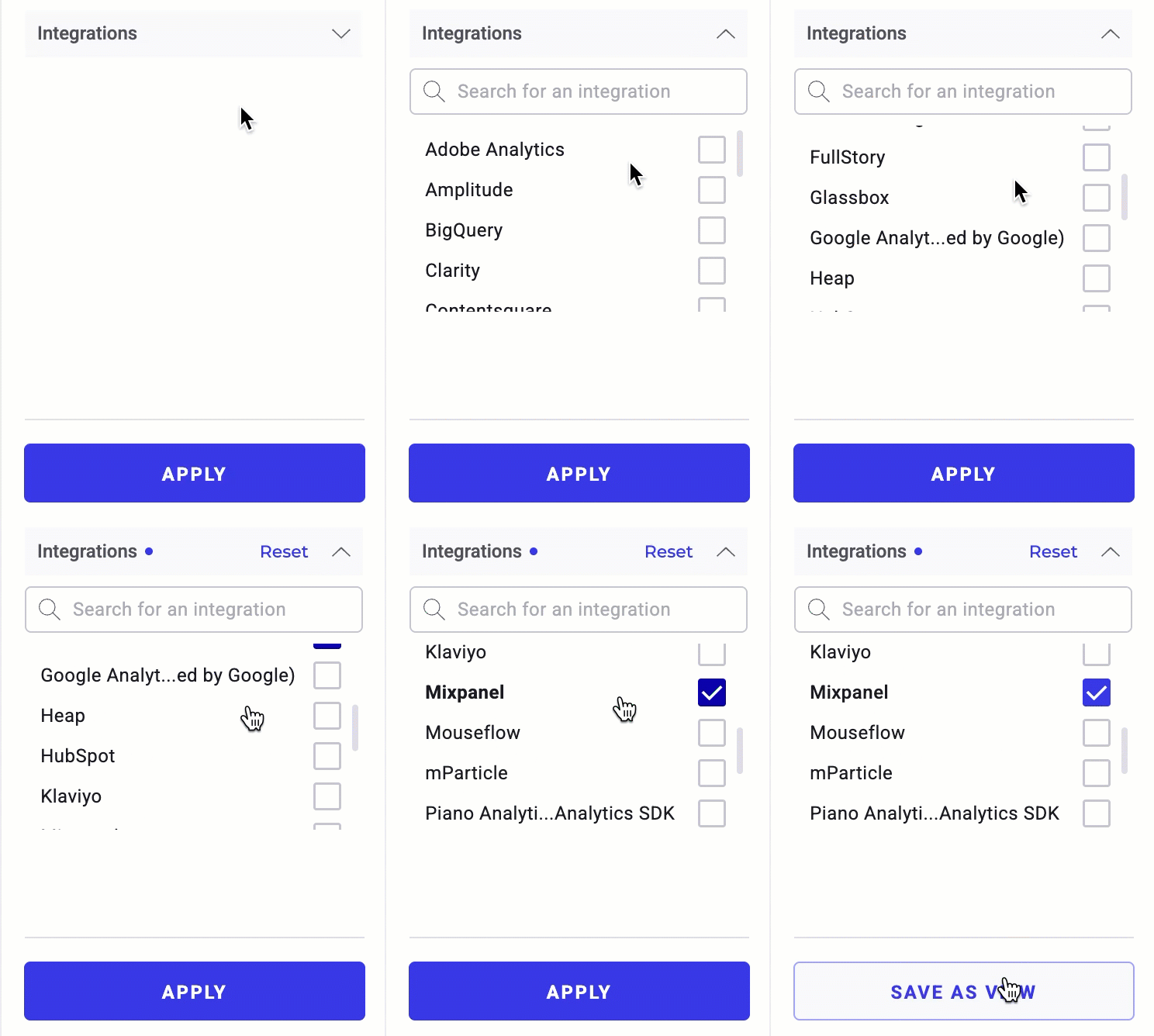
Filter your experiments by integration to see which ones use a given integration. This filter will make it easier to identify your campaigns by integration and manage your campaigns more efficiently.

August 13, 2025

Triggers and Segments now each have their own section when finalizing experiment configuration. (For now, the feature applies only to Web Experimentation customers and beta customers.)When finalizing an experiment, you can:
  • Define which segment of visitors will be included in your experiment
  • Specify when your experiment should be triggered
Learn more about defining the Targeting for your experiment.To help with migrating deprecated segments that currently combine trigger and visitor conditions, you can use the new “Convert” feature to automatically split the deprecated segments into separate segments and triggers.Learn more about updating your existing segments and triggers.

July 24, 2025

Introducing the new Learnings tab on the experiments Results page. Whether you’re short on time or just need a quick refresher, you can now get an understanding of your results at a quick glance thanks to Kameleoon’s AI analysis and summary, powered by Sequential Testing.

July 17, 2025

Kameleoon’s new Results page for personalizations is here. Kameleoon has redesigned the page to help you better view and navigate your results, and added tooltips to help you understand them more clearly.

July 9, 2025

Kameleoon’s new simulation panel is here, refreshed with a modern design, supporting advanced use cases like previewing the results of your combined segment and trigger, and the ability for simulation mode to overlay on top of the website without conflicting with existing CSS.These enhancements allow you to preview and test your experiments before deployment much more quickly and efficiently!Join Kameleoon’s beta program today to try it out!

July 7, 2025

If you’ve ever wanted to double check whether you have set up your goal conversions correctly, or whether your experiments are targeting your visitors, now you can.Live events gives you a 14-day log of experiment exposures, goal conversions, and custom data events for each project. Filters and detailed view of events will also be released progressively in July. Head to the Live events tab under Explore to check it out!
Kameleoon’s Databricks integration is now a two-way integration!In addition to being able to pull user segments and metrics from Databricks into Kameleoon, starting July 10th you will also be able to push __ experiment exposure events into Databricks for centralized reporting.Kameleoon’s data warehouse integrations help your teams experiment smarter and faster, giving you the ability to run data-backed and more personalized experiments.Learn more about using Databricks as a destination here.

June 12, 2025

You can now import custom fonts to the Widget Studio so that your widgets are consistent with your brand’s look and feel.

June 5, 2025

Kameleoon has improved the Glassbox Integration for smoother experiment analysis. Now, Kameleoon sends A/B test events to Glassbox when visitors encounter campaigns, which makes campaigns easy to identify and filter in Glassbox.Join Kameleoon’s Beta Program today to try it out!
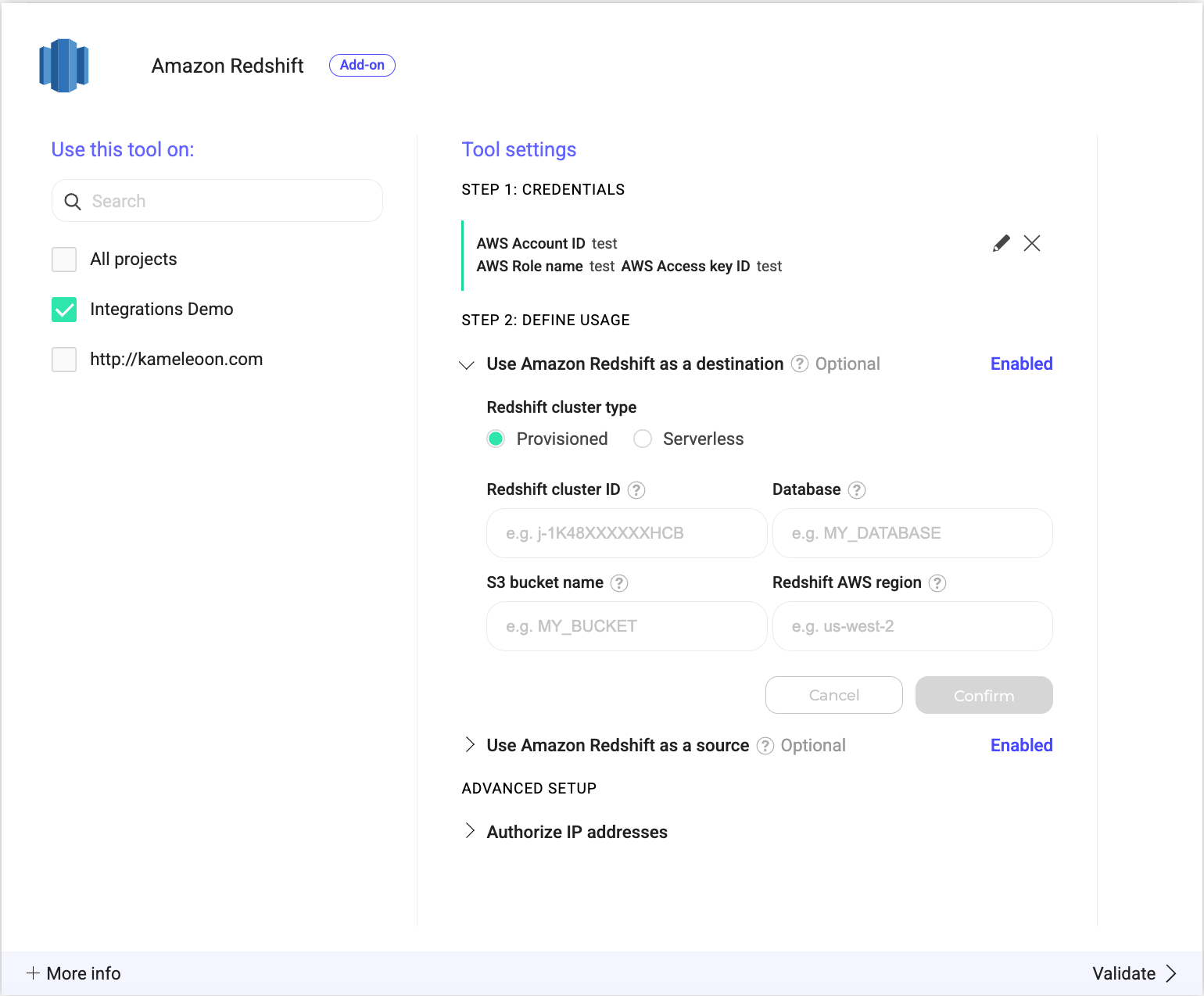
You can now send experiment exposure events to Amazon Redshift for deeper, cross-platform analysis.Learn more about Kameleoon’s Amazon Redshift integration!
Kameleoon is refreshing Kameleoon’s dashboard’s look so that you can enjoy a more fluid, modern interface with new features and a brand-new navigation structure! This will be released progressively beginning June 16th until mid-July. You can request access to it through your Customer Success Manager.
Kameleoon has made improvements to AI Assist—now, you’ll be asked clarifying questions where context is missing, so that Kameleoon can provide the most relevant, helpful answers. Try Kameleoon’s AI Assistant KAI today!
You can now attach properties to your goals—each with their own unique metadata for deeper experiment insights when needed. Just head into your Advanced Settings to configure the metadata. Want early access? Join Kameleoon’s Beta Program and try it out!

May 23, 2025

You can now attach properties to your goals, each with their own unique metadata for deeper experiment insights when needed. Just head into your Advanced Settings to configure the metadata. Want early access? Join Kameleoon’s Beta Program and try it out.
You can now easily create feedback widgets using pre-built elements like NPS, scale, and multi-question—all directly within the Widget Studio. Responses can be exported as .CSV files from the widgets dashboard for quick and easy analysis. Learn more about adding survey elements to your widget here!

May 7, 2025

You’re now able to send experiment exposure events to Google Analytics 4 (GA4) for easy in-depth experiment analysis. This integration works for Web experiments and Feature Flags experiments, including mobile, making it easier to track experiments and analyze results in your preferred analytics tool. Set up GA4 event streaming.
You can now select and edit elements inside the #shadow-root in the Graphic editor. Modify their style, text, or position, just like you would any other element on the page. Join Kameleoon’s Beta Program today to try it out!
Collaboration just got easier in the Graphic editor. You can now leave comments within variations in the Graphic editor. Reply to comments to start a discussion, and archive the comments once the discussion is resolved. Join Kameleoon’s Beta Program today to try it out!

April 15, 2025

You can now connect your Databricks environment to Kameleoon to power audience targeting and goal metrics. This integration makes it easy to activate your warehouse data for precise segmentation and real-time performance tracking - without duplicating workflows.Whether it’s through Databricks, BigQuery, Snowflake or Redshift, leverage your existing data models to build smarter experiments and personalize experiences more effectively.Interested in early access? Reach out to your Customer Success Manager or learn more here.

April 3, 2025

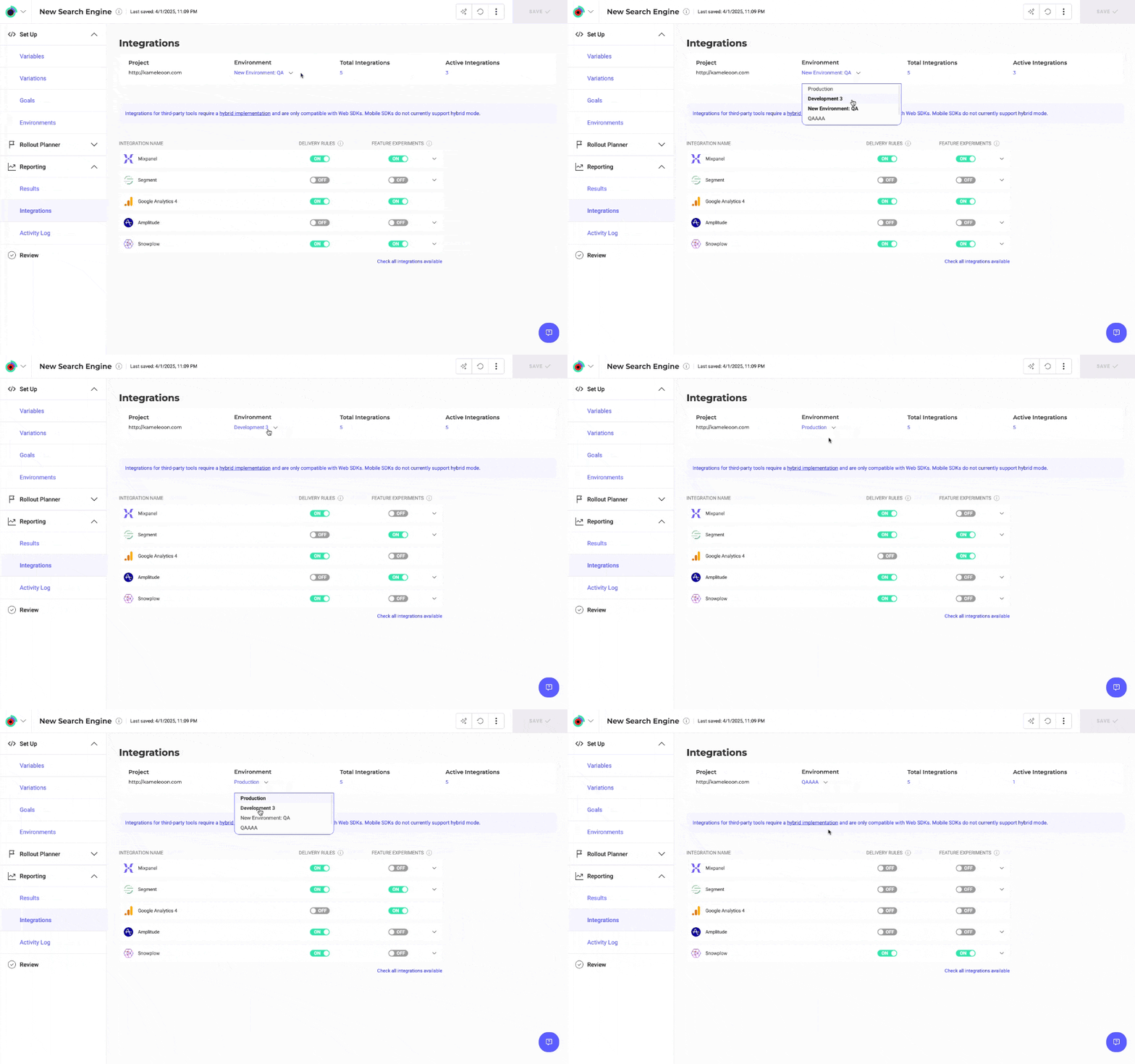
You can now manage integrations separately for each flag environment. Test and debug safely without touching live traffic, and keep your analytics clean and accurate across the board.
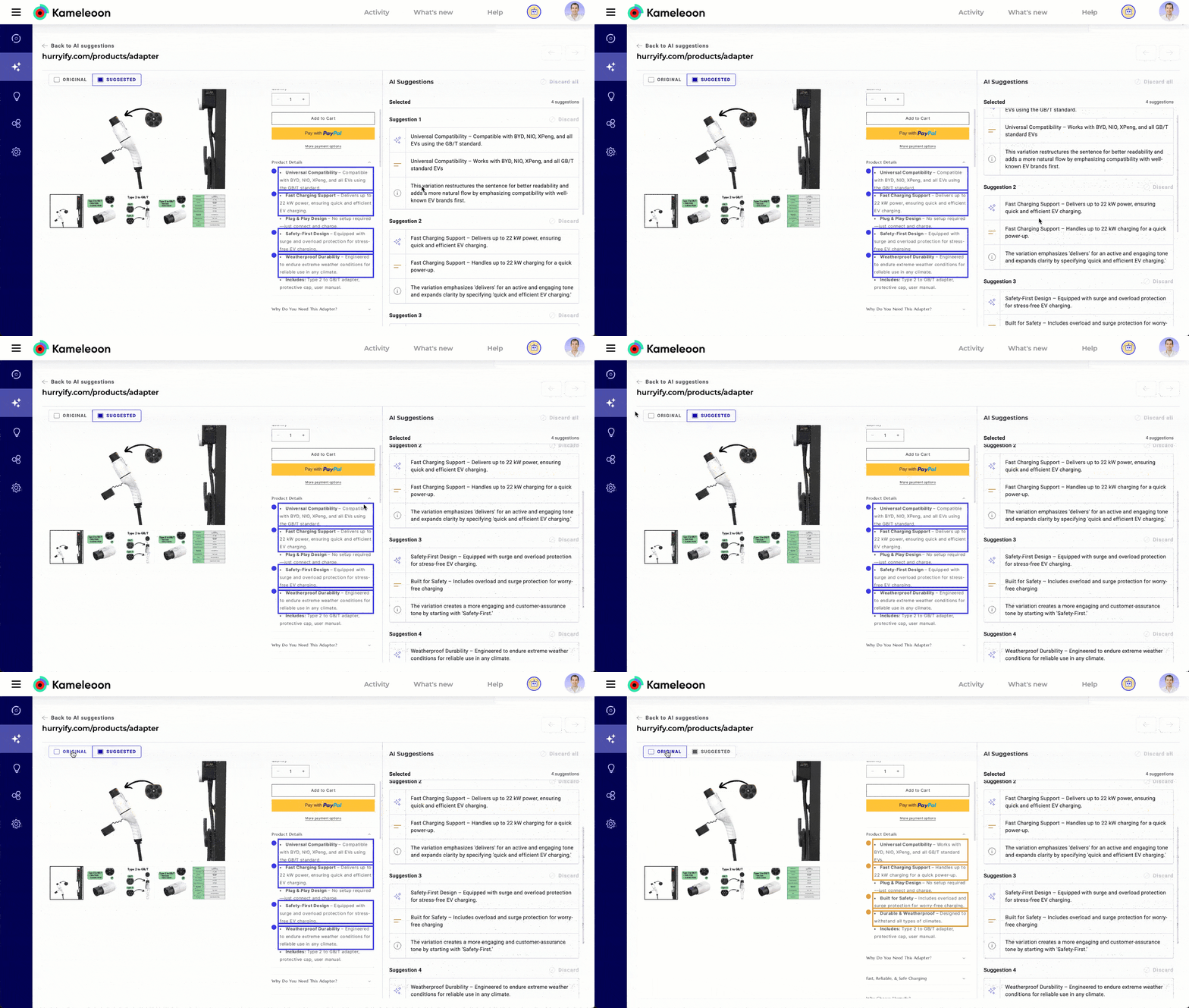
Reviewing AI Suggestions just got a whole lot easier. You can now preview visual changes side by side with text descriptions. Flip through suggestions one by one using keyboard arrows and quickly compare the original version of your page with AI recommendations. Check out Kameleoon’s Academy course on AI Experiments.
You can now send Feature Experiment exposure events directly to Segment, Mixpanel, and Amplitude—no need to use Kameleoon’s Hybrid mode. This works across all Kameleoon’s SDKs, including mobile, making it easier than ever to track experiments and analyze results in your preferred analytics tools. Discover more.
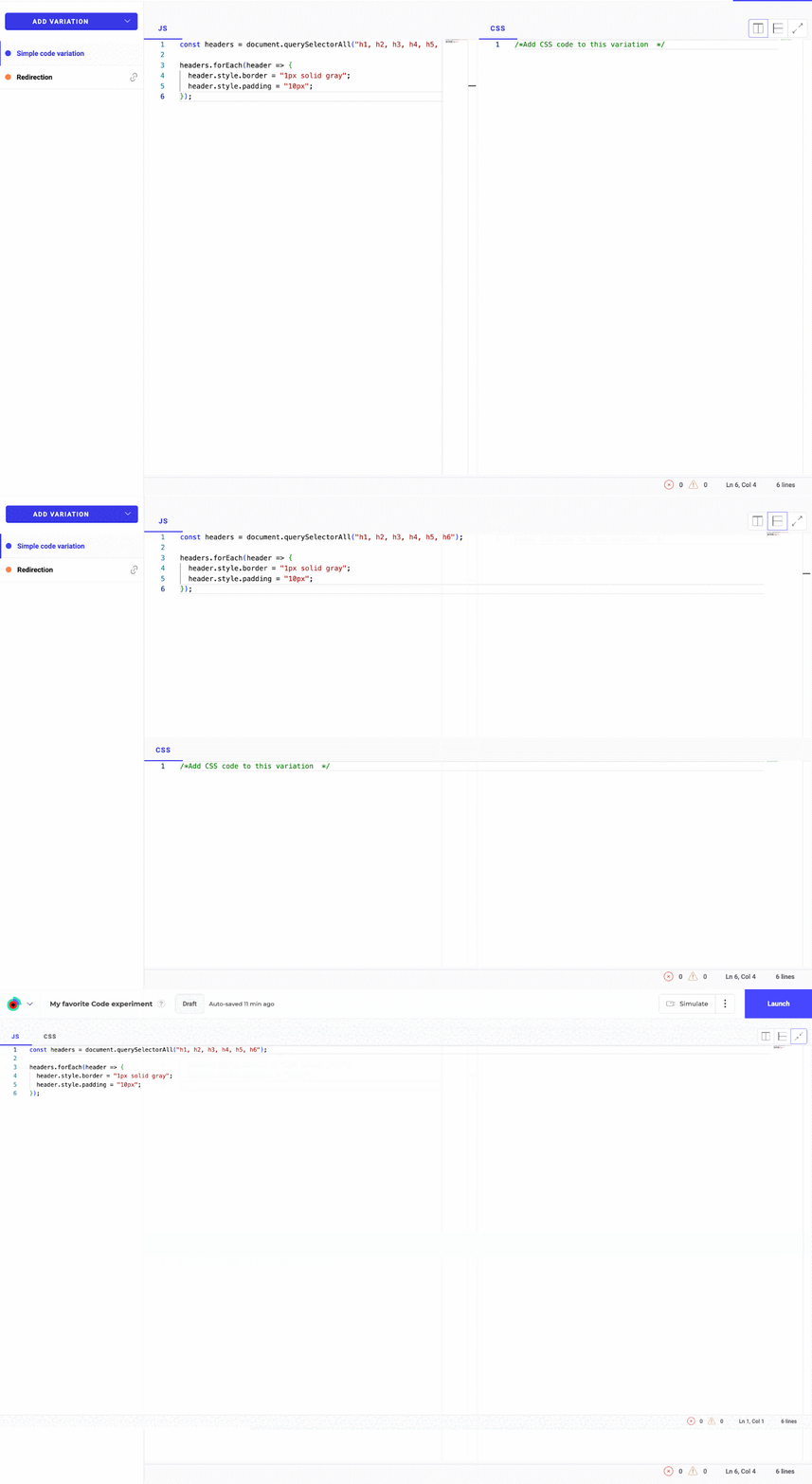
The upgraded Code editor gives you more space to work—now with split view and full-screen modes. You can also preview URL redirects and finalize code-based experiments just like you would in the Graphic editor, so your workflow feels smooth and familiar. Learn more about using the Code editor.
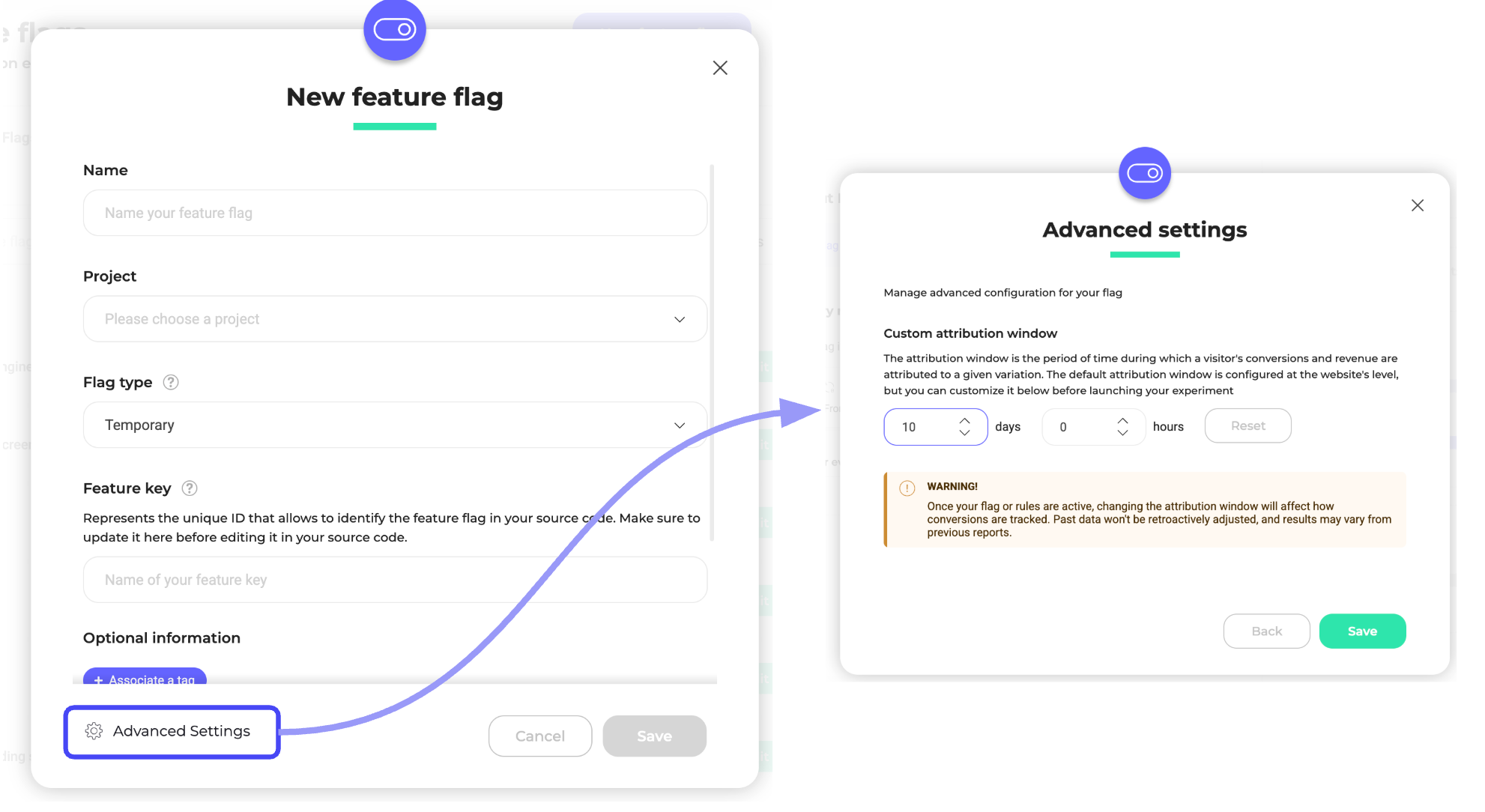
Need more flexibility when tracking feature experiments? You can now set a custom attribution window for each one! Just head to ‘Advanced Settings’ when creating a new feature flag. If you use it, it’ll override your project’s default window—perfect for experiments with unique tracking needs.

March 20, 2025

Kameleoon is sunsetting the “Require a stronger password” option from the Account Settings because all passwords now meet enhanced security requirements by default. New password requirements:✅ Minimum 10 characters✅ Must include:
  • 1 lowercase letter
  • 1 uppercase letter
  • 1 number
  • 1 special character
🚫 Cannot contain your first name, last name, or company nameYour current password will continue to work, but for better security, Kameleoon recommends updating it to meet these new standards.

March 10, 2025

Now available for Web Experimentation, with Feature Experimentation support to follow.Contextual Bandit dynamically adjusts traffic allocation based on real-time user context, continuously learning and optimizing decisions to drive better outcomes. It ensures each visitor sees the most relevant variation at the right moment, improving conversions without manual adjustments.
Take control of AI-generated experiment ideas with two new enhancements:
  • Discard suggestions: Remove irrelevant AI-generated suggestions individually or in bulk with new “Discard” and “Discard All” options, keeping your list clean and focused.
  • User prompting: Guide AI suggestions by providing custom instructions, ensuring more relevant, tailored recommendations based on your specific needs.
Want to learn more about AI Experiments?Reach out to Kameleoon!
AI Assist just got an upgrade. It can now answer complex, account-specific questions related to experiments and segments, helping you quickly access insights tailored to your setup. For example, you can ask about past experiments that targeted a specific segment or focused on a particular KPI as the main metric.Other capabilities, like result analysis and documentation support, remain unchanged—just smarter.
Stay informed with real-time alerts on key experiment events, like drops in conversion rates and unexpected changes in traffic.Set up notifications to quickly detect important shifts and take action when needed. You can also share results with users outside Kameleoon to keep stakeholders aligned. To access the new Results page, click the three dots (⋮) next to your experiment and select “New Results page.”
Multivariate Testing (MVT) is now integrated into the Graphic editor, making it easier to manage and compare multiple variations. The improved interface helps you fine-tune experiments faster and with more precision, so you can focus on what works best.
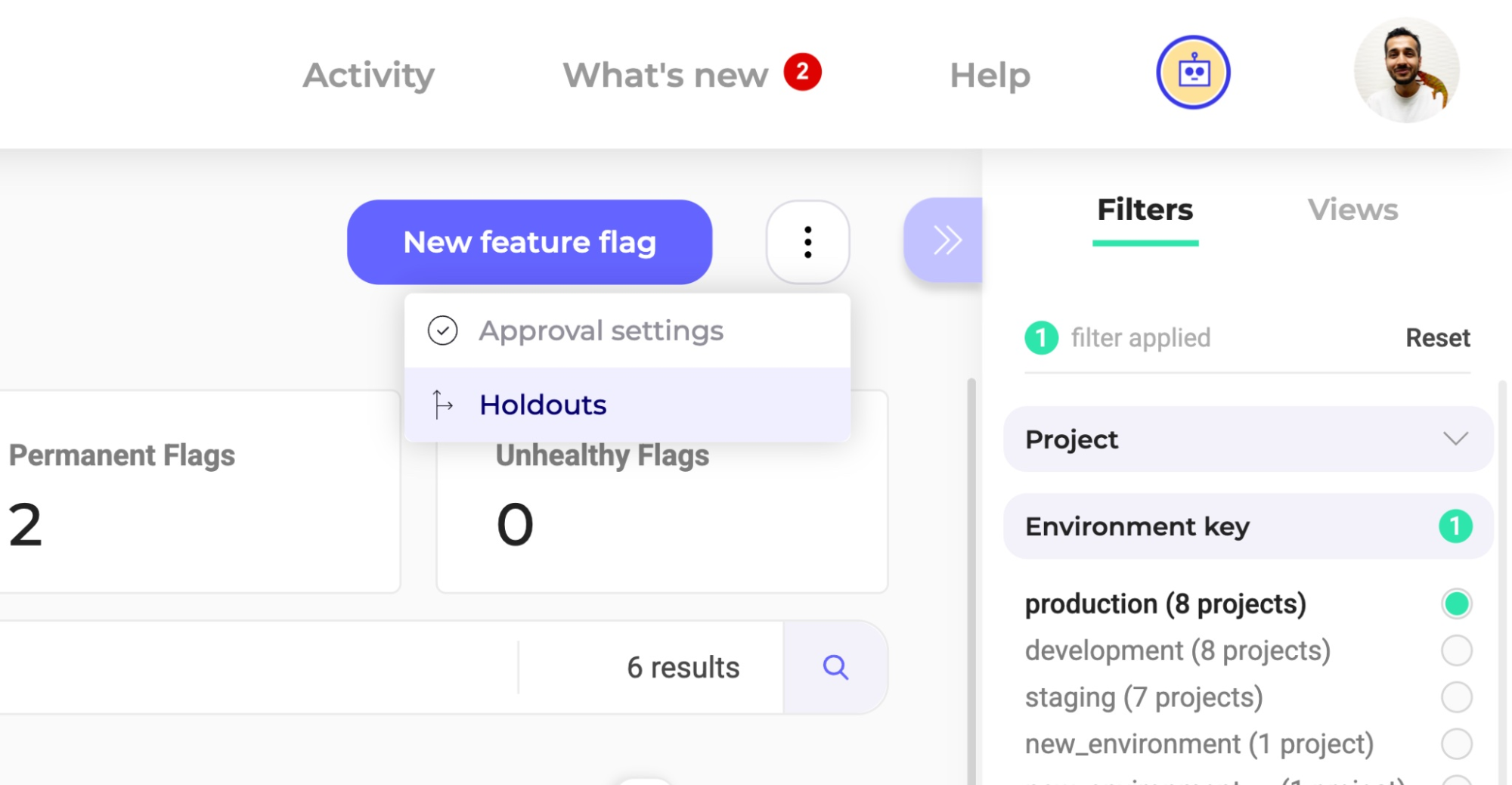
Now available for Feature Experimentation! Previously released for Web Experimentation, this feature ensures clean, conflict-free testing with holdoutand mutually exclusive groups. Keep a % of your traffic excluded from all your flags to measure the cumulative impact of your releases.
Import cohorts from Amplitude into Kameleoon to enhance targeting and experimentation with real-time behavioral data. With this integration, you can:
  • Import Amplitude segments to run targeted experiments and personalize experiences.
  • Optimize A/B tests based on user behaviors, like repeated product views without cart additions.
  • Personalize experiences using rich data from Amplitude, such as purchase history and lifecycle stage.
This feature is in beta. For support or questions, contact the Kameleoon support team. Learn how to set it up in Kameleoon’s documentation!

March 6, 2025

You can now use combined search and filtering on the dashboard.
You can now add integrations to running or paused experiments.
Users with Feature Experimentation permissions can now launch simulations.

February 6, 2025

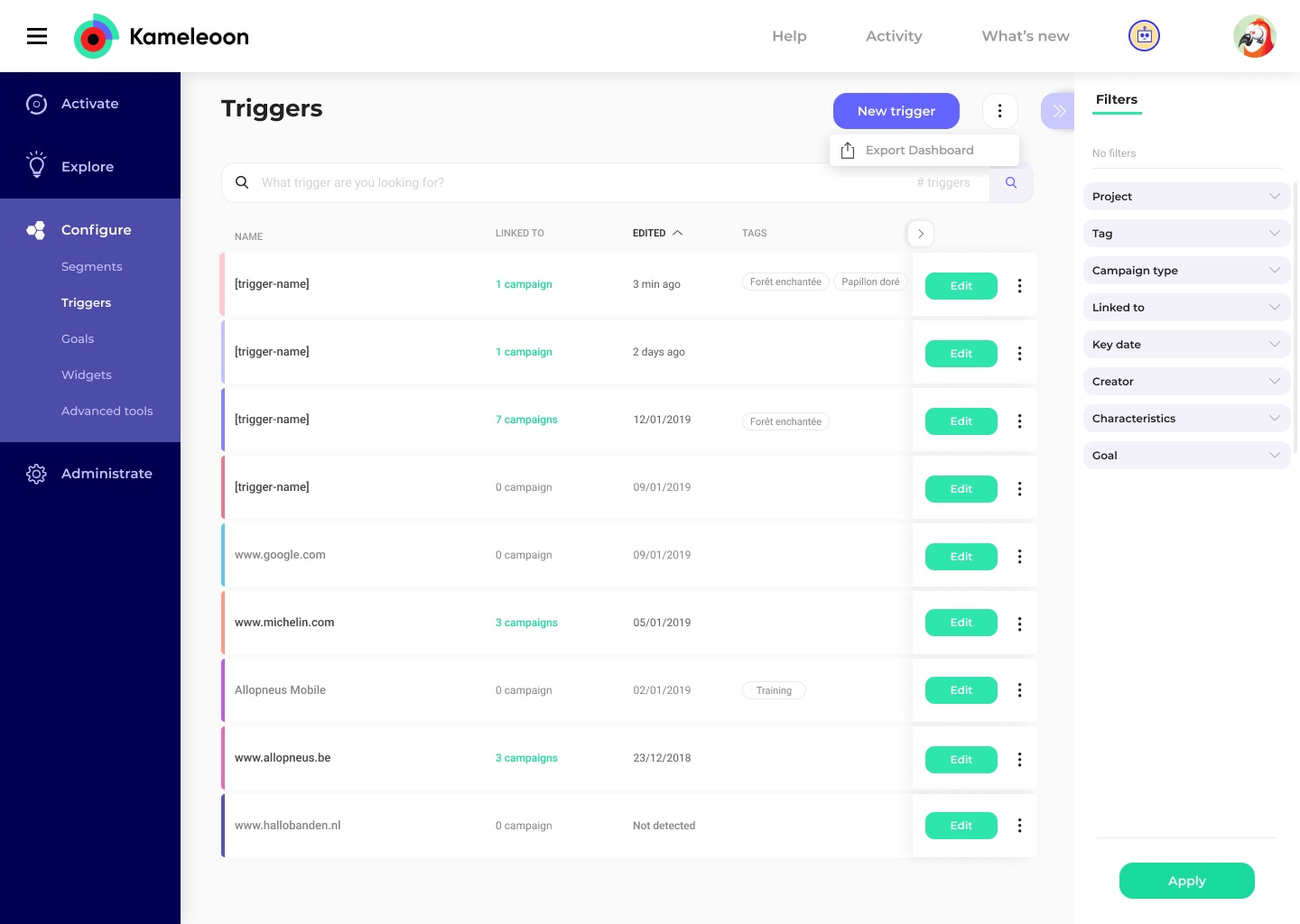
Kameleoon is launching a Triggers Dashboard & Builder for better control over experiment timing. This update separates “Who” (segments) from “When” (triggers) for clearer targeting and uses the same format as segments for easier creation and management.
Kameleoon has enhanced quick targeting in the finalization flow for web campaigns, allowing easy application of common conditions without creating new segments for small tests. You can also add Triggers directly to experiments, streamlining the targeting process.
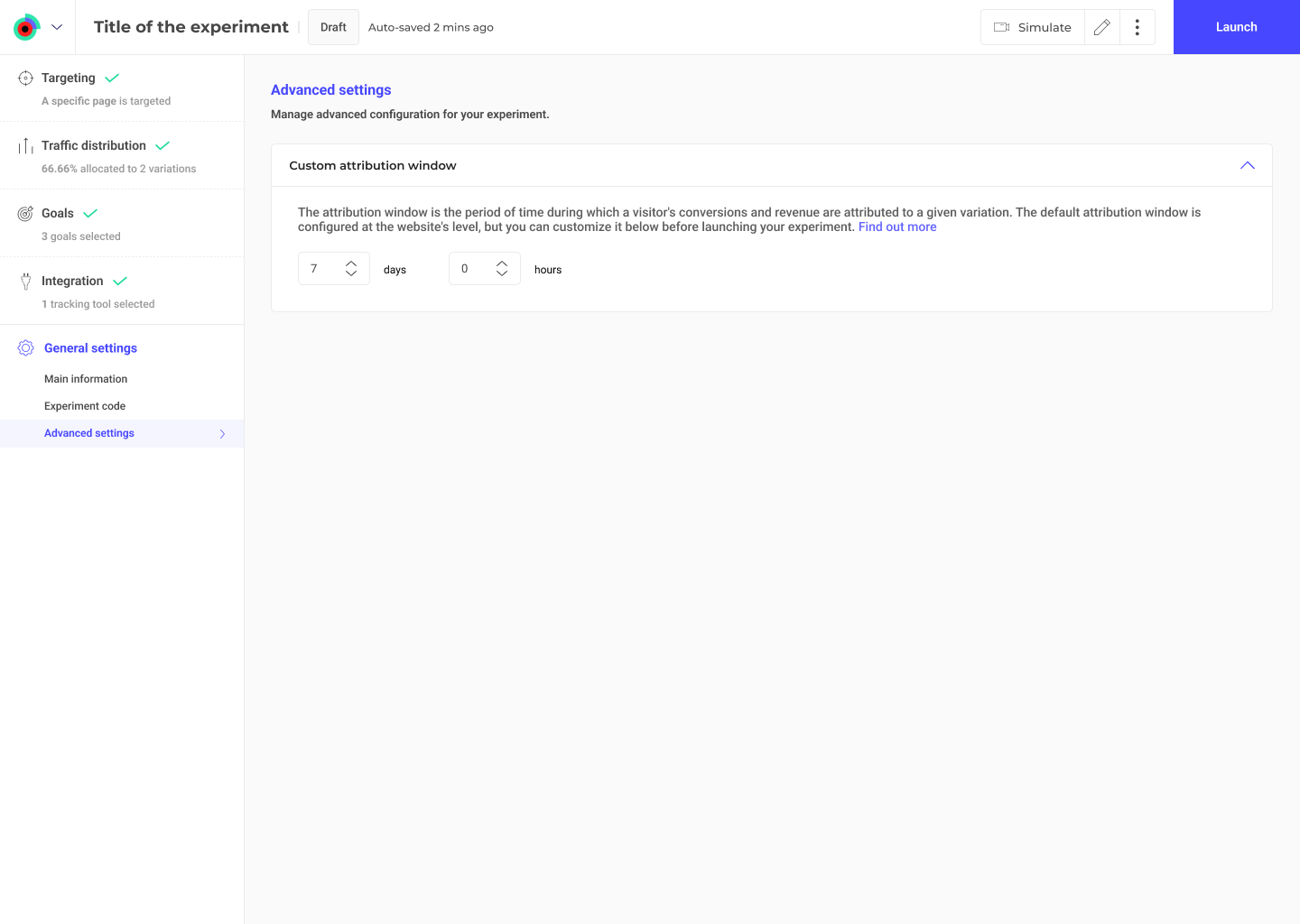
You can now set a custom attribution window for each web experiment, giving you more control over how conversions are tracked. Tailor attribution windows to fit the specific needs of your campaigns instead of relying on a single project-wide setting.
Kameleoon has introduced Simulation Mode to simplify testing and debugging feature flags, allowing you to preview and control experiment and rollout configurations directly through the Simulation panel. This gives you full control over flag variations for easier validation. Kameleoon has also redesigned the header for a cleaner, more intuitive experience.Note: Available for web SDKs only.
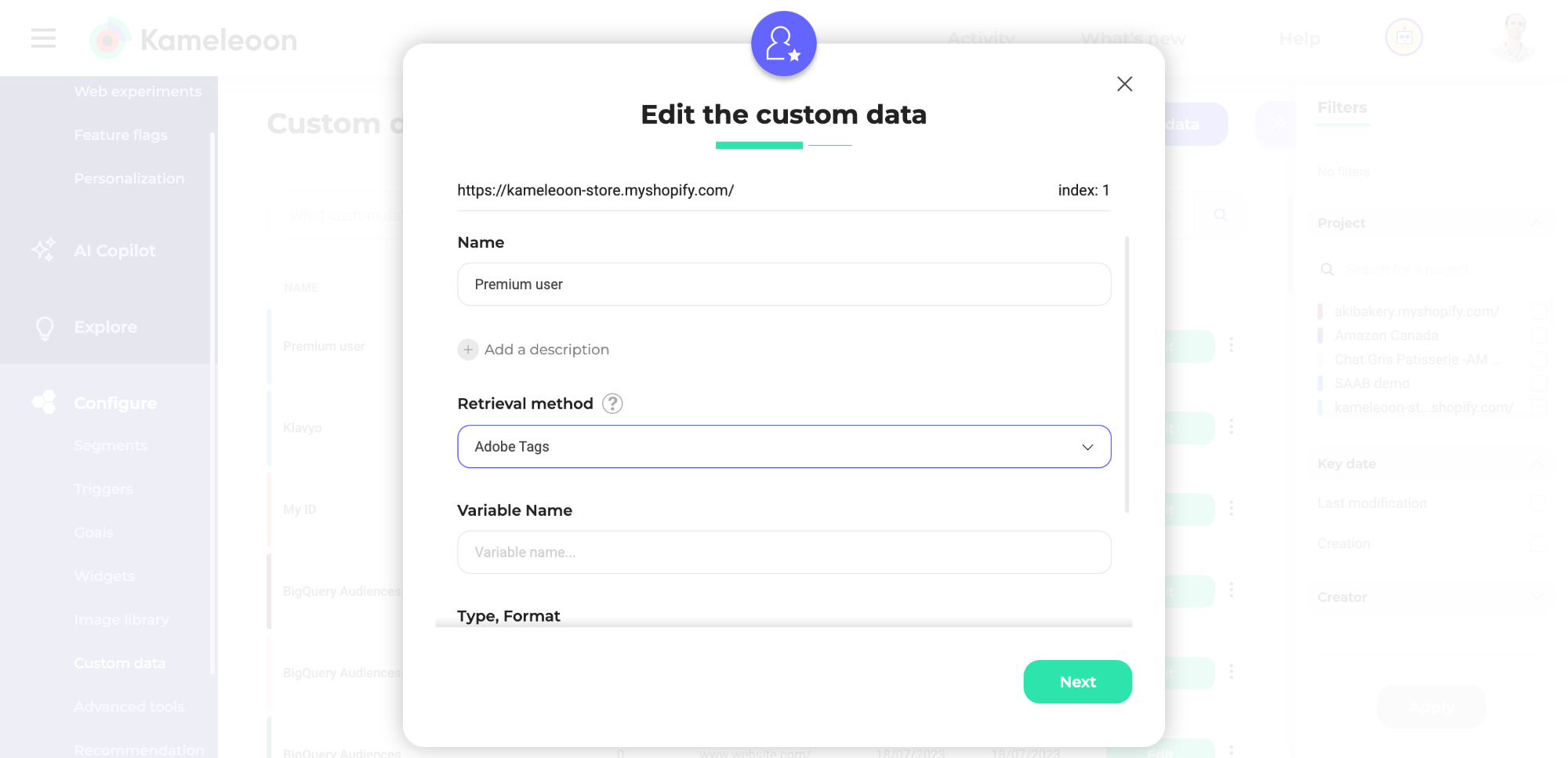
Kameleoon now automatically retrieves Adobe Tags variables through the browser. Just enter the variable name when setting up custom data—no extra setup needed—making it easy to use Adobe Tags data in your experiments and personalization.
Kameleoon has released updates to speed up widget creation and management:
  • AI Widget Generator: For Premium users, create custom widgets instantly by entering a prompt and customizing styles.
  • AI Translations: For Premium users, quickly translate widget texts, including URLs and ‘Go to URL’ actions, for multilingual support.
  • Preview Product Recommendations: With the Product Recommendations add-on, view and edit a recommendation block content and CSS directly from Widget Studio
Kameleoon has made some updates to Kameleoon’s Data API:
  • Authentication option: If you’re using Kameleoon’s Feature Experimentation and server-side SDK only, you can now enable authentication for added security. This option can be activated by your Customer Success Manager. For more details, see the Authentication section.
  • Rate limiting update: Kameleoon has clarified the rate limiting section to make it more scalable, tailored to each customer’s usage and size. The updated details can be found in the Rate Limits section. This new rate limiting will be applied by February 24th.
If you have any questions or need further clarification, don’t hesitate to reach out to Kameleoon’s team!
You can now use the Reliability and Improvement rate features on results pages.
You can now use the Device filter.

February 5, 2025

January 17, 2025

Kameleoon is introducing an updated Results page designed to enhance navigation, provide more detailed insights, and improve your ability to analyze experiments and make informed decisions.You can access the new Results page by going to your experiment’s sub-menu, clicking the three dots, and selecting “New Results page.”
Kameleoon has added the ability to create and edit Click Tracking Goals directly within the Graphic editor. This update makes it easier to define and manage goals by opening a dedicated Click Tracking panel for seamless setup and editing of tracked elements.
Kameleoon has updated the finalization process for code-based experiments to match the flow used for graphic-based experiments. A new button now directs you to the Finalization page, where you can manage general experiment code, tags, and descriptions in one place.
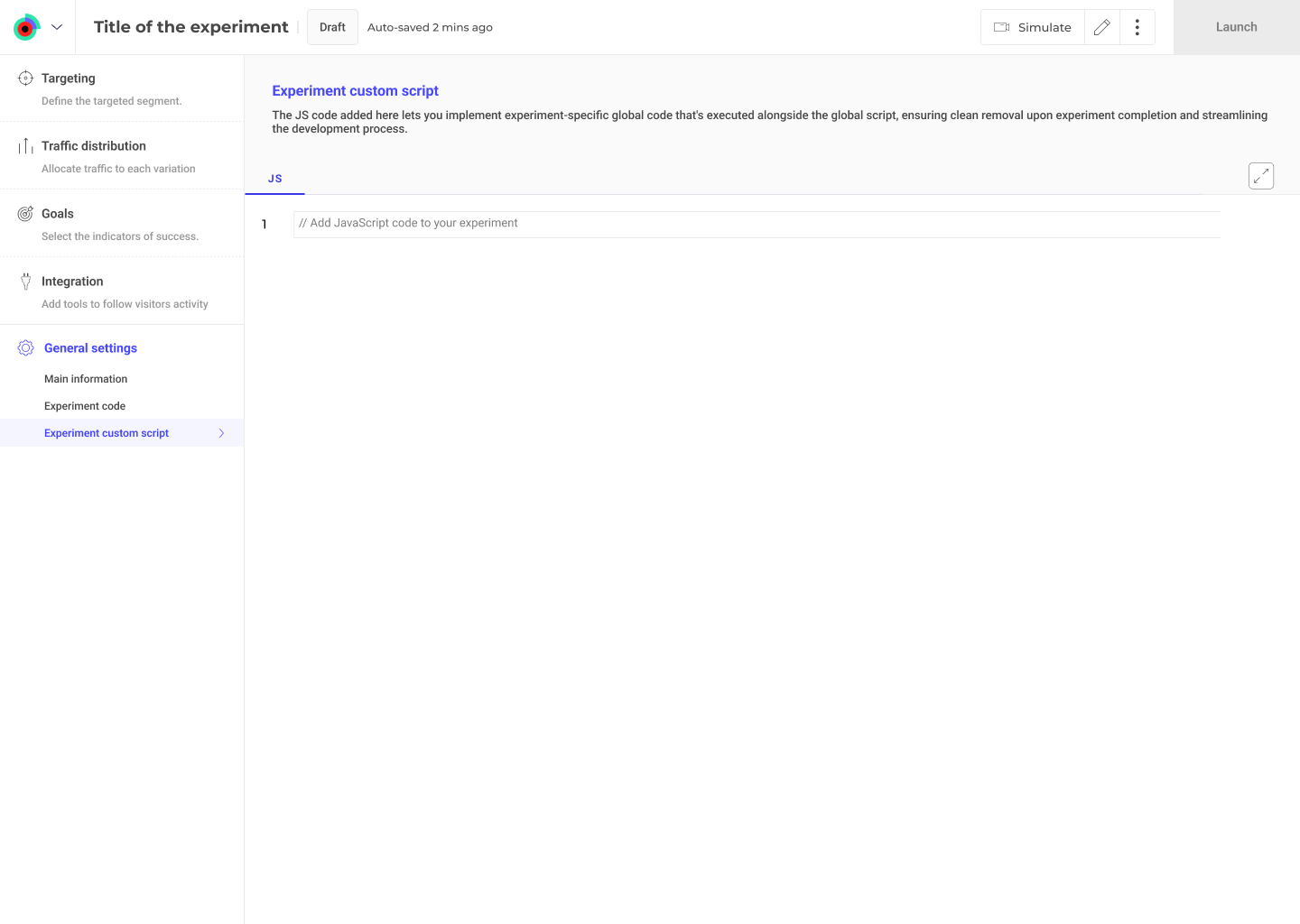
Kameleoon has added a feature to the Web Experiment Finalization Flow that allows you to manage custom global scripts for individual experiments, similar to project-level management. You can deploy temporary code with experiments, and once an experiment ends, the associated global script is automatically removed. This keeps experiment-specific scripts separate from the global scripts in Project settings, while ensuring the Kameleoon application remains optimized.

December 18, 2024

Kameleoon is introducing a new approval workflow to bring control, oversight, and collaboration to critical feature flag changes. You can now ensure that significant updates receive the necessary sign-offs before going live.
  • Structured Approvals: Multi-step workflows for critical changes.
  • Visibility and Control: Track feedback, approvals, and sign-offs with full transparency.
  • Reduced Risk: Prevent unintended changes with governance processes built for scale.
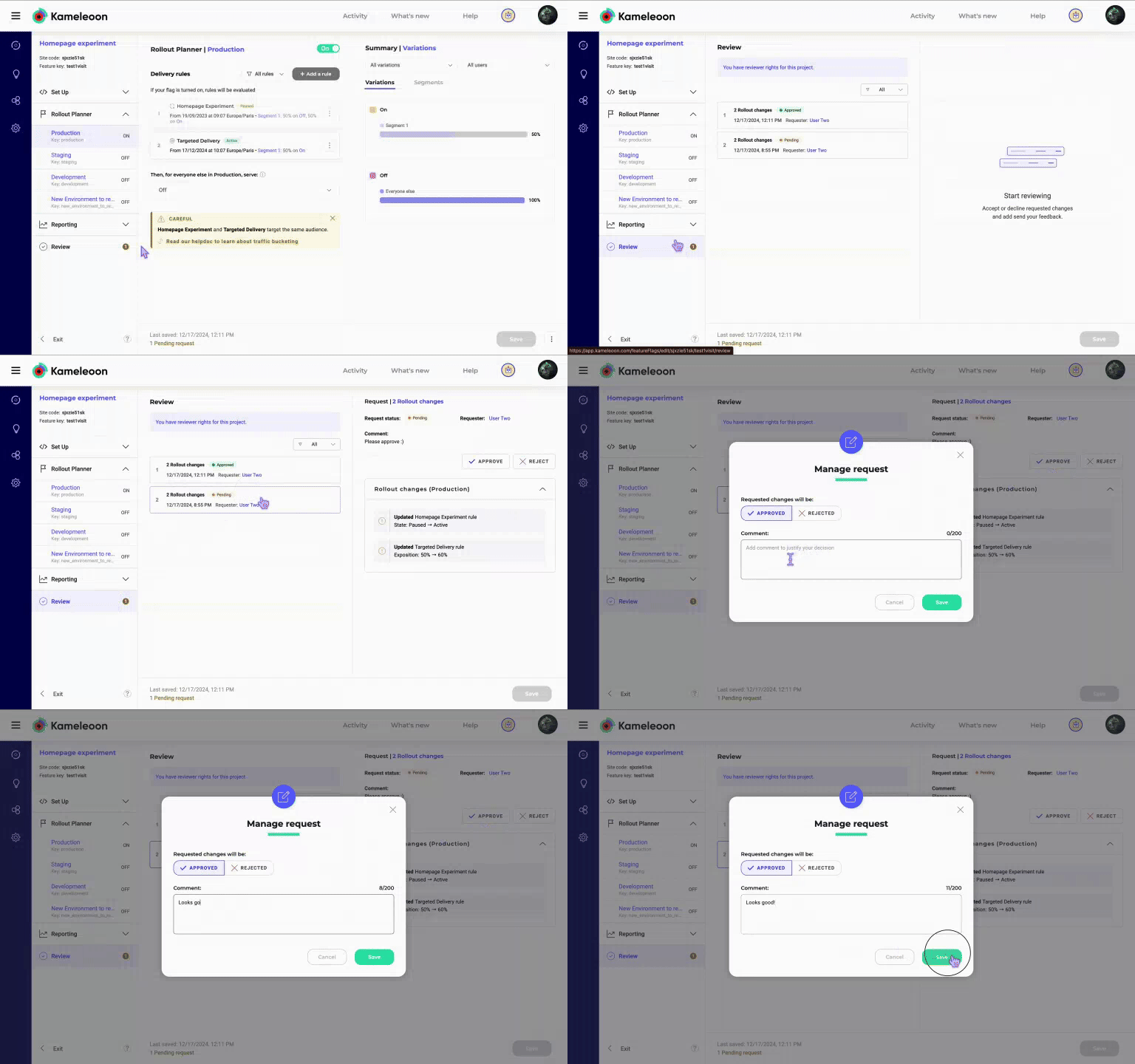
Learn more in Kameleoon’s Help Documentation.
Kameleoon now integrates with Akamai’s global CDN, enabling faster and more reliable delivery of feature flags and experiments at the edge. By reducing latency, enhancing scalability, and improving resilience, this integration ensures traffic management and flag evaluation across edge nodes—perfect for modern software teams relying on edge infrastructure for optimal performance.

December 9, 2024

You can now select the Retention Rate type from the dropdown menu when you create a goal.

November 17, 2024

You can now reallocate traffic in MVT experiments.

November 12, 2024

Understanding the impact of changes across multiple experiments can be tricky, especially with overlapping experiments. That’s why Kameleoon is introducing Holdouts. With this feature, you can create a control group that doesn’t see any active experiments. This untouched group provides a reliable baseline, helping you measure the true impact of your changes by comparing it to a group experiencing no modifications. Here’s what makes Holdouts so valuable:
  • Baseline Comparison: Your holdout group receives no experiments, giving you a clear baseline for measuring impact.
  • Aggregate Insights: See the overall effect of your changes by comparing against a control group that experiences none.
Currently available for web experiments, with feature experiment support coming soon!Learn more by reading Kameleoon’s Help Documentation
Running several experiments on the same page can sometimes lead to overlapping effects, especially if multiple teams are working on similar areas. Now, mutually exclusive groups solve this by allowing you to create groups so that each visitor is exposed to only one experiment per group. This means cleaner insights and a better overall experience for your visitors.Learn more by reading Kameleoon’s Help Documentation here

November 7, 2024

Introducing a centralized dashboard that allows users to upload, edit, and manage images directly from the main menu, Graphic editor, and the Widget Studio. This enhances editing efficiency by providing easy access to image assets, customization options, and improved compatibility with formats like .svg, streamlining your workflow across key editing tools.
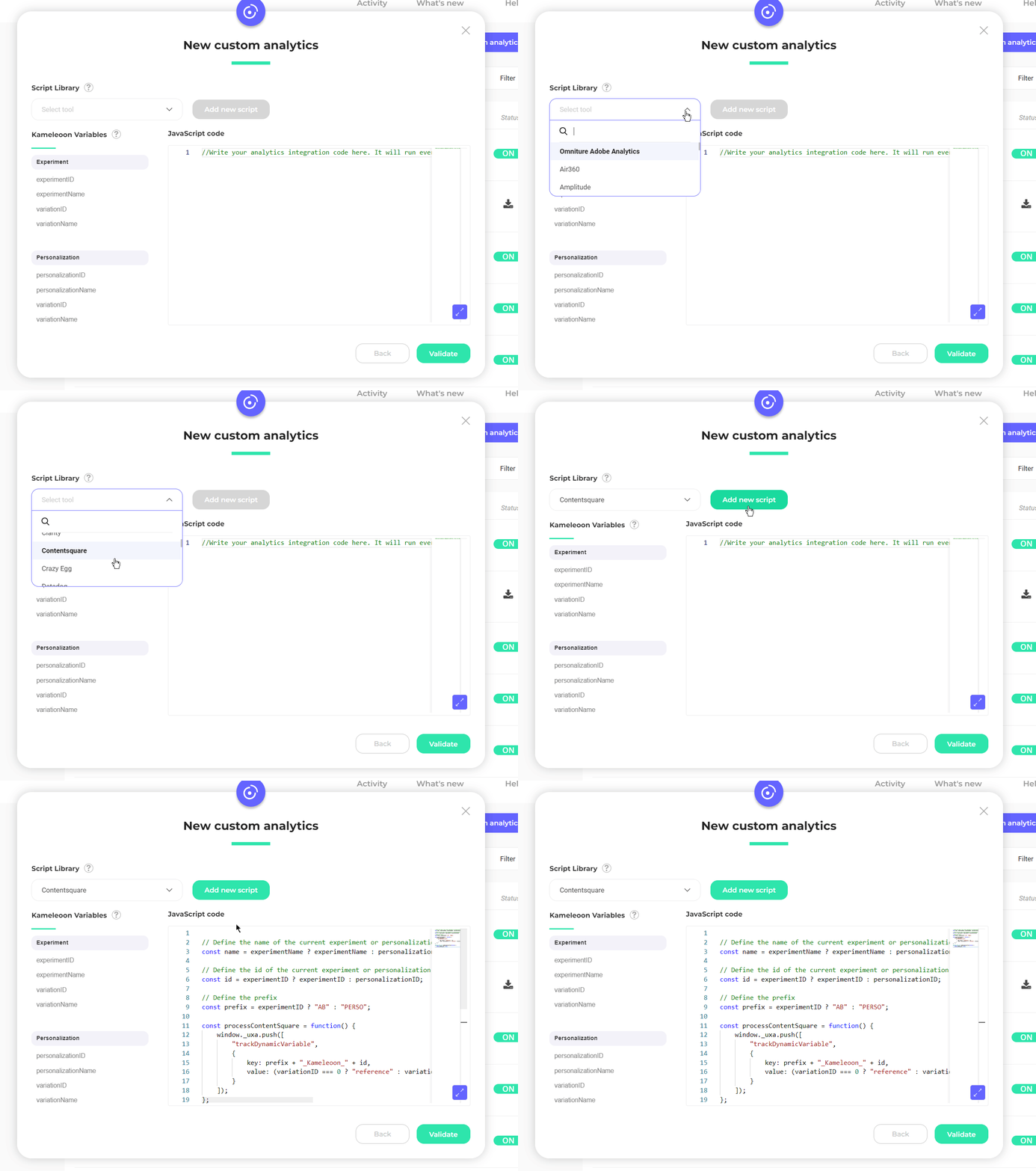
The new Open Source Analytics Library allows users to easily access and activate custom analytics scripts directly within the Kameleoon app. This improves efficiency by reducing setup errors and providing real-time access to the latest scripts via Kameleoon’s GitHub, streamlining custom analytics integrations.
Kameleoon’s Product Recommendations now use localStorage instead of cookies to store data, relying on the visitorCode as the main ID. This update supports privacy-friendly recommendations without needing cookies; however, cookie-based storage is still available as an option.

November 5, 2024

October 9, 2024

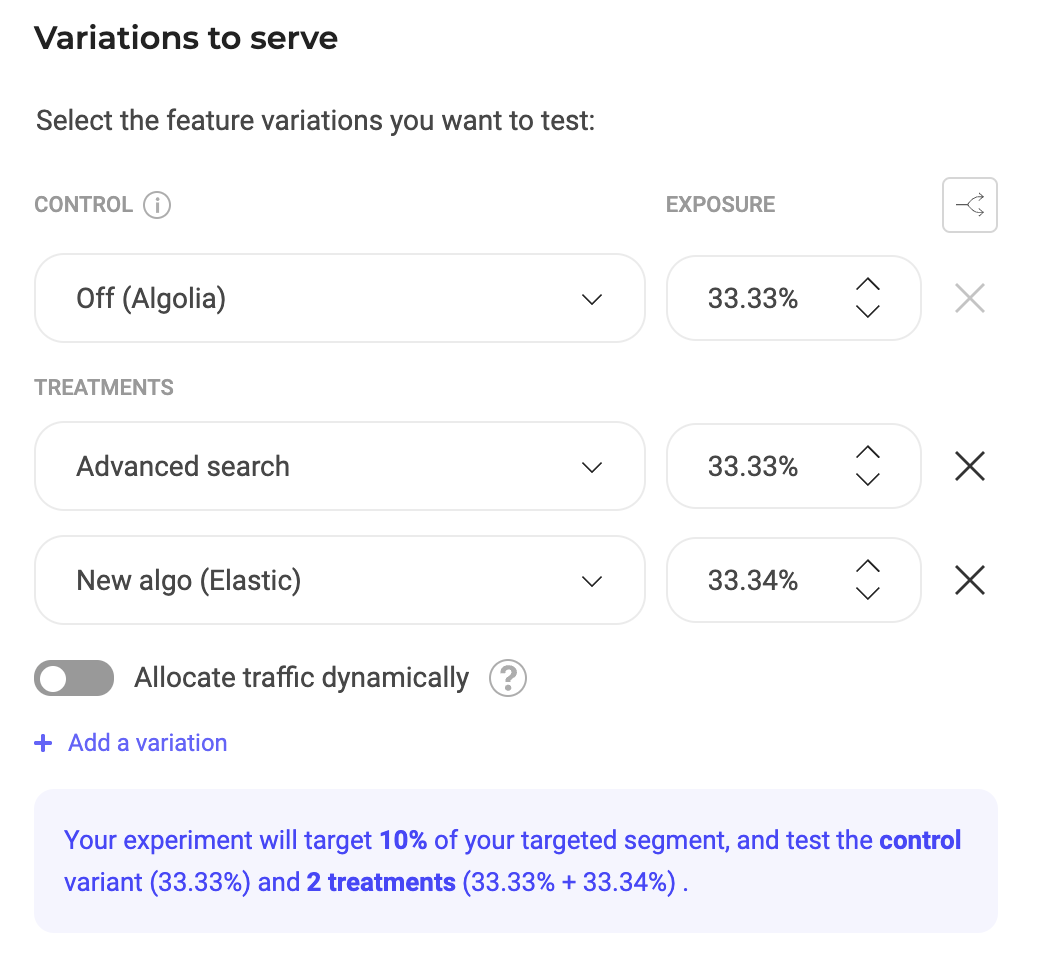
Kameleoon has improved the variation selection process in feature experiments, which makes it easier to define and identify Control and Treatment variations. You’ll now see dedicated drop-downs for each on the setup page, with the Control variation clearly labeled and consistent across both the setup and reporting pages. You can now choose any variant as the Control, and it will be correctly reflected throughout your experiment reporting.
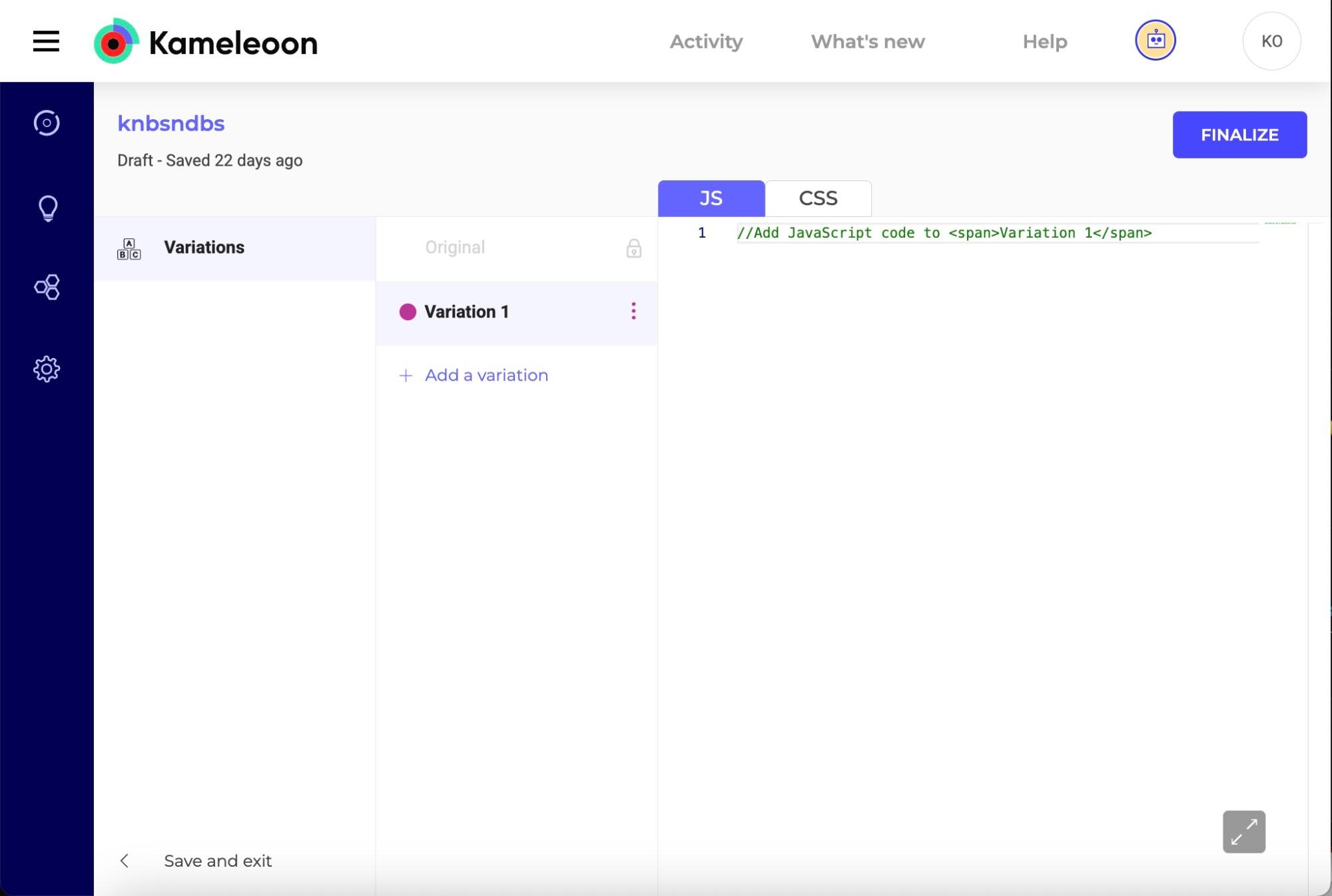
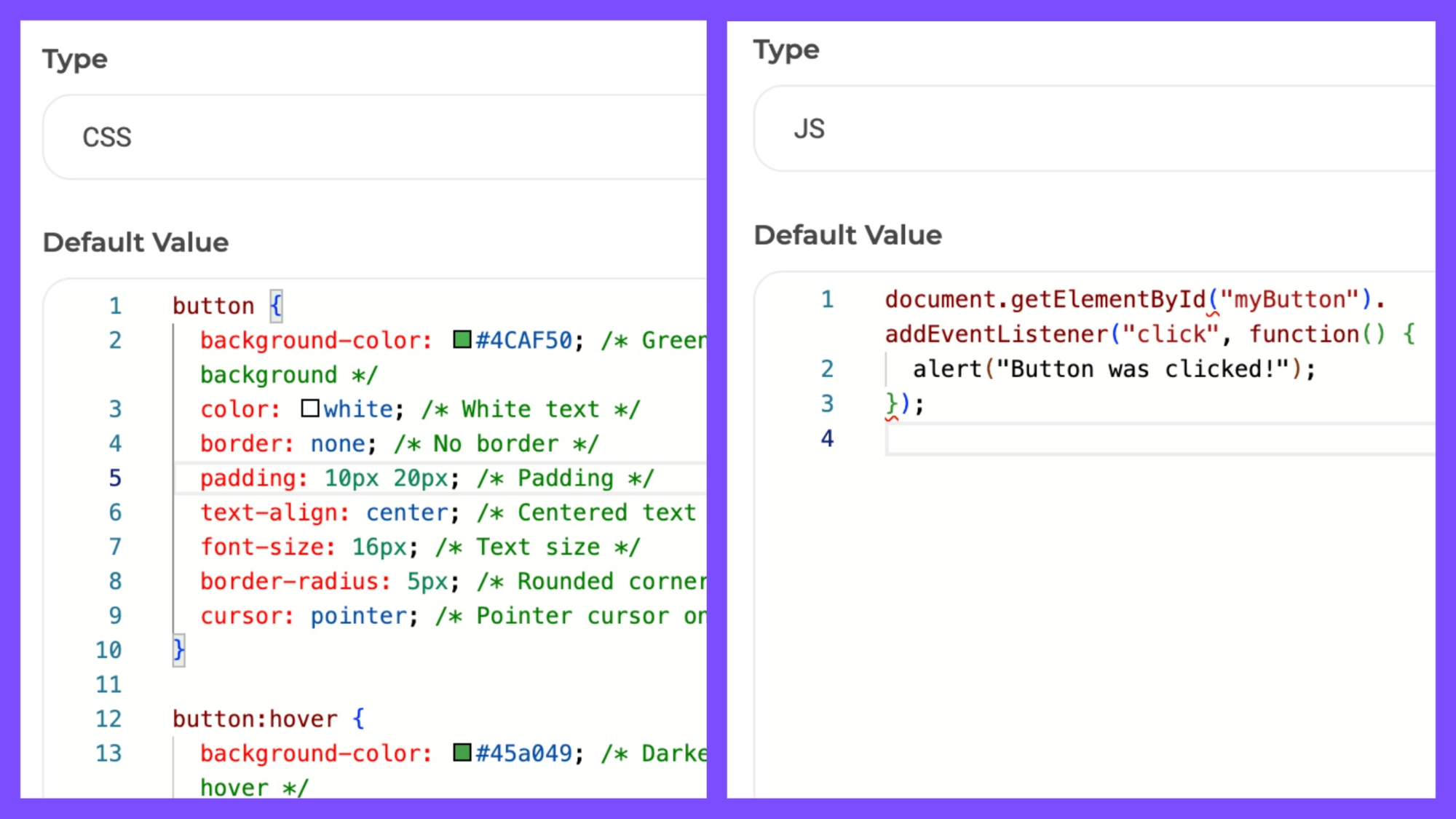
Kameleoon is introducing back to feature experiments the ability to set JavaScript (JS) and CSS code directly in feature experiments, offering the ability to both trigger back-end and front-end code at the same time thanks to Kameleoon Hybrid Experimentation. With new JS and CSS variable types in the UI, you can now easily input custom code, seamlessly integrated into Kameleoon’s Application File (kameleoon.js). Make sure your SDK is up to date for full compatibility.
Kameleoon is introducing Teams Management, allowing you to assign users to specific teams and limit their access to experiments within their scope. The campaigns dashboard now shows only relevant campaigns for each team, while admins maintain full visibility. This update streamlines multi-team management and user assignments, improving organization and efficiency. Note this feature will be rolled out progressively to ensure a smooth transition.

October 8, 2024

September 17, 2024

Kameleoon is enhancing your targeting experience with a brand-new feature. You’ll no longer need to create new segments every time you want to quickly add a target for your rules.Now, you can define your targeting based on a variety of existing conditions without the hassle of segment creation. This update provides quicker, more efficient targeting that adapts to your needs, streamlining your workflow and improving precision!
Kameleoon is excited to announce Kameleoon’s integration with Datadog RUM, offering deeper insights into how feature releases impact user experience and performance. By enriching RUM data with feature flag information, you can track which users are exposed to specific features and quickly identify if any performance issues or bugs are tied to recent releases.Easily correlate feature rollouts with performance, diagnose issues faster, and ensure smooth deployments. You can search and analyze feature flags directly in the Datadog RUM Explorer by filtering Sessions, Views, and Errors for real-time insights.
Key performance indicators (KPIs) are now available directly in your dashboards! You can now view essential metrics right in the Web Experiment and Personalization dashboards.This includes the total number of visits, the duration of the day, and detailed results on the main goal—such as the winning variation, conversion rate, improvement rate, and result reliability.
Kameleoon has added a new cogwheel to the Element panel in the Graphic editor! This gives you access to the “Highlight in preview” feature, where elements are highlighted in different colors based on whether they’ve been added or changed—making it easier to track your updates. In addition, Kameleoon has redesigned the Element panel to include a search bar, along with sorting and filtering options, so you can quickly find and organize elements with ease.
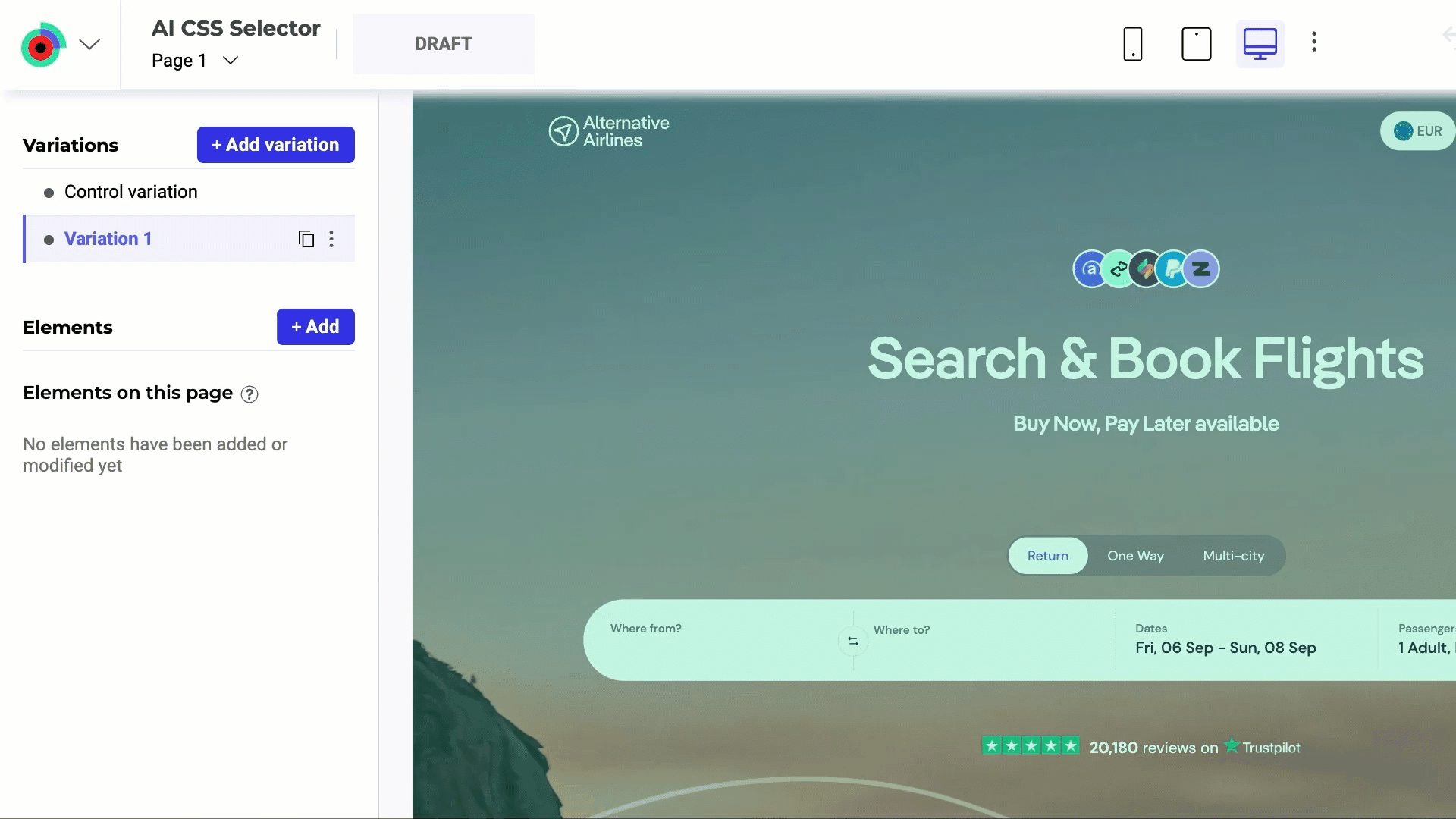
Kameleoon’s new AI CSS Selector Generator feature addresses challenges with dynamically generated CSS classes and IDs by defining more precise, stable selectors, making Kameleoon more compatible with Single Page Applications. We recommend using it when your website does not have any ID or when IDs are dynamically generated.__
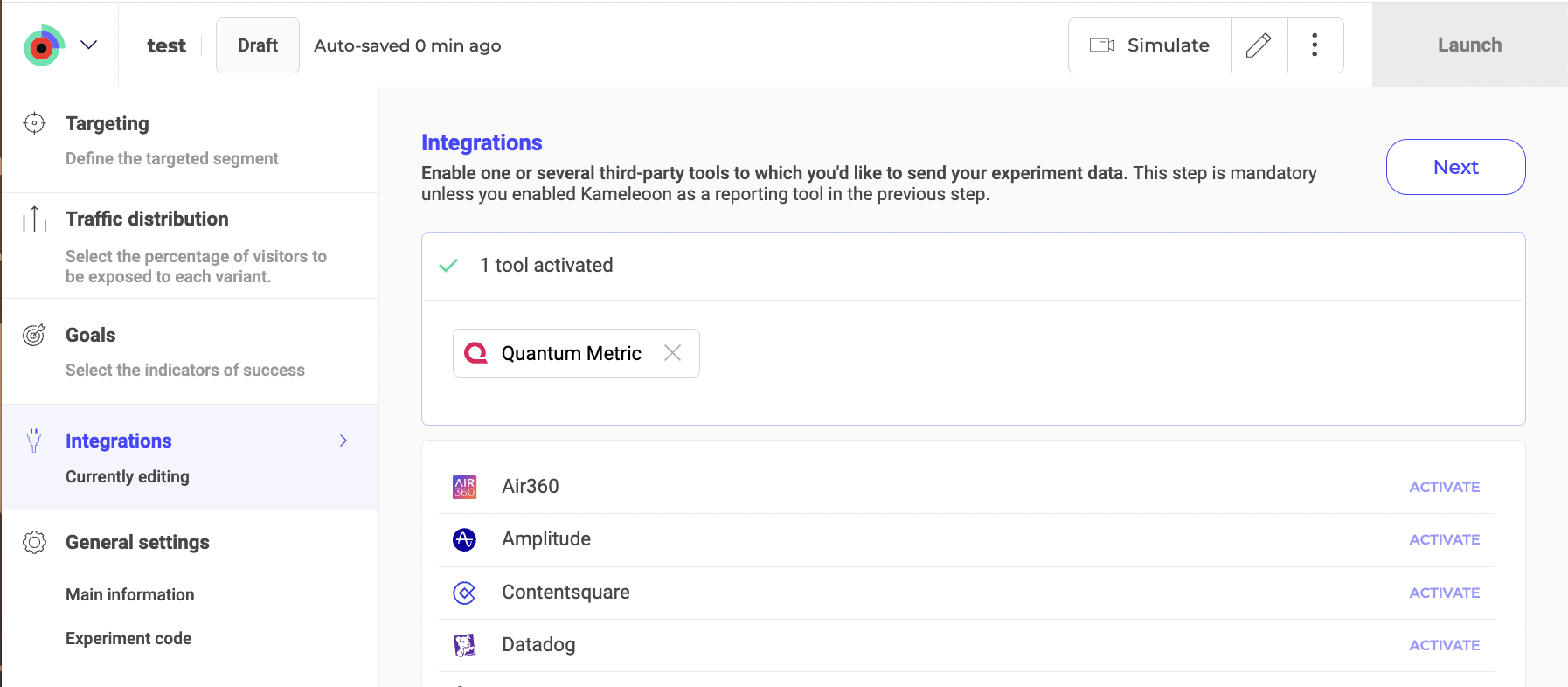
Kameleoon has a new integration with Quantum Metrics! You can now automatically send campaign exposure data from Kameleoon to Quantum Metrics, allowing you to analyze your A/B experiments and personalizations directly within their dashboards. Track key metrics like acquisition, retention, and activation in real-time.To activate the integration, check out Kameleoon’s help documentation.

September 11, 2024

August 14, 2024

Kameleoon has enhanced the goal dashboard by adding real-time updates to the hover overlay. Now, you can view two new metrics, the number of conversions (total number of conversions) and the number of converted visitors (the number of visitors who converted the goal at least once) in the past 24 hours. These numbers update in real time, reflecting site-wide activity and not tied to any specific experience.This feature allows you to quickly determine if a goal is being triggered, making it especially useful when implementing new KPIs or diagnosing whether an issue with a goal is global or specific to an experiment.

July 23, 2024

AI Assistant is now available to answer your questions.

July 4, 2024

Kameleoon announces an update to Kameleoon’s Shopify integration that enhances tracking capabilities on the Checkout page. The update allows for more accurate data collection and insights. By integrating the new Shopify API, Kameleoon has improved the setup workflow and added a Pixel tracking for better analytics even on the new Shopify Checkout Extensibility.
Kameleoon has made significant updates to Kameleoon’s Widget Studio. You can now trigger a click on an element based on any form event, enabling actions like redirecting users after form interactions. Additionally, create and reuse custom widget templates, or even build a widget from scratch._ note creating a custom template is only available for Widget Studio Premium_
Kameleoon now make building complex merchandising rules easier. In the rules builder, you can copy a branch and paste it anywhere, streamlining the process and making merchandising rules building easier.
Kameleoon is excited to announce updates to Kameleoon’s Graphic editor. Kameleoon’s new Img srcset feature allows the browser to choose the most appropriate image based on the device’s screen size and resolution. Kameleoon has also integrated AI Generative Text in the Text Editor, which works similarly to the version in Kameleoon’s Premium Widget Studionote to utilize the AI Generative Text you must have a premium Widget license.
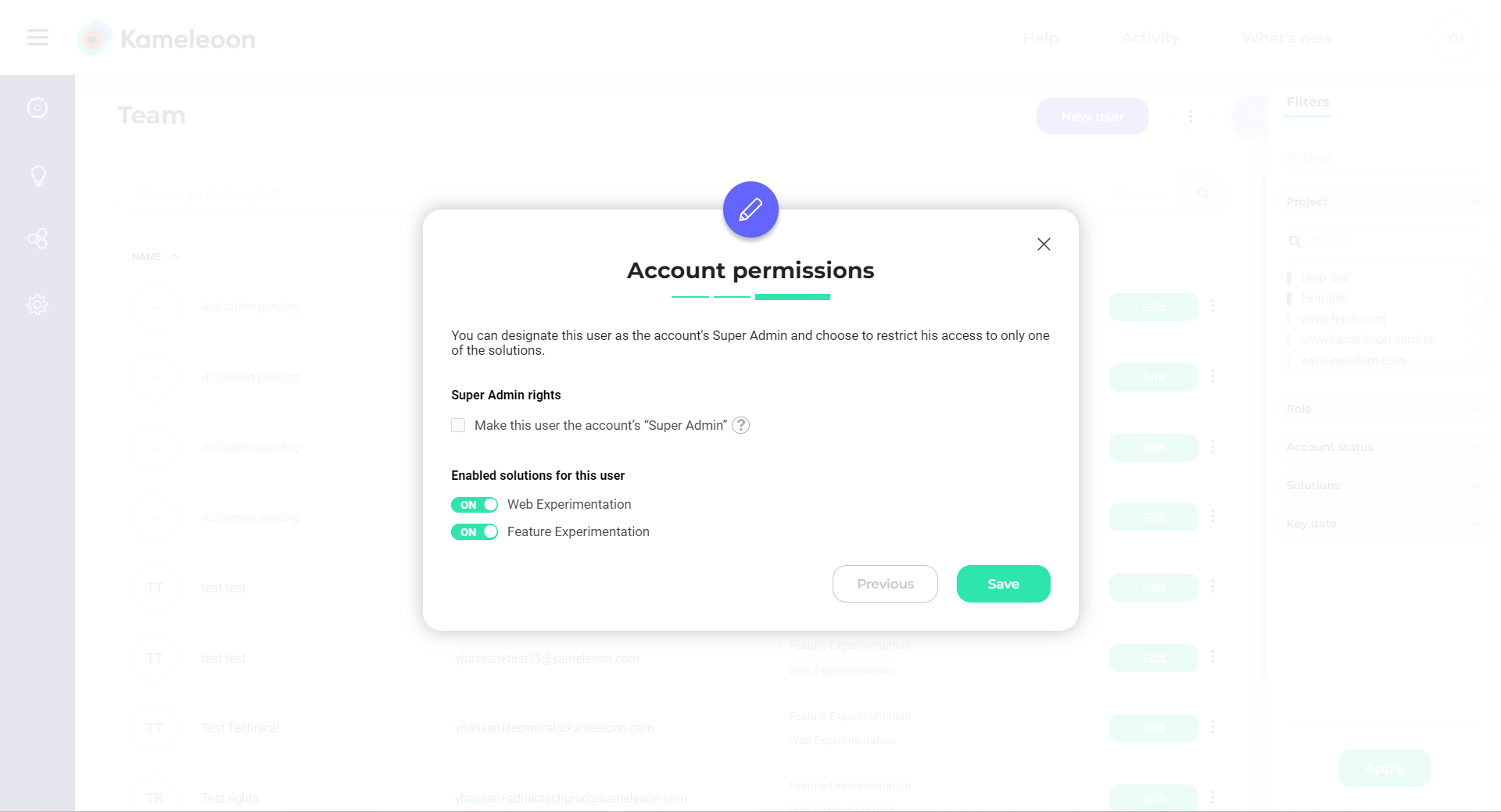
Super Admins are now able to define and restrict access rights for individual users across Web Experimentation and Feature Experimentation. This enhances security and efficiency in managing user access, supporting Kameleoon’s commitment to providing precise control.
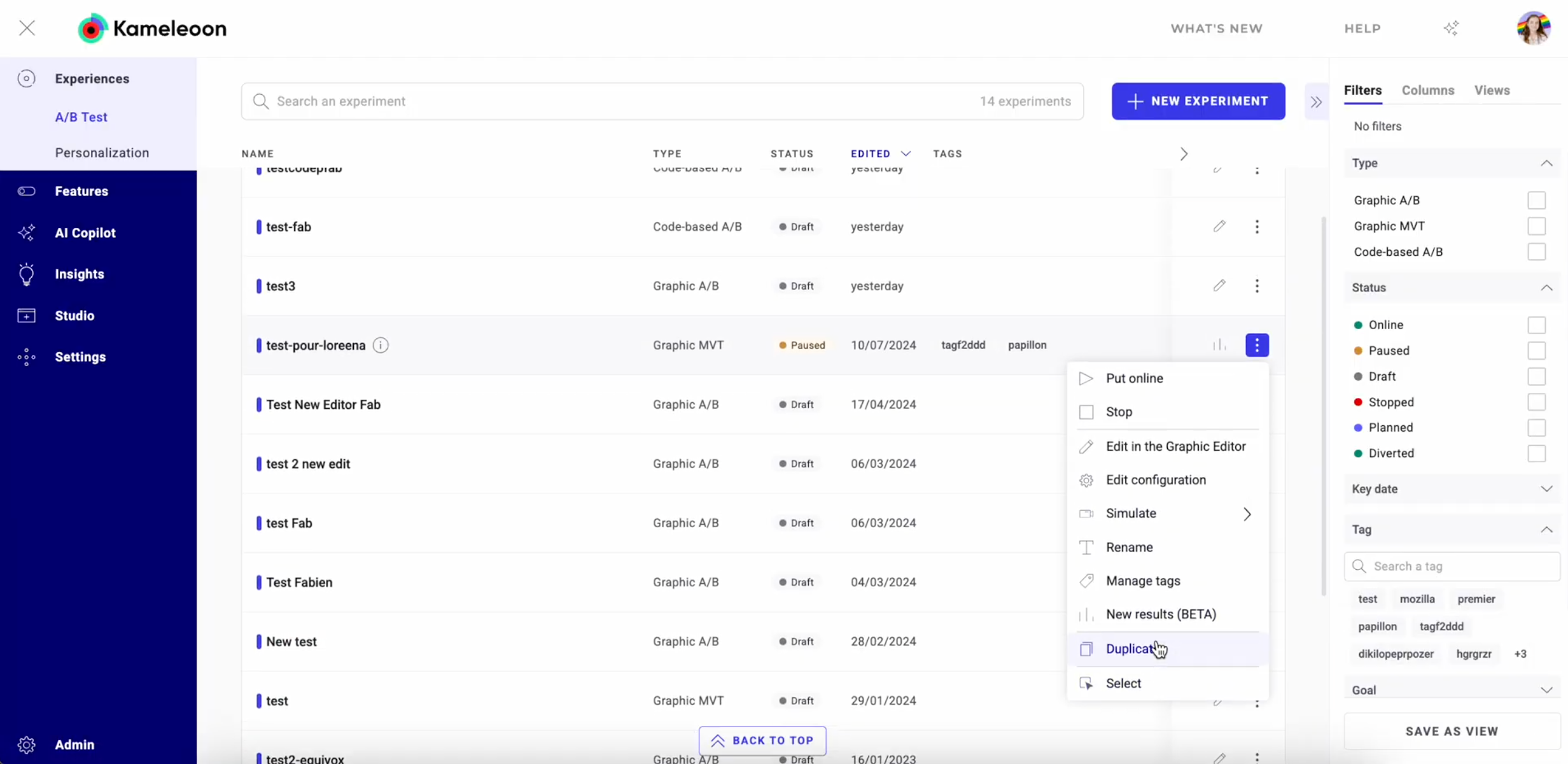
Managing flags is now more efficient with Kameleoon’s new collective actions feature for the Feature Experimentation Dashboard. Perform bulk actions similar to the Web Experimentation dashboard, such as deleting or archiving flags, marking them as temporary or permanent, and managing tags. Built-in validations, paired with tags and views, minimize errors during bulk operations in multi-team environments.

May 30, 2024

Discover Kameleoon’s revamped library with updated thumbnails and hover animations. Redesigned cards show templates in a desktop view, making previews easier. Mark templates as favorites and explore new and redesigned templates.
You can now submit upgrade requests to activate DWH integrations like BigQuery and Snowflake directly from the Integration page. This simplifies the process, reducing manual steps.
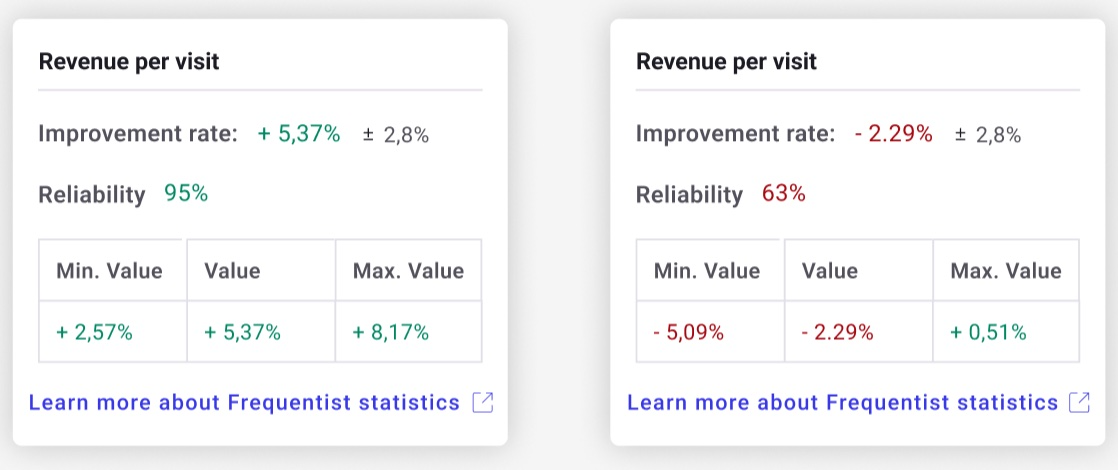
Hover over specific metrics (such as Revenue per Visit and Average Cart) to access additional insights, including reliability rates and confidence intervals. Use these new metrics to inform your decisions. This feature supports both Bayesian and Frequentist methods.
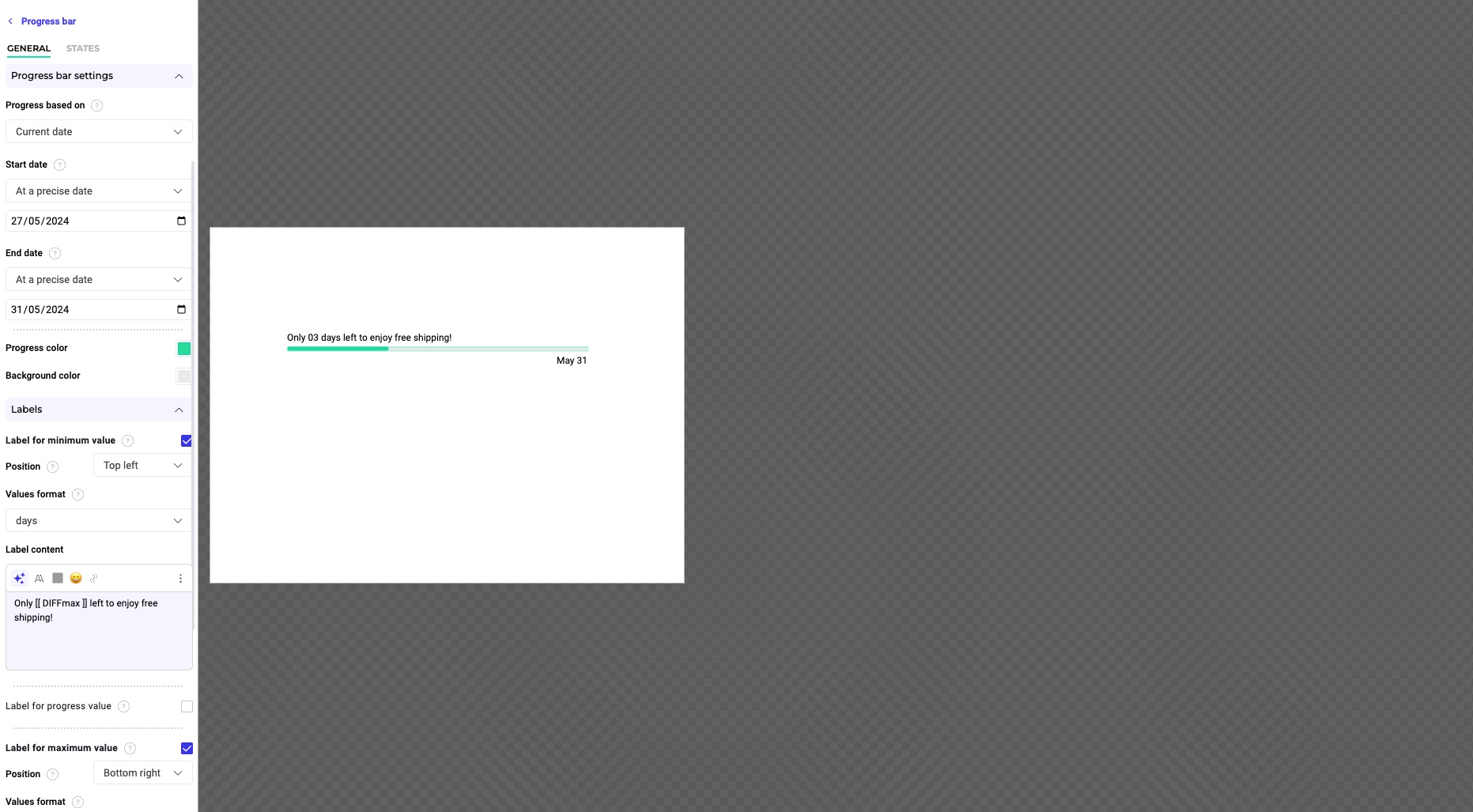
Kameleoon’s enhanced Progress Bar element now allows you to set progress based on numbers, current date and time, timers, or custom data. Define minimum, default, and maximum values, and customize labels for each value for greater flexibility and clarity.
Access real-time visualizations with less than a minute precision for feature flag evaluations over the last 24 hours thanks to a dedicated Overview Tab. This allows better verification of targeting, delivery, and feature flag setup ensuring quick validation when setting up your feature flag.Learn more about it in Kameleoon’s help documentation here >
Enjoy Kameleoon’s latest Graphic editor updates with a redesigned swap feature, multiple page editing enhancements, and refactored sections for background, borders, margin, and padding. Highlight selected elements, benefit from widget code compatibility (Shadow DOM), and experience various bug fixes for smoother performance.

May 6, 2024

Harness AI’s power to create, rephrase, summarize, and refine text seamlessly within Widget Studio:
  • Effortless Content Creation: Generate or modify text based on context or a prompt.
  • Brand Consistency: Maintain a consistent tone and message across all widgets.
  • Enhanced Quality: Get suggestions for refinement, error detection, and engagement improvement.
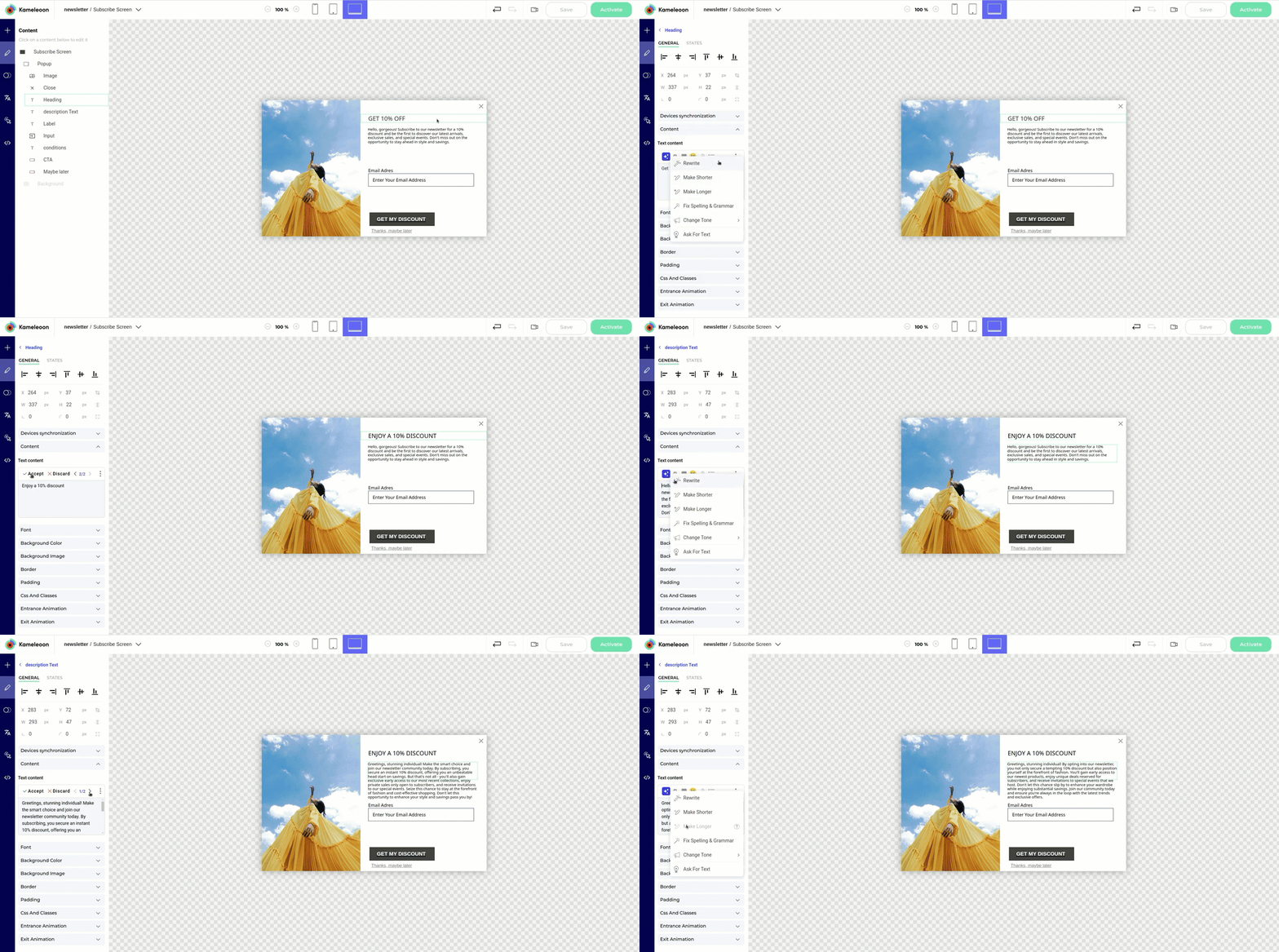
note: This feature is available exclusively for Widget Studio Premium users. Level up your content creation game with AI Content Assistant!✨

April 30, 2024

You can now harness the power of AI Predictive Targeting in your feature experimentation efforts. AI Predictive Targeting enables you to personalize user experiences with exceptional precision and efficiency, making it a powerful tool for enhancing customer engagement and increasing conversion rates. Additionally, this update includes naming conventions and user interface enhancements to streamline the setup process.*note this is an add on for Feature Experimentation
Kameleoon is now part of the OpenFeature standard, an open specification that provides a vendor-agnostic API for feature flagging. This collaborative initiative is driven by the community and ensures compatibility with various feature flag management tools and in-house solutions. By joining OpenFeature, Kameleoon enhances flexibility and promotes collaboration in feature experimentation.
Introducing the Wheel of Fortune widget, an enticing new feature exclusively available to premium widget users. This dynamic addition brings an interactive and gamified dimension to user-created widgets, enhancing the overall experience and encouraging higher engagement levels.you can also now effortlessly create lists within your widgets! Now, seamlessly integrate both unordered and ordered lists into widget text, expanding the range of structured messaging options available for customization.

April 25, 2024

Kameleoon can now track conversions on the new Shopify Checkout Extensibility. This integration will help you optimize your store’s performance by giving you deeper insight into your customer’s purchasing behaviors.To learn more, contact your Customer Success Manager and check out Kameleoon’s help documentation.

March 28, 2024

Kameleoon has introduced a timer feature, empowering you to define precise durations for widget visibility. The timer enables you to deliver timely notifications and implement feedback mechanisms that suit your requirements perfectly.
Kameleoon has enhanced widget consistency across all websites by implementing Shadow DOM, which is now the default option in the Widget Studio.Read Kameleoon’s Help Documentation here>
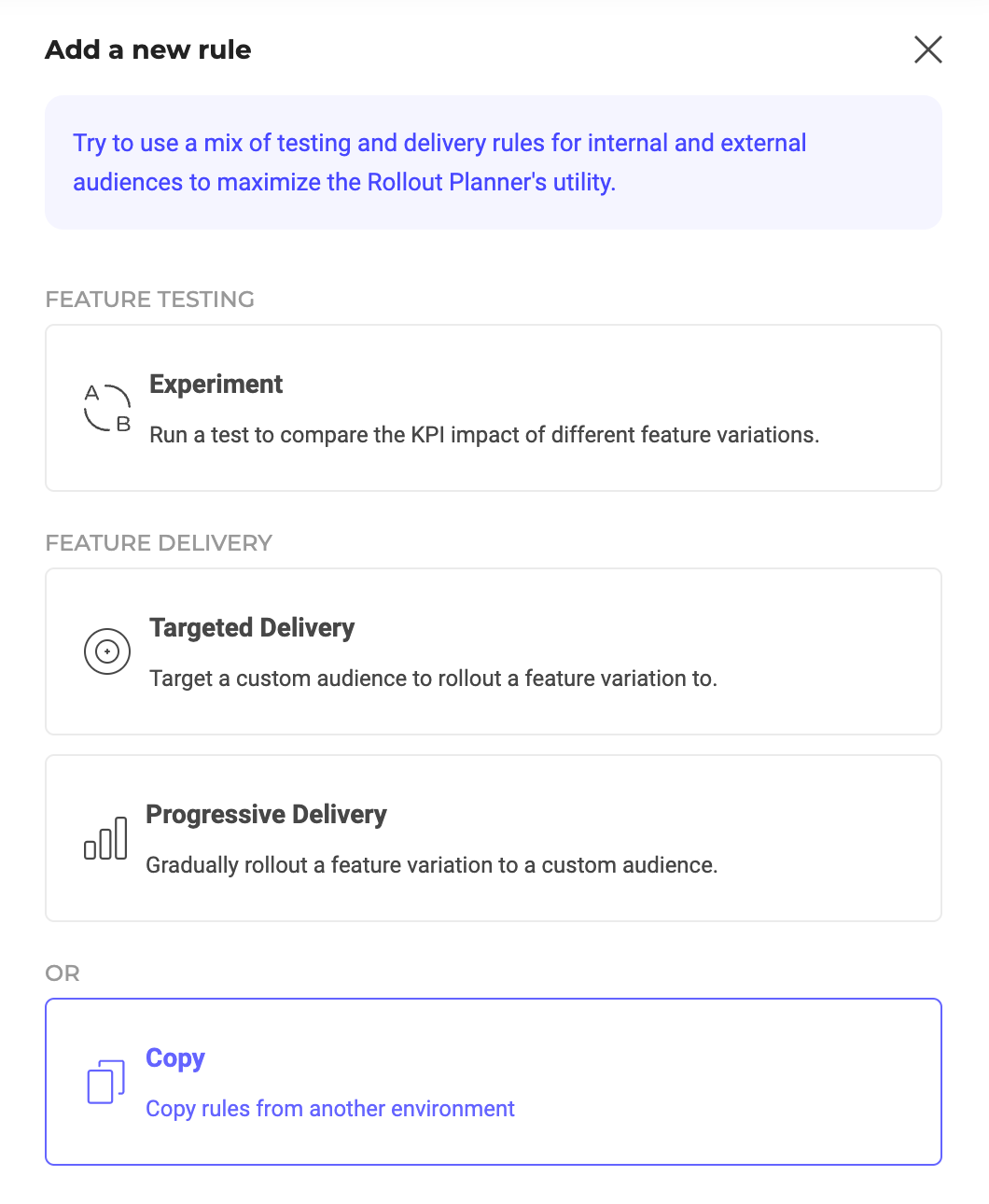
Replicate rollout and experiment configurations between test and production environments. When adding a new rule, easily copy rules from one environment to another, streamlining the process of ensuring consistency and efficiency in your configurations.Read Kameleoon’s Help Documentation here>
You now have the ability to arrange columns such as campaign name, type, status, and others within your Web experiment and Personalization dashboards. This allows you to prioritize important information and save personalized configurations for easy access.Read Kameleoon’s Help Documentation here>
Kameleoon has enhanced Kameleoon’s GA4 integration, giving you the flexibility to choose between Google Tag (gtag.js) and Google Tag Manager (GTM) for sending track events. Now you can seamlessly integrate with GA4 using your preferred method.Read Kameleoon’s Help Documentation here >

March 25, 2024

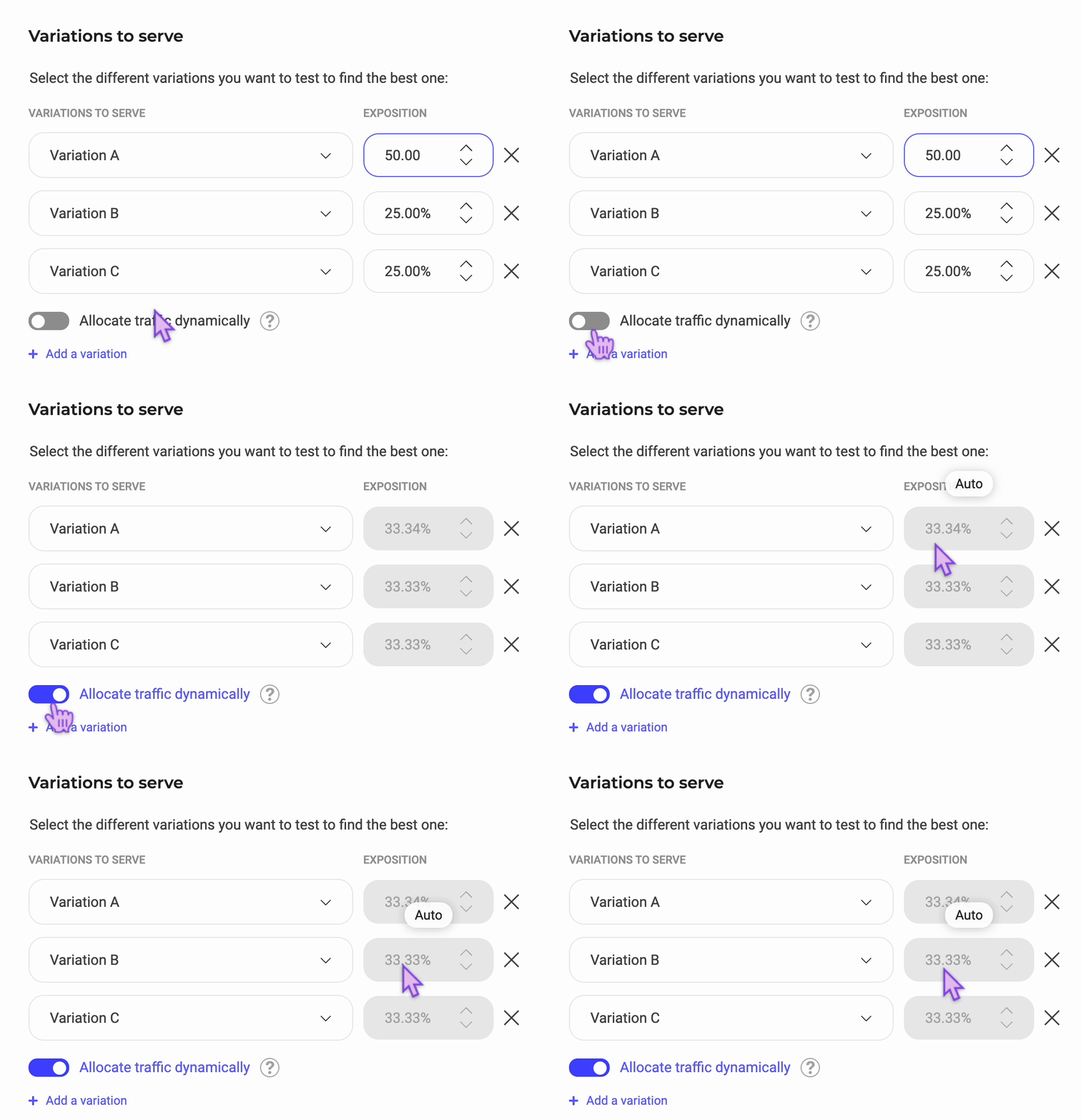
You can now set different traffic allocations for variations in Finalize Flow.
You can now freely change traffic distribution (experiment finalization) even when your experiment is online or paused.

March 7, 2024

You can now set different traffic allocations for variations in Finalize Flow.

March 11, 2024

Now, you can target users swiftly by combining existing segments or leveraging non-behavioral conditions, all without the hassle of creating new segments each time. This streamlines your experimentation process, saving you valuable time.Want access now? Send Kameleoon a message at product@kameleoon.com and Kameleoon will activate this for you without the wait!

February 29, 2024

You can now export and import widgets into Widget Studio. Transfer widget code as a .json file from one account to another. You can also easily identify and adjust any missing elements after import. Check out Kameleoon’s Help Documentation below to get you started.note this is available only for Widget Studio Premium users onlyRead Kameleoon’s Help Documentation here >
Kameleoon has added enhancements to Kameleoon’s raw data export. Here’s what’s new:API Friendly: Enjoy swift data delivery through Kameleoon’s API integration, bypassing the waiting time associated with traditional email exports. Integrate seamlessly with your existing systems for a more efficient workflow. Check this out in Kameleoon’s Developer Documentation!Comprehensive Conversion: Ensure that all necessary conversions, transformations, and formatting are applied to your data before export, providing you with a complete and ready-to-use dataset for analysis or further processing.Include new information and replace variation IDs: Now, along with the exported data, you’ll also receive visitor visit duration, enabling better user behavior understanding. Kameleoon has simplified the process by using Variation Name (Variation ID) for clarity.
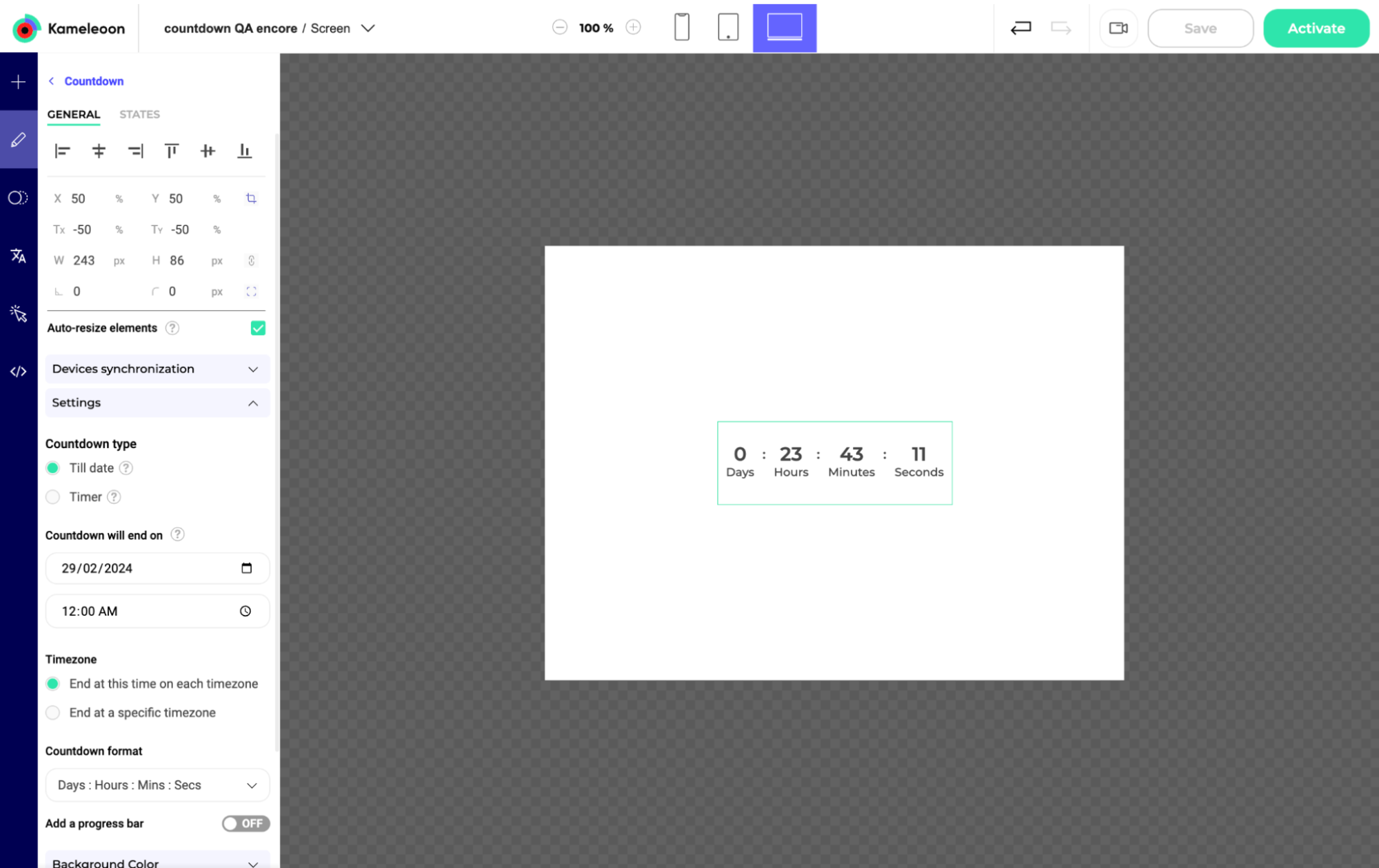
Enjoy customization like never before with independent editing, space adjustment, and resizing features. Create precise countdown styling without any coding hassle.Now, you can edit each sub-element of your countdown individually, giving you complete control over its appearance. Want pixel-perfect precision? No problem! Simply define the width and height to achieve the exact look you’re going for.Kameleoon’s new automatic resizing feature makes sure that all your sub-elements fit perfectly within your countdown, saving you time and effort.With these updates, creating a countdown has never been easier or more customizable.note this is available only for Widget Studio Premium users only
Kameleoon has enhanced version of Activity Logs for higher transparency. Now, all key actions, including changes to setup pages, are meticulously logged. Every entity is identified, and a detailed history of changes (before/after) is recorded.
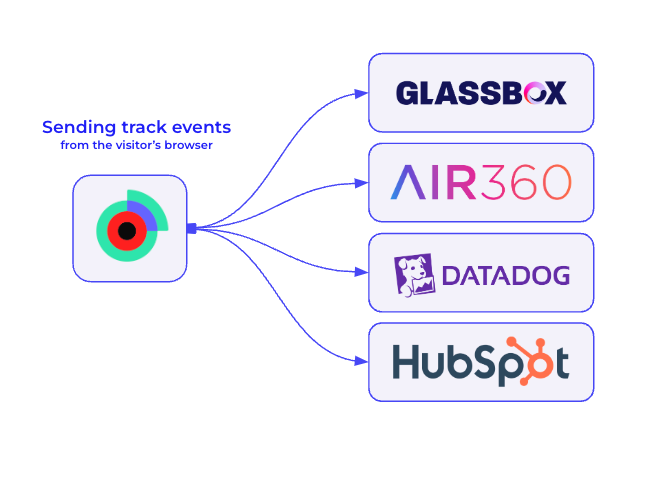
Kameleoon is excited to unveil Kameleoon’s latest integrations, streamlining the transfer of track events from visitors’ browsers to top-tier platforms including Datadog, Air360, Glassbox, and HubSpot. These integration enable real-time insights into visitor behavior, experiment performance, and feature impact across the board.

February 22, 2024

The Crop option is now available when editing an image.
Implemented functionality in Custom Data to utilize custom data as a unique identifier for cross-device matching.

February 12, 2024

Implemented a capability in Custom Data to utilize custom data as a unique identifier for cross-device matching.

January 15, 2024

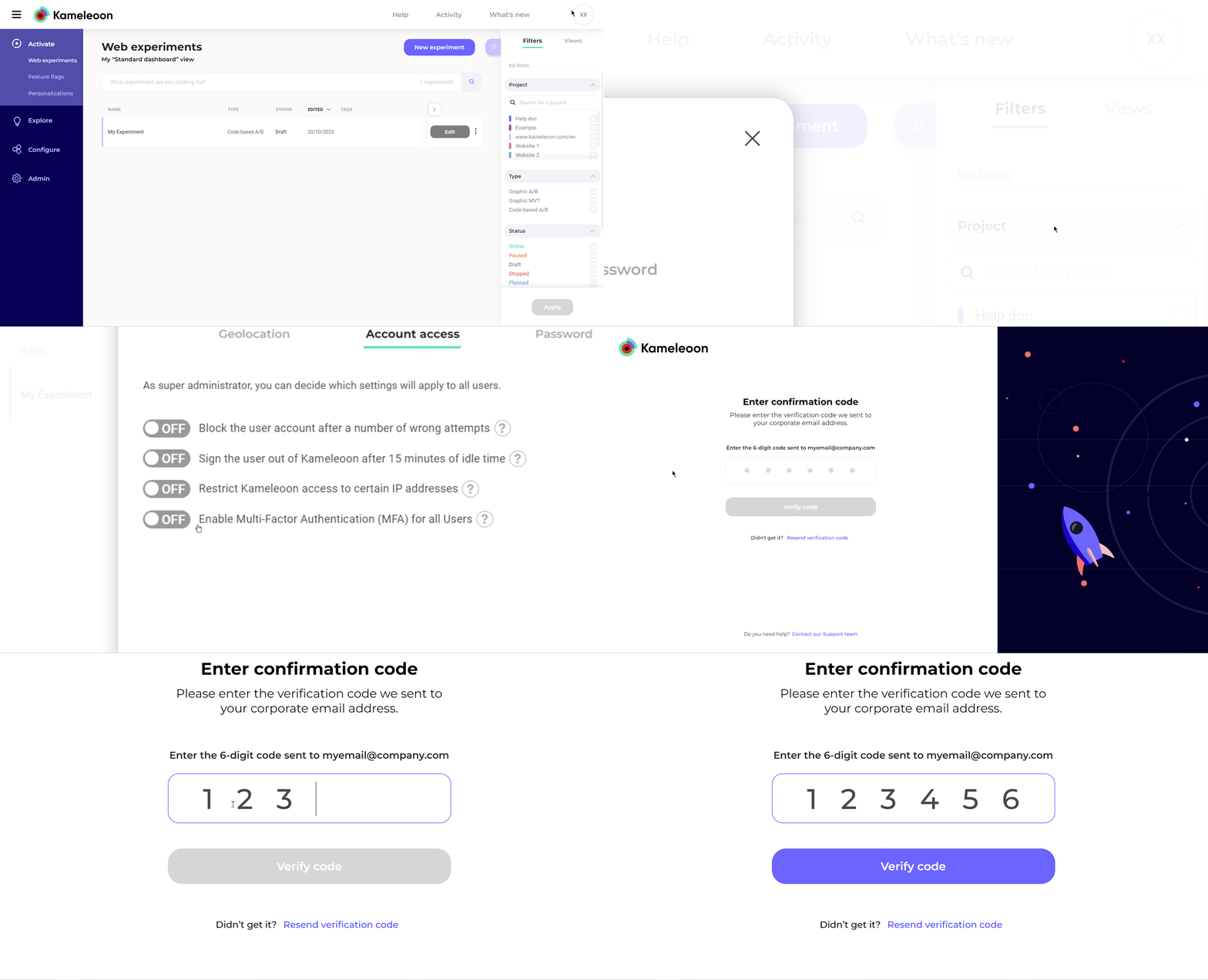
Kameleoon has just introduced Multi-Factor Authentication (MFA) to ramp up your account security. When activated, simply enter a one-time password sent to your email address when prompted. It’s quick, easy, and adds an extra layer of protection to keep your accounts super secure.Want to activate MFA? You can now enable it in your account settings as shown below!

January 11, 2024

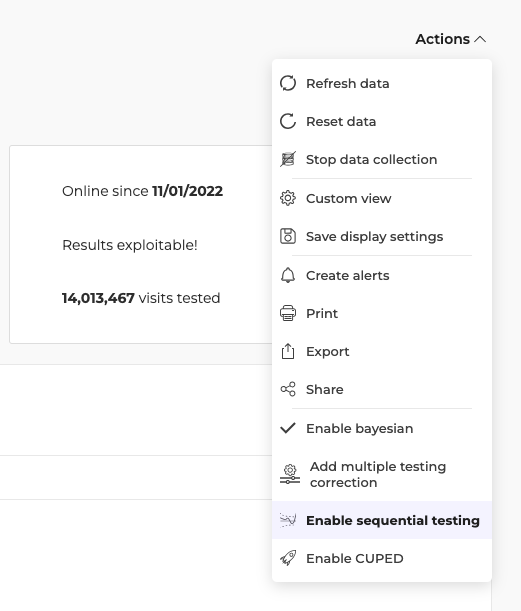
Kameleoon announces you can now perform Sequential Testing. This faster, smarter approach allows you to proactively monitor and make informed decisions with ease. With its alerting capabilities, set up sequential reliability alerts to promptly identify and address underperforming tests, preventing unnecessary resource allocation to strategies that may not meet your goals.Read Help Documentation to learn more! >

December 22, 2023

Kameleoon announces a significant update to Feature Experimentation that brings more flexibility and control to your project structure within Kameleoon.You can now customize your Environments with no limitations!Add, rename, reorder and remove Environments to tailor your project environments to precisely match your tech infrastructure, and organize them better with your release processes.

December 14, 2023

Kameleoon announces that Kameleoon’s AI Opportunity Detection feature is available to all users! Now, when your web experiment is inconclusive or impacts a KPI negatively, Kameleoon’s AI explores each segment for potential opportunities.What’s an opportunity? It’s a significant subsegment with a positive impact, ensuring you make the most of every experiment idea.Look for the “Opportunity found!” icon in your results, indicating uplift opportunities for specific audience portions. Access insights via a pop-in at the bottom of the page or by clicking the icon in main results.Read Kameleoon’s Help Documentation to learn more! >

December 5, 2023

By default, Kameleoon stores experiment configurations in the kameleoon.js file for 90 minutes, causing potential delays in reflecting changes. Now, with the new LIVE-UPDATE tag, your experiments receive near-instant updates, bypassing the constraints of browser caching.Experiments with this tag will now have configurations cached for just 1 minute, ensuring quick and dynamic changes for campaigns that require frequent updates. This improvement aims to enhance the responsiveness of your experimentation process.Read Help documentation to learn more! >
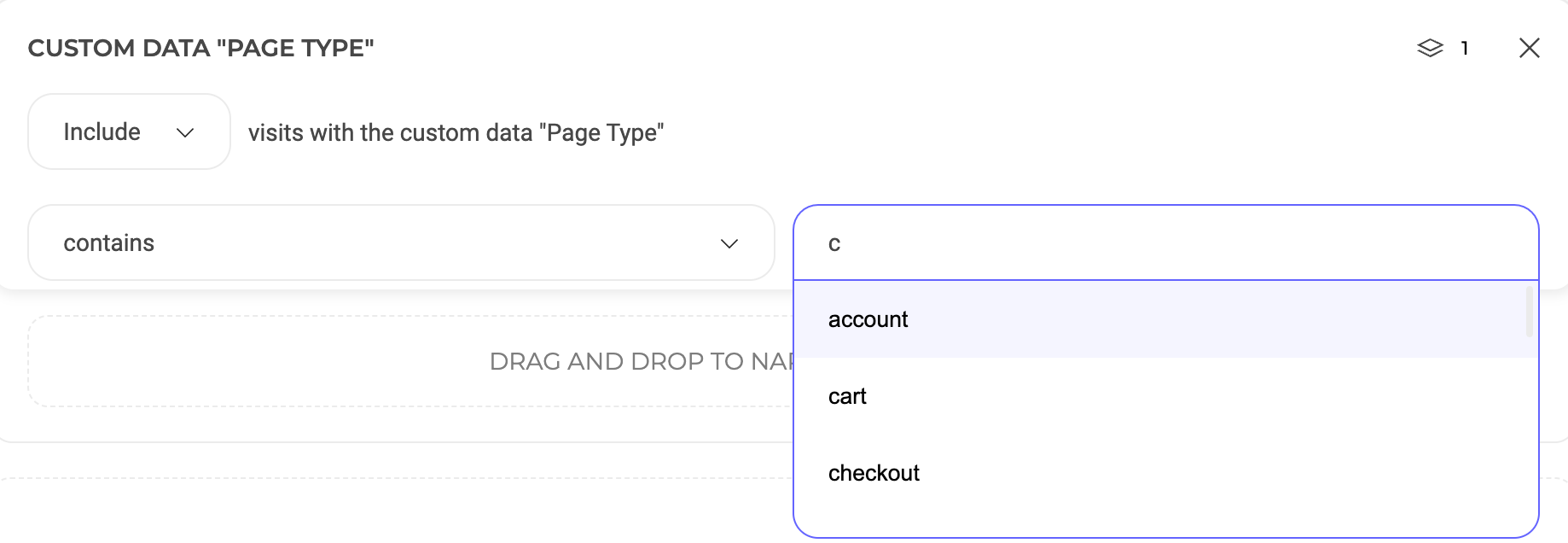
Kameleoon now have the addition of auto-complete capabilities to custom data in Kameleoon’s segment builder. Now, you can enjoy the convenience of auto-suggestions for the top 50 values, based on their frequency in recent visits over the last month.This will streamline your segmentation process, making it quicker and more efficient to target your desired audience.

November 22, 2023

November 15, 2023

Kameleoon’s new Currency Management feature allows you to customize project currencies, addressing the long-standing challenge of a single account-level currency. You can now align transactions accurately for multi-country projects, simplifying global project management. Set project-specific currencies in the updated settings, transforming your project experience with tailored currency management. Reports use the chosen currency to display the right currency, providing a comprehensive and accurate overview of your experiment impact.Read Kameleoon’s Help Documentation to learn more!>

November 6, 2023

Introducing Kameleoon’s powerful BigQuery integration. Unlock the full potential of your data-driven campaigns with three groundbreaking features:1. Leveraging BigQuery as a Data Source:Seamlessly integrate your BigQuery data for precision targeting and personalized experiences. By capturing specific data from BigQuery with Data Ingestion Tasks, you gain enhanced audience targeting capabilities, improved campaign precision, and streamlined audience segmentation. Learn more here.2. Utilizing BigQuery as a Destination:Efficiently store campaign results in your BigQuery database for easy analysis and reporting. With a hassle-free data transfer process requiring just your project ID, you benefit from centralized campaign results, secure storage, and enhanced data-driven decision-making. Learn more here.3. Metrics from BigQuery for Comprehensive Insights:Present BigQuery metrics as key performance indicators on Kameleoon’s results pages. Kameleoon allows users to define and regularly update their specific data-driven goals. This feature streamlines decision-making and offers a more straightforward way to evaluate campaign performance. Learn more here.

October 31, 2023

With Kameleoon’s newest update, you can now effortlessly create widgets in multiple languages with Kameleoon’s Premium plan, which connects with users globally and boosts engagement. Now with translation management, you no longer need to create one widget per language and can manage the languages of your widget with ease. Multilingual widgets cater to diverse audiences, enhancing personalization and trust, all easily implemented through Kameleoon’s easy to use Widget Editor.

October 17, 2023

Introducing Kameleoon’s new Technical Debt Management capabilities. 🛠️You can say goodbye to challenges associated with maintaining stale feature flags. Kameleoon’s latest improvements and changes to your Kameleoon dashboard will streamline how you handle tech debt in your codebase.Easily identify, track, and cleanup stale flags, without having to manually keep track of their age or relevance. Whether a flag has not been toggled or updated in a long time, or if a flag is unreachable in your code and not evaluating visitors - Kameleoon will eventually highlight it for you to ease the cleanup process.With less tech debt to worry about, your development teams can move forward confidently, and be more efficient in keeping a neat and an up-to-date codebase! ✨
You now have the ability to include custom data to your raw data export of your campaigns! This feature proves invaluable in a variety of scenarios. For instance, you can utilize this to identify specific items bought in a transaction or conduct more extensive analytics by harnessing values stored in your custom data fields.Read Kameleoon’s Help Documentation to learn more! >

September 29, 2023

Kameleoon introduces the new look and feel of Kameleoon’s Advanced Tools page within the Kameleoon platform. This upgrade will enhance your user experience, providing a seamless and efficient way to work with advanced tools.Read Kameleoon’s Help Documentation to learn more>

September 28, 2023

This handy new feature gives you a watchdog to proactively monitor your feature releases and experiments, and automatically turns them off if they’re underperforming.Simply define your rollback conditions in the rule you’re creating or editing to identify metrics you want to keep track of, and set their thresholds which will trigger the rollback.That’s it! You can now be at ease with your customized guardrails in place, knowing that your KPIs won’t be negatively impacted beyond a certain limit and the problematic feature(s) will be instantly deactivated. You can also identify which people on your team should receive email alerts so they can proactive measures.Take safety in your feature releases to the next level with the guardrails of Automatic Rollbacks, and start shipping with more confidence!

September 5, 2023

If you want to create a better visitor experience and boost sales, add Personalized Search. You will be able to display closely matched products every time, leverage real-time search behavior data for targeting, and optimize your product promo campaigns.Kameleoon Personalized Search offers:
  • Instant Search: A search results popup with suggested products, personalizing experience in real time based on the search query.
  • Full Search: flexible and powerful module with numerous configuration options, filters and sorting.
Advanced features include : multi-language support, variations and synonyms, query suggestions, typo tolerance, search relevance, stop words, search boosts, search redirect, product ranking business logic, customizable design and more!Contact your Customer Success Manager for pricing / to add this add-on to your Product Recommendations module.Read Kameleoon’s Help Documentation to learn more! >

July 28, 2023

With the new Raw Data Export option, you’ll be able to export your experiment results data in .csv format. This option gives you even more flexibility with when and how to access your data and allows analyzing all data in your preferred tools.With any Kameleoon plans, you can export the first 1M visitors / visits for free. If you need more export credits, contact your Kameleoon CS Manager for pricing.Once turned on, you will be able to access the Raw Data Export option in the Export section of your Results/Actions dropdown menu.Read Kameleoon’s Help Documentation to learn more! >

July 26, 2023

When multiple experiments run on the website, speed and performance may become an issue.To improve loading speed and user experience for experiment-heavy websites, Kameleoon released a Deferred Experiment Loading feature.Once enabled, it will delay loading of non-essential experiments until after the first page load. Now you can manage resource-heavy tests with ease and focus on the most impactful experiments first.____Read Kameleoon’s Help Documentation to learn more! >__

July 24, 2023

Kameleoon released a solution that lets you select an element on the page without relying on HTML IDs.Now, you can leverage custom attributes, such as “data-id,” to uniquely identify elements on dynamic websites (SPAs, progressive web apps) and seamlessly incorporate them into your experiments.You can only set one custom attribute.Simply enable Support for Dynamic Websites in Project Configuration and you will be able to specify any custom attribute that your website uses to identify elements on a page.Read Kameleoon’s Help Documentation to learn more! >

July 17, 2023

Kameleoon announces the multi-armed bandit (MAB) optimization is now available for all Feature Experiments.Kameleoon’s ‘greedy’ algorithm intelligently manages the distribution of user traffic among your selected variants based on real-time evaluation of success rates. It then dynamically adjusts traffic allocation by pushing more visitors to the top-performing variation in real time for continuous optimization to produce results faster!

June 15, 2023

To better solve your segmentation needs, Kameleoon has rolled out new targeting conditions for feature flags!__Currently only available for limited Web SDKs (JavaScript, Node.js and React), this update enhances the in-app Segment Builder to allow targeting an even larger variety of users with exact precision, based on data natively available in Kameleoon’s SDKs. So be sure to update your SDK to benefit if you’re using one of the aforementioned ones.Read more about which conditions have been added.Don’t yet have access to Feature and Full Stack Experimentation? Contact your Customer Success Manager to get started.
Kameleoon is moving custom data in your Kameleoon account from the Advanced tools page to a standalone page. With a dedicated dashboard for managing your custom data, you’ll be able to quickly and easily create, retrieve, and edit any of your custom data.You’ll find the new Custom Data page under the Configure section of the main menu.

June 8, 2023

Kameleoon is introducing another feature to help you gain transparency and trust in your experimentation data.With cross-campaign analysis, you can apply another campaign exposure, or variation, as a breakdown filter to your campaign results to check for experiment interaction.Kameleoon recommends running a cross-campaign analysis when you have concurrently running campaigns, so that you can check for potential interactions between them and have more confidence in the validity of your campaign result.

May 9, 2023

Thanks to the most recent update to Kameleoon’s Feature Management & Experimentation solution, you can now track the performance of all feature flag delivery rules, which includes Targeted and Progressive Deliveries.Reporting was already available for Feature Experiments, but Kameleoon wanted to ensure you have complete transparency into the performance of all your rollout methods. You can configure multiple goals for your feature flag, then automatically track each delivery rule’s performance in Kameleoon’s in-app reports.Kameleoon also introduced a dedicated tab for Goals under the Set up section of a feature flag, where you can apply existing goals to your feature flag or create new ones.Don’t yet have access to Full Stack Experimentation? Contact your Customer Success Manager to get started.

April 27, 2023

Kameleoon introduced a highly requested feature that will promote collaboration between team members.All dashboard views in Kameleoon now feature a clickable text button that allows you to copy your filtered dashboard views, so you could easily share them with team members in your account. You will also find the option Copy link to this view under the Views sidebar.

April 13, 2023

Kameleoon is making feature flagging and release workflows easier and more transparent with new enhancements added to Kameleoon’s Rollout Planner. Kameleoon’s recent improvements include:Don’t yet have access to Full Stack Experimentation? Contact your Customer Success Manager to get started.

April 12, 2023

Kameleoon announces that Controlled-experiment Using Pre-Existing Data (CUPED) is now available to all Kameleoon users.Introduced by a research team at Microsoft, CUPED is a powerful algorithmic tool that will help you increase the speed and accuracy of your optimization campaigns. Conducting over 200 internal tests, Kameleoon has found that applying CUPED to the right campaigns and goals, it can reduce the required sample size for an experiment by up to 60%.Learn how CUPED can help you make data-driven decisions faster and with more confidence in Kameleoon’s release announcement and help documentation.

April 11, 2023

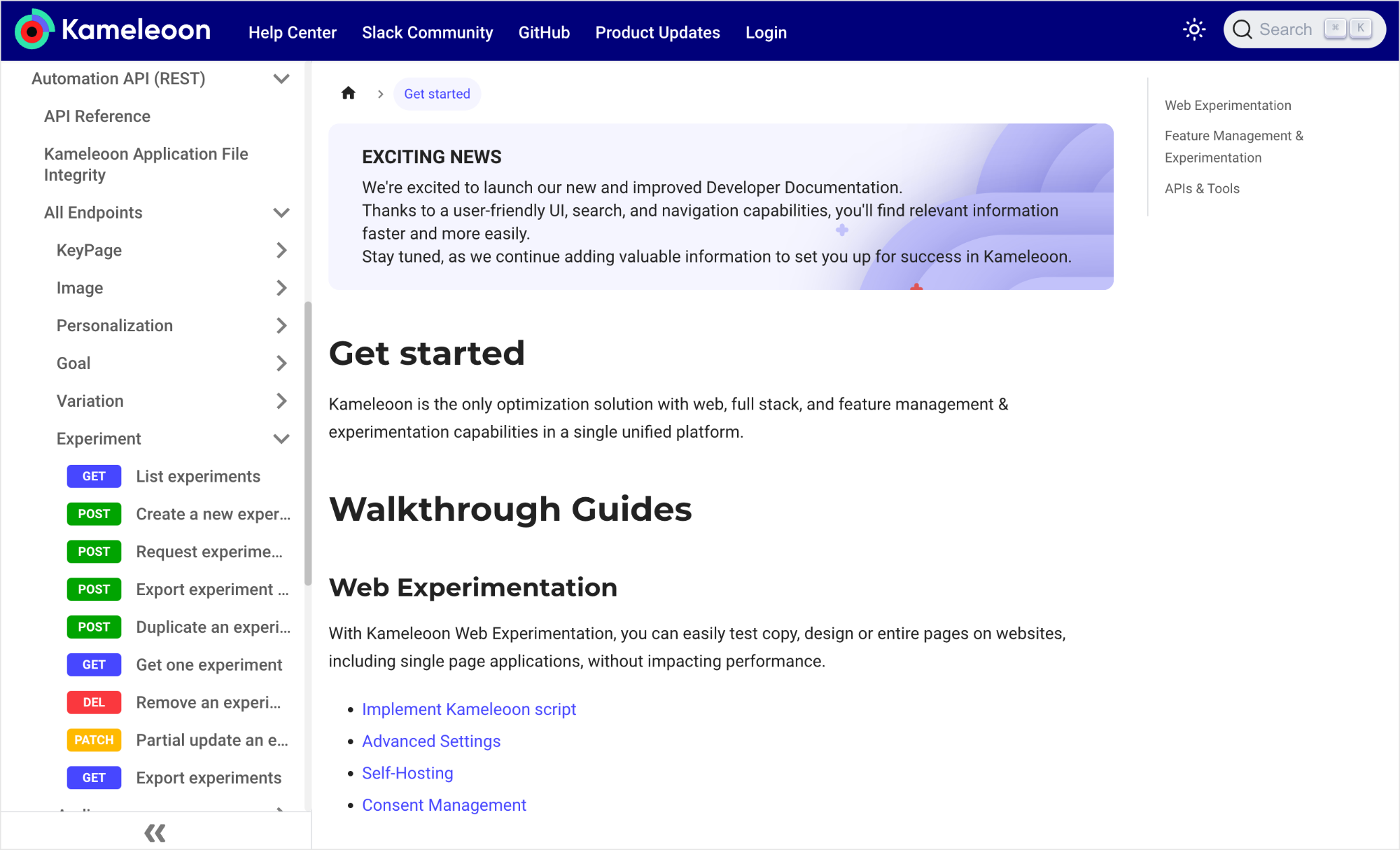
Kameleoon announces the launch of Kameleoon’s overhauled Developer Documentation!In addition to a modern, user-friendly UI, Kameleoon’s new site offers the following functionalities to help you find relevant information faster:
  • Powerful search function provided by Algolia
  • Table of contents for easy navigation across sections
  • In-article navigation with anchor links to find relevant content faster
  • Fully responsive design
Additionally, you can test any automation API endpoint directly in the documentation.Kameleoon’s team will continue adding valuable information to set you up for success in Kameleoon—Stay tuned for more!

March 7, 2023

Today Kameleoon released improvements to Kameleoon’s Graphic editor that will make the configuration of experiments in mobile-sized screens in the Graphic editor more user-friendly.To accommodate editing on smaller screen sizes, Kameleoon implemented the following enhancements:
  • Fully responsive screens and pop-ups, including the Graphic editor header
  • New drop-down system for accessing all variations and actions (for example, adding new elements, CSS, JavaScript)
  • New buttons for editing and simulating the experiment

March 6, 2023

The most impactful addition to Kameleoon’s Feature Management solution yet, Feature Experiments, is now generally available, along with a new Rollout Summary section.Product Managers, Developers, and IT teams can all take advantage of Feature Experimentation to:
  • Accelerate product validation
  • Deliver or test multiple versions of their features or products to understand how each performs and impacts customer experiences
  • Release new features with increased control and confidence
And thanks to the Rollout Summary, they can preview the rollout rules applied to their feature flags and see which rules their target segments are exposed to.Don’t yet have access to Full Stack Experimentation? Contact your Customer Success Manager to get started.

January 25, 2023

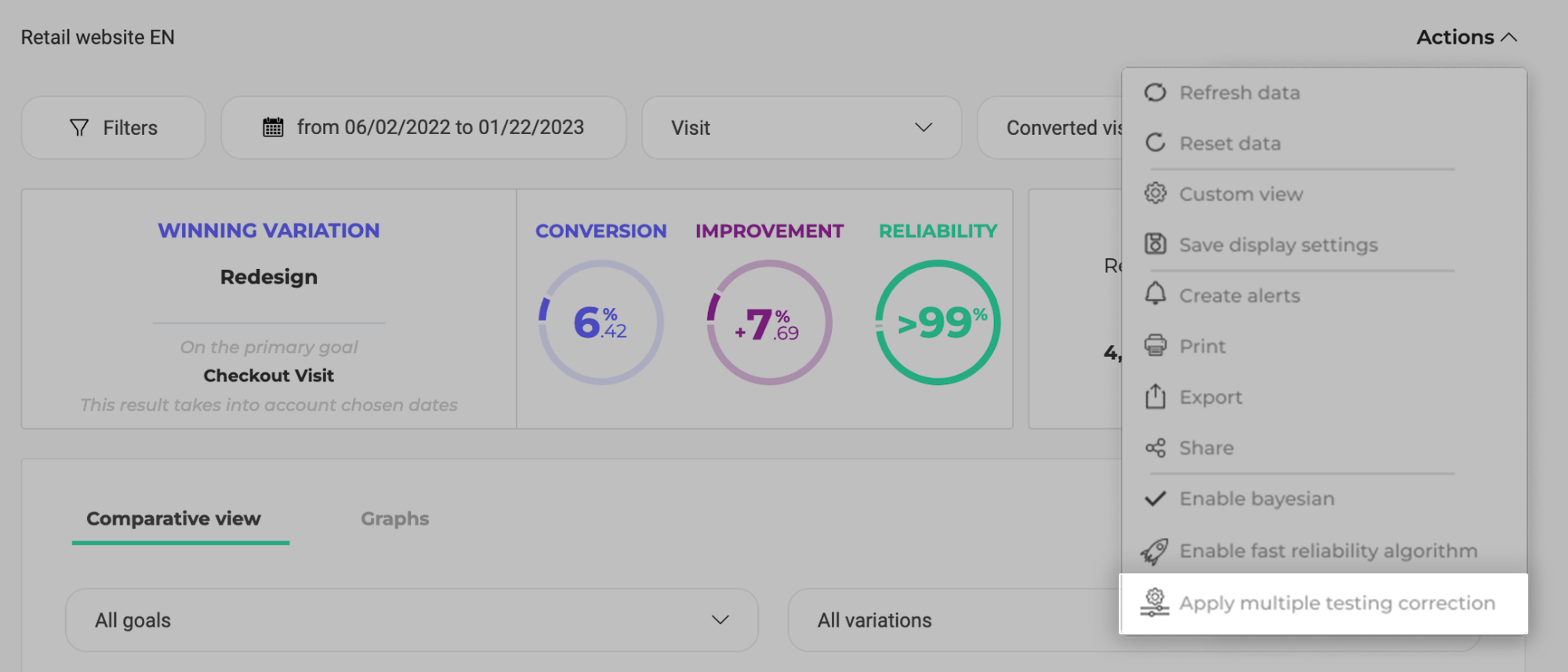
Kameleoon introduced a new method to mitigate the risks associated with experiments that have multiple variations.When enabled, Kameleoon’s multiple testing correction method will ensure your likelihood of getting a false-positive result stays under your configured level when determining the winning variation.You can apply this new feature on the Results page of individual experiments with multiple variations.

December 21, 2022

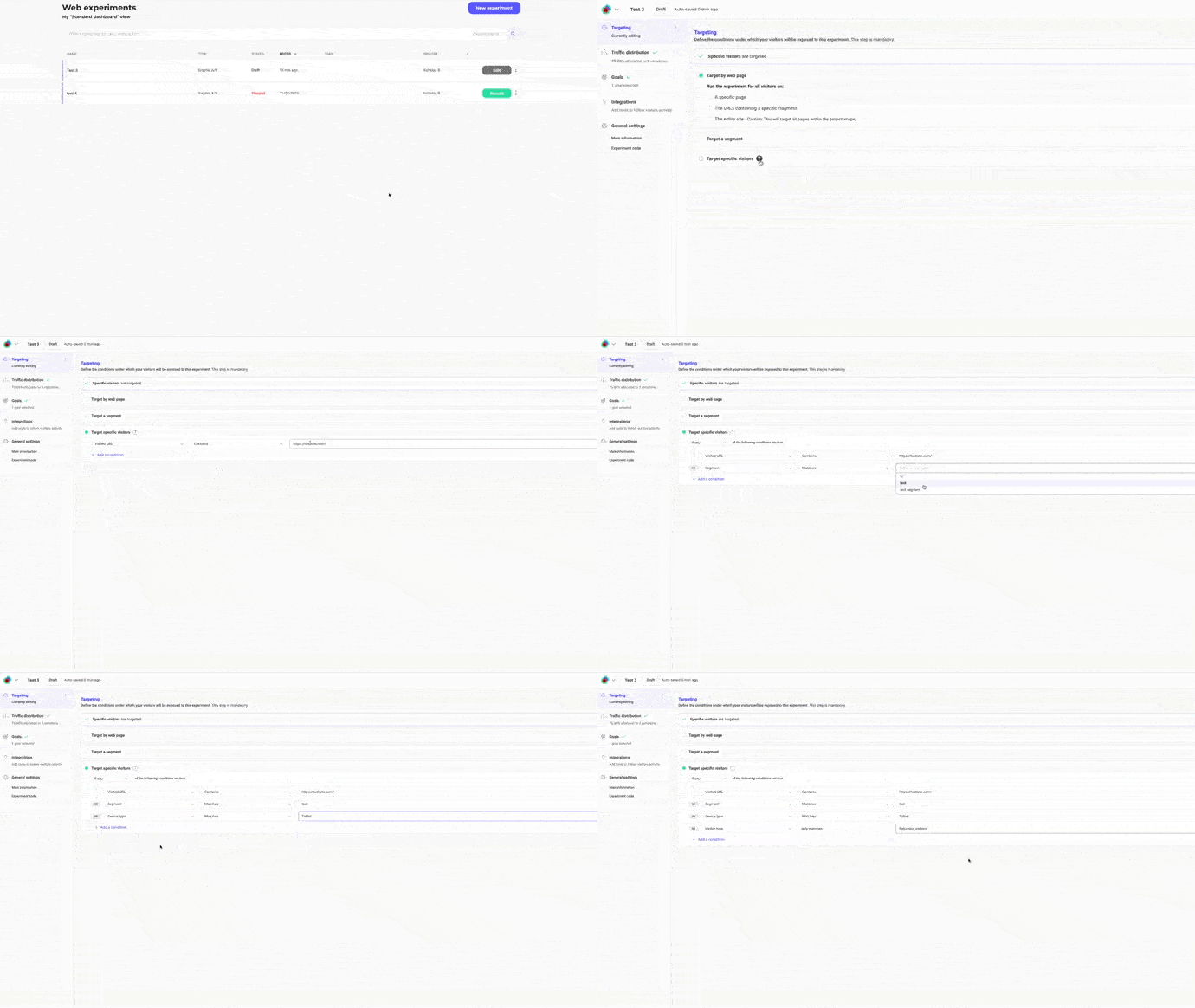
Kameleoon introduced a slight change to the visitor targeting workflow in the Graphic editor to create a more unified segment builder and consistent UX across Kameleoon.Now, when you select Create a new segment under the Targeting window, Kameleoon will redirect you to the Segments dashboard, where you can configure your new target segment. (Shown in Kameleoon’s GIF below.)When you choose to target an existing segment but want to make edits to it first, the app will open the segment builder (also in a separate tab) to allow you to make changes.After saving your target segment, you will be redirected to the Targeting window in the Graphic editor to finalize your campaign’s configuration.
Kameleoon is excited to introduce Kameleoon Segments, the latest enhancement to Kameleoon’s segment builder. This new component allows you to use existing Kameleoon segments as targeting conditions in new segments and configure targeting rules much faster, and with fewer clicks.Check out Kameleoon Segments under your targeting conditions in the segment builder!

December 20, 2022

Kameleoon introduces this widely requested metric to your campaign reports. With the addition of Revenue per Visit/Visitor, you can immediately determine the success of your campaigns, without having to perform additional calculations.You’ll find a new column for Revenue per Visit (or Visitor, depending on your selection of the Visit or Visitor view) in the results table for each of your KPIs. Note that this metric will only appear in your results when a revenue attribute is associated with the goal (or KPI) you’re viewing.

November 22, 2022

The update to Kameleoon’s Shopify integration makes it possible to inject Kameleoon into multiple Shopify themes. The multi-theme injection lets you integrate Kameleoon with a Shopify-powered site that uses multiple themes and lets you switch from one theme to another with no downtime.Additionally, Kameleoon improved support for currencies, making Kameleoon’s integration compatible with multiple currency formats.Kameleoon recommends reinstalling the Kameleoon app from the Shopify app store and re-injecting the Kameleoon script into your site.

November 14, 2022

You can now link your Google Account to Kameleoon to log in with a single click.After the initial verification, you’ll be able to access Kameleoon speedily and securely, without the manual login steps.

October 21, 2022

New features in production on Monday, October 24, at 7:30 AM CEST:
  • Major enhancements for the widget Graphic editor to make the creation of widgets much faster and more intuitive.

October 12, 2022

Kameleoon makes Kameleoon’s Product Recommendations add-on available in Kameleoon. This feature allows you to create impactful shopping experiences in a marketer-friendly interface, which leverages 15 advanced product algorithms and advanced merchandising rules.Go to Configure > Recommendation in the menu to navigate to your Product Recommendations dashboard.Don’t have access to Product Recommendations? Contact your Customer Success Manager to get started.

October 10, 2022

These new options will help you make the management and tracking of your Projects more efficient.Single Page App (SPA) support:IP filtering from campaign results:To enable these new options, go to a Project’s Advanced settings under Admin > Projects > Configuration > General.Note: You must have Admin access to access these options.

October 6, 2022

Kameleoon administrators now have additional security options available under Account Settings.Under the Account access tab:Under the Password tab:Turn on these features to ensure your account is protected by maximum security measures.

September 28, 2022

Kameleoon has exciting news for Developers.The Kameleoon Chrome Extension now offers options in the Elements sections of each variation of an experiment to copy a CSS selector and highlight associated elements on-page for easier and faster troubleshooting. Learn more.The latest version of the VS Code Extension introduces significant improvements that will allow you to build experiments and variations, create segments, goals and custom data in the Command Palette, and import experiments and personalization campaigns. Learn more.

September 13, 2022

Kameleoon released Kameleoon’s native, in-app SRM detection tool that will alert you on the Results page of your experiment if one variant of your test is receiving notably more, or less, traffic than expected. With SRM guardrails in place, you can rest assured that your experiment results are valid, and you can make data-driven decisions.If you get an SRM alert, Kameleoon recommends that you examine your experiment to identify the root causes of the mismatch.

July 27, 2022

New features in production on Thursday, July 28, at 7:30 AM CEST:
  • Various enhancements for the widget Graphic editor (addition of an hyperlink feature for Heading and Text elements, move of the color picker option in the text content area, ability to choose which default layout to display first..).
  • Redesign of Audiences Explorer pages

June 15, 2022

Kameleoon has introduced updates to Kameleoon’s app to reflect updates to Kameleoon’s Full Stack packaging and make working with SDK-based experiments more intuitive and streamlined. Note the following changes:
  • Kameleoon renamed “Sites” to “Projects” throughout the app
  • The workflow for adding a new Project now asks you to indicate whether you want to use Kameleoon on a website or a mobile app
  • Kameleoon updated the setup instructions for implementing Kameleoon when using a server-side or client-side SDK

June 14, 2022

New features in production on Wednesday, June 15, at 7:30 AM CEST:
  • Dedicated workflow to implement Kameleoon on mobile and web apps by using SDKs.
  • Rollout Planner & Progressive Rollout for Feature Flags.
  • Various enhancements for the widget Graphic editor (trigger JS code, video component..).

May 12, 2022

May 3, 2022

Kameleoon expanded Kameleoon’s integration with web analytics platform Matomo. Kameleoon’s recently introduced External Segment Sync capability now allows you to leverage your Matomo segments for targeting in your Feature Flags and SDK-based Kameleoon experiments, including Hybrid.

April 28, 2022

Kameleoon’s new feature, External Segment Sync allows you to leverage segments created in your third-party martech solutions, like Segment, Mixpanel, Google Analytics and Matomo, in all Feature Flags and SDK-based Kameleoon experiments, including Hybrid. Use these segments for targeting to create more relevant and personalized customer experiences.

April 4, 2022

Kameleoon updated the Setup page for Kameleoon’s site configuration experience. With an enhanced layout and additional tooltips and help texts, the page will provide you with more user-friendly, step-by-step guidance for installing Kameleoon on your sites. Additionally, Kameleoon moved the option to add your domains and subdomains for cross-domain tracking to the Setup page, so all parts of the site configuration, Script type, Domain configuration, and Resource hosting, are in one place.

February 1, 2022

Kameleoon is the first and only A/B testing solution that offers a Custom Attribution Window, which lets you truly understand how your optimization efforts are influencing your conversions. Based on your own unique sales cycle, you can now customize how long Kameleoon credits your experiments and personalization campaigns for affecting a conversion goal or any KPI.Request a demo and see it in action. The feature will be progressively available to all. [contact your CSM](mailto: product@kameleoon.com) to learn more.Visit Kameleoon’s Custom Attribution blog.

January 26, 2022

Kameleoon’s Python and Reactnative SDKs are now available for Feature Management and Experimentation. You can now run your experiments and activate feature flags on your back-end Python server and on React native apps.Don’t see your tech stack supported by Kameleoon’s SDKs? Reach out to Kameleoon at [product@kameleoon.com](mailto: product@kameleoon.com) and let Kameleoon knows!

January 25, 2022

You can now stop collecting data (and optimize load speed) on a running campaign when you’ve determined the winning variation of an experiment. Keep all the data you’ve collected while diverting 100% of traffic to the winning variation of your A/B testing or personalization campaigns.Request a demo to see it in action. Or contact Kameleoon at product@kameleoon.com
Kameleoon introduces a dedicated dashboard view that captures and separately lists only inactive/completed experiments or personalization campaigns so that campaigns that are longer needed can be archived without losing valuable data.Request a demo and see it in action. Or contact Kameleoon at product@kameleoon.com

January 19, 2022

Kameleoon and Contentsquare have partnered and enhanced Kameleoon’s integration so you can use real-time data signals from Contentsquare to trigger experiments and personalization campaigns on Kameleoon. Kameleoon is among the first A/B testing and personalization solutions to leverage Contentsquare signals for experimentation.Ready to create world-class online experiences for your customers? Request a demo to see this feature and the Kameleoon platform in action.Questions? Curious? Kameleoon would love to hear from you. Reach Kameleoon at [product@kameleoon.com](mailto: product@kameleoon.com)Visit Kameleoon’s Kameleoon and Contentsquare integration blog.

December 22, 2021

Kameleoon is the only A/B testing vendor on the market that provides a native, out of the box, convenient one-click integration with Google Analytics 4 (GA4) to track experiment and personalization campaigns. GA4 is the newest platform within the Google ecosystem that you can use for analytics on a website, an app, or both together.Request a demo to see this feature and the Kameleeon platform in action.Questions? Curious? Kameleoon would love to hear from you. Reach Kameleoon at [product@kameleoon.com](mailto: product@kameleoon.com)

December 21, 2021

Kameleoon introduces several new targeting conditions:
  • The Explicit trigger is a new targeting condition that users can add when they wish to manually trigger experiments via the activation API. This feature is directly available in the Technical category of Kameleoon’s Segment Builder, and is useful for implementing experiments on modern front-end frameworks such as React or Angular.
  • The no-code inclusion/exclusion: This feature allows users to include or exclude visitors from other campaigns, without needing to code the logic in JavaScript. Plus, when used in combination with hybrid experimentation, users can now include or exclude visitors exposed to any experiment - whether it’s server-side or client-side.
See the guide on targeting conditions and the guide for hybrid experiments.Request a demo to see this feature and the Kameleeon platform in action.Questions? Curious? Kameleoon would love to hear from you. Reach Kameleoon at [product@kameleoon.com](mailto: product@kameleoon.com)Visit Kameleoon’s no-code inclusion/exclusion blog.

December 20, 2021

Kameleoon introduces a new experiment creation workflow, that lets you quickly create an experiment with the right tool - whether it’s a graphic based experiment (A/B/n or MVT), code-based experiment (JS or CSS) or full stack experiment (server-side, client-side or app SDK).____Further optimizing efficiency, Kameleoon’s enhanced Code editor gives developers advanced functionalities when coding within Kameleeon. New features include: syntax error detection, CSS color selection, JavaScript and HTML auto-complete, as well as pre-defined Kameleooon API functions.Request a demo to see this feature and the Kameleeon platform in action.Questions? Curious? Kameleoon would love to hear from you. Reach Kameleoon at [product@kameleoon.com](mailto: product@kamleoon.com)Visit Kameleoon’s Code editor blog.

December 16, 2021

Kameleoon announces a major new enhancement to its integration with Google Analytics (GA): a two-way read and write integration capability that uses the GA segment bridge.The enhanced GA integration now lets users create highly personalized campaigns and customer journeys, as well as trigger custom offers using your Google Analytics segments.Common use cases include:
  • Personalize your homepage and/or landing pages based on Google keywords
  • Incentivize users to subscribe, sign in, or create an account based on their login status
  • Cross-sell and upsell products and services based on various account types
Ready to create your two-way integration between Kameleoon and Google Analytics? Request a demo to see this feature and the Kameleeon platform in action.Questions? Curious? Kameleoon would love to hear from you. Reach Kameleoon at [product@kameleoon.com](mailto: product@kameleoon.com)Visit Kameleoon’s GA Two-Way Integration blog.

December 8, 2021

Kameleoon’s GO and React Native SDKs are now generally available for Feature Management and Experimentation. You can now run your experiments and activate feature flags on your back-end GO server and on React Native apps.Check out Kameleoon’s SDK Overview in Kameleoon’s developer documentation.Don’t see your tech stack supported by Kameleoon’s SDKs? Reach out to Kameleoon at [product@kameleoon.com](mailto: product@kameleoon.com) and let Kameleoon knows!

October 26, 2021

It’s no secret that Feature Management & Experiment (FM&E) have become a critical practice in modern product development.Now, as part of Kameleoon’s Full Stack solution, Kameleoon is releasing advanced feature flagging capabilities.Dev and product teams can easily roll out and roll back features to segmented audiences based on any goal(s). Kameleoon’s new Feature Flagging gives teams full control over the delivery process.Kameleoon’s new feature flagging highlights and updates:
  • Create your flags with ease: Configure your flag, choose your goals and define how you want your feature to be released to your users.
  • Decide when it is the right time! Roll out your feature now, or plan it later.
  • Manage yours flags in no time: View, sort, and filter all your feature flags inside Kameleoon’s new dashboard.
  • Take advantage of Kameleoon’s extended integration capabilities:
  • Benefit from a 13+ updated library of powerful SDKs ready.
Request a demo to see and learn more about Kameleoon’s new Feature Flagging technology and UI.Questions? Curious? Kameleoon would love to hear from you. Reach Kameleoon at squad-feature-management@kameleoon.com.

October 12, 2021

Did you know you can now connect Kameleoon to any third party analytics tool ?Now send the results of your Kameleoon campaigns to the Analytics solution you use, even if it’s not one of Kameleoon’s 35 native integrations. Code samples for 20+ analytics platforms such as Hotjar, Amplitude, Google Analytics 4…can be found in Kameleoon’s GitHub library.Read Kameleoon’s documentation about it!Another new feature: name your sites!You can now assign a name to your sites in order to recognize them more easily than with their URLs. Useful if your sites have a long URL, or to easily differentiate your staging site from your production.Can’t wait to use it? Kameleoon explain everything in Kameleoon’s documentation!Kameleoon hopes that you will enjoy these new features! Kameleoon would love to hear from you! Reach Kameleoon at product@kameleoon.com for questions and suggestions.

September 21, 2021

Last summer, Kameleoon introduced Kameleoon’s native integration with Segment. Today, Kameleoon is announcing a major enhancement to the Kameleoon-Segment integration: the addition of Destinations!Now, you can send any event data organized in Segment to Kameleoon to quickly get started, without having to re-implement all your KPIs in Kameleoon.The enhanced integration closes the loop, allowing Kameleoon’s customers to not only enrich their understanding of their customers based on their behavior inside of experiments and personalizations, but also to create better experiments and personalizations at the onset.Kameleoon would love to hear from you! Reach Kameleoon at product@kameleoon.com for questions and suggestions.

September 8, 2021

Kameleoon is now integrated with Shopify Plus, empowering e-commerce stores to learn from their customers’ behaviour and realize the value of A/B testing.With the Kameleoon A/B Testing Shopify app, you can seamlessly connect your Shopify site with Kameleoon in just a few clicks.Here are some easy and helpful things you can do with the app :
  • Easily and accurately connect your Shopify Plus store to Kameleoon in just a few minutes.
  • Automatically track the main e-commerce events that occur on your store: product views, collection views, access to the cart page, transaction.. and create groups of audiences in Kameleoon’s Segment builder, thanks to predefined product targeting criteria.
Kameleoon would love to hear from you! Reach Kameleoon at product@kameleoon.com for questions and suggestions.

May 31, 2021

Now it’s even easier to connect Kameleoon to your favorite tools with Zapier. You can connect Kameleoon to 1000’s of apps (Slack, Trello, Gmail..) in just a few clicks thanks to Kameleoon’s Kameleoon x Zapier integration!Here are some easy and helpful things you can already do with one of Kameleoon’s predefined Zap templates:
  • Share newly-launched experiments or Feature Flags in Slack
  • Rollback a Feature Flag directly from Slack
  • Automatically send emails notifying stakeholders of any updates
Kameleoon’s integration is currently in beta mode and a number of improvements are going to be made during the next months, such as being able to notify relevant stakeholders of test performance in addition to updates.Kameleoon would love to hear from you! Reach Kameleoon at support@kameleoon.com for questions and suggestions.

May 27, 2021

Kameleoon’s Flutter SDK for mobile Apps is now generally available for experimentation and Feature Flags. You can use it on Android and iOS platforms… Head over to the documentation.You can find an overview of all Kameleoon’s SDKs in Kameleoon’s developer documentation.

April 26, 2021

Kameleoon’s client-side JS SDK is now generally available for experimentation and Feature Flags. You can use it on all JavaScript frameworks, such as React, Angular, Vue.JS… Head over to the documentation.You can find an overview of all Kameleoon’s SDKs in Kameleoon’s developer documentation.

April 20, 2021

Kameleoon is happy to announce that the SDK for Ruby is now generally available for server-side experimentation and Feature Flags. Head over to the Ruby SDK documentation.You can find an overview of all Kameleoon’s mobile apps and server SDKs in Kameleoon’s developer documentation.

March 19, 2021

The newest version of Kameleoon’s Chrome extension (v3.0) helps developers further with their daily development workflow. Get a live list of all campaigns and quickly access any technical details, troubleshoot performance issues with a brand new Performance analysis center, and more, all without leaving your favorite browser. See the Chrome extension release notes.

March 9, 2021

Great news. To always help you better use Kameleoon’s product, Kameleoon is introducing a new Help center widget available on the right of all back-office pages. Can you see it? :-)Ever wondered how to add a new custom data or analyse your experiment result? You can search for the answer straight from it and find step by step instructions for how everything works.But that’s not all! You can also find at the same place:
  • Kameleoon’s developer documentation
  • Contextual articles
  • The status of Kameleoon’s platform
  • Kameleoon’s latest release notes
Last but not least..:
  • Have found an issue in Kameleoon’s product? send Kameleoon a ticket by using the “Contact support” button.
  • Have a suggestion that could improve Kameleoon’s product? Submit your feature request to Kameleoon’s Product Portal
Kameleoon hopes you will love it!

February 22, 2021

Kameleoon is very proud to release several tools that will completely change the way Kameleoon’s customers interact and work with Kameleoon. Developers can now write all their code (experiment, global script, widgets..) in the free Microsoft Visual Studio Code editor and automatically synchronize it to Kameleoon’s platform with a click thanks to Kameleoon’s native GIT integration. Your code can also be instantly sent from VS Studio and evaluated on your website thanks to Kameleoon’s Chrome extension. It’s no longer even needed to log in to Kameleoon’s platform to interact and prepare your campaigns..!

February 18, 2021

The new Custom Data Value bridge makes it simple to build your own custom integrations between Kameleoon and any third party data providers such as DMPs or CRMs. It also allows you to present a select box when using this custom data in a targeting condition, rather than a plain text field. It’s thus much easier for the end-user to select the value on which to target..!Find out Kameleoon’s latest integrations here.