

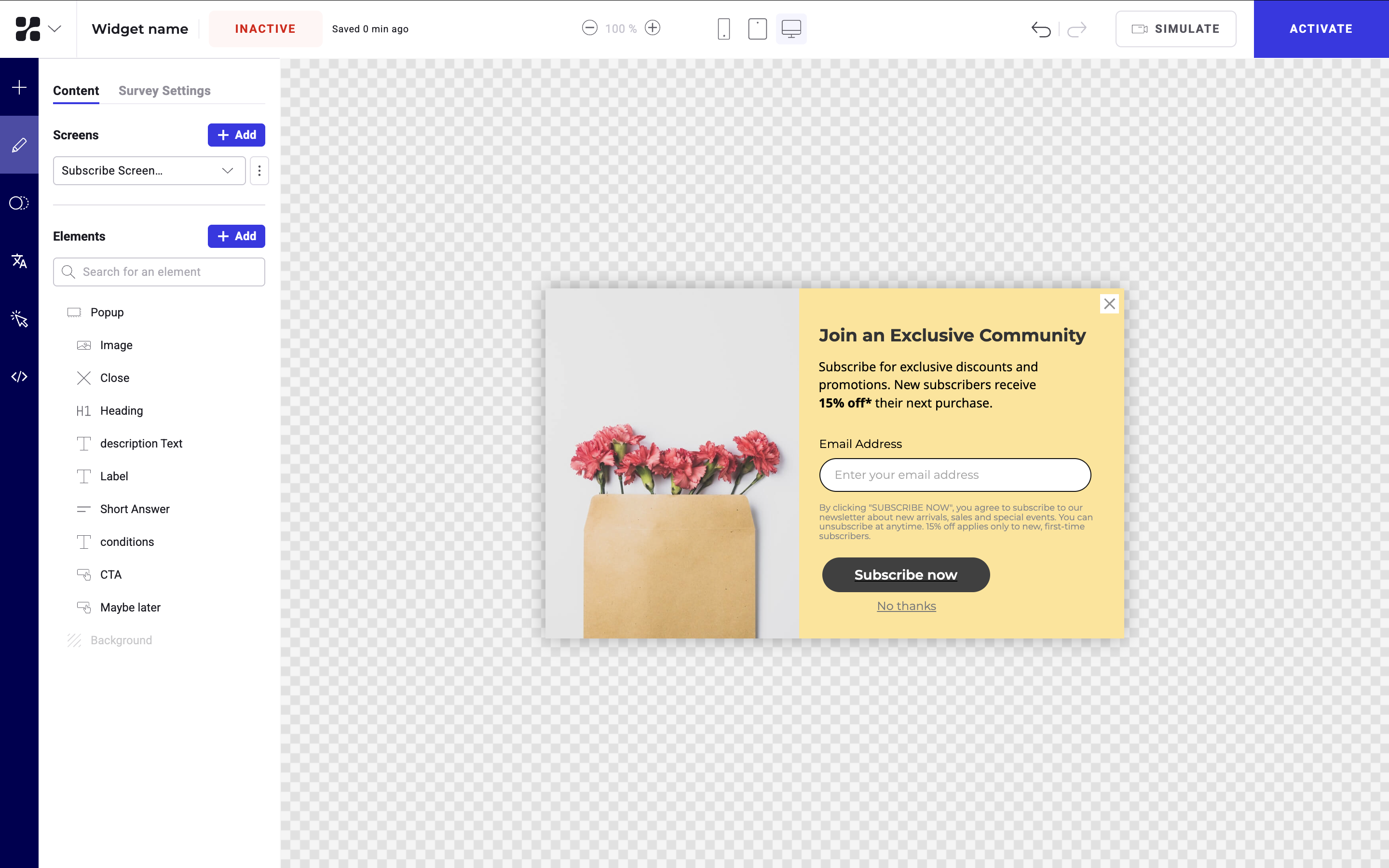
Settings
You can choose to position your widget fixed in-page or above the page. This selection affects which settings will be availableFixed in-page
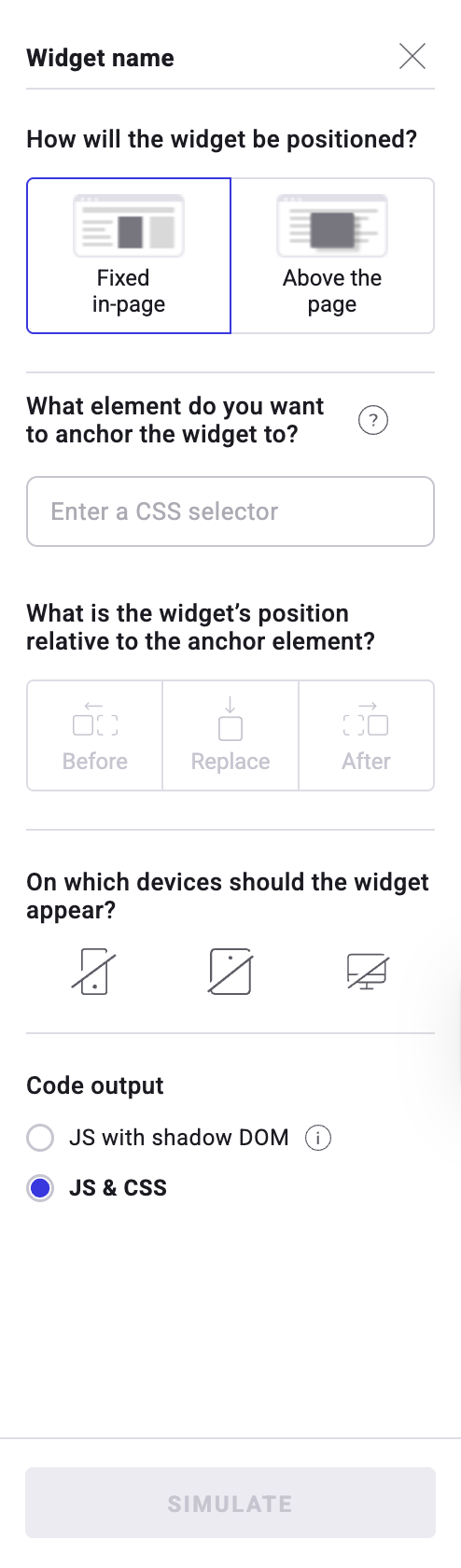
- Position: If you select Fixed in-page, your widget will appear fixed, among the page’s content.
- Anchor element: Enter the CSS of the element used as a reference for your widget’s position.
- Anchor position: Select the widget’s position relative to the anchor element: Before, Replace, or After.
- Devices: Choose the devices on which the widget will appear.
- Code output:
- JS & CSS: The widget is inserted into the main DOM with JavaScript and its styles are applied using regular CSS.
- This option is best for widgets that should blend with your site’s design or use cases where you would like to restyle or adapt the widget.
- JS with Shadow DOM: The widget is injected with JavaScript, but its HTML and CSS live inside a Shadow DOM (an isolated subtree of the DOM).
- This option is best for complex, self-contained widgets that must behave the same everywhere or scenarios where stability is more important than customization.
- Your widget will essentially be protected (in the Shadow DOM) from external CSS or other styling rules.
- JS & CSS: The widget is inserted into the main DOM with JavaScript and its styles are applied using regular CSS.
Above the page
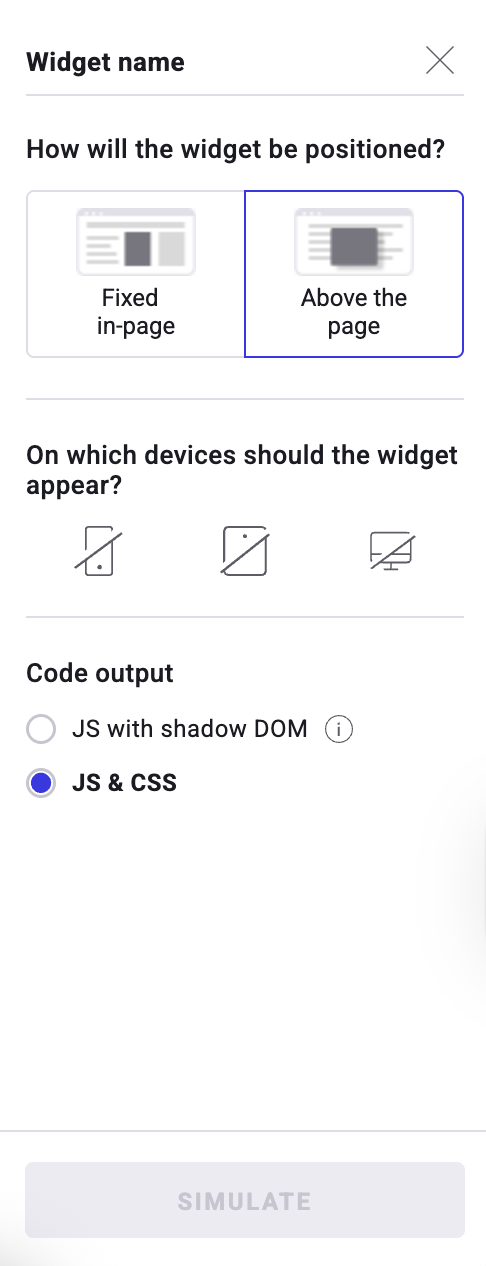
- Position: If you select Above the page, your widget will appear above your page’s content.
-
- Devices: Choose the devices on which the widget will appear.
- Code output:
- JS & CSS: The widget is inserted into the main DOM with JavaScript and its styles are applied using regular CSS.
- This option is best for widgets that should blend with your site’s design or use cases where you would like to restyle or adapt the widget.
- JS with Shadow DOM: The widget is injected with JavaScript, but its HTML and CSS live inside a Shadow DOM (an isolated subtree of the DOM).
- This option is best for complex, self-contained widgets that must behave the same everywhere or scenarios where stability is more important than customization.
- Your widget will essentially be protected (in the Shadow DOM) from external CSS or other styling rules.
- JS & CSS: The widget is inserted into the main DOM with JavaScript and its styles are applied using regular CSS.