

Kameleoon has deprecated
kameleoon.js and replaced it with engine.js in all Kameleoon implementation snippets. Kameleoon will no longer support kameleoon.js after October 1, 2026. After this date, any campaigns on websites still referencing kameleoon.js will stop functioning. Update your implementation snippet accordingly.Fastly configuration
Log in to your Fastly account and create an origin host and two content headers as follows:Create the origin host
- Navigate to the tab
Service configurationand click the left entryOrigins > Hosts. ClickCreate hostand create a new condition to target your Kameleoon application file. Give it a descriptive name, such as Kameleoon JavaScript application file. - In the Apply if box, provide this condition
req.url ~ "^/kameleoon/engine.js" - Save your new condition to apply it to your new origin host.
- Apply the following configuration parameters to your origin host, replacing
YOUR_SITECODEwith your Kameleoon Project ID (follow the steps outlined in this article to retrieve it):
- Name: YOUR_SITECODE.kameleoon.io
- Address: YOUR_SITECODE.kameleoon.io
- Certificate hostname: YOUR_SITECODE.kameleoon.io
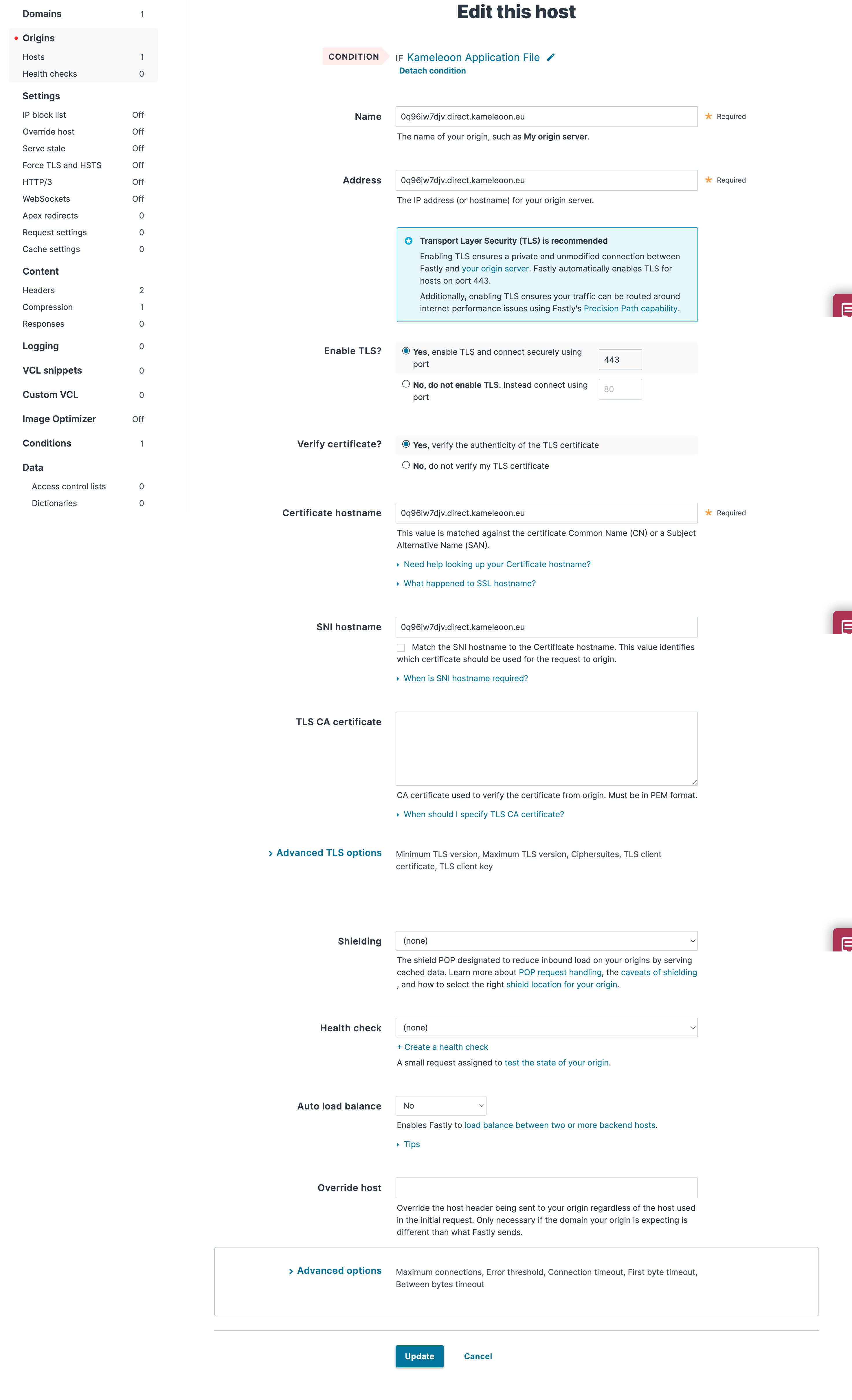
Note: The domain for your Kameleoon scripts may vary from one project to another. Your projects may use either
kameleoon.eu or kameleoon.io depending on their creation date. Make sure you use the domain displayed in your project in the Kameleoon App.Create the headers
You need to create headers to specify how you want content served to your users from your website:- Click the left entry
Content > Headers. ClickCreate a header. - Attach the same condition you built for the host to target the new Kameleoon JavaScript application file on your site.
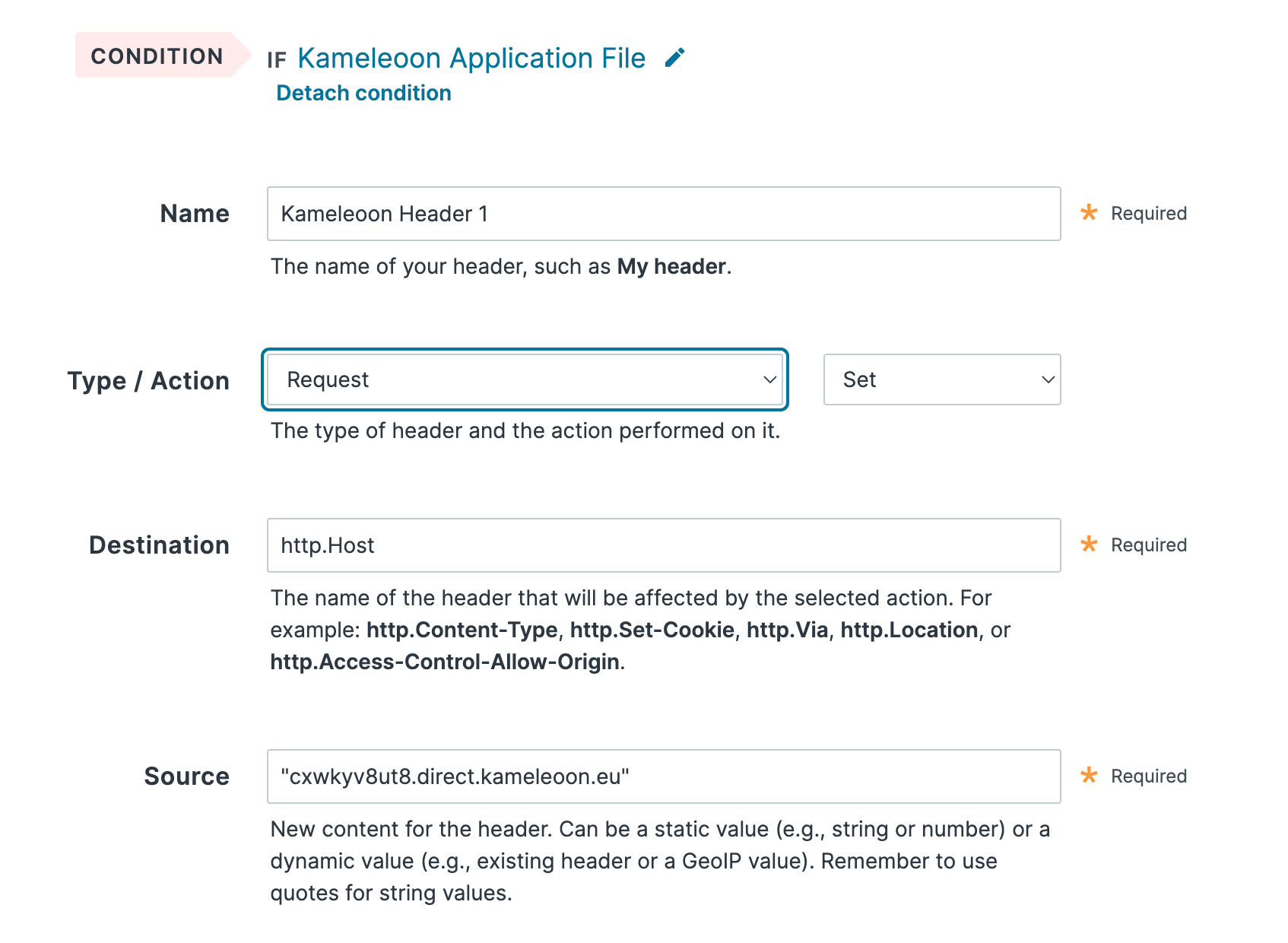
- Give your header a name (for example, YOUR_SITECODE.direct.kameleoon.io host) and configure it as follows, replacing
YOUR_SITECODEwith your Kameleoon Project ID.
- Type / Action: Request - Set
- Destination: http.Host
- Source: “YOUR_SITECODE.direct.kameleoon.io”
- Click Create to save your header.
- Click
Create a header - Attach the same condition you built for the host to target the new Kameleoon JavaScript application file on your site.
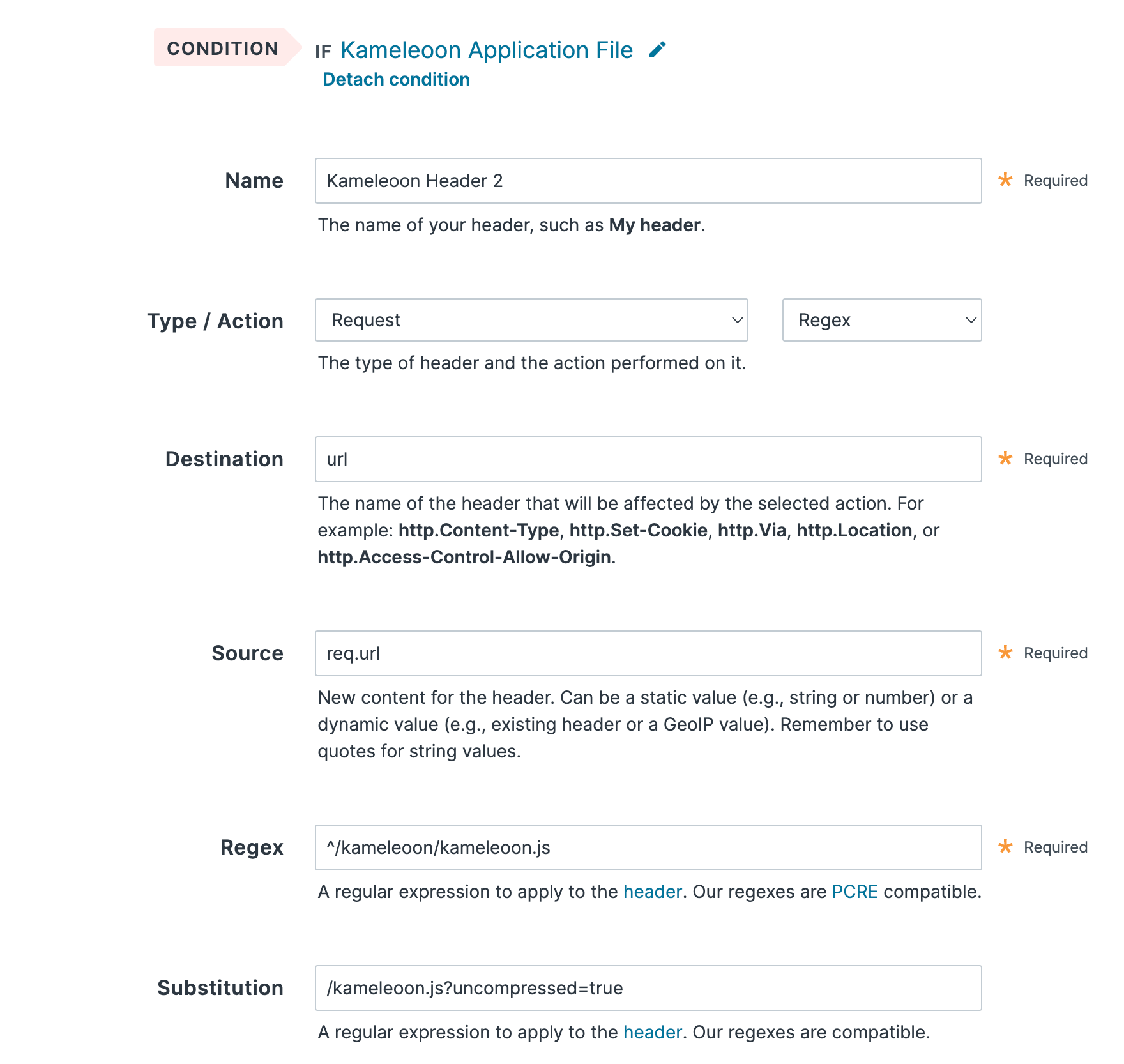
- Give your header a name (for example, YOUR_SITECODE.direct.kameleoon.io base) and configure it as follows, replacing
YOUR_SITECODEwith your Kameleoon Project ID.
- Type / Action: Request - Regex
- Destination: url
- Source: req.url
- Regex: ^/kameleoon/engine.js
- Substitution: /engine.js?uncompressed=true
- Click Create to save your header.
Select compression format
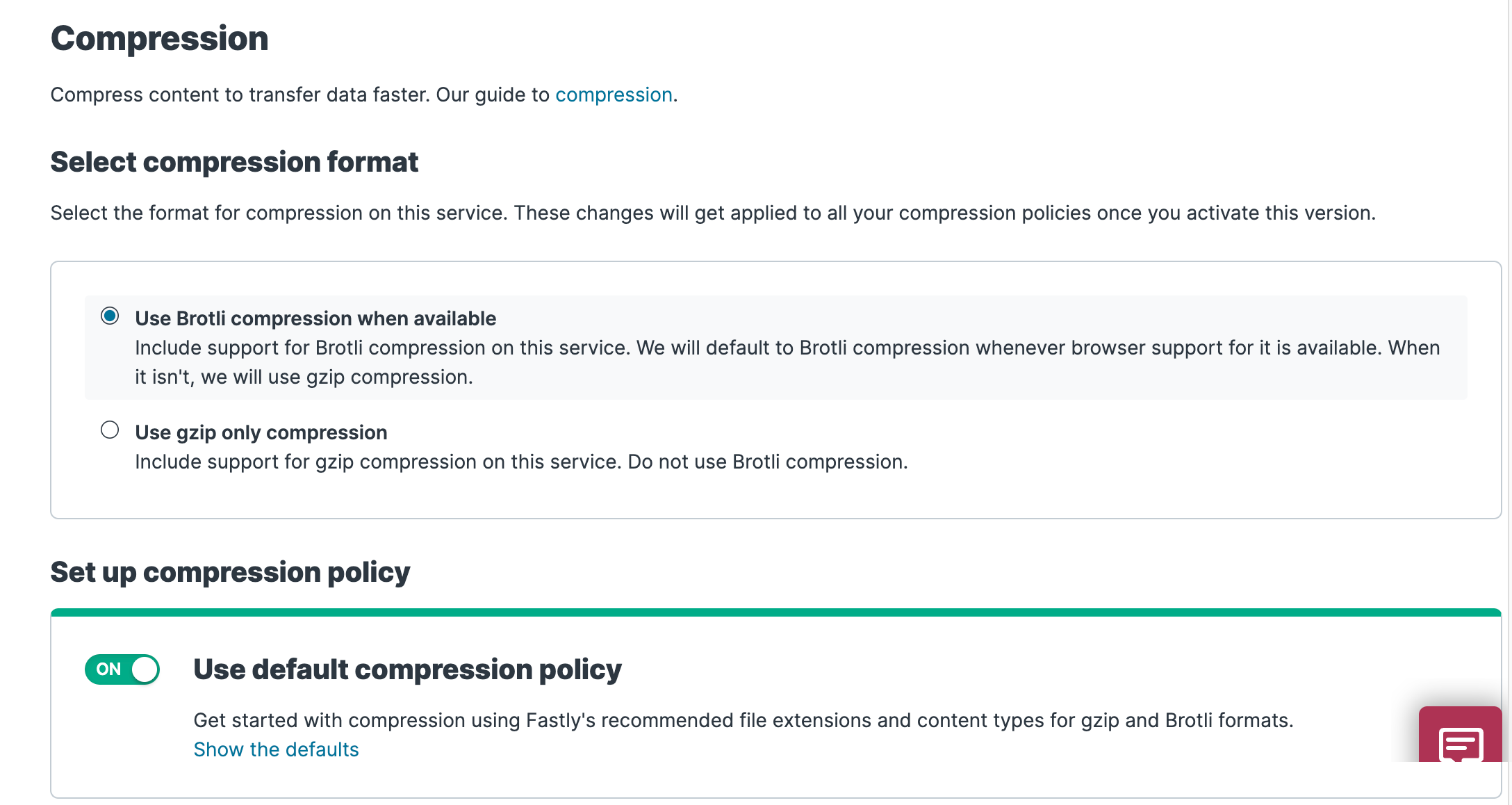
To enable compression, start by selecting a compression format using the steps below:- Click the left entry
Content. - Scroll to the Compression area. The Compression controls appear.
- Select
Use Brotli compression when availableto use Brotli compression by default for browsers that support it.
Remember to activate your new Fastly configuration to allow it to take effect before updating your source code.
Add the Kameleoon snippet in your source code
Refer to this article to understand how to implement Kameleoon on your website.
//SITE_CODE.kameleoon.io/engine.js. You just need to change this URL in the installation tag, replacing it with your own Fastly URL.