

What is Sample Ratio Mismatch?
A Sample Ratio Mismatch (SRM) occurs when the actual distribution of test subjects across experiment variations doesn’t align with the intended distribution: a variant receives significantly more or less traffic than expected. SRM causes unequal traffic distribution across variations, regardless of whether you split traffic evenly. Example: You launch a campaign with 50% traffic allocation for the original and 50% for the variation. If the data shows 50,000 visitors for the original and 48,900 for the variation, the Kameleoon native in-app SRM detection test flags the results as positive for Sample Ratio Mismatch. Kameleoon detects SRM by running a Chi-Square Goodness of Fit test to determine whether a variable aligns with a specified distribution. Kameleoon uses a threshold of 0.001 for the p-value; an experiment tests positive for SRM if the p-value falls below this threshold.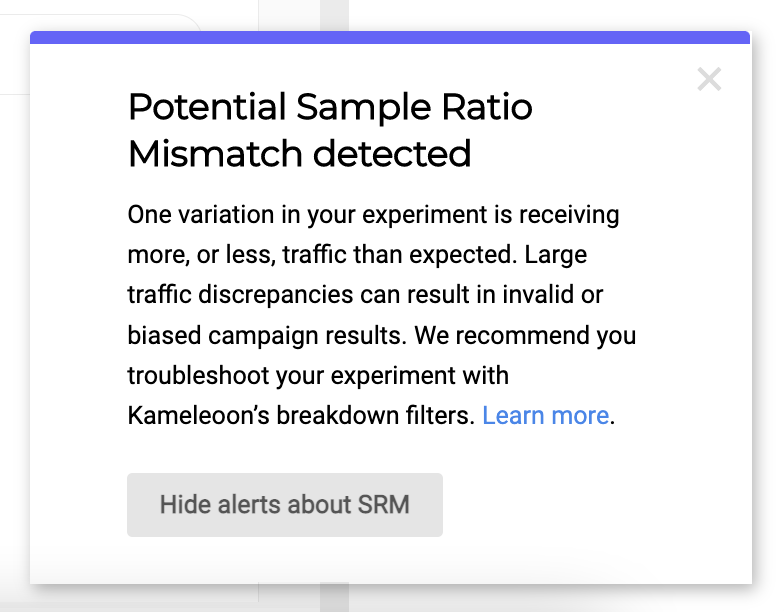
Why is SRM relevant?
SRM indicates a bias in the experiment traffic assignment mechanism. This bias can invalidate experiment results because it violates the core hypotheses that underpin A/B test statistical computations. This problem is especially relevant for sites with high traffic, where even small discrepancies can significantly impact results and lead to poor decision-making. Kameleoon in-app SRM alerting enables decisions based on statistical tests rather than intuition.What to do when an experiment is positive for SRM
You do not need to immediately disregard experiment results when you detect an SRM. If you identify the origin of the SRM and the discrepancy disappears after you filter out problematic visitors, you can still draw valid conclusions. SRM commonly occurs when a browser classifies a visitor incorrectly due to variation code incompatibility. Consequently, the visitor sees the reference instead of the variation, and the system fails to collect exposure data. To troubleshoot this issue:- Open the experiment Results page. Pause the experiment first to prevent further biased data collection.
- Scroll to a goal and click Breakdown.
- Apply a breakdown filter to all goals.
- In the breakdown reports, check whether the breakdown variable impacts traffic allocation. Check for Device type, Browser, Operating system, and any available custom data. If the reports show the discrepancy, you have identified the variable responsible for the SRM. If not, continue applying breakdown filters until you identify the cause.
- Apply a filter to the experiment results to exclude visitors impacted by the incorrect allocation. With filtered results, you can determine the winning variation.
What causes SRM?
Root causes of SRM vary between experiments, organizations, and users. Use the following checklist to troubleshoot an experiment that is positive for SRM:- Check unique identifiers: Ensure you use a strong unique identifier for visitors. By default, Kameleoon uses a unique visitor ID (Kameleoon
visitorCode). Kameleoon hashes this code in the assignment algorithm to randomly select a variation. If you do not use the default visitor code or custom data to map a user ID, the ID must consist of at least 16 random characters (lowercase letters and numerals). - Verify execution delays: Ensure no delays affect variation execution. For example, a variation might redirect to a page where Kameleoon is not installed.
- Review custom assignment scripts: Determine if the experiment uses custom variation assignment scripts. These scripts bypass the standard assignment algorithm and can cause SRM.
- Check configuration changes: Updating test deviation, deleting a variation, or reallocating traffic can trigger an SRM flag.