

- Use Kameleoon as a source to push campaign exposure event data (campaign name and variation name) to Segment, which other platforms available in the Segment marketplace can then use.
- Use Kameleoon as a destination to:
- import Segment events, which you can use in Kameleoon experiments and web personalizations.
- import Segment personas, traits, and groups, and use them in the Segment Builder throughout custom data.
- Automatically send any data, including KPIs, from Segment to Kameleoon to create highly tracked and targeted optimization campaigns.
- Enhance targeting and analyze the results of your A/B/n tests with Segment event data.
- Analyze the effect of test campaigns on the entire customer journey.
- Reach visitors exposed to an online campaign on other channels (for example, email marketing campaigns, mobile apps) using Segment events sent by Kameleoon.
Push Kameleoon exposure events into Segment
Enable Segment integration on Kameleoon
- Log in to the Kameleoon app.
- Click Admin > Integrations > Install the tool.
- Select the projects on which you want to configure Segment.
- Click Validate.

Ensure you’ve installed the Segment script (analytics.js) on your pages, as Kameleoon will send campaign exposure events to Segment using the Segment JavaScript API.
Associate Segment as reporting tool in a Kameleoon experiment or personalization
Once you activate the integration on the Integrations page, you can select it as a reporting tool in the Integrations tab of the Graphic/Code editor’s finalization panel.
If you need to send exposure events for feature flags, you must enable Hybrid capabilities.
Get your project sitecode
You will also need to get your sitecode in your Kameleoon account. To learn how to find your sitecode, read this documentation.Enter this information when setting up the Kameleoon as a destination in your Segment app
- From the Destinations Catalog in the Segment app, click Add Destination.
- Search for Kameleoon in the Destinations Catalog, and select the Kameleoon destination.

- Click Configure Kameleoon.
- Choose the Source (for example, app or website) that will send data to the Kameleoon destination.
- Enter the API Key and the sitecode in the Kameleoon destination settings in Segment.
Matching Users between Kameleoon and Segment
The integration requires that you use the same system of identifiers for both tools, meaning theuserId value you pass to Segment should be the same value as Kameleoon uses to identify a “visitor.”
If you use Kameleoon Web Experiment, Kameleoon places a cookie that contains an anonymous unique identifier, called the Kameleoon visitorCode, randomly assigned to a visitor. Kameleoon uses this ID to uniquely identify a user in a browser. You have several options available:
- You can pass the
visitorCodein theuserIdproperty of the Segment identify call to ensure Kameleoon can attribute all events data received from Segment to the right visitor. - You can pass the
visitorCodein an additional Segment call as follows:analytics.track('Kameleoon identifier', {'k_visitorCode': Kameleoon.API.Visitor.code}). Kameleoon will automatically link the Segment user ID or anonymous ID to its ownvisitorCode. Ensure you call it only once per session. For instance, if you use Kameleoon Web Experimentation, or have implemented the Kameleoon app file (kameleoon.js) to benefit from hybrid experimentation capabilities, you can use the code example below in the Global custom script section of the Kameleoon Project property.
If you use Kameleoon Feature Experimentation, refer to the Kameleoon SDK documentation as you can set your own ID instead of using a generated Kameleoon Visitor Code and have the exact same ID between Segment and Kameleoon.
Supported Segment events and Personas
Kameleoon supports the following methods: Track, Identify, Page, Screen, and Group, as specified in the Segment Spec. If the Segment event name matches the name of an existing goal in your Kameleoon account, Kameleoon associates a conversion for this goal with the visitor. If the goal doesn’t exist, Kameleoon will create a custom goal by using the Segment event name and associate the conversion with the visitor. The goal will appear in the Kameleoon goals page with the naming conventionSegmentIO [eventType] - [eventName]. Once the goal exists, you can use it in any of your campaigns.
Segment track calls of type Audience Entered, Audience Exited, Identify, and Group. Kameleoon collects these as Kameleoon custom data.
Segment uses Kameleoon’s Data API map endpoint to send data to Kameleoon.
Personas, traits and group
Kameleoon lets you target users based on their Segment persona, group, or specific properties. To use personas, traits, and group IDs in the Segment builder, you must set up a custom data in your Kameleoon account for the project of your choice.Personas
You can name your persona (for example, SegmentIO personas), and the custom data must be of type List of string.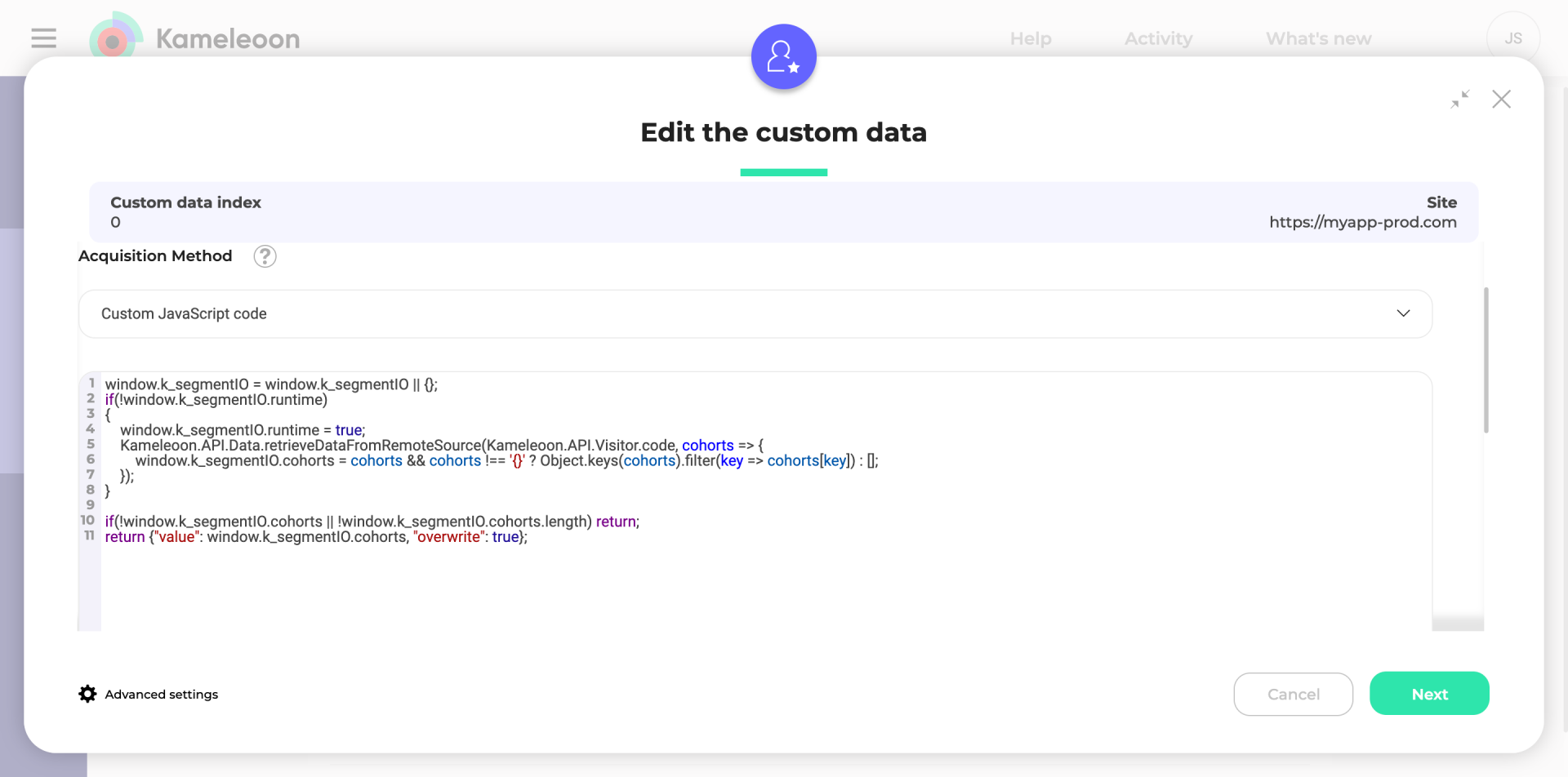
Follow the guidelines below for Web Experimentation only.
const user_id = Kameleoon.API.Visitor.code;
Alternatively, if you use the Visitor Code as the Segment user ID or need to retrieve the user ID from Segment’s analytics object, use the following code:
To use Segment personas in server-side experiments or feature flags, you can consult the guidelines outlined in each SDK’s documentation.Kameleoon’s SDKs employ the
getRemoteData() method. This method fetches data stored by Segment in Kameleoon’s servers and makes it accessible in your backend code.The “key” value to use as the first parameter should follow this format: COHORTS_{user_id}.Fetch Segment Persona names in Kameleoon
Click Next and activate the Save the values for the targeting condition associated with the custom data point option. Add the JS code below and replaceXXXXXXXXX with the Kameleoon Sitecode. To find it, follow this documentation.

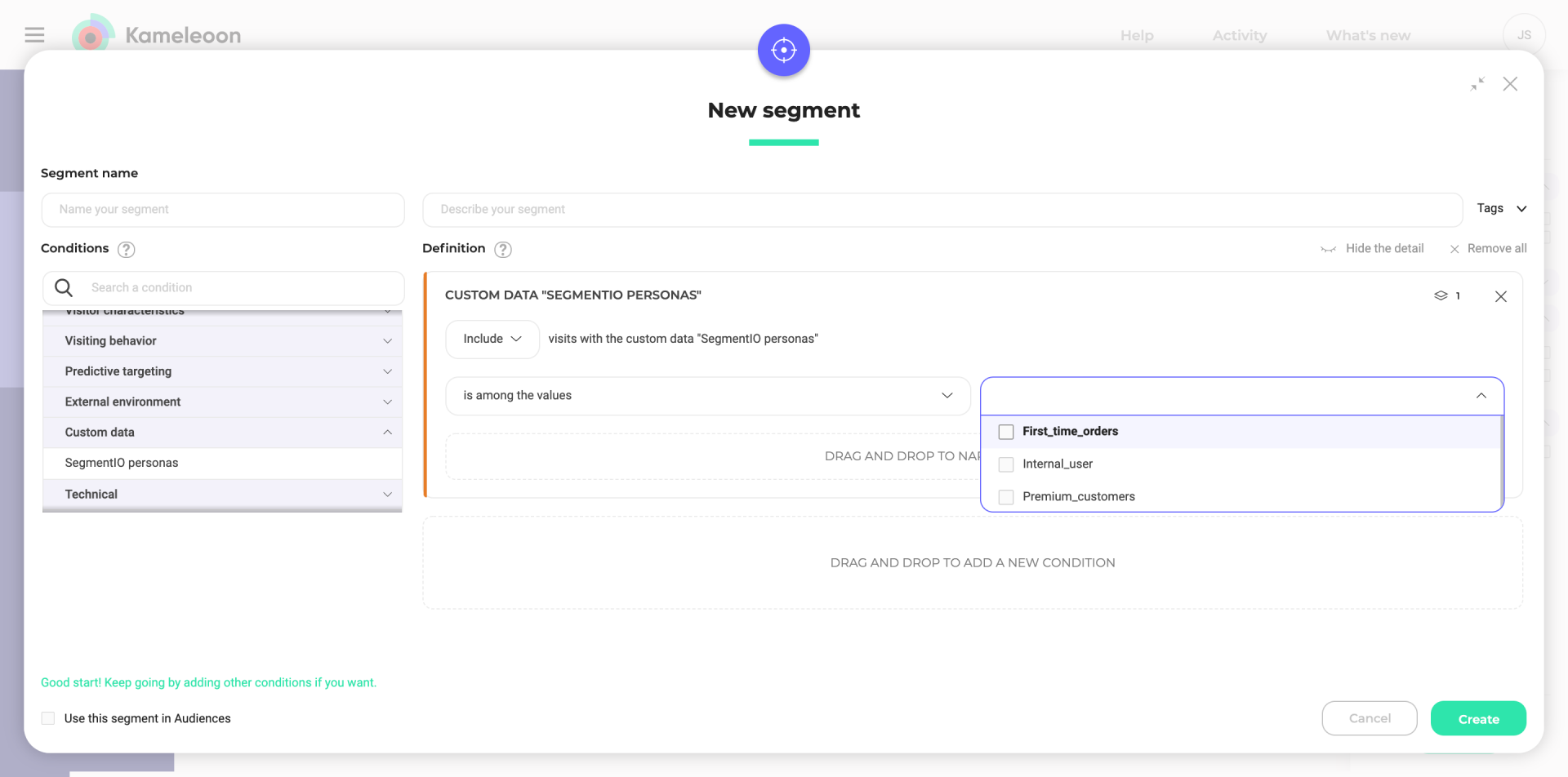
Traits
To use traits in the Segment builder, you must create one custom data per trait type. Suppose you want to target users based on the plan they have subscribed to on your website, and you have three different plans: freemium, scale, and enterprise. You need to set up a custom data called “Subscribed Plan,” and the custom data must be of type “string.”Follow the guidelines below for Web Experimentation only.
const user_id = Kameleoon.API.Visitor.code;
Alternatively, if you use the Visitor Code as the Segment user ID or need to retrieve the user ID from Segment’s analytics object, use the following line:
To use traits in server-side experiments or feature flags, you can consult the guidelines outlined in each SDK’s documentation.Kameleoon’s SDKs employ the
getRemoteData() method. This method fetches data stored by Segment on Kameleoon’s servers and makes it accessible in your backend code.The “key” value to use as the first parameter should follow this format: IDENTIFY_{user_id}.Group IDs
To use group IDs in the Segment builder to target your campaigns, you must set up a custom data called “Group ID,” and the custom data must be a string type.Follow the guidelines below for Web Experimentation only.
const user_id = Kameleoon.API.Visitor.code;
Alternatively, if you use the Visitor Code as the Segment user ID or need to retrieve the user ID from Segment’s analytics object, use the following line:
To use traits in server-side experiments or feature flags, you can consult the guidelines outlined in each SDK’s documentation.Kameleoon’s SDKs employ the
getRemoteData() method. This method fetches data stored by Segment on Kameleoon’s servers and makes it accessible in your backend code.The “key” value to use as the first parameter should follow this format: IDENTIFY_{user_id}.