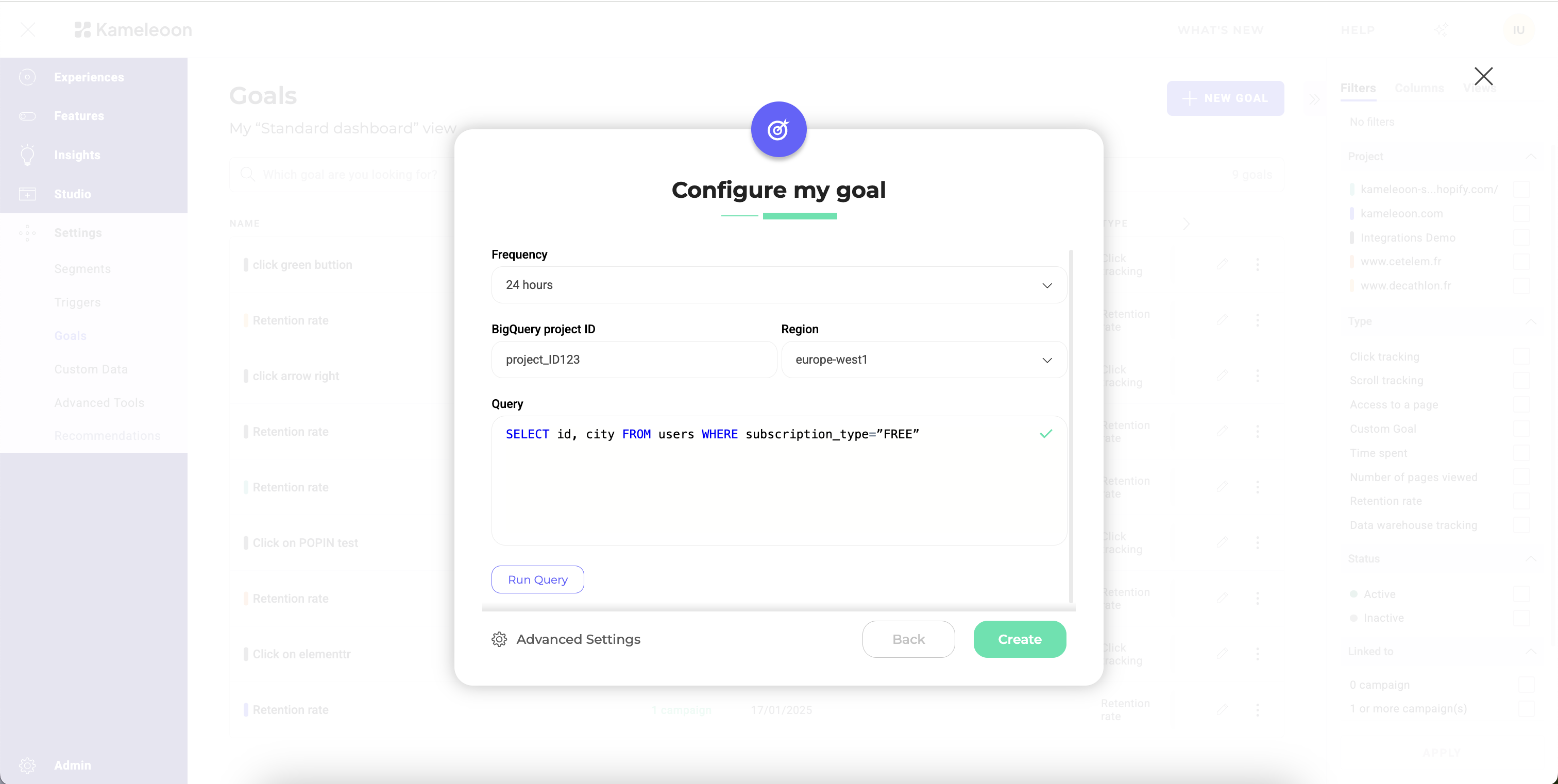
- Warehouse: Enter the Snowflake warehouse to query.
- Frequency: Define how often you want Kameleoon to update the goal data.
- Database: Enter the database that contains your conversion data.
- Schema: Enter the schema that contains your conversion data.
- Query: Define the SQL query to retrieve the necessary data from Snowflake.
Query format
The query must adhere to a specific format:SELECT visitor_id, conversion_timestamp FROM your_events_table
Where visitor_id is the column representing the unique ID of your visitors, and conversion_timestamp is a column representing the exact time at which the conversion took place. In Snowflake, the conversion_timestamp column must be a Timestamp type column.
If you want to associate a revenue to each conversion, the query should adhere to an alternate format:
SELECT visitor_id, conversion_timestamp, revenue FROM your_events_table
Where revenue is a column containing the revenue for each conversion.
For more complex queries you can adhere to this format by formulating a sub-query as such:
How Kameleoon polls conversion data
Kameleoon polls the Snowflake conversion data behind your goal every hour, appending aWITH clause to your query that filters by timestamps. Rather than reloading the full event history on every run, Kameleoon polls incrementally: each polling job tracks the last successful polling point and, on the next run, queries only the time window of new records since that point. Querying only that window keeps each poll fast, since Kameleoon never rescans data it has already imported. Although Kameleoon collects conversions hourly, it only merges them into your experiment results once per day.
Because polling always advances forward, Kameleoon can miss a record that lands in Snowflake with a timestamp older than the last successful polling window. Late records typically arrive because your data pipeline takes time to write the conversion event, so the record reaches Snowflake only after Kameleoon has already polled past the time window it belongs to. To prevent missed records, set the ingestion timeframe below to match your pipeline’s typical arrival lag.
Ingestion timeframe
By default, Kameleoon allows up to 1 hour between when a conversion event for your goal occurs and when it becomes available in your Snowflake warehouse, and its polling window accounts for that delay automatically. If your pipeline takes longer than 1 hour to write events into Snowflake, for example due to batch or nightly ETL jobs, those late-arriving records fall outside the polling window and get missed. Contact your Customer Success Manager to extend the delay so it matches your pipeline’s actual arrival lag.Run your query before ingestion
Before saving your goal, you can test your query directly in Kameleoon. Testing allows you to:- Verify the connection in real time.
- Confirm your credentials and access rights are correct, which helps detect issues immediately, without having to wait for the first data import.
- Validate your data’s structure and accessibility.