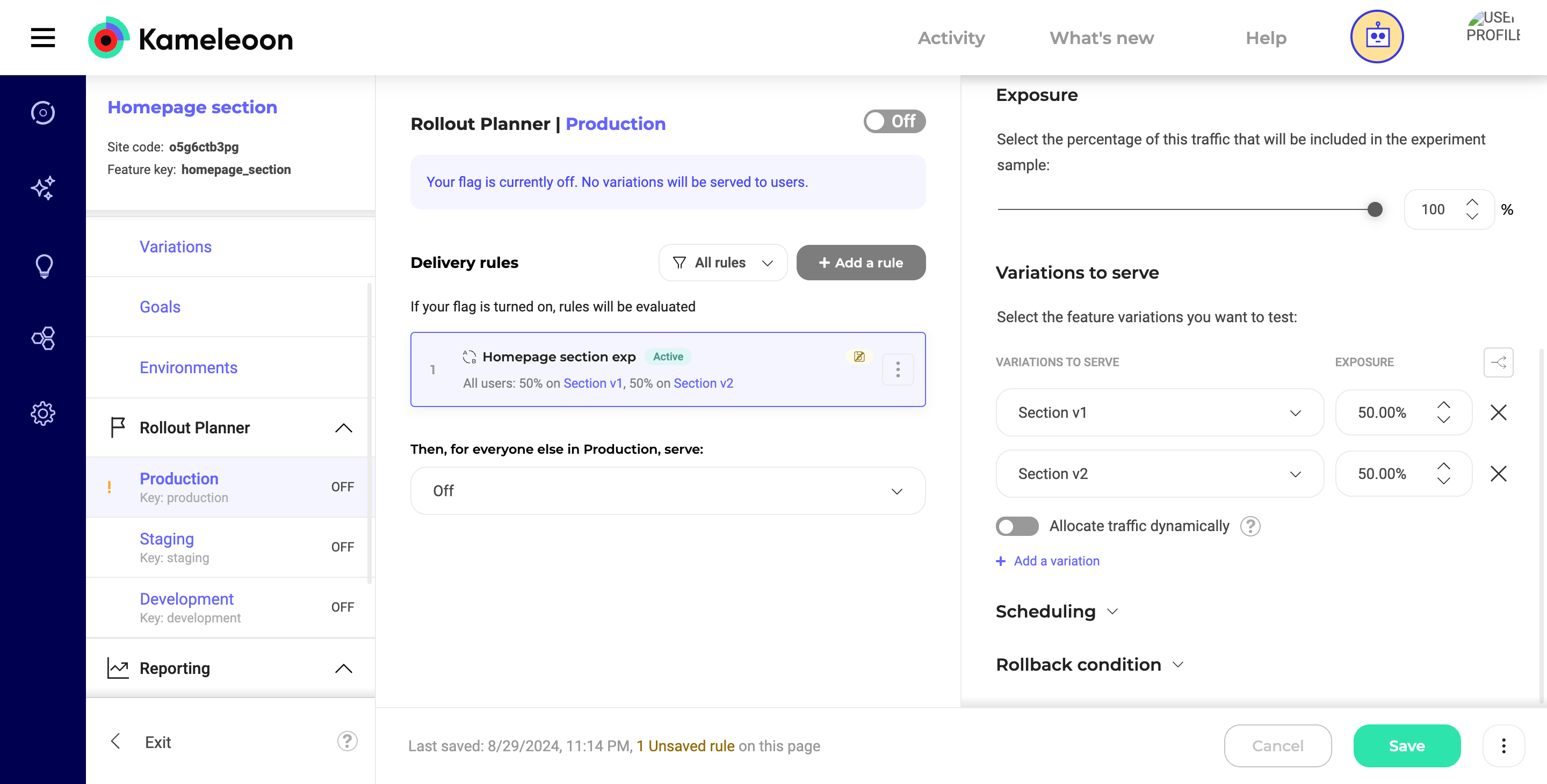
Step 1: Defining feature variations in Kameleoon
In your Kameleoon dashboard, create a new feature flag that controls which version of content is displayed. For example, if you’re experimenting with different versions of a homepage section:- Feature flag name:
Homepage section - Feature variation 1:
section_v1- Feature variable 1:
content_id = ID of the content on version 1 of your CMS.
- Feature variable 1:
- Feature variation 2:
section_v2- Feature variable 2:
content_id = ID of the content on version 2 of your CMS.
- Feature variable 2:
content_id values should correspond to the unique identifiers used in your headless CMS for each content version.
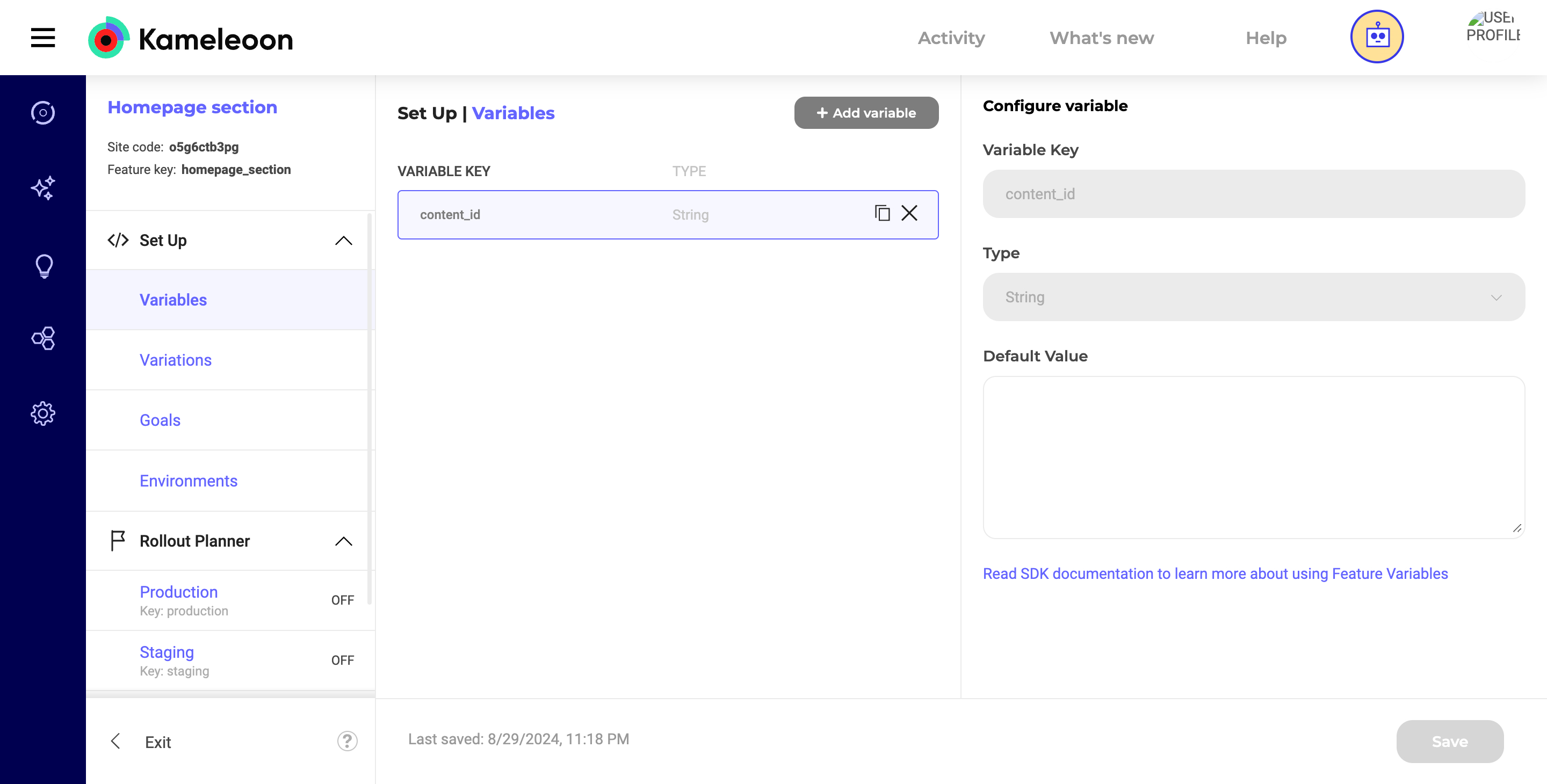
Step 2: Fetching and displaying content from CMS
Now, in your React application, use the getFeatureVariable method to retrieve the content_id based on the active variation and use it to fetch the corresponding content from your headless CMS.-
Fetching the content id: The
getFeatureVariablemethod retrieves thecontent_idfor the active variation. Thecontent_idis then used to fetch the appropriate content from the CMS. - Error handling: A try-catch block is included to handle any errors during the content fetch process.
- Rendering: The fetched content is rendered dynamically in your React component.
Step 3: Managing CMS content
Ensure that each content variation in your headless CMS is associated with a unique ID. These IDs should match thecontent_id feature variables set in Kameleoon.
When users load the page, Kameleoon decides which variation to serve. Based on the content_id, the correct content is retrieved and displayed.
Conclusion: By following these steps, Kameleoon is integrated with the headless CMS using the React SDK. This setup allows for dynamic experimentation and delivery of different content variations, enhancing personalization and the effectiveness of the user experience.