

This tutorial describes how to request experiment results and determine winning variations using the Automation API. It follows previous tutorials on creating experiments, modifying variations, associating goals and segments, and launching experiments.Documentation Index
Fetch the complete documentation index at: https://docs.kameleoon.com/llms.txt
Use this file to discover all available pages before exploring further.
Requirements
access_token
Goal
The tutorial uses the following example experiment: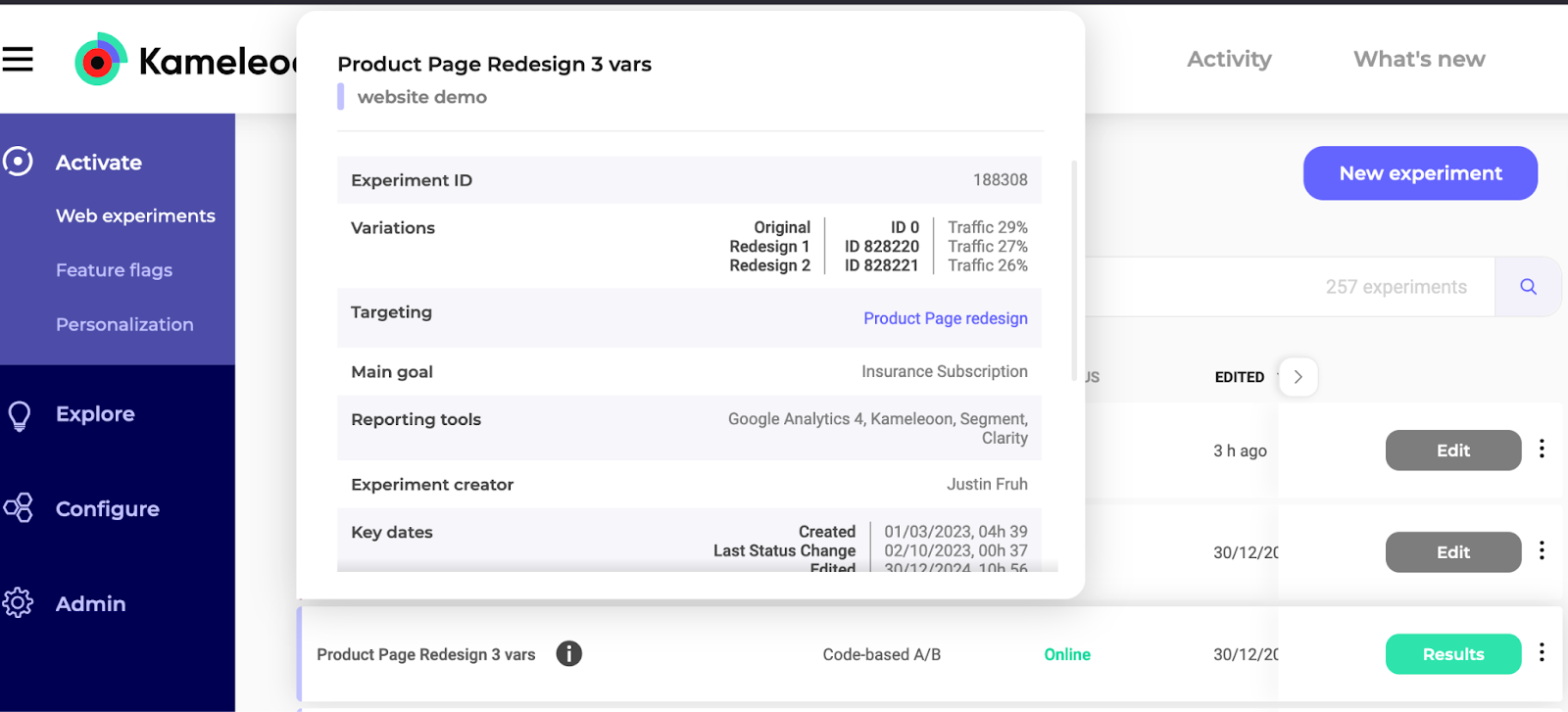
The tutorial also applies to Feature Flag experiments; however, use the 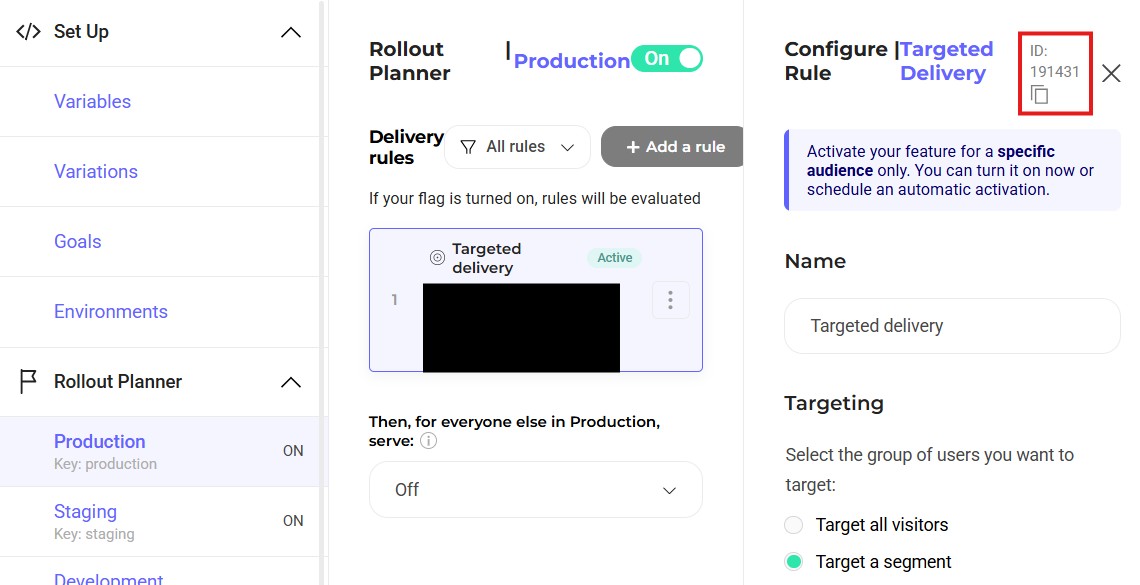
https://api.kameleoon.com/feature-flags/* endpoints instead of https://api.kameleoon.com/experiments/*:The experimentId is in the Rollout Planner:1. Retrieve the data code
Case 1: Retrieve results directly
Endpoint: Retrieve experiment results by sending a POST request to the Request experiment’s result endpoint.| Name | Type | Description |
|---|---|---|
experimentId | String | Mandatory field in the request header. |
goalId | Array | Provide the specific goal ID for identifying main goal results. |
referenceVariationId | Object | Reference variation ID for comparison. |
sequentialTesting | String | Set to true to use sequential testing for determining confidence intervals. |
visitorData | String | Set to false to retrieve data based on visits. Set to true for data based on visitors. |
Case 2: Share results without authorization
1. Retrieve a SharedToken
Endpoint: Share results with unauthorized users by fetching aSharedToken from the Share experiment results endpoint.
1. Retrieve the dataCode with the SharedToken
Retrieve experiment results by sending a POST request to the Request experiment’s result endpoint using theSharedToken instead of an access token.
| Name | Type | Description |
|---|---|---|
experimentId | String | Mandatory field in the request header. |
goalId | Array | Provide the specific goal ID for identifying main goal results. |
referenceVariationId | Object | Reference variation ID for comparison. |
sequentialTesting | String | Set to true to use sequential testing for determining confidence intervals. |
visitorData | String | Set to false to retrieve data based on visits. Set to true for data based on visitors. |
2. Retrieve the experiment results
Endpoint: After receiving thedataCode, use the result endpoint.
Example:
3. Interpreting the results to determine the winning variation
Winning variations must demonstrate high reliability (exceeding 95%) and a positive improvement rate compared to the reference variation. The JSON response shows that both Redesign 1 and Redesign 2 have a 100% reliability rate. However, Redesign 1 has a +211.48% improvement rate compared to the -43.33% rate of Redesign 2. Therefore, Redesign 1 is the winner. Redesign 14. Filter experiment results
Obtain specific results by using thebreakdown and filter parameters. The breakdown parameter organizes data by factors such as new visitors, operating system, browser, day of the week, SDK, and timezone.
For example, return a browser breakdown for only new visitors by including the breakdown parameter set to BROWSER and a filters parameter set to NEW_VISITOR, based on the direct results procedure. The cURL request to the Export experiment results endpoint should appear as follows:
dataCode, send the following GET request: