

Documentation Index
Fetch the complete documentation index at: https://docs.kameleoon.com/llms.txt
Use this file to discover all available pages before exploring further.
Goal
This guide explains how to manage the lifecycle of a feature flag using the Automation API. Configure the first flag by completing the following steps:- Create a feature flag using the create a new feature flag endpoint.
- Add a rollout rule to the development environment using the update a feature flag configuration endpoint.
- Update the rollout rule using the update a single rule by ID endpoint.
Requirements
Prerequisites
Before using the Automation API, ensure the following information is available:Access token
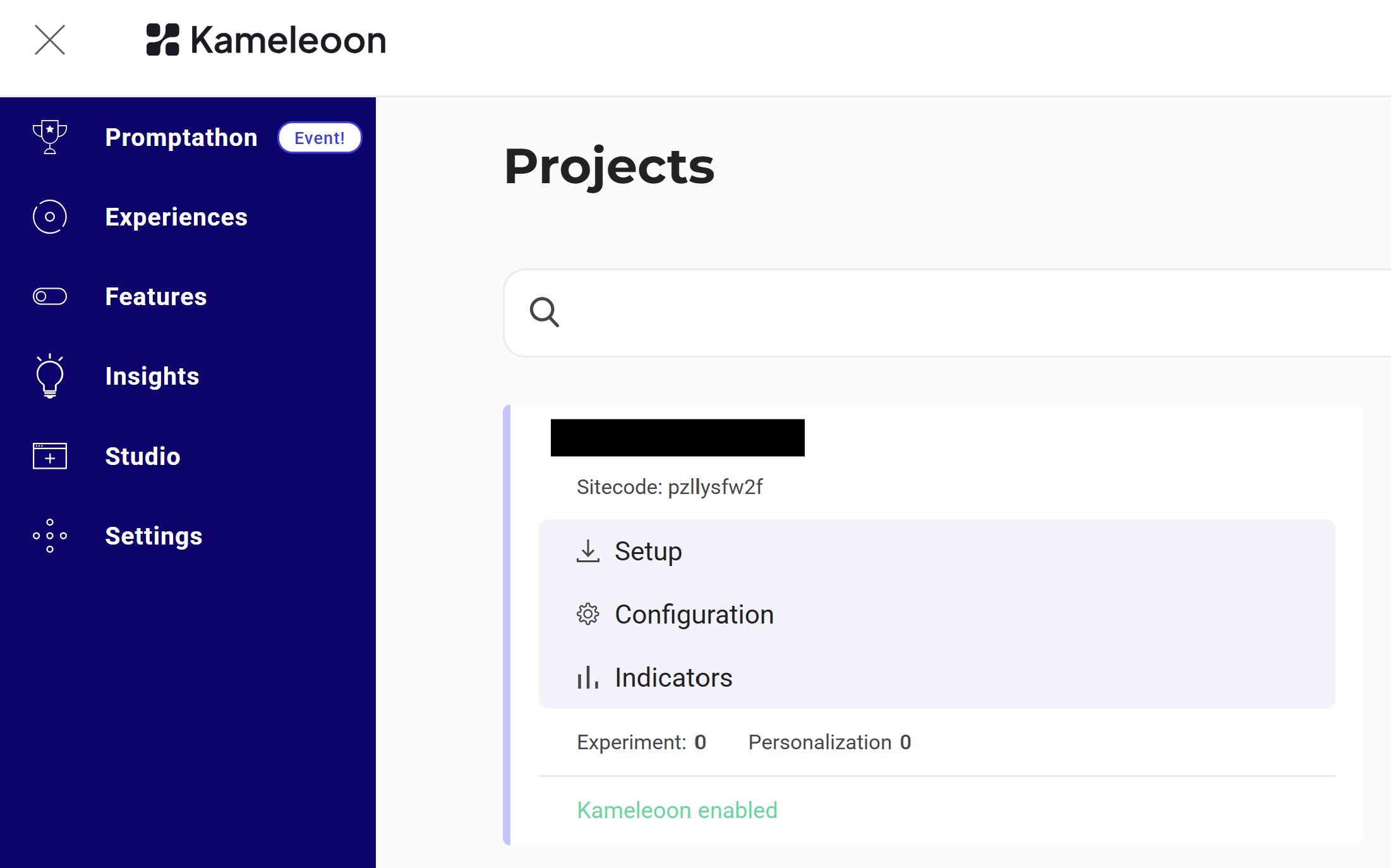
The Automation API requires an access token. Obtain a token by following the instructions in Obtaining an access token.siteCode
Find thesiteCode by navigating to Admin > Projects in the bottom-left corner.
1. Create a feature flag
Create a feature flag calledtest_feature_flag_post, for example, with the variable test_variable.
Because this request does not specify environmentConfigurations, the system automatically generates configurations for the development, staging, and production environments.
Endpoint:
2. Update the feature flag
Update the feature flag to add aTARGETED_DELIVERY rollout rule to the development environment with the following configuration:


3. Update the rollout rule
Finally, change thematchValue of rollbackConditions to 25 for the rollout rule ID 20557.
Endpoint: