Piwik Pro Audiences exposes the available segments in your DMP via a REST API. In your Kameleoon account, click Admin > Projects.

Global custom script

To insert the global custom script:
  • Click Configuration > General.
The Global custom script insert links Kameleoon to Matomo. Kameleoon executes any JavaScript code you add in this insert every time the page loads. Use this feature to add complex tracking code or integration to other solutions.
Copy and paste the code below into the Global script section:
Click Validate to apply the changes to your configuration.

Custom data

You then must create a new custom data. You will need:
  • your client_id & client_secret for generating Bearer Token (get Credentials).
  • your website_id.
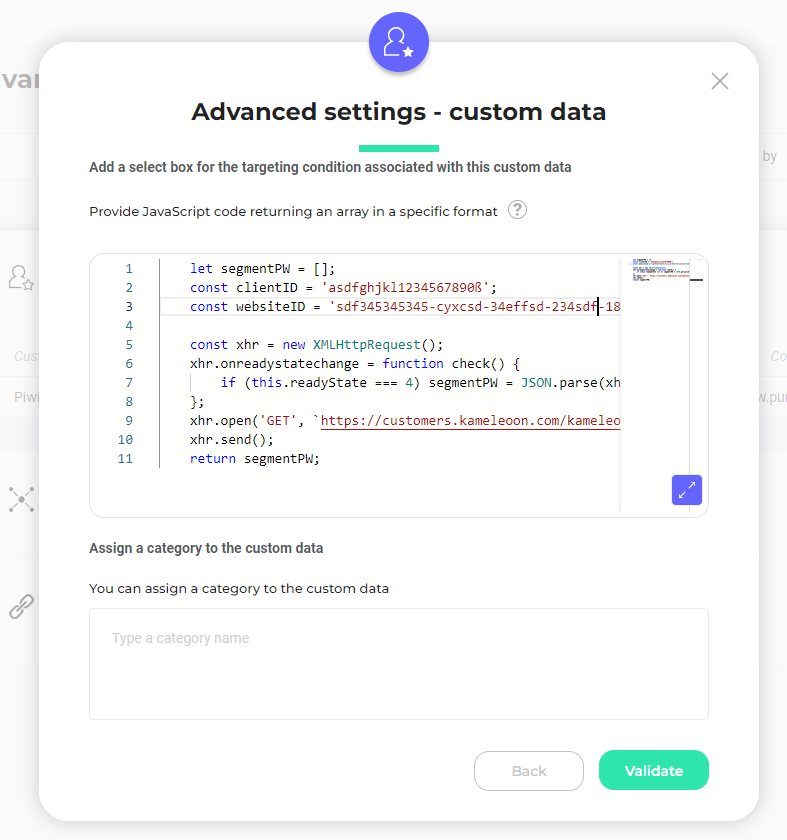
Use the Kameleoon Activation API retrieval method. Place this code in the Save the values for the targeting condition associated with the custom data point section of the custom data (don’t forget to add your client_id and website_id).
This code calls a Kameleoon Webservice (https://customers.kameleoon.com/kameleoon/piwik/), which uses the Piwik Pro API to get all segments. This call is necessary to work around CORS policy issues. Set the custom data to the list of and strings types, with Page as the scope.

External segment sync for server-side

If you would like to use Matomo segment data with one of Kameleoon’s SDKs, you will need to follow the guidelines provided in each SDK documentation and use the method getRemoteData().