

cancelConversion
ThecancelConversion() method cancels a conversion that you triggered during the current visit. This method can’t cancel conversions from previous visits.
processConversion
TheprocessConversion() method triggers a conversion. Metadata must be configured in the Kameleoon App before setting them with processConversion().
If you initiate conversions from a Tag Management System, such as Google Tag Manager, use the Kameleoon Command Queue to delay execution until the engine loads. The engine processes queued commands in order after initialization. Example:
Metadata values are accessible through raw data exports and the results page.If you provide the
metadata parameter, Kameleoon uses those values for the current conversion instead of the values you previously collected through setCustomData(). If you omit the parameter, Kameleoon uses the last tracked customData values before the conversion in the same visit.Kameleoon only considers the metadata values you pass directly to the processConversion() method. It ignores previously set custom data. In the following example, the conversion associates only with the provided metadata (for example, index 5 with ‘Amex Credit Card’).triggerGoal (Custom Code for Custom Goal)
To trigger custom goals, inject custom code by creating a new goal and adding the code to theTrigger my goal panel.
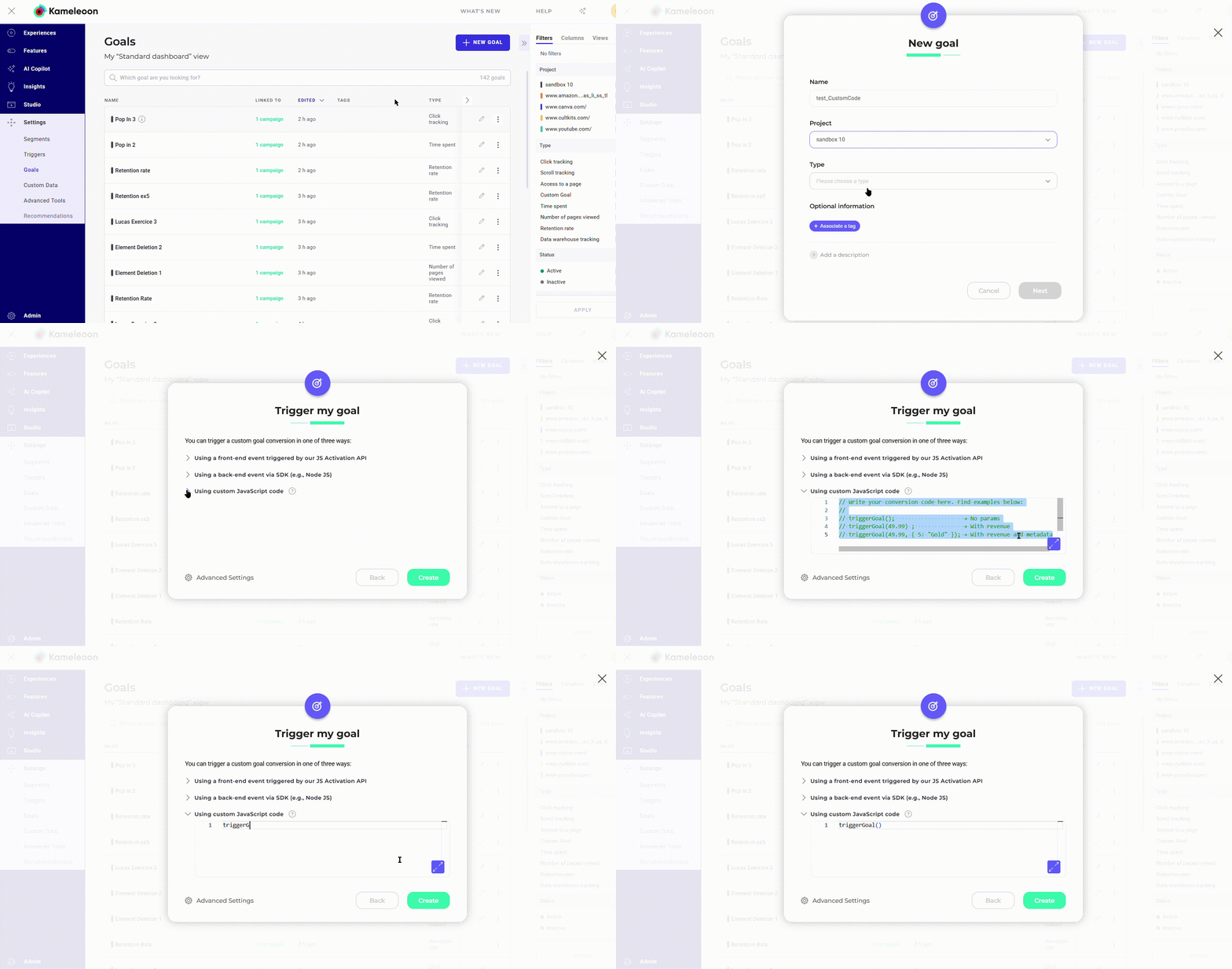
triggerGoal() function triggers the goal from the code panel without requiring a goal ID.
Metadata values are accessible through raw data exports and the results page.If you provide the
metadata parameter, Kameleoon uses those values for the current conversion instead of the values you previously collected through setCustomData(). If you omit the parameter, Kameleoon uses the last tracked customData values before the conversion in the same visit.Kameleoon only considers the metadata values you pass directly to the triggerGoal() method. It ignores previously set custom data. In the following example, the conversion associates only with the provided metadata (for example, index 5 with ‘Amex Credit Card’).