

- Import Categories: Send a
POSTrequest to ensure all categories are up to date before uploading products. - Import and Update Products: Send a
PUTrequest to import the product catalog into the Kameleoon account. - Update available products :
PATCHrequest to update the availability of Products.
The API also provides an endpoint dedicated to changing the availability of existing products in Kameleoon, which is a more lightweight approach.
Data
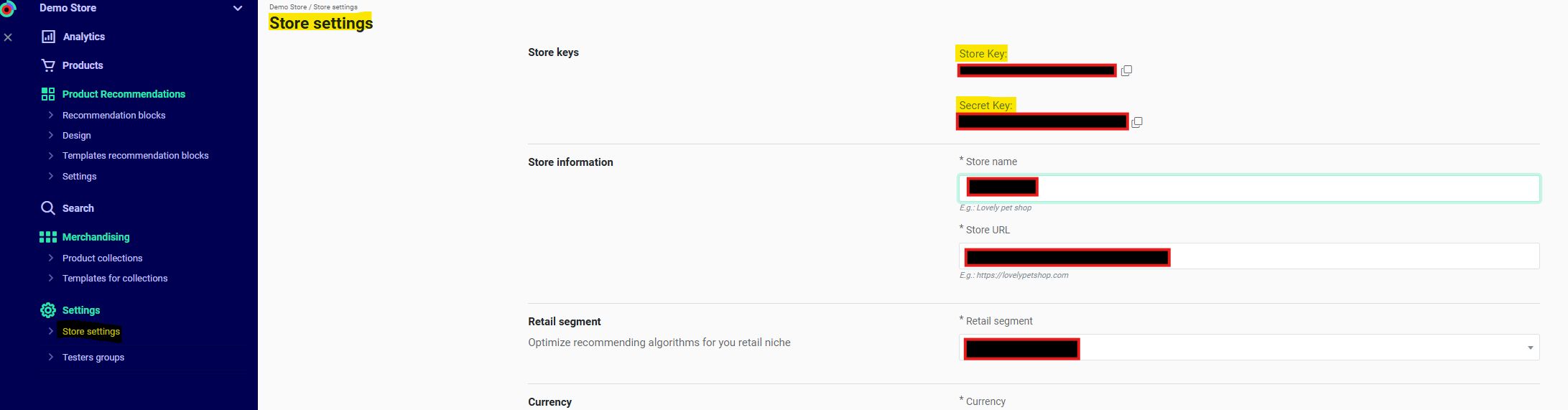
- Shop ID
eehj3eu84299kg5ghw5a6743r8& Shop Secretpmd5362597thrgq8k256ep01t0- Locate these in Recommendations > Settings > Store settings in the Kameleoon app. Contact the Customer Success Manager for the key if necessary.
- Webhooks
http://www.webhook.com/importCategoriesApiResponses/&http://www.webhook.com/importProductsApiResponses/- Webhooks ensure completion of the Import Categories step before the catalog import and verify completion of the Import Products request.
- Current Product Catalog in Kameleoon:
- Current Categories in Kameleoon:
- Products to import in Kameleoon:
- The price of PD2 (Glass) has changed to three and there is a new product with a new category (
"id": "bootID", "name": "Boot")
- The price of PD2 (Glass) has changed to three and there is a new product with a new category (
Import categories
Use the Import categories endpoint for this step. Send the data as a JSON string within the request body. Send all categories in a singlePOST request.
The following example sends all categories, both existing and new, to enable the import of new products:
The Example of an unsuccessful request:
webhook notifies the developer upon request completion. When Kameleoon imports all specified categories and they become available, it sends a POST request to the designated webhook.Use the webhook for large category imports, as processing may take several minutes.If importing products using the import product endpoint, the webhook ensures Kameleoon processes all categories before beginning the product import. Kameleoon ignores products without a known category during import.Example of a successful request:Import and update products
Use the Import Products endpoint for this step. The API limit is 40 requests per minute, with a maximum of one request every 1.5 seconds. The request weight limit is 35 megabytes. The following example sends the updated productPD2, with modified price and oldprice fields, and the new product PD3. This example omits product PD1 because it remains unchanged.
Update available products
Use the Update available products endpoint to manage stock status. This endpoint updates the list of available products using their IDs. In this scenario, you mark productPD1 as unavailable by providing IDs for PD2 and PD3 and omitting the ID for PD1.
Key recommendations
-
Workflow Order
Always import categories before products -
Data Completeness
Product imports require all mandatory fields -
Webhook Strategy
Essential for monitoring large imports -
Performance Tips
- Batch products ≤35 MB
- Rate limit: 40 requests/minute
- Only use the Update available products endpoint to change a product’s availability.
-
Error Handling
- Verify category IDs
- Check field formats
- Monitor webhook responses