Documentation Index

Fetch the complete documentation index at: https://docs.kameleoon.com/llms.txt

Use this file to discover all available pages before exploring further.

This guide explains how to retrieve product recommendations using the Product Recommendation API without embedding the Kameleoon HTML element. Refer to the visual integration guide for the visual method. Use the following endpoint:

Why use the API?

Use the API for mobile applications.
Depending on your needs, this approach offers multiple benefits:
  • Full Control: Customize the variation display to match your design and UX standards.
  • Better Performance: Use optimized API calls to reduce page load delays compared to script-based solutions.
  • Easier Debugging: Log, monitor, and debug integrations within your client codebase using standard tools.
  • No Third-Party Script Dependency: Use direct calls to avoid external scripts, reduce potential conflicts, and align with security policies.
  • SPA-Friendly: Integrate directly into single-page applications to avoid timing issues and fit into client-side routing.
  • Ad Blocker Resilience: Deliver experiments consistently without third-party scripts or specific HTML markers. For more details on how ad blockers affect Kameleoon, see the FAQ.

Goal

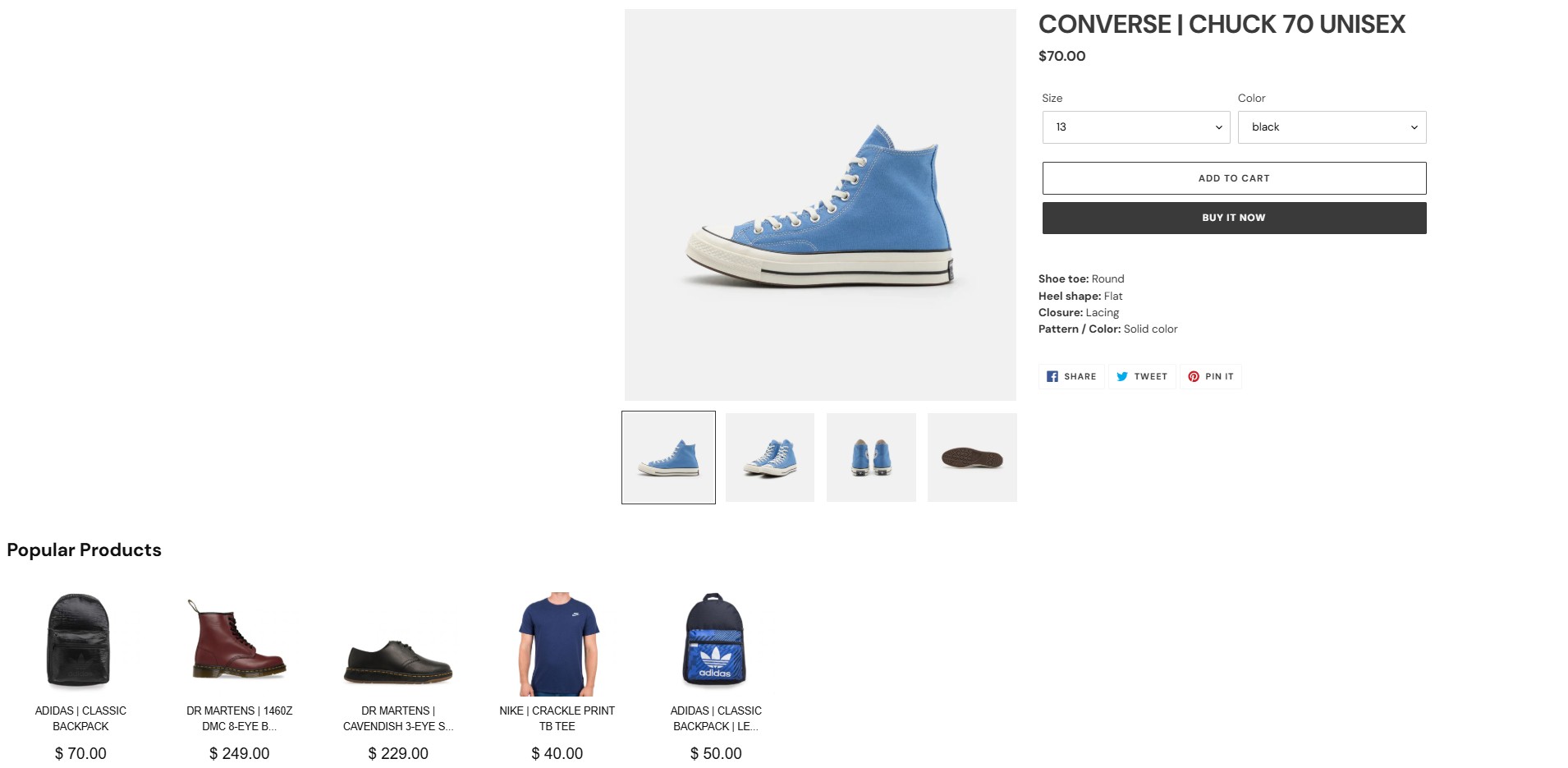
Retrieve recommendations from the product catalog using the Product Recommendation API. The following image shows a recommendation section added to a product page:
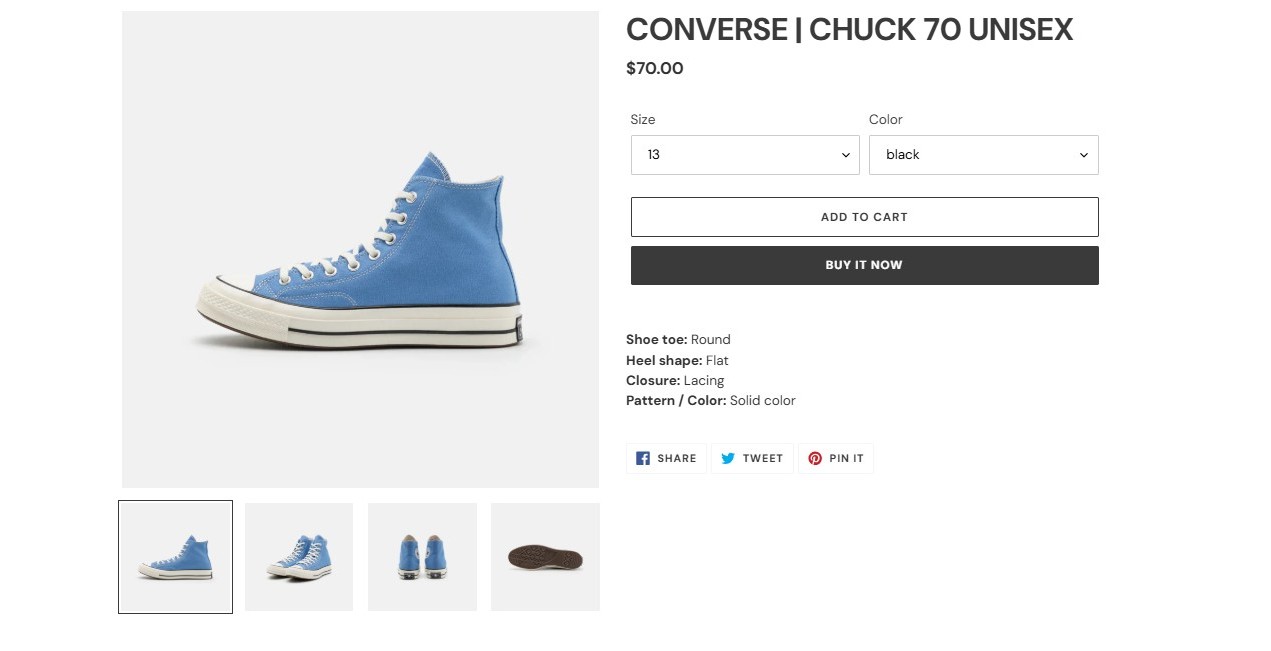
Product Page without Recommendations

Requirements

  • A valid Kameleoon account with a Store ID (shop_id).
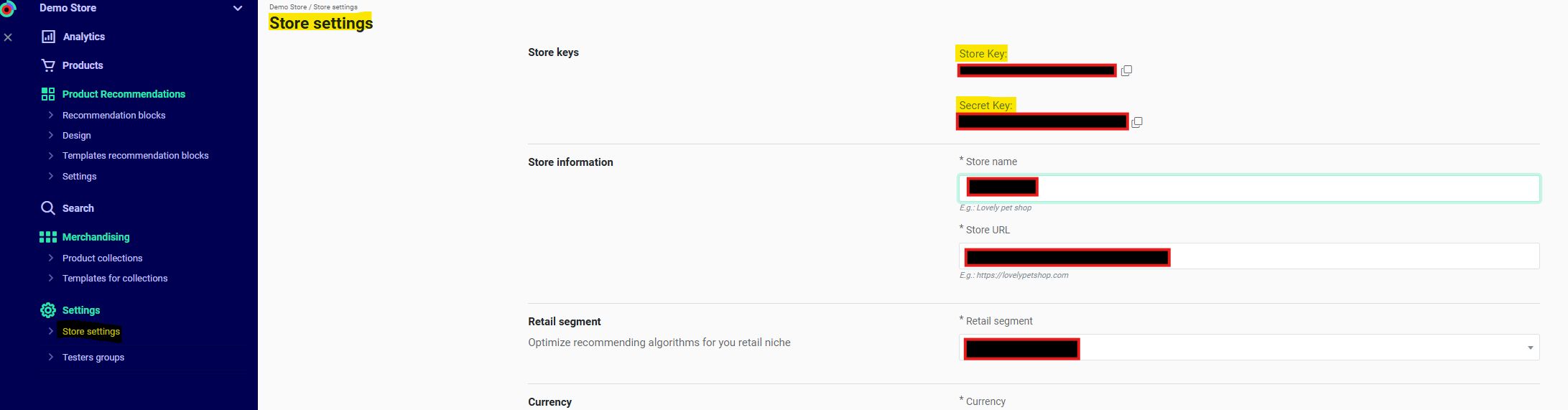
    • Get your shop_id from Recommendations > Settings > Store settings in the Kameleoon app. Contact your Customer Success Manager for the key if necessary.
Store Key
  • A Device ID (did) and Session ID (sid). (Required only when using filters or algorithms that rely on historical device/user data).
    • For Kameleoon Web Experimentation, get these from the following cookies:
      • KameleoonProducts_device_idDevice ID (did)
      • KameleoonProducts_session_codeSession ID (sid)
    • Otherwise, generate these values manually.

Steps

1. Retrieve cookies (Kameleoon Web Experimentation only)

Generate these values manually for backend implementations or environments without Kameleoon Web Experimentation. Refer to the Init endpoint for details.
function getCookie(name) {
  const match = document.cookie.match(new RegExp('(^| )' + name + '=([^;]+)'));
  if (match) return match[2];
}
const did = getCookie('KameleoonProducts_device_id');
const sid = getCookie('KameleoonProducts_session_code');

2. Configure your product recommendations

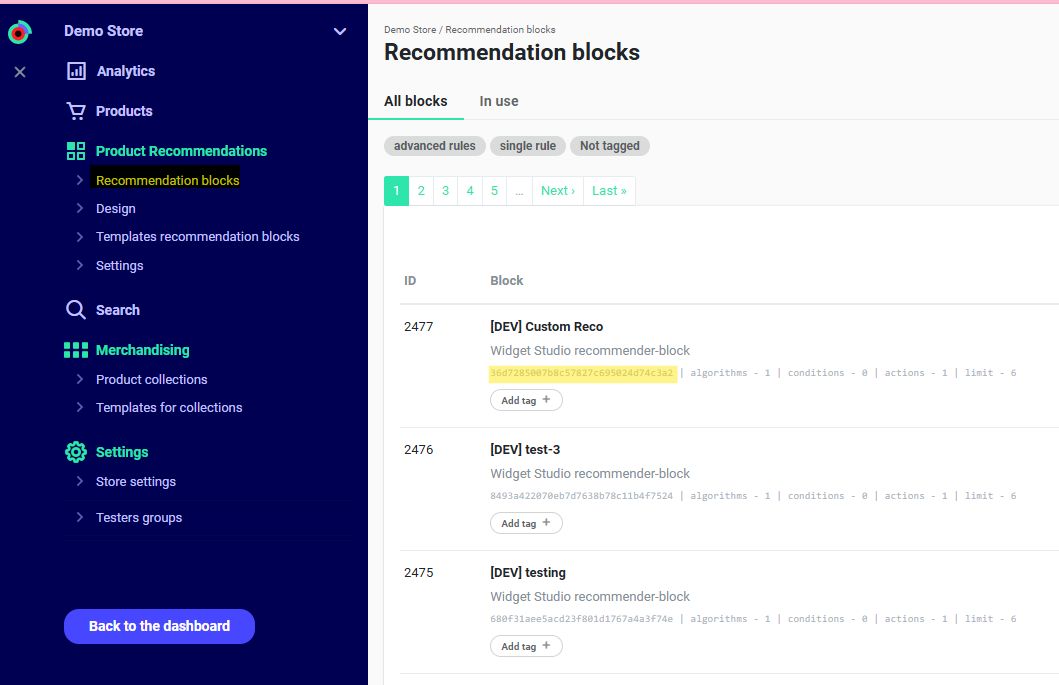
Navigate to Recommendations > Product Recommendations > Recommendation Blocks in the Kameleoon app. For unconfigured blocks, follow this guide. Identify the recommender_code.
Recommender Code
The API does not return CSS styles configured in the Kameleoon app.

3. Query request

Endpoint:
GET https://api.products.kameleoon.com/recommend/{%recommender_code%}
Replace {recommender_code} with the value retrieved in Step 2.
ParameterTypeRequiredDescription
didStringTrueDevice ID
shop_idStringTrueStore Key
sidStringTrueTemporary user session ID
resize_imageIntegerFalseImage size (px) for resizing. Supported values: 120, 140, 160, 180, 200, 220.
extendedInteger/EmptyOptionalAdds extended information for recommended products. If 1, the API returns all product information. If empty, the API returns only product IDs.
with_locationsBooleanFalseIf true and extended is also true, the response includes location_ids for product availability. If extended is missing or false, the API ignores with_locations and defaults to false.
Example:
curl -X GET -L 'https://api.products.kameleoon.com/recommend/trending_products_01' \
             -H 'Content-Type: application/json' \
             -d '{
  "did": "abc123-kam-device-id",
  "shop_id": "shop_4567_example",
  "sid": "session_7890_example",
}'

4. Response

NameTypeDescription
htmlstringHTML code for the product block. Customize the template in the Kameleoon personal account.
titlestringBlock title. Matches the “Action” element value in the block rules.
recommendsarrayList of products.
idnumberUnique block identifier. Matches the block ID in the Kameleoon personal account.
If extended = 1, products contain all product details. Otherwise, the API returns only the product IDs as strings.
The mobile app can ignore html.
The API does not return CSS; you must style the output manually.
The following image shows the product page with the integrated HTML response:
Product Page with Recommendations

a. With extended = 0

{
    "id": 2476,
    "recommends": [
        "AsTi-01-black-4",
        "C-02-black-7",
        "C-01-white-8",
        "VN-09-beige-4",
        "DM-03-red-6",
        "DM-02-black-5"
    ],
    "title": "Popular products",
    "link": "",
    "html": "<div class=\"kn-reco-block_2476\"> ... <\/div>"
}

b. With extended = 1

{
    "id": 870,
    "recommends": [
        {
            "name": "CONVERSE | TODDLER CHUCK TAYLOR ALL STAR AXEL MID",
            "url": "https://kameleoon-store.myshopify.com/products/converse-toddler-chuck-taylor-all-star-axel-mid?variant=40023417028772&recommended_by=dynamic&recommended_code=bdf46866294e4b8733eb2c2084423967",
            "category_ids": [
                "1",
                "295508017316"
            ],
            "barcode": "C-03-black-5",
            "vendor_code": "CO",
            "brand": "Converse",
            "leftovers": "few",
            "rating": 5,
            "picture": "https://images.products.kameleoon.com/resize-images/180/9fa630bf863db7a87fc6d5fd2a188f/3919221.jpg",
            "price_formatted": "$ 70",
            "price": 70,
            "currency": "$",
            "id": "C-03-black-5"
        }
    ],
    "title": "Popular Products",
    "link": "",
    "html": "<section class=\"KameleoonProducts-recommend\"> ... <\/section>"
}
}