

Requirements
access_token
experimentId
experimentId is the numeric identifier of the experiment you want results for. You can find it in the URL of the Kameleoon app while viewing the experiment (for example, https://app.kameleoon.com/.../experiments/188308/...). For feature flag experiments, the ID is shown in the Rollout Planner.
Goal
The tutorial uses the following example experiment: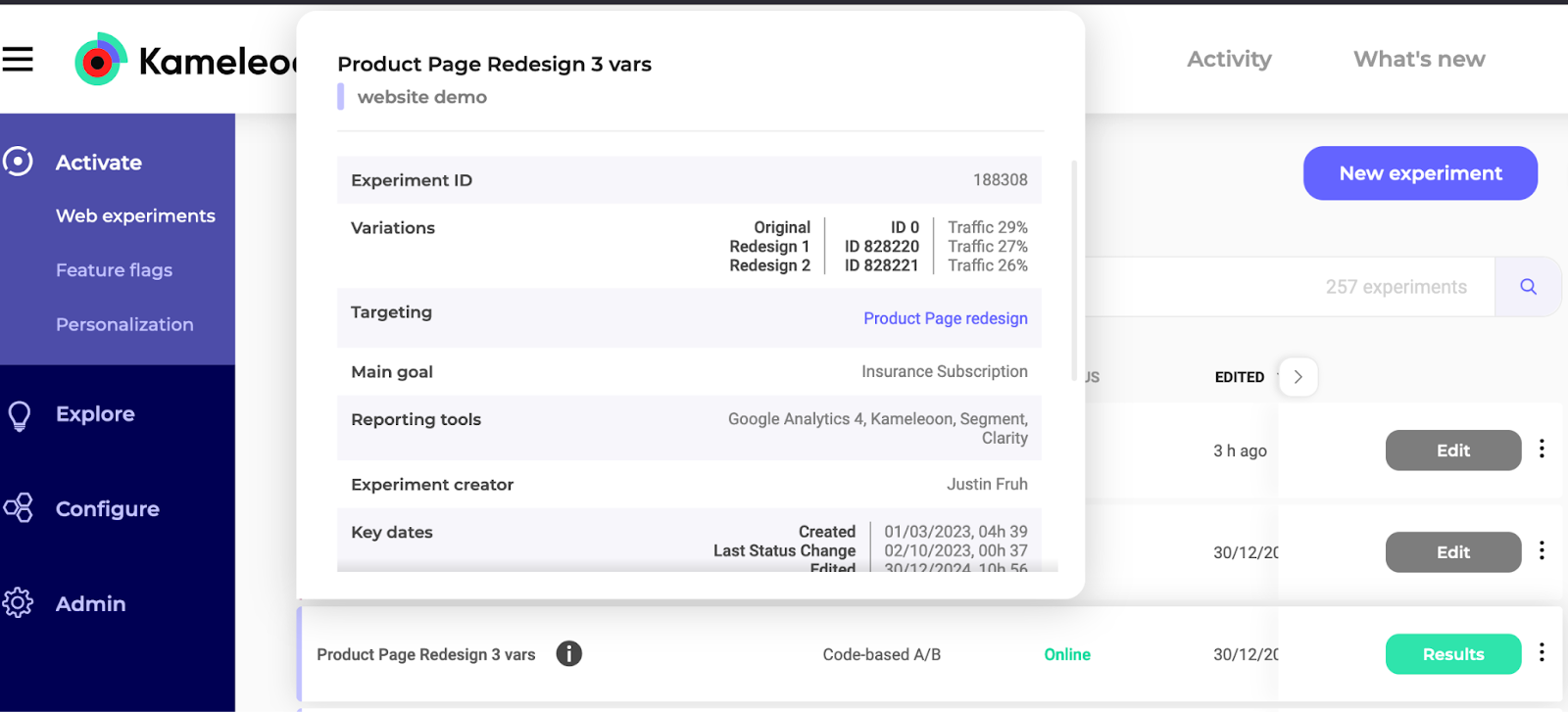
The tutorial also applies to Feature Flag experiments; however, use the 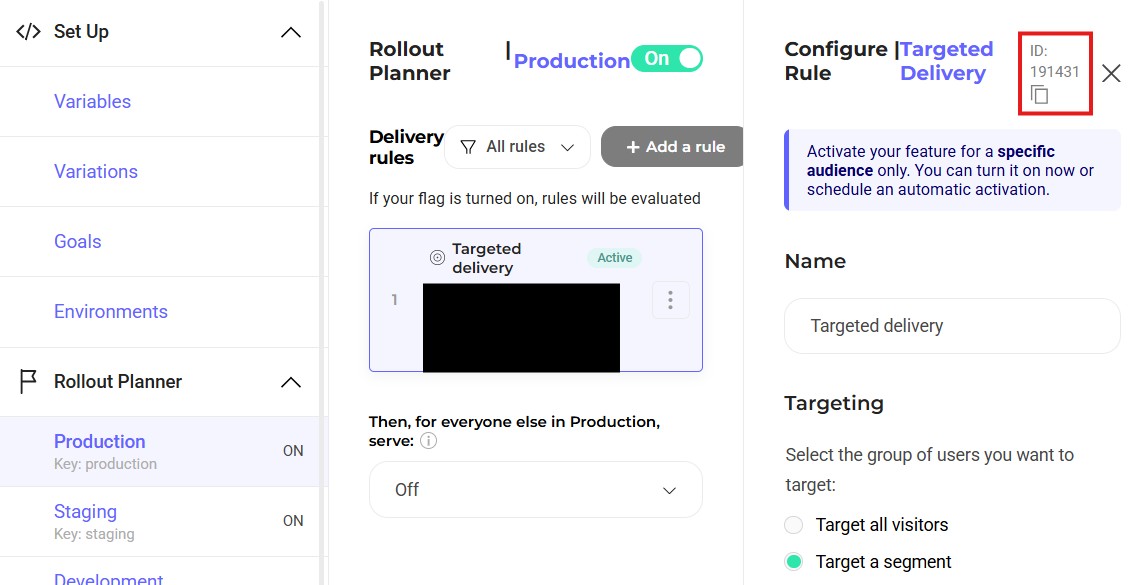
https://api.kameleoon.com/feature-flags/* endpoints instead of https://api.kameleoon.com/experiments/*:The experimentId is in the Rollout Planner:How result retrieval works
Retrieving results is a two-step process:- Request results — POST to
/experiments/{experimentId}/results. The response returns adataCodehash, not the results themselves. - Poll for results — GET
/results?dataCode=<dataCode>to retrieve the actual data.
1. Retrieve the data code
The following key body parameters control what the report includes. For the full parameter reference, see the Request experiment’s results endpoint.Case 1: Retrieve results directly
Send a POST request to the Request experiment’s results endpoint using your access token. Example:dataCode to step 2 to retrieve the actual results.
Case 2: Share results without authorization
Use this approach to let users view results without an access token — for example, to share a live results view with a stakeholder.1. Retrieve a SharedToken
Fetch aSharedToken from the Share experiment results endpoint. This endpoint accepts the same request body as the results endpoint.
2. Retrieve the dataCode with the SharedToken
Send a POST request to the Request experiment’s results endpoint using theSharedToken from the previous response in place of an access token.
2. Retrieve the experiment results
After receiving thedataCode from either case above, call the result endpoint.
If the response returns
"status": "WAITING", the report is still generating. Retry the request after a short delay until the status is "READY".3. Interpreting the results to determine the winning variation
Winning variations must demonstrate high reliability (exceeding 95%) and a positive improvement rate compared to the reference variation. The JSON response shows that both Redesign 1 and Redesign 2 have a 100% reliability rate. However, Redesign 1 has a +211.48% improvement rate compared to the -43.33% rate of Redesign 2. Therefore, Redesign 1 is the winner. Redesign 14. Filter experiment results
Obtain specific results by using thebreakdown and filters parameters. The breakdown parameter organizes data by a single dimension (such as browser, operating system, or day of the week). The filters parameter restricts data to a subset of visitors before the breakdown is applied.
The
breakdown parameter accepts a single object per request, not an array. To compare several dimensions, send one request per breakdown.Breakdown formats
Most breakdown types take only atype field, for example:
INTERVAL — segments results by a time interval. Pair "type": "INTERVAL" with an interval field:
interval field accepts HOUR, DAY, WEEK, MONTH, or YEAR.
CUSTOM_DATUM — segments results by custom data index. Pair "type": "CUSTOM_DATUM" with an index field:
CROSS_CAMPAIGN — segments results by exposure to another experiment or personalization. Provide at least one of experiments or personalizations:
Filter types
Each filter object requires atype string and an include boolean. Set include to true to restrict results to matching visitors, or false to exclude them. The additional fields depend on type:
Example: browser breakdown filtered to new visitors
The following request applies a browser breakdown restricted to new visitors by sending a POST to the Request experiment’s results endpoint:dataCode, retrieve the results:
CHROME, FIREFOX, OTHERS, etc.) as a key within breakdownData. The following response is truncated for clarity: