> ## Documentation Index
> Fetch the complete documentation index at: https://docs.kameleoon.com/llms.txt
> Use this file to discover all available pages before exploring further.
# Use BigQuery as a source — pulling events for reporting
> Create Kameleoon goals that pull conversion data from BigQuery on a scheduled basis to measure experiment results using your warehouse data.
> [!NOTE]
>
> Data warehouse integrations are available as a premium add-on for the Web Experimentation and Feature Experimentation module. Contact your Customer Success Manager for more information.
If your conversions live in BigQuery, you can measure them without tracking those conversions on your site. A BigQuery goal runs a query you define against that data and uses the results as conversions on your Results pages. Kameleoon polls the data every hour and merges conversions into experiment results once a day. The query must return a `visitor_id` and a `conversion_timestamp` column, and the data must stay queryable for at least 72 hours after each event.
Before you create the goal, [enable the BigQuery integration for your project](https://docs.kameleoon.com/user-manual/integrations/data-warehouses/bigquery/setting-up-bigquery.md).
## Create a BigQuery goal
To create a goal that reads conversions from BigQuery, follow the [Data warehouse tracking](https://docs.kameleoon.com/user-manual/assets/goals/create-a-goal.md#data-warehouse-tracking) flow in [Create a goal](https://docs.kameleoon.com/user-manual/assets/goals/create-a-goal.md) and choose **BigQuery** from the **Datawarehouse integration** dropdown. Step 1 then asks for these BigQuery-specific fields:
* **Frequency**: Define how often you want Kameleoon to update the goal data.
* **BigQuery project ID**: Enter the project ID of your BigQuery project.
* **Region**: Select the appropriate region from the provided list.
* **Query**: Define the SQL query to retrieve the necessary data from BigQuery.
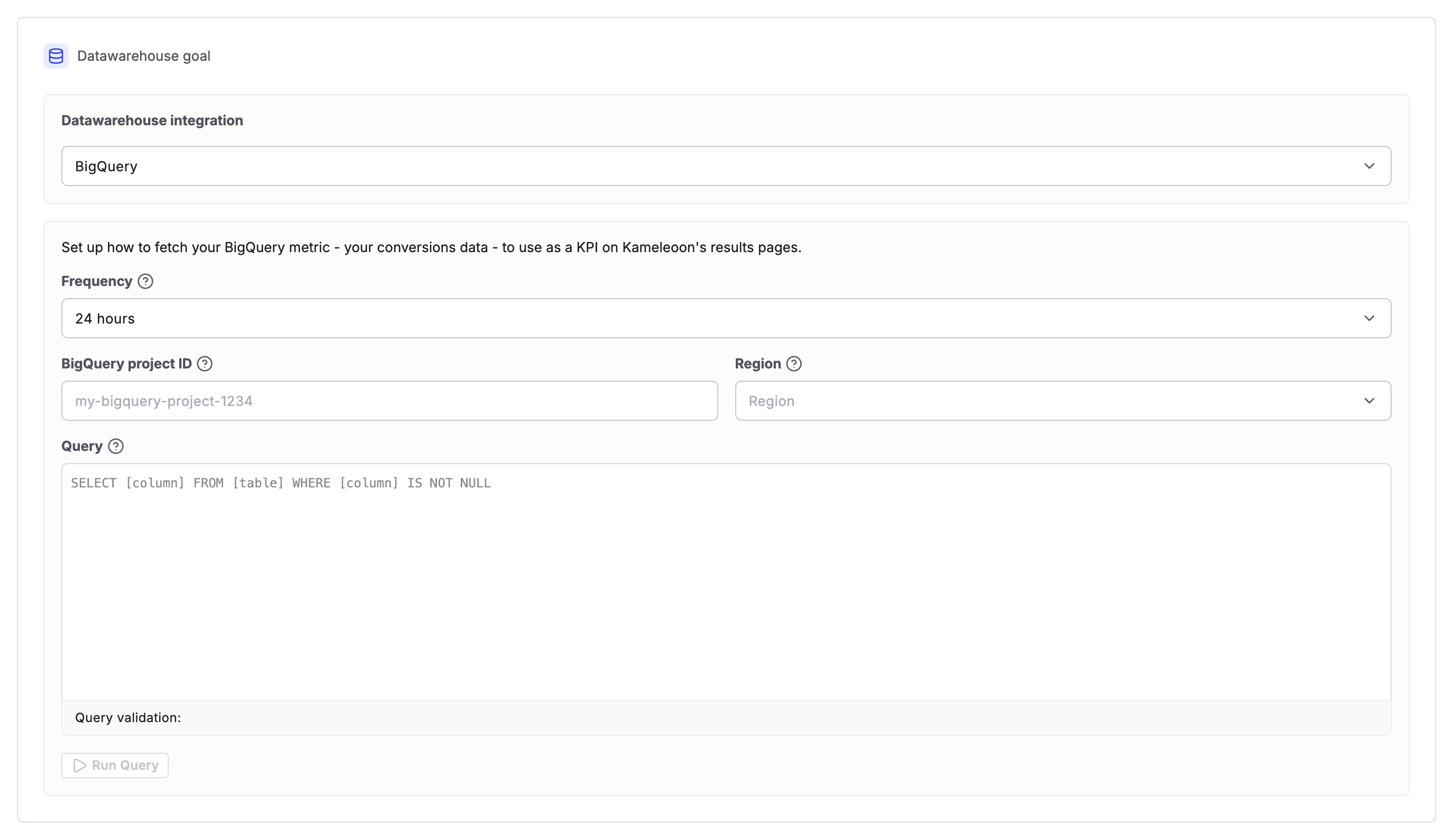
Complete Step 1. Then, if needed, configure Step 2, **Advanced settings**, and save your goal.
**Data warehouse retention period:** For Kameleoon to poll an event, it must remain accessible by your input query for at least 72 hours after the event occurred.
```mermaid theme={null}
flowchart TB
classDef warehouse fill:#F9E0F0,stroke:#C0397B,color:#1F2933
classDef kameleoon fill:#D1F2EB,stroke:#16A085,color:#1F2933
classDef reporting fill:#FDEBD0,stroke:#E67E22,color:#1F2933
classDef step fill:#FFFFFF,stroke:#6B7280,color:#1F2933
classDef heading fill:transparent,stroke:transparent,color:#1F2933
A["BigQuery dataset
Conversion tables, for example user_purchases"]:::warehouse
S1(["1. Query visitor-level conversions"]):::step
subgraph kameleoonLayer[" "]
direction TB
KH["Kameleoon platform"]:::heading
B["Poll every hour and match visitor_id to Kameleoon visitors"]:::kameleoon
S2(["2. Merge conversions into experiment results once per day"]):::step
C["Results pages
BigQuery conversions"]:::reporting
KH ~~~ B --> S2 --> C
end
A --> S1 --> kameleoonLayer
style kameleoonLayer fill:#FFFFFF,stroke:#9CA3AF,color:#1F2933
```
## Query format
The query must adhere to a specific format:
`SELECT visitor_id, conversion_timestamp FROM your_events_table`
Where `visitor_id` is the column representing the unique ID of your visitors, and `conversion_timestamp` is a column that represents the exact time at which the conversion took place. In BigQuery, the `conversion_timestamp` column must be a Timestamp type column.
If you want to associate revenue with each conversion, the query must use this alternate format:
`SELECT visitor_id, conversion_timestamp, revenue FROM your_events_table`
Where `revenue` is a column containing the revenue for each conversion.
For more complex queries, you can keep this format by wrapping your original query in a sub-query:
```sql theme={null}
SELECT visitor_id, conversion_timestamp, revenue FROM ( {your_original_query} ) AS subquery
```
## How Kameleoon polls conversion data
Kameleoon polls the BigQuery conversion data behind your goal every hour, appending a `WITH` clause to your query that filters by timestamps. Rather than reloading the full event history on every run, Kameleoon polls incrementally: each polling job tracks the last successful polling point and, on the next run, queries only the time window of new records since that point. Querying only that window keeps each poll fast, since Kameleoon never rescans data it has already imported. Although Kameleoon collects conversions hourly, it only merges them into your experiment results once per day.
Because polling always advances forward, Kameleoon can miss a record that lands in BigQuery with a timestamp older than the last successful polling window. Late records typically arrive because your data pipeline takes time to write the conversion event, so the record reaches BigQuery only after Kameleoon has already polled past the time window it belongs to. To prevent missed records, ask your Customer Success Manager to extend the ingestion timeframe to match your pipeline's typical arrival lag.
Kameleoon imports a late record only while its timestamp falls in a window it hasn't polled yet. Once the polling point passes a full day, Kameleoon doesn't reread that day, so Kameleoon doesn't import a late or corrected row for that day.
```mermaid theme={null}
flowchart TB
A["Hourly poll starts"] --> B["Query rows since the last polling point"]
B --> C{"Query runs and expected columns exist?"}
C -->|Yes| D["Import the window's conversions and advance the polling point"]
C -->|No| E["Log the failure and keep the polling point"]
E --> F["Next run retries the same window"]
D --> G["Merge conversions into experiment results once per day"]
```
### Ingestion timeframe
By default, Kameleoon allows up to 1 hour between when a conversion event for your goal occurs and when it becomes available in your BigQuery warehouse, and its polling window accounts for that delay automatically. If your pipeline takes longer than 1 hour to write events into BigQuery, for example due to batch or nightly ETL jobs, those late-arriving records fall outside the polling window and get missed. Contact your Customer Success Manager to extend the delay so it matches your pipeline's actual arrival lag.
### Failed polls and schema changes
A failed poll leaves the polling point where it was. The polling point is the time up to which Kameleoon has already imported records, so the next scheduled poll starts from the same point and retries the same window. Kameleoon imports the records in that window once the query runs again.
A schema change affects results in one of two ways, depending on what changed:
* **A column that your query expects is missing or renamed:** The poll fails and Kameleoon logs the failure. The polling point doesn't advance, so later runs retry the window until the query matches the table again.
* **A column keeps its name but its meaning changes:** The poll succeeds, and the polling point advances. Kameleoon doesn't check that a same-named column still holds the visitor identifier, timestamp, or revenue that you expect, so results can be wrong without an error.
After you rename or restructure a table or view that a query reads, run the query again to confirm that it returns the columns you expect.
## Visitor identifier
Kameleoon uses the `visitor_id` value to identify which visitor receives credit for each conversion, so the value must match an identifier Kameleoon already has for that visitor. By default, the value is the Kameleoon visitor code. If you set up [cross-device history reconciliation](https://docs.kameleoon.com/user-manual/assets/custom-data/create-custom-data.md#how-do-i-activate-cross-device-history-reconciliation), Kameleoon matches `visitor_id` against the custom data you flagged as the unique identifier for cross-device history reconciliation instead of the visitor code.
## Run your query before ingestion
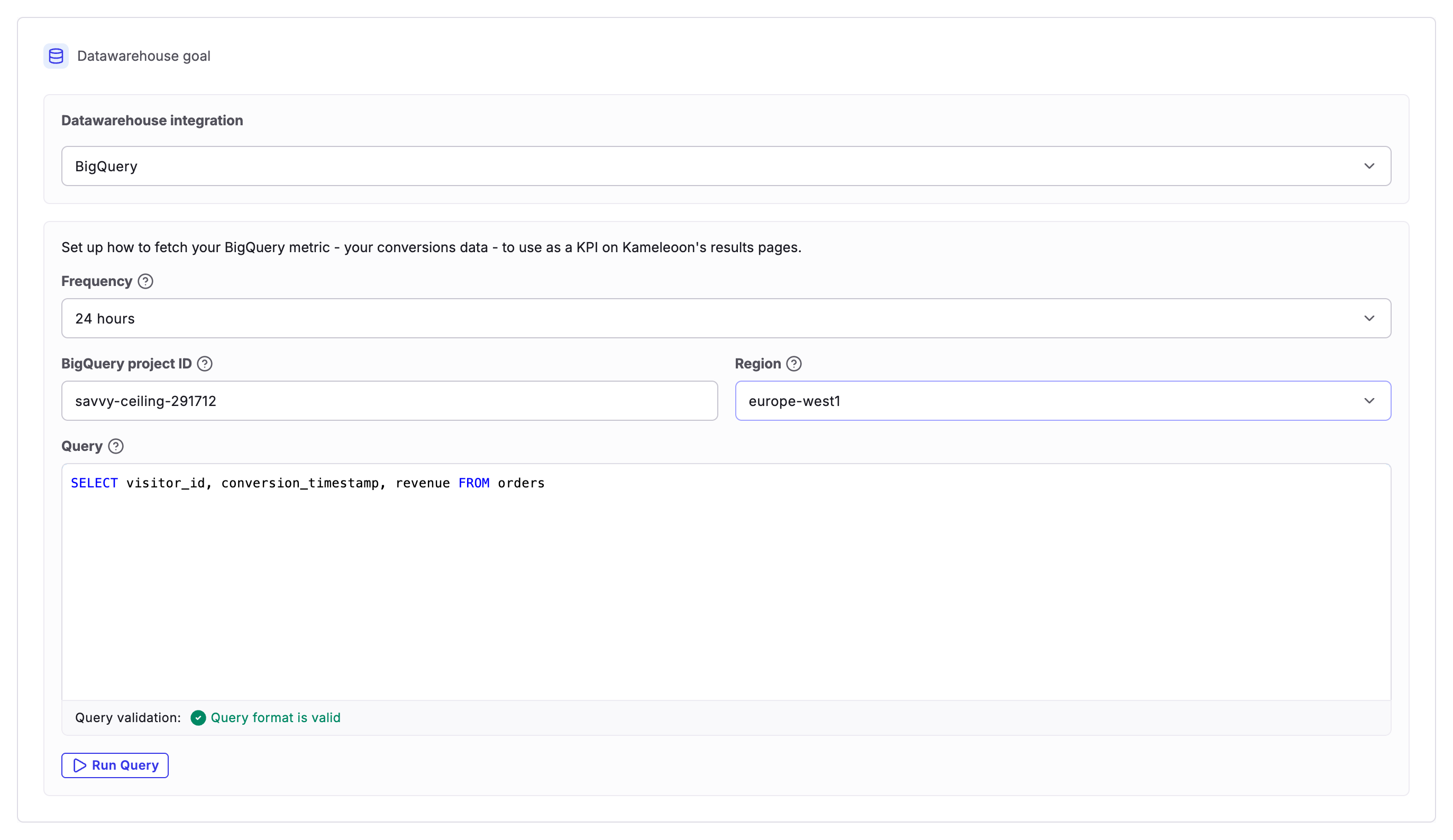
Before saving your goal, you can test your query directly in Kameleoon. Testing allows you to:
* Verify the connection in real time.
* Confirm your credentials and access rights are correct, which helps detect issues immediately, without having to wait for the first data import.
* Validate your data's structure and accessibility.
You can run a simple query to ensure Kameleoon can access the right databases and tables. You can also download a small sample of the dataset to confirm that the schema, permissions, and contents match your expectations.
## Using your BigQuery goal
With the goal created, you can incorporate it into your Kameleoon campaigns. When you set up an experiment or personalization, you can select this goal in the **Goals** section of the finalization page. The goal then lets you track and analyze specific conversions from your BigQuery database.
To learn how to set up a goal in an experiment, see [Set up a goal in a campaign](https://docs.kameleoon.com/user-manual/assets/goals/set-up-a-goal-campaign.md).
## Data retention
Conversion data imported from BigQuery becomes visit data in Kameleoon and follows Kameleoon's standard retention policy. For the retention period, see the [Data retention policy](https://docs.kameleoon.com/developer-docs/privacy-and-compliance/data-collection-backend.md#data-retention-policy).
## Delete visitor data
You can remove Kameleoon's copy of visitor data with the Data API endpoint `POST /visit/forget`, which requires authentication. For the request format, see [Remove data for several visitors](https://docs.kameleoon.com/api-reference/visit/remove-data-for-several-visitors.md). The endpoint doesn't delete tables in your BigQuery project.