> ## Documentation Index
> Fetch the complete documentation index at: https://docs.kameleoon.com/llms.txt
> Use this file to discover all available pages before exploring further.
# Piwik Pro Audiences
> Use Piwik Pro audience segments as targeting conditions in Kameleoon experiments and personalizations via a custom data bridge.
The available segments in your DMP are made available by Piwik Pro Audiences via a REST-API.
In your Kameleoon account, click **Admin** > **Projects**.
## Global custom script
To insert the global custom script:
* Click **Configuration** > **General**.
The **Global custom script** insert will link Kameleoon to Matomo. Any JavaScript code you add in this insert will be executed every time the page loads. This feature is usually used to add complex tracking code or integration to other solutions.

Copy and paste the code below into the **Global script** section:
```javascript theme={null}
const getPiwikProSegments = (visitorID) => {
const clientID = 'Replace this with your client_id from generated credentials';
const websiteID = 'Replace this with your project_id';
const xhr = new XMLHttpRequest();
xhr.onload = function run() {
if (this.status === 200) {
Kameleoon.API.Data.setCustomData(
'Piwik Pro segments',
JSON.parse(xhr.response)
);
}
};
xhr.open('GET', https://customers.kameleoon.com/kameleoon/piwik/user/${visitorID}?id=${clientID}&website_id=${websiteID}, true);
xhr.send();
};
Kameleoon.API.Core.runWhenConditionTrue(() => typeof _paq !== 'undefined', () => {
_paq.push([function init() {
getPiwikProSegments(this.getVisitorId());
}]);
});
```
Click **Validate** to apply the changes to your configuration.
## Custom data
You then must create [a new custom data](../../../assets/custom-data/create-custom-data).
You will need:
* your `client_id` & `client_secret` for generating Bearer Token ([get Credentials](https://developers.piwik.pro/en/latest/platform/getting_started.html)).
* your `website_id`.
Use the **Activation API Method** acquisition method. This code should be placed in the **Save the values for the targeting condition associated with the custom data point** section of the custom data (don't forget to add your `client_id` and `website_id`).
```javascript theme={null}
let segmentPW = [];
const clientID = 'Replace this with your client_id from generated credentials';
const websiteID = 'Replace this with you website_id';
const xhr = new XMLHttpRequest();
xhr.onreadystatechange = function check() {
if (this.readyState === 4) segmentPW = JSON.parse(xhr.response);
};
xhr.open('GET', [https://customers.kameleoon.com/kameleoon/piwik/segments/?id=${clientID}&website_id=${websiteID}](https://customers.kameleoon.com/kameleoon/piwik/segments/?id=$%7BclientID%7D&website_id=$%7BwebsiteID%7D), false);
xhr.send();
return segmentPW;
```
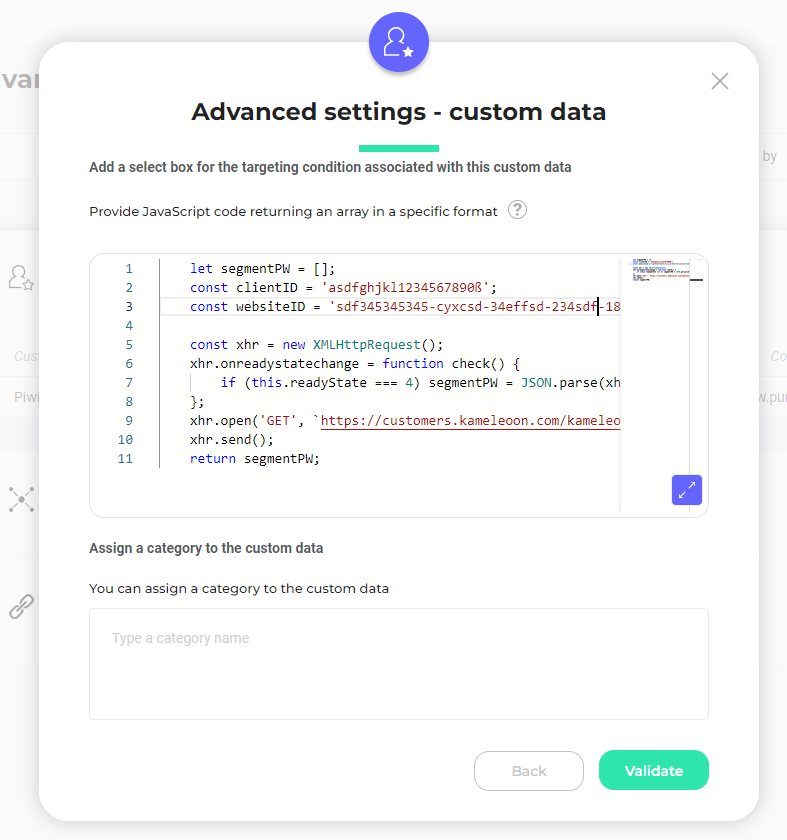
You will notice that in this code we call a Kameleoon Webservice (`https://customers.kameleoon.com/kameleoon/piwik/`), which uses the Piwik Pro API to get all segments. This call is needed to go through CORS policy issues.
The custom data should be set to the **list of** and **strings** types; the scope is **Page**.
## External Segment Sync for Server-side
If you would like to **use Matomo segment data with one of our SDKs**, you will need to follow the guidelines provided in each SDK documentation and use the method [`getRemoteData()`](../../../../developer-docs/sdks/mobile-sdks/ios-sdk#getremotedata).