> ## Documentation Index
> Fetch the complete documentation index at: https://docs.kameleoon.com/llms.txt
> Use this file to discover all available pages before exploring further.
# BigQuery をデスティネーションとして使用する
> Kameleoon 実験露出イベントを Google BigQuery に送信し、キャンペーン結果を集約して既存のデータと共に分析します。
データウェアハウス統合は、当社の Web Experimentation および Feature Experimentation モジュールのプレミアムアドオンとして利用できます。詳細については、カスタマーサクセスマネージャーにお問い合わせください。
BigQuery 統合により、ターゲティングされたキャンペーンとパーソナライズされたユーザー体験のためのデータ取得を簡素化できます。
**主なメリット:**
* 正確なデータ収集を可能にし、特定のオーディエンスニーズや好みに合わせてカスタマイズされたパーソナライズキャンペーンのオーディエンスターゲティングを強化します。
* データ取り込みタスクをセットアップして、BigQuery からデータを抽出します。
## BigQuery をデスティネーションとして有効化する
[プロジェクトで BigQuery 統合を有効化](./setting-up-bigquery)した後、**Use BigQuery as a destination** を有効化して Kameleoon キャンペーンの結果を BigQuery に送信できます。

そのためには、以下の手順に従ってください:
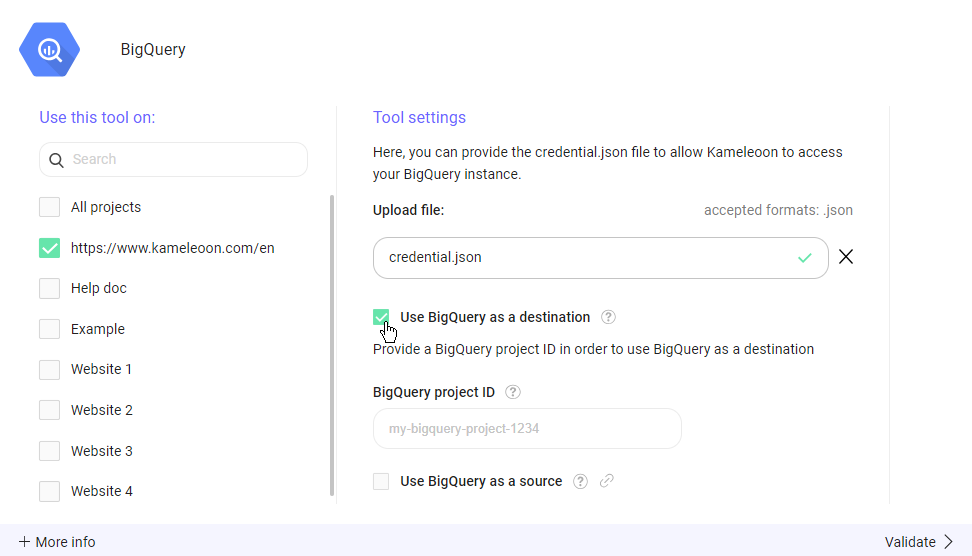
1. 選択したプロジェクトの構成内に、**Use BigQuery as a destination** と表示されたチェックボックスがあります。このチェックボックスをオンにして機能を有効化します。
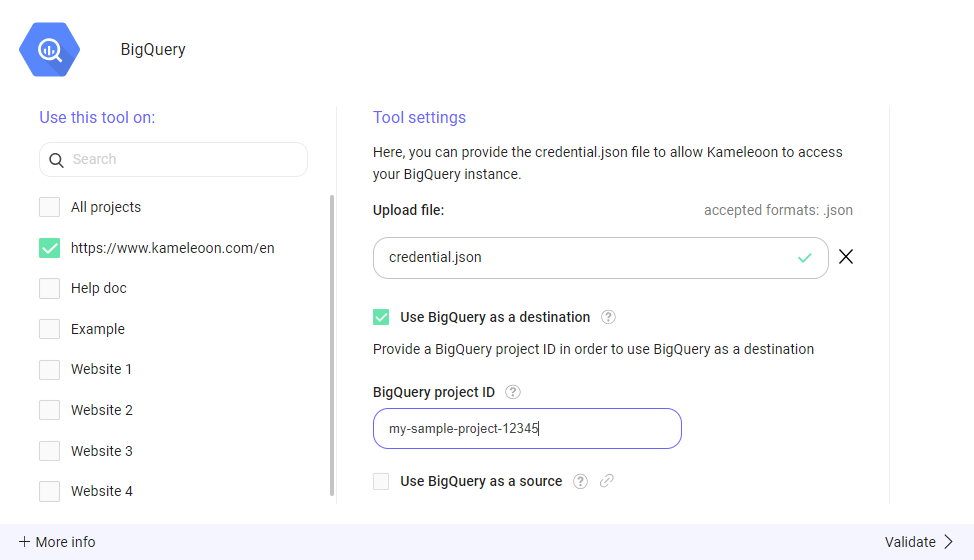
2. Google BigQuery プロジェクトに関連付けられた BigQuery プロジェクト ID を提供する必要があります。プロジェクト ID を **BigQuery project ID** に入力します。
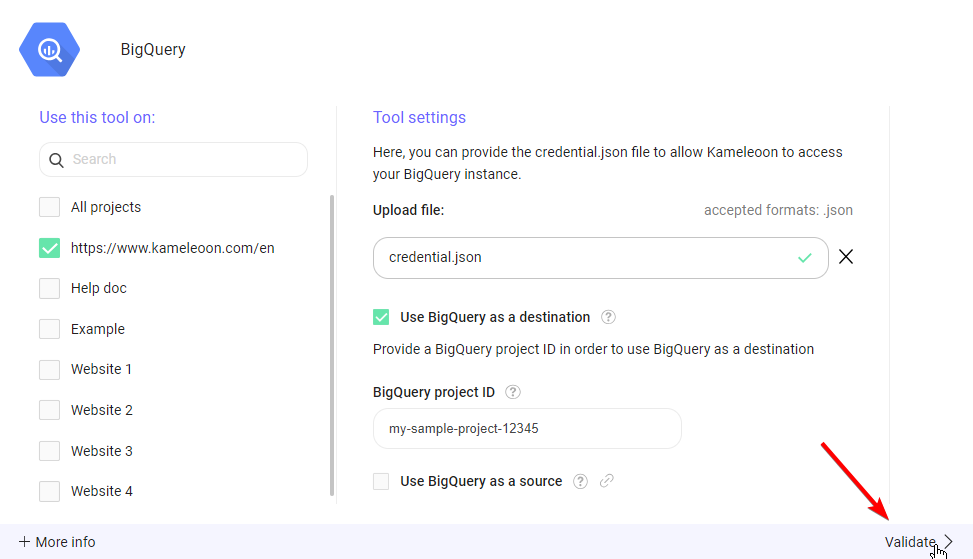
3. **Validate** をクリックして変更を保存します。
## 「Use BigQuery as a Destination」の機能
**Use BigQuery as a destination** を有効化すると、すべての Kameleoon 実験露出イベントが Google BigQuery に送信されます。イベントは、Kameleoon サービスアカウントに対する書き込みアクセスを以前に作成した「kameleoon」データセット内の `kameleoon_experiment_event` というテーブルに保存されます。このテーブルの SQL スキーマは以下のとおりです:
```sql theme={null}
CREATE TABLE kameleoon_experiment_event (
nonce BIGINT PRIMARY KEY, // unique identifier of the event
timestamp BIGINT, // timestamp in millis of the event
visitor_code VARCHAR(255), // Kameleoon visitor identifier
custom_visitor_id VARCHAR(255), // Visitor identifier used by your company
experiment_id BIGINT, // Kameleoon id of the experiment
variation_id BIGINT // Kameleoon id of the variation
);
```
`custom_visitor_id` は、設定されている場合、[クロスデバイス調整カスタムデータ](../../../../developer-docs/cross-device-experimentation) から読み取られます。