> ## Documentation Index
> Fetch the complete documentation index at: https://docs.kameleoon.com/llms.txt
> Use this file to discover all available pages before exploring further.
# TrustCommander
> TrustCommander CMP と Kameleoon を統合して、訪問者の同意を自動的に管理し、同意通知のさまざまなバージョンを A/B テストします。
消費者プライバシー法の影響を受けて、多くのマーケターは、Web サイトおよびモバイルアプリのユーザーに対して、収集、保存、サードパーティと共有される個人データを通知する [TrustCommander](https://www.commandersact.com/en/solutions/trustcommander/) のようなソリューションを採用しています。
Kameleoon は TrustCommander プラットフォーム内の同意ポリシーを読み取るため、A/B テストを実行したり、設定バリアント (例: 通知のフォーマット、コンテンツ、バナー対ポップイン) のパフォーマンスをパーソナライズしたりできます。
**主なメリット:**
* 追加設定なしで、TrustCommander CMP を通じてユーザーの同意を自動的に管理できます。
* Kameleoon を通じて TrustCommander タグ構成のさまざまなバリアントをデプロイできます。
* ダッシュボードとレポートでブランドロイヤルティを向上させ、ユーザーの信頼を評価できます。
このガイドでは、Commanders Act CMP との統合をセットアップする方法を説明します。
[Kameleoon は IAB TCF にも準拠しています](./iab-transparency-and-consent-framework)
## TrustCommander とのカスタム統合
コンテナに Kameleoon Consent with TRUST タグを追加する必要があります。
[Commanders Act の説明に従って新しいタグを追加してください](https://community.commandersact.com/tagcommander/user-manual/untitled#step-3-adding-tags-to-a-container)
Commanders Act は 2 つの Kameleoon Consent タグを提供しています。アカウントで TRUST が有効になっている場合は **「Kameleoon - Consent with TRUST」** タグを使用する必要があります。それ以外で別の同意管理ツールを使用している場合は、汎用の **「Kameleoon - Consent」** タグを使用できます。
Commanders Act インターフェースの **SELECT** ステップまたは **EDIT** ステップから追加できます。

Kameleoon の用途に応じて、2 つのカテゴリを管理できます:
* **TRUST\_AB\_TESTING\_CATEGORY:** A/B テストプラットフォームの同意を管理します。すべての訪問者のユーザー体験を改善するために使用されます。
* **TRUST\_PERSONALIZATION\_CATEGORY:** パーソナライゼーションプラットフォームの同意を管理します。訪問をより関連性のあるものにするためのパーソナライズ体験を提供するために使用されます。
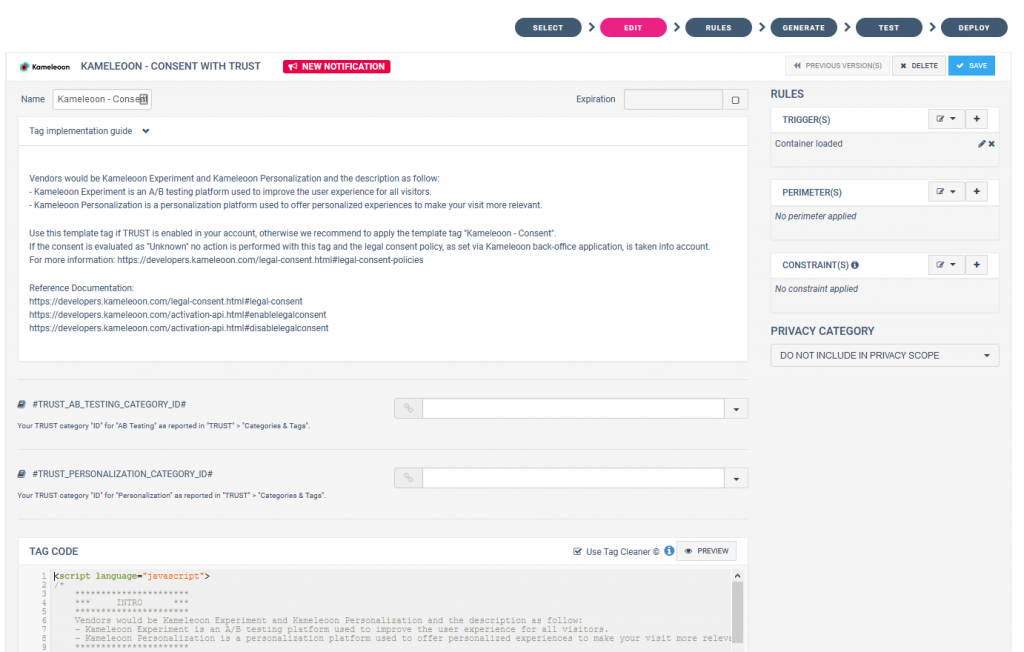
***Kameleoon - Consent With TRUST タグ***
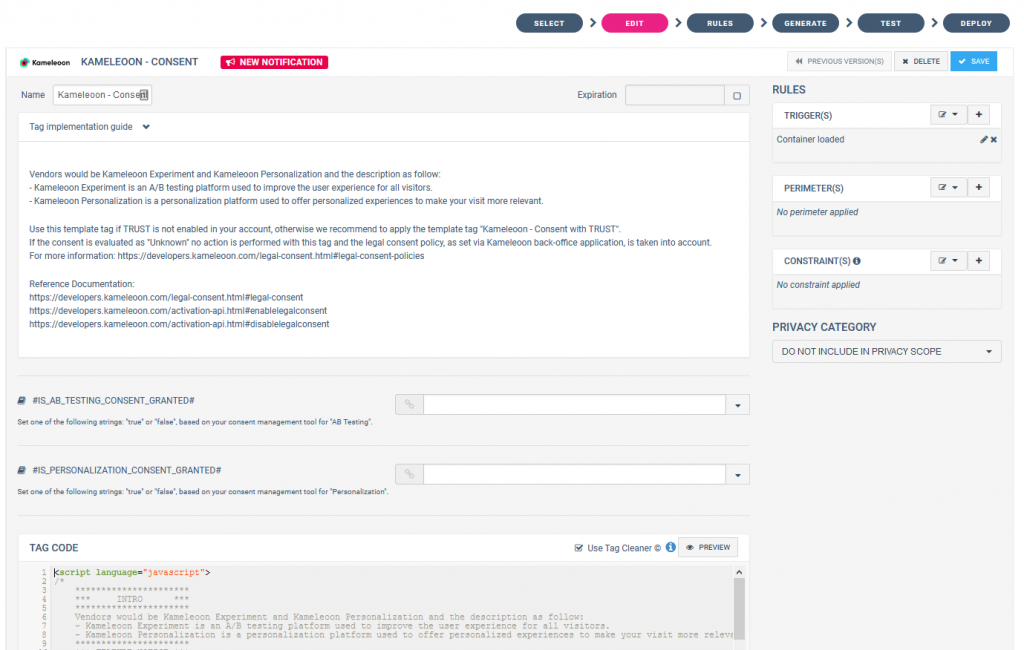
***Kameleoon - Consent (汎用) タグ***
最後のステップは、同意バナーまたはポップインで Kameleoon を追加したカテゴリ ID を指定することです。詳細は[こちら](https://community.commandersact.com/trustcommander/user-guides/categories-and-tags/manage-categories#category-options)をご覧ください。