> ## Documentation Index
> Fetch the complete documentation index at: https://docs.kameleoon.com/llms.txt
> Use this file to discover all available pages before exploring further.
# フォームに条件付きロジックを追加する
> Widget Studioでイベントを設定して、訪問者の入力に基づいてフォーム要素の表示・非表示アクションをトリガーします。
訪問者がフォームに入力した値に基づいて、特定のアクションをトリガーできます。
## 訪問者の入力値に基づいて要素を表示/非表示にする
訪問者がフォームに入力した値に応じて、要素を表示または非表示にできます。たとえば、訪問者が特定のチェックボックスを選択すると、選択理由を詳しく説明するためのテキストフィールドを表示することができます。
## ユースケースの例
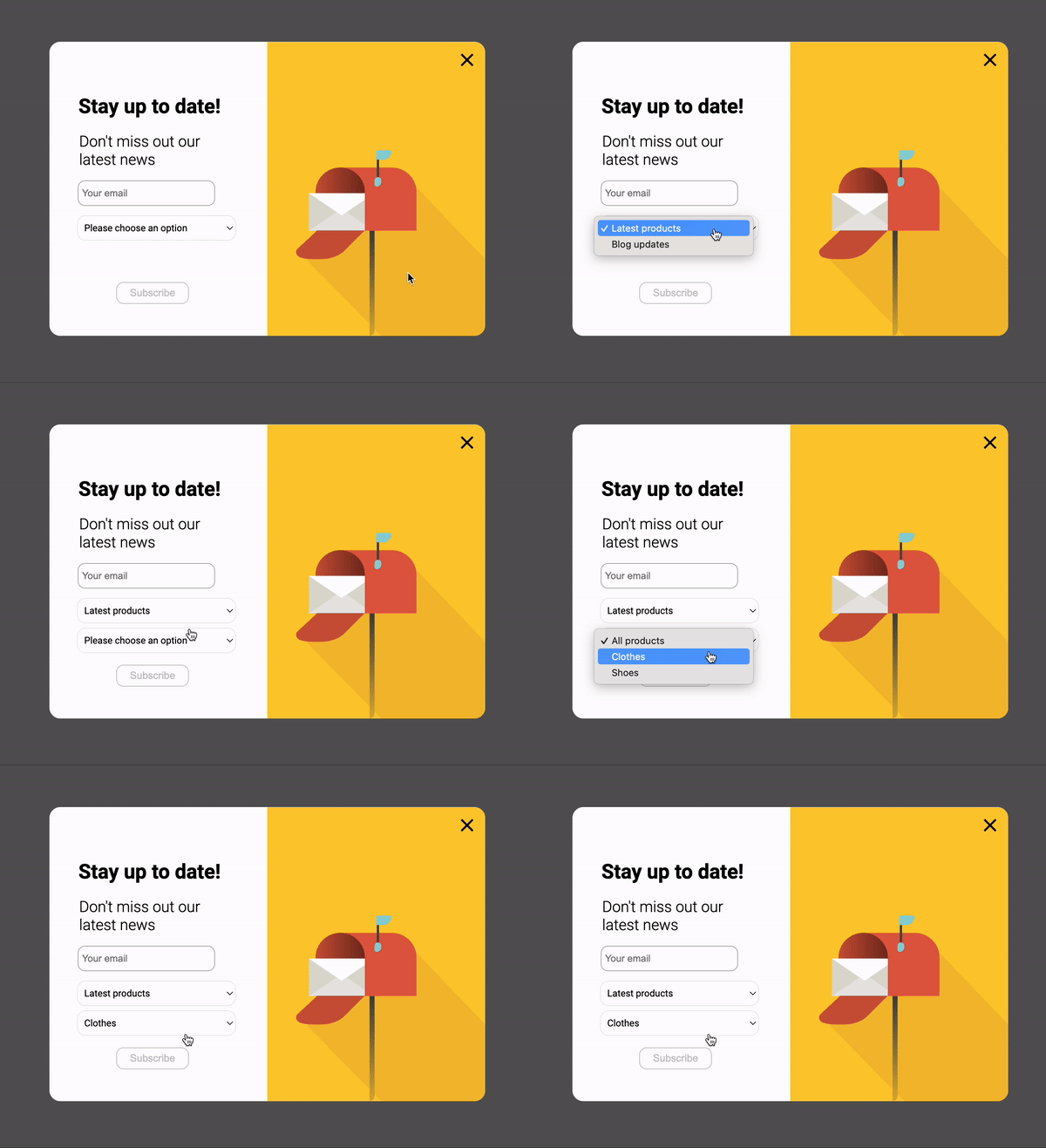
セレクトボックスを作成し、訪問者が選択したオプションに基づいて2つ目のセレクトボックスを表示したいとします。
1つ目のセレクトボックスの設定セクションで、2つのオプションを指定します。
* Latest products
* Blog updates

**Latest products** を選択した訪問者向けに、デフォルトで非表示の2つ目のセレクトボックスを追加します。このセレクトボックスには次のオプションが含まれます。
* All products
* Clothes
* Shoes

Widget Studioの **Events** セクションで、2つ目のセレクトボックスを表示するための特定のイベントを作成する必要があります。このイベントを作成するには:
1. Widget Studioの **Events** セクションに移動します。
2. 次の画面で **Form** > **By element form value** を選択します。
3. 1つ目のセレクトボックス要素を選択します。
4. このイベントに関連付ける値(たとえば **Latest products**)を選びます。
5. **Add action** メニューに移動します。
6. **Elements** を選択します。
7. 作成した2つ目のセレクトボックスを選択します。
このイベント設定の結果は次のようになります。

ウィジェット表示レベルでのこの条件付きロジックの効果は次のとおりです。