> ## Documentation Index
> Fetch the complete documentation index at: https://docs.kameleoon.com/llms.txt
> Use this file to discover all available pages before exploring further.
# ユーザー ID に基づくバリエーション割り当ての管理
> 一意のユーザー ID を使用して、認証済みユーザーにデバイスを越えて一貫したバリエーションを提供するため、Kameleoon のデフォルトのバリエーション割り当てをオーバーライドする方法。
Kameleoon はデフォルトで訪問者にバリエーションをランダムに割り当てます。[統計に関するペーパー](https://storage.googleapis.com/kameleoon-storage-documentation/user-manual/pdf/statistics-at-kameleoon.pdf) の「Kameleoon's assignation algorithm」セクションで、割り当てアルゴリズムのロジックが説明されています。デフォルト関数は次のとおりです:
```
function (experiment)
{
var registeredVariationId;
var deviationRandom = experiment.obtainVariationAssignmentRandomNumber();
var total = 0.0;
for (var i = 0, l = experiment.variations.length; i < l; ++i)
{
total += experiment.variations[i].deviation;
if (deviationRandom <= total)
{
registeredVariationId = experiment.variations[i].id;
break;
}
}
return registeredVariationId != null ? registeredVariationId : "none";
}
```
デフォルト関数を上書きして、Kameleoon がバリエーションを選択し表示する方法を変更します。セキュアな Web サイトでは、これを使用してプラットフォームやデバイスを越えて接続中のユーザーに一貫したバリエーションを表示できます:
```
function(experiment)
{
var memberId = window.member_id.toString(); //CODE to update with your variable that contains the unique identifier. It has to be available before calling the Kameleoon snippet
memberId = memberId + experiment.id.toString();
var hash = 0;
for (i = 0; i < memberId.length; ++i)
{
char = memberId.charCodeAt(i);
hash = ((hash << 5) - hash) + char;
hash = hash & hash;
}
hash = (Math.abs(hash) * 9301 + 49297) % 233280;
var deviationRandom = hash / 233280;
var total = 0.0;
for (var i = 0, l = experiment.variations.length; i < l; ++i)
{
total += experiment.variations[i].deviation;
if (deviationRandom <= total)
{
chosenVariationId = experiment.variations[i].id;
break;
}
}
return registeredVariationId != null ? registeredVariationId : "none";
}
```
アカウントの詳細オプションにカスタムコードを追加します:
1. [Kameleoon アカウント](https://login.kameleoon.com/app) にログインします。
2. **Admin** > **Projects** をクリックします。
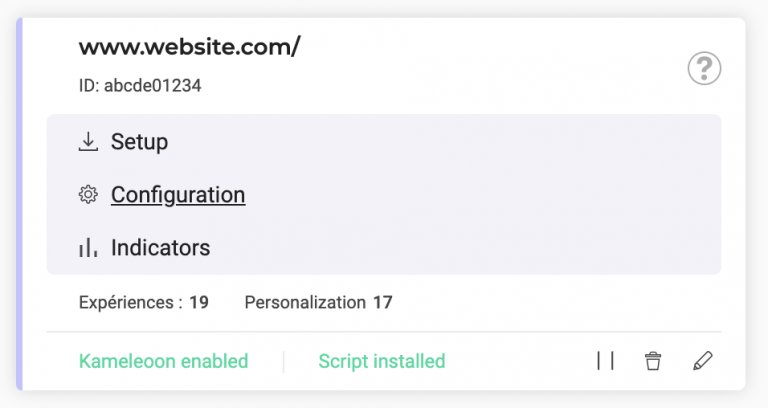
3. Web サイトカードの **Configuration** をクリックします。
4. 上記のスクリプトを **Variation selection script** フィールドに追加します。