> ## Documentation Index
> Fetch the complete documentation index at: https://docs.kameleoon.com/llms.txt
> Use this file to discover all available pages before exploring further.
# Gérer l'allocation d'une variation selon des critères spécifiques
> Remplacez l'algorithme d'assignation de variation par défaut de Kameleoon pour allouer des variations en fonction de critères JavaScript personnalisés, tels que des variables prédéfinies.
Kameleoon alloue par défaut une variation à un visiteur de manière aléatoire. Le [document statistique](https://storage.googleapis.com/kameleoon-storage-documentation/user-manual/pdf/statistics-at-kameleoon.pdf) explique la logique de l'algorithme d'assignation dans la section « Kameleoon's assignation algorithm ». La fonction par défaut est la suivante :
```
function (experiment)
{
var registeredVariationId;
var deviationRandom = experiment.obtainVariationAssignmentRandomNumber();
var total = 0.0;
for (var i = 0, l = experiment.variations.length; i < l; ++i)
{
total += experiment.variations[i].deviation;
if (deviationRandom <= total)
{
registeredVariationId = experiment.variations[i].id;
break;
}
}
return registeredVariationId ? registeredVariationId : "none";
}
```
Surchargez cette fonction pour modifier la façon dont Kameleoon sélectionne et affiche les variations. Par exemple, il est souvent avantageux de sélectionner une variation en fonction d'une variable JavaScript :
```
function(experiment)
{
if(experiment.id == "ID TEST"){ //code for the experiment you would like a specific behavior. It has to be adapted to your use case
if(typeof versionTest != "undefined") { //versionTest variable has to be available before loading Kameleoon. Otherwise it will not work.
if(versionTest == 1)
return 81103; //ID of the variation 1
else if(versionTest == 2)
return 81104; //ID of the variation 2
else if(versionTest == 3)
return 81105; //ID of the variation 3
else if(versionTest == 4) //ID of the variation 4
return 81106;
}
}
else{ //default behavior is applied for all other experiments
var registeredVariationId;
var deviationRandom = experiment.obtainVariationAssignmentRandomNumber();
var total = 0.0;
for (var i = 0, l = experiment.variations.length; i < l; ++i)
{
total += experiment.variations[i].deviation;
if (deviationRandom <= total)
{
registeredVariationId = experiment.variations[i].id;
break;
}
}
return registeredVariationId ? registeredVariationId : "none";
}
}
```
Ajoutez le code personnalisé au compte :
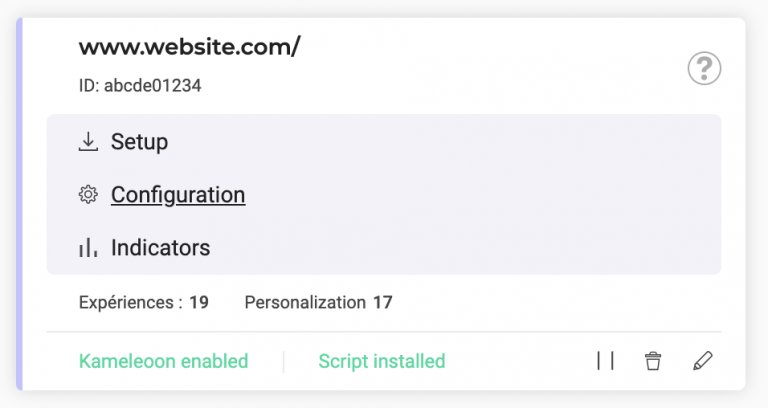
1. Utilisez le menu de gauche pour accéder à **Admin** > **Projets**.
2. Cliquez sur **Configuration** sur la carte du site Web.
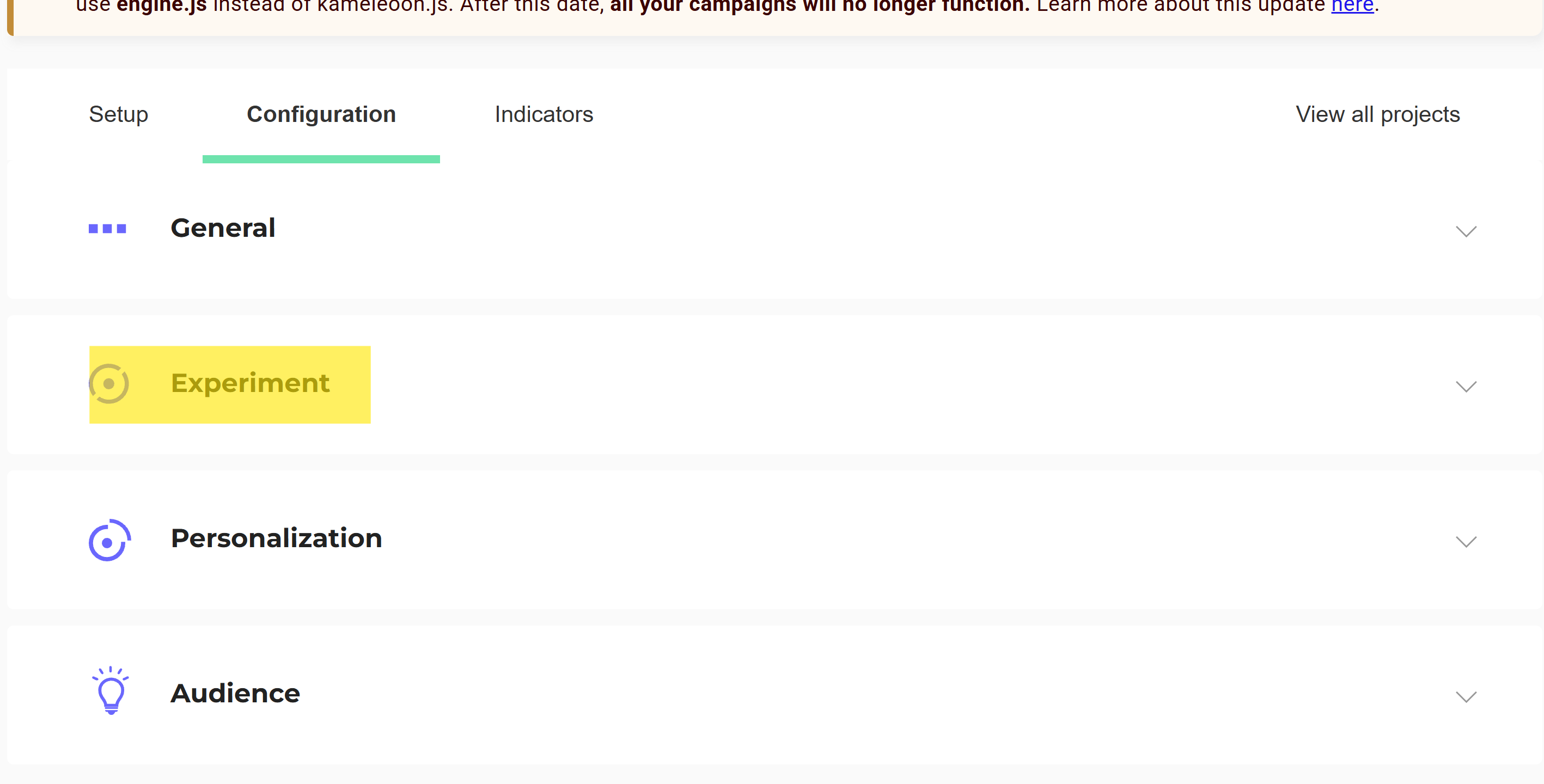
3. Cliquez sur **Expérience**.
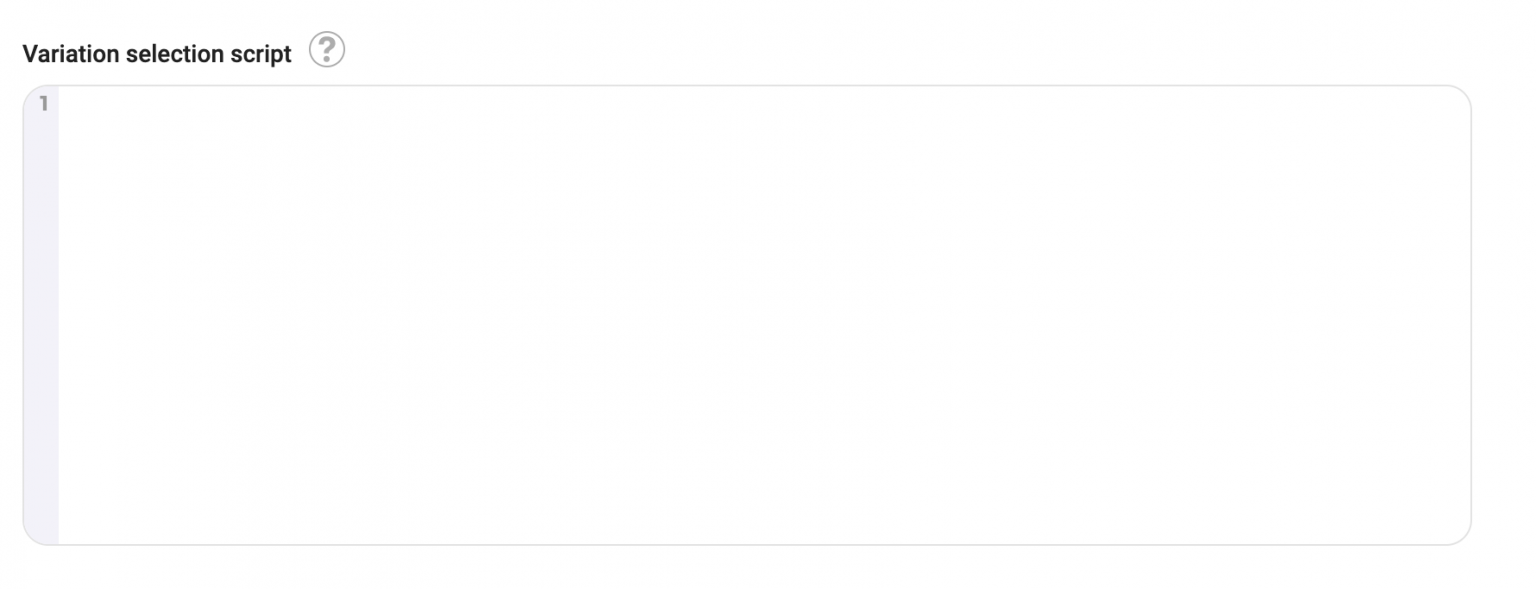
4. Ajoutez le script dans le champ **Script de sélection de variation**.