> ## Documentation Index
> Fetch the complete documentation index at: https://docs.kameleoon.com/llms.txt
> Use this file to discover all available pages before exploring further.
# Añadir y editar JavaScript en la variación del experimento
> Inyecte y actualice código JavaScript en una variación de experimento usando el endpoint Partial Update Variation de la Automation API.
## Requisitos
* `access token`
La Automation API requiere un [token de acceso](/developer-docs/apis/automation-api-rest/get-started/get-started).
Obtenga el token de forma programática siguiendo las instrucciones de la [sección sobre cómo obtener un token de acceso](/developer-docs/apis/automation-api-rest/get-started/get-started#1-obtain-an-access-token).
### Objetivo
Actualice la variación (`Variation 1`) del [experimento creado](./create-a-new-experiment) con:
```javascript theme={null}
Kameleoon.API.Core.runWhenElementPresent("#bloc-567, .cta-button, #bloc-789", function(elements) {
document.querySelector(".cta-button, #bloc-789").innerText = "More new text";
});
```
Después cambie el texto a **"Updated Text"**.
Consulte la [referencia de la API](/developer-docs/apis/activation-api-js/api-reference/api-reference#runwhenelementpresent) para los detalles del código.
La actualización utiliza el [endpoint Partial Update Variation](/api-reference/variation/partially-update-a-variation).
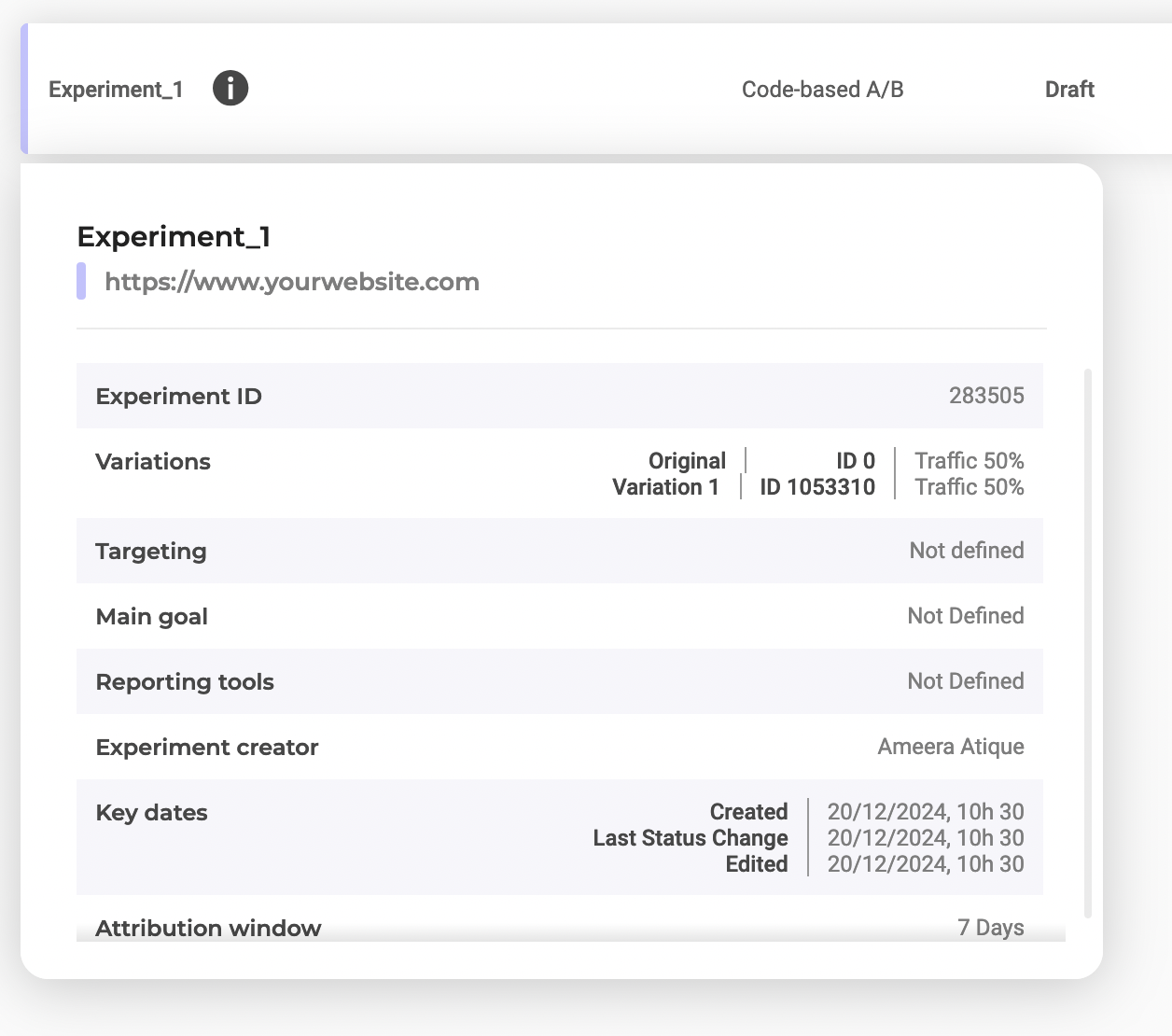
* `variationId` y `experimentId`
Encuentre los IDs seleccionando `Experiment_1` en el dashboard:
## Pasos
### 1. Inyecte el código JavaScript
**Endpoint:**
```
PATCH https://api.kameleoon.com/variations/{variationId}
```
| Nombre | Tipo | Descripción |
| ------------ | ------ | ----------------------------------------- |
| jsCode | String | Código JavaScript a actualizar. |
| name | String | Nombre de la variación. |
| experimentId | String | El ID del experimento asociado al código. |
**Ejemplo:**
```bash theme={null}
curl -L -X PATCH 'https://api.kameleoon.com/variations/1053310' \
-H 'Content-Type: application/json' \
-H 'Authorization: Bearer ' \
--data-raw '{
"experimentId": 283505,
"jsCode": "Kameleoon.API.Core.runWhenElementPresent(\".cta-button, #bloc-789\", function(elements) { document.querySelector(\".cta-button, #bloc-789\").innerText = \"Text\";});"
}'
```
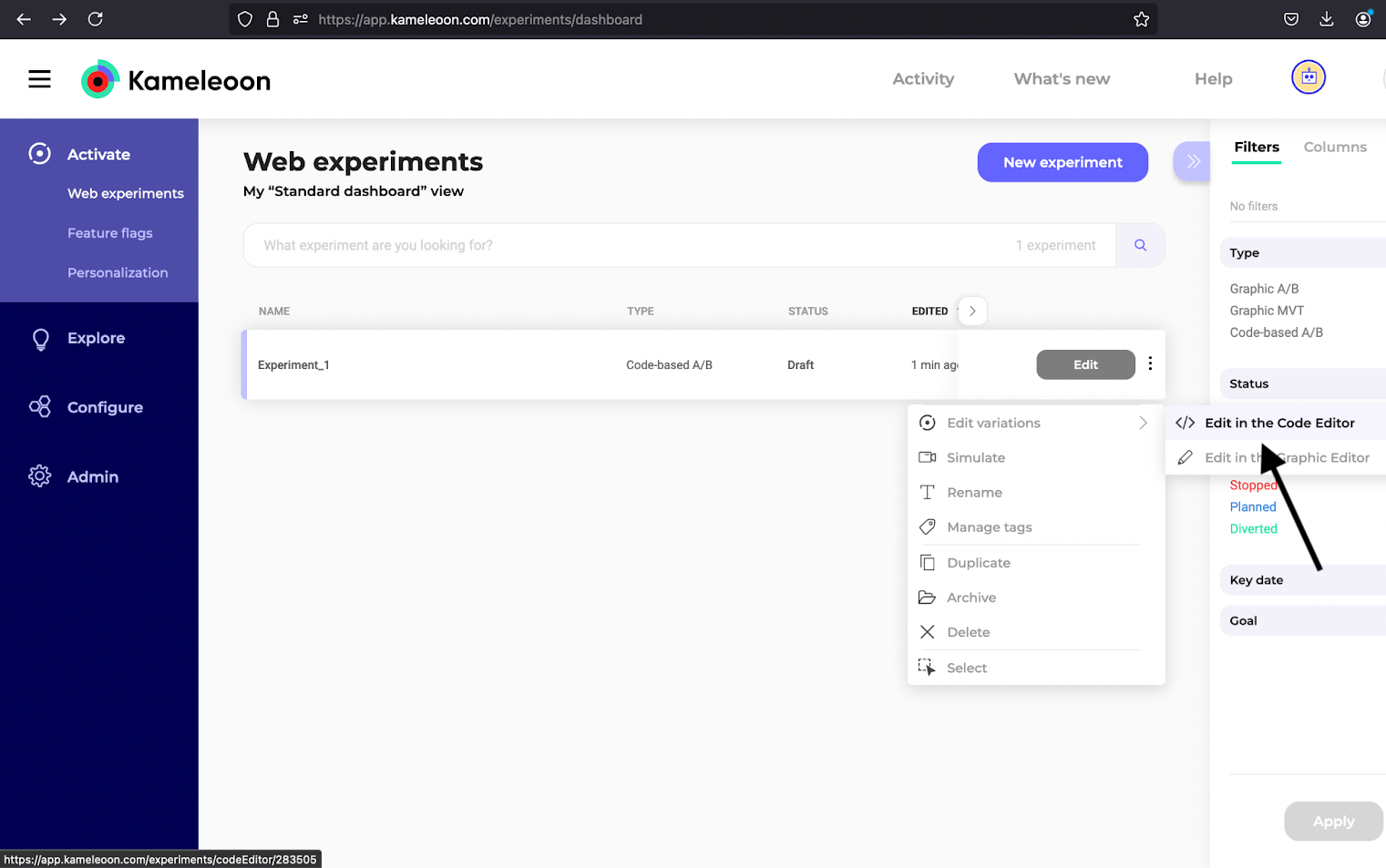
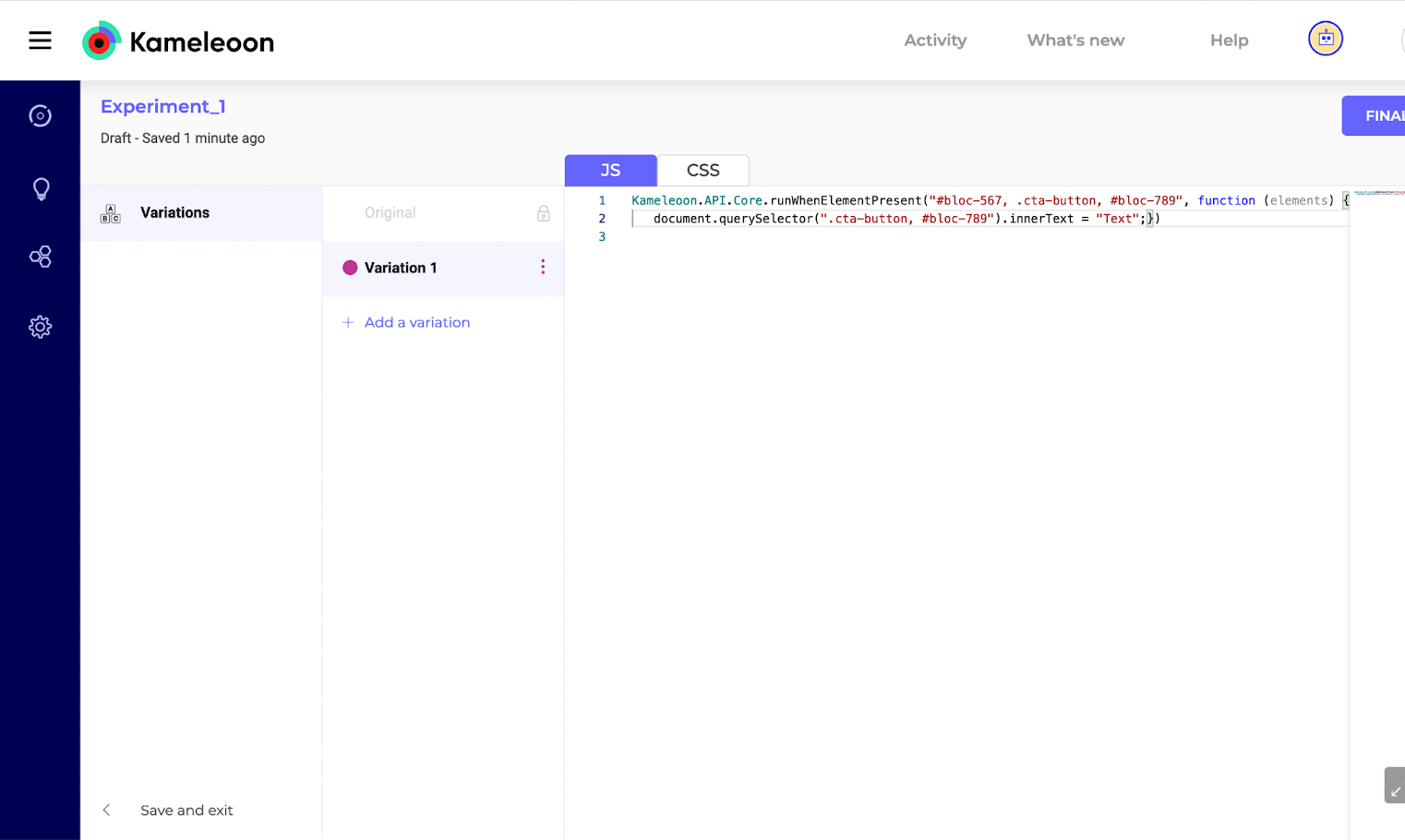
### 2. Verifique la inyección del código
Compruebe el Code Editor de `Variation 1`:
### 3. Actualice el código
Cambie el texto a **"Updated Text"**:
```bash theme={null}
curl -L -X PATCH 'https://api.kameleoon.com/variations/1053310' \
-H 'Content-Type: application/json' \
-H 'Authorization: Bearer ' \
--data-raw '{
"experimentId": 283505,
"jsCode": "Kameleoon.API.Core.runWhenElementPresent(\"#bloc-567, .cta-button\", function(elements) { document.querySelector(\".cta-button, #bloc-789\").innerText = \"Updated Text\";});"
}'
```
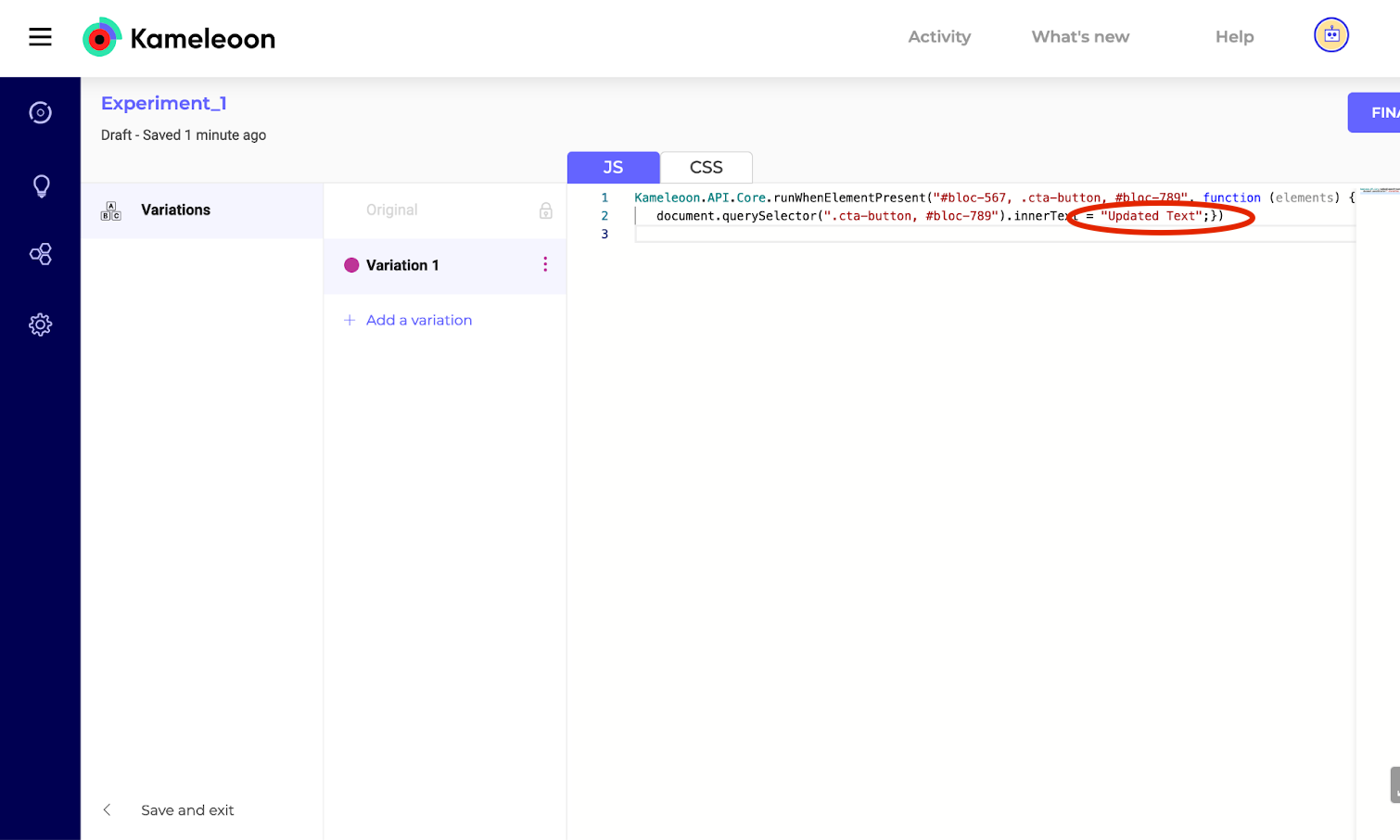
### 4. Verifique la actualización
Refresque el editor para confirmar la actualización: