> ## Documentation Index
> Fetch the complete documentation index at: https://docs.kameleoon.com/llms.txt
> Use this file to discover all available pages before exploring further.
# Retrieving product recommendations
> Learn how to retrieve and display product recommendations using the Kameleoon Product Recommendation API in your web or mobile application.
This guide explains how to retrieve **product recommendations** using the Product Recommendation API without embedding the Kameleoon HTML element. Refer to the [visual integration guide](/user-manual/recommendations-and-merchandising/recommendations/use-a-product-recommendation-block-in-a-campaign) for the visual method.
Use the following endpoint:
* **[Retrieve recommendations](../all-endpoints/Recommend/get-recommend)**
## Why use the API?
Use the API for mobile applications.
Depending on your needs, this approach offers multiple benefits:
* **Full Control**: Customize the variation display to match your design and UX standards.
* **Better Performance**: Use optimized API calls to reduce page load delays compared to script-based solutions.
* **Easier Debugging**: Log, monitor, and debug integrations within your client codebase using standard tools.
* **No Third-Party Script Dependency**: Use direct calls to avoid external scripts, reduce potential conflicts, and align with security policies.
* **SPA-Friendly**: Integrate directly into single-page applications to avoid timing issues and fit into client-side routing.
* **Ad Blocker Resilience**: Deliver experiments consistently without third-party scripts or specific HTML markers. For more details on how ad blockers affect Kameleoon, see the **[FAQ](../../../feature-experimentation/technical-reference/faq-global#how-do-ad-blockers-affect-kameleoon)**.
## Goal
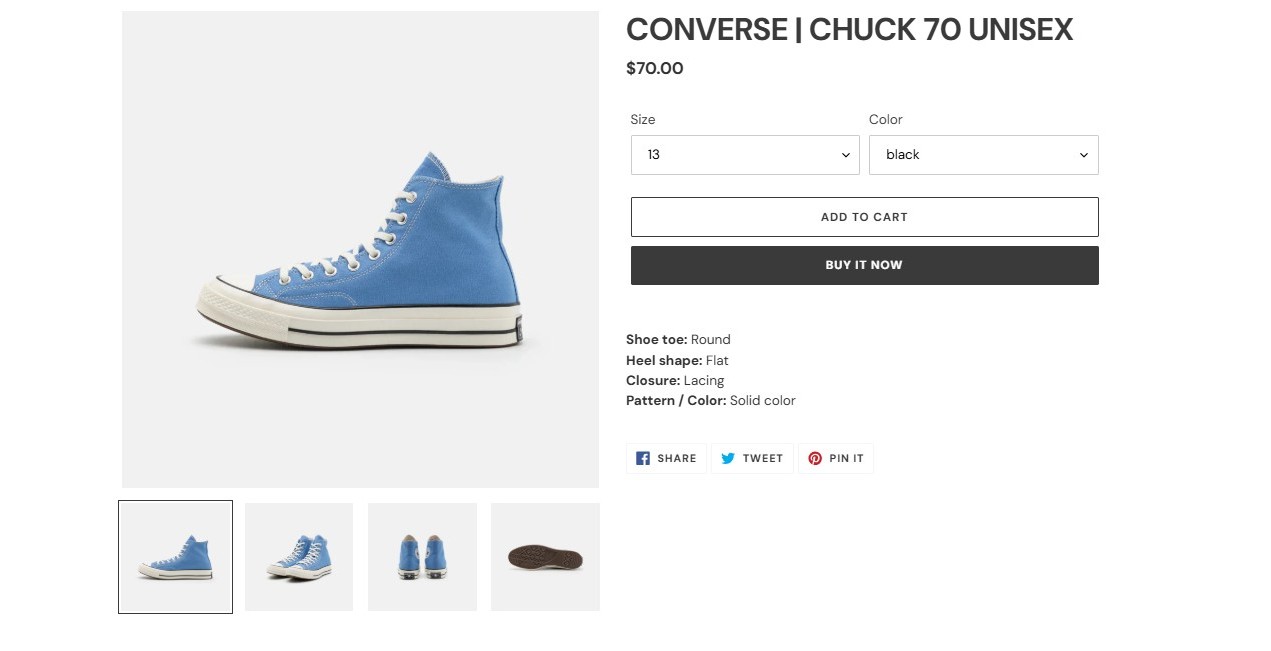
Retrieve recommendations from the product catalog using the Product Recommendation API. The following image shows a recommendation section added to a product page:
## Requirements
* A valid Kameleoon account with a **Store ID (`shop_id`)**.
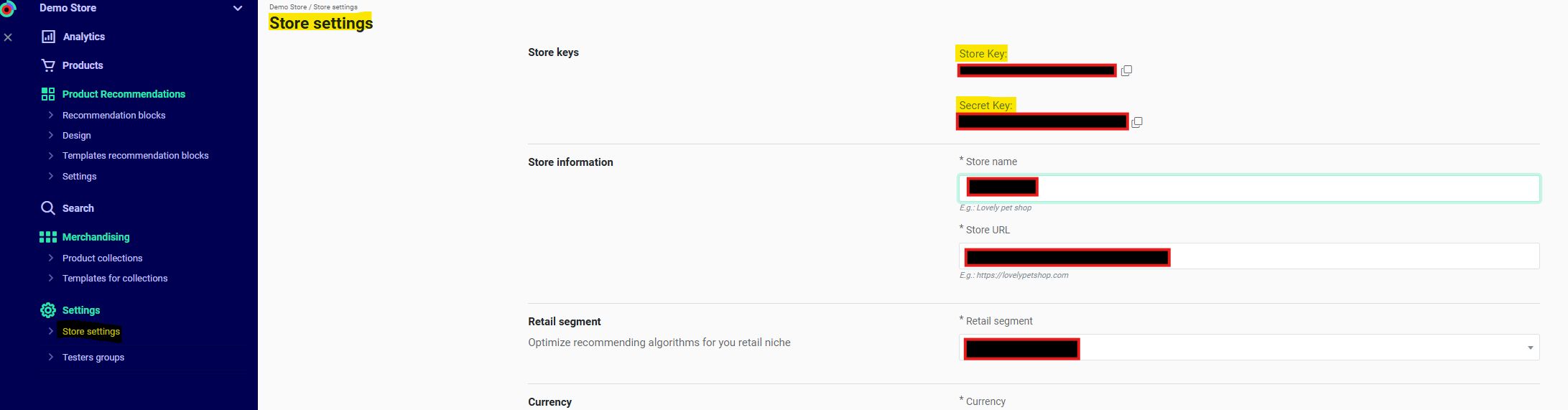
* Get your `shop_id` from **Recommendations** > **Settings** > **Store settings** in the Kameleoon app. Contact your Customer Success Manager for the key if necessary.
* A **Device ID (`did`)** and **Session ID (`sid`)**. (Required only when using filters or algorithms that rely on historical device/user data).
* For **Kameleoon Web Experimentation**, get these from the following cookies:
* `KameleoonProducts_device_id` → **Device ID (`did`)**
* `KameleoonProducts_session_code` → **Session ID (`sid`)**
* Otherwise, generate these values manually.
## Steps
### 1. Retrieve cookies (Kameleoon Web Experimentation only)
Generate these values manually for backend implementations or environments without Kameleoon Web Experimentation. Refer to the **[Init endpoint](../all-endpoints/Initialize/init)** for details.
```javascript theme={null}
function getCookie(name) {
const match = document.cookie.match(new RegExp('(^| )' + name + '=([^;]+)'));
if (match) return match[2];
}
const did = getCookie('KameleoonProducts_device_id');
const sid = getCookie('KameleoonProducts_session_code');
```
### 2. Configure your product recommendations
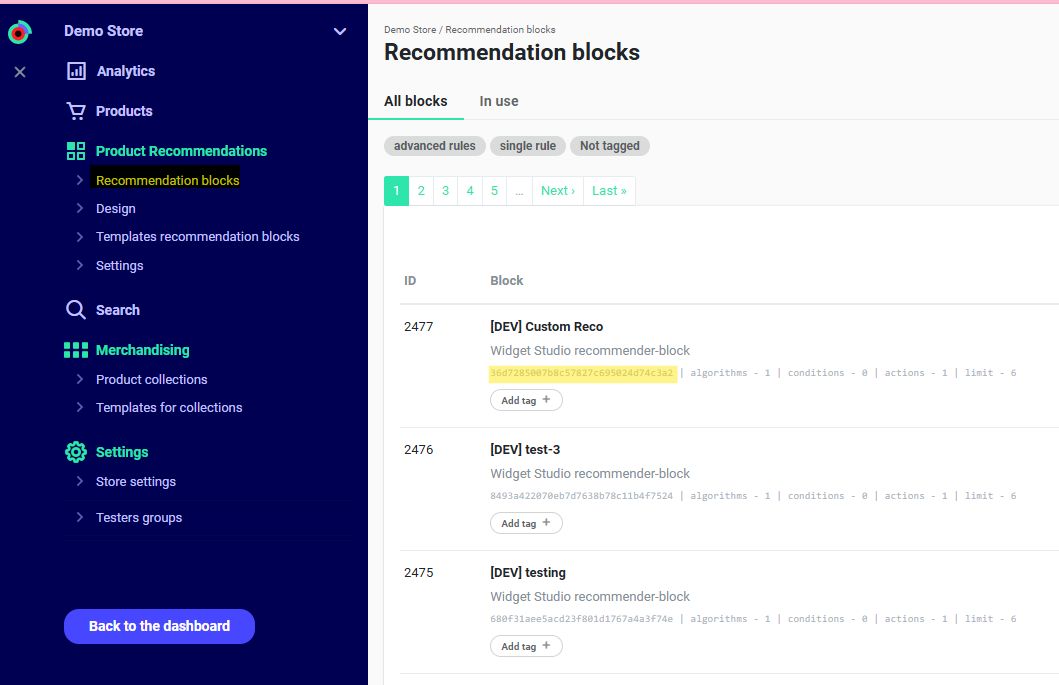
Navigate to **Recommendations** > **Product Recommendations** > **Recommendation Blocks** in the Kameleoon app.
For unconfigured blocks, follow [this guide](/user-manual/recommendations-and-merchandising/recommendations/configure-and-add-a-recommendation-block).
Identify the `recommender_code`.
The API does not return CSS styles configured in the Kameleoon app.
### 3. Query request
**Endpoint:**
```sqlite3 theme={null}
GET https://api.products.kameleoon.com/recommend/{%recommender_code%}
```
Replace `{recommender_code}` with the value retrieved in [Step 2](#2-configure-your-product-recommendations).
| Parameter | Type | Required | Description |
| :--------------- | :------------ | :------- | :--------------------------------------------------------------------------------------------------------------------------------------------------------------------------------------------------- |
| `did` | String | True | Device ID |
| `shop_id` | String | True | Store Key |
| `sid` | String | True | Temporary user session ID |
| `resize_image` | Integer | False | Image size (px) for resizing. Supported values: `120`, `140`, `160`, `180`, `200`, `220`. |
| `extended` | Integer/Empty | Optional | Adds extended information for recommended products. If `1`, the API returns all product information. If empty, the API returns only product IDs. |
| `with_locations` | Boolean | False | If `true` and `extended` is also true, the response includes `location_ids` for product availability. If `extended` is missing or `false`, the API ignores `with_locations` and defaults to `false`. |
**Example:**
```bash theme={null}
curl -X GET -L 'https://api.products.kameleoon.com/recommend/trending_products_01' \
-H 'Content-Type: application/json' \
-d '{
"did": "abc123-kam-device-id",
"shop_id": "shop_4567_example",
"sid": "session_7890_example",
}'
```
### 4. Response
| Name | Type | Description |
| :----------- | :----- | :----------------------------------------------------------------------------------------- |
| `html` | string | HTML code for the product block. Customize the template in the Kameleoon personal account. |
| `title` | string | Block title. Matches the "Action" element value in the block rules. |
| `recommends` | array | List of products. |
| `id` | number | Unique block identifier. Matches the block ID in the Kameleoon personal account. |
If `extended = 1`, products contain all **[product details](../all-endpoints/Recommend/get-product-list#product-fields)**. Otherwise, the API returns only the product IDs as strings.
The mobile app can ignore `html`.
The API does not return CSS; you must style the output manually.
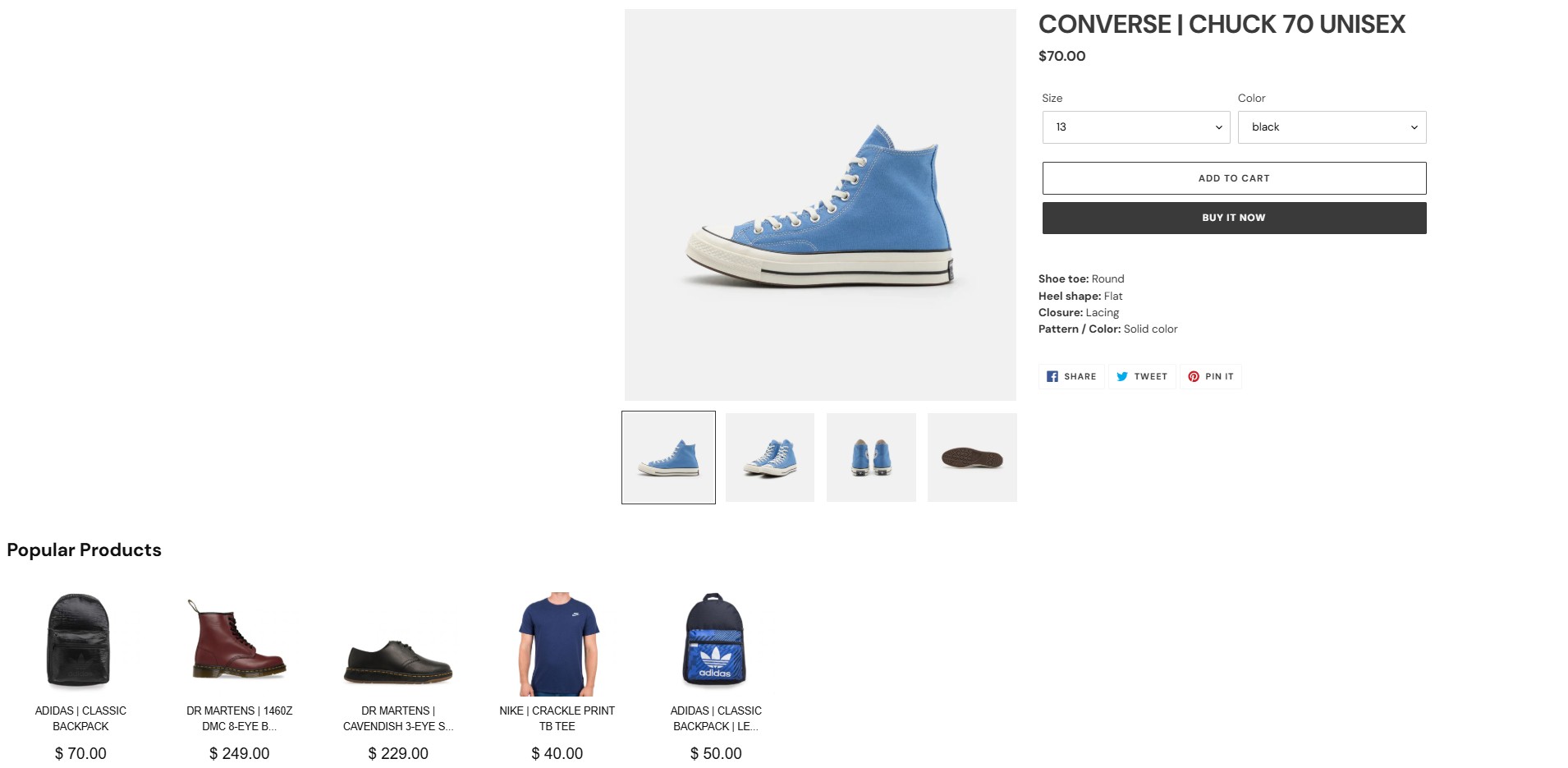
The following image shows the product page with the integrated HTML response:
#### a. With extended = 0
```json theme={null}
{
"id": 2476,
"recommends": [
"AsTi-01-black-4",
"C-02-black-7",
"C-01-white-8",
"VN-09-beige-4",
"DM-03-red-6",
"DM-02-black-5"
],
"title": "Popular products",
"link": "",
"html": " ... <\/div>"
}
```
#### b. With extended = 1
```json theme={null}
{
"id": 870,
"recommends": [
{
"name": "CONVERSE | TODDLER CHUCK TAYLOR ALL STAR AXEL MID",
"url": "https://kameleoon-store.myshopify.com/products/converse-toddler-chuck-taylor-all-star-axel-mid?variant=40023417028772&recommended_by=dynamic&recommended_code=bdf46866294e4b8733eb2c2084423967",
"category_ids": [
"1",
"295508017316"
],
"barcode": "C-03-black-5",
"vendor_code": "CO",
"brand": "Converse",
"leftovers": "few",
"rating": 5,
"picture": "https://images.products.kameleoon.com/resize-images/180/9fa630bf863db7a87fc6d5fd2a188f/3919221.jpg",
"price_formatted": "$ 70",
"price": 70,
"currency": "$",
"id": "C-03-black-5"
}
],
"title": "Popular Products",
"link": "",
"html": " ... <\/section>"
}
```
}
```
```