> ## Documentation Index
> Fetch the complete documentation index at: https://docs.kameleoon.com/llms.txt
> Use this file to discover all available pages before exploring further.
# Managing a variation's allocation according to specific criteria
> Override Kameleoon's default variation assignment algorithm to allocate variations based on custom JavaScript criteria such as predefined variables.
Kameleoon randomly allocates a variation to a visitor by default. The [statistical paper](https://storage.googleapis.com/kameleoon-storage-documentation/user-manual/pdf/statistics-at-kameleoon.pdf) explains the assignment algorithm logic in the "Kameleoon's assignation algorithm" section. The default function follows:
```
function (experiment)
{
var registeredVariationId;
var deviationRandom = experiment.obtainVariationAssignmentRandomNumber();
var total = 0.0;
for (var i = 0, l = experiment.variations.length; i < l; ++i)
{
total += experiment.variations[i].deviation;
if (deviationRandom <= total)
{
registeredVariationId = experiment.variations[i].id;
break;
}
}
return registeredVariationId ? registeredVariationId : "none";
}
```
Overload this function to change how Kameleoon selects and displays variations. For example, selecting a variation based on a JavaScript variable is often beneficial:
```
function(experiment)
{
if(experiment.id == "ID TEST"){ //code for the experiment you would like a specific behavior. It has to be adapted to your use case
if(typeof versionTest != "undefined") { //versionTest variable has to be available before loading Kameleoon. Otherwise it will not work.
if(versionTest == 1)
return 81103; //ID of the variation 1
else if(versionTest == 2)
return 81104; //ID of the variation 2
else if(versionTest == 3)
return 81105; //ID of the variation 3
else if(versionTest == 4) //ID of the variation 4
return 81106;
}
}
else{ //default behavior is applied for all other experiments
var registeredVariationId;
var deviationRandom = experiment.obtainVariationAssignmentRandomNumber();
var total = 0.0;
for (var i = 0, l = experiment.variations.length; i < l; ++i)
{
total += experiment.variations[i].deviation;
if (deviationRandom <= total)
{
registeredVariationId = experiment.variations[i].id;
break;
}
}
return registeredVariationId ? registeredVariationId : "none";
}
}
```
Add the custom code to the account:
1. Use the left menu to go to **Admin** > **Projects**.
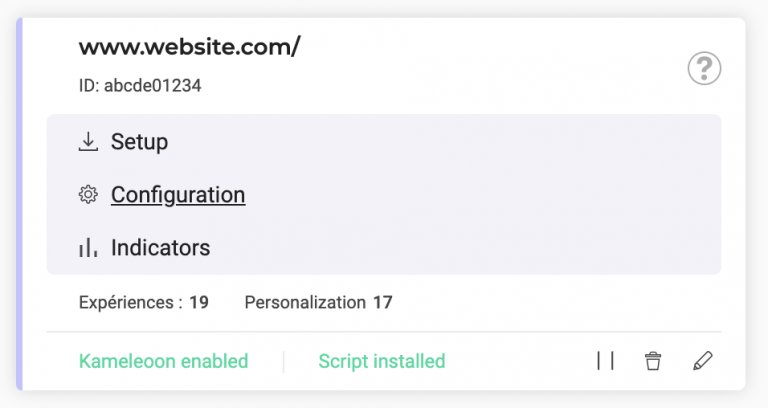
2. Click **Configuration** on the website card.
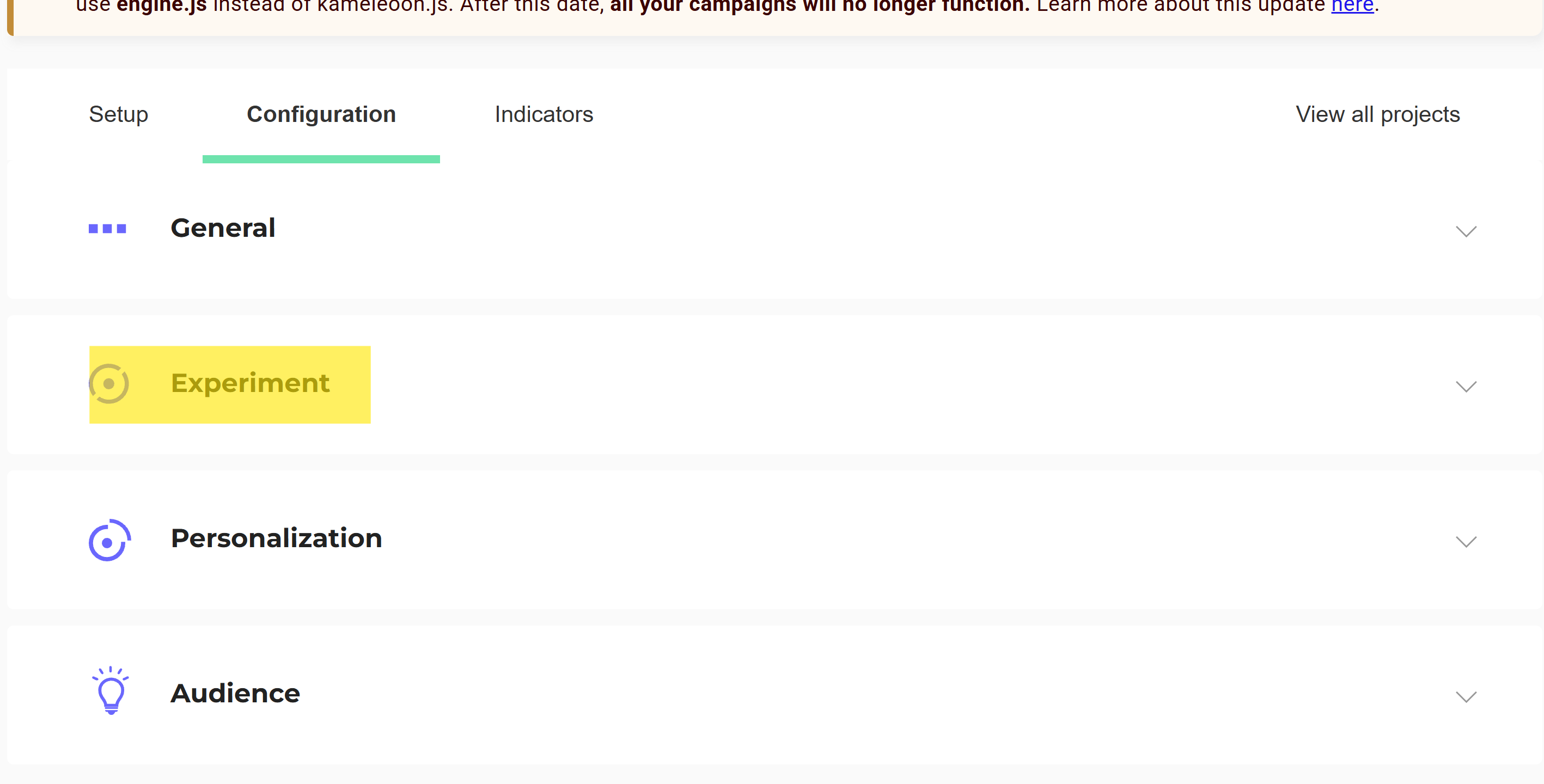
3. Click **Experiment**.
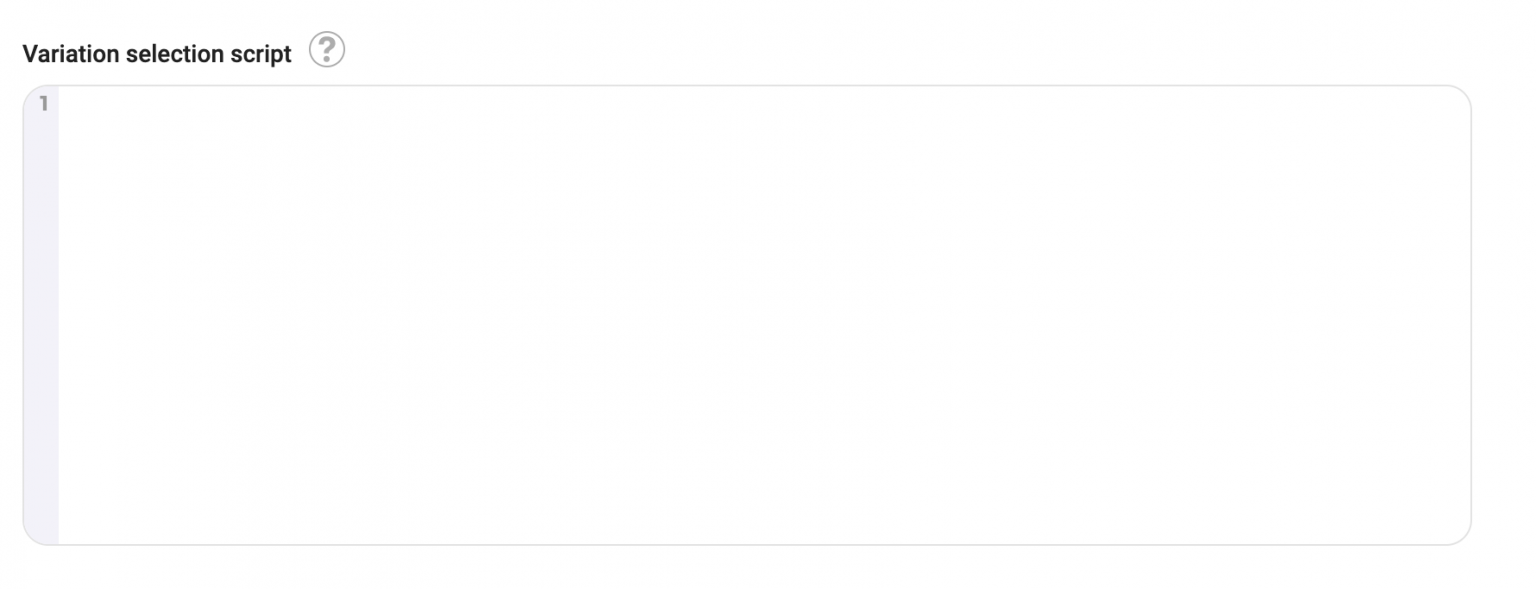
4. Add the script in the **Variation selection script** field.